Attendance Reports
Last Updated: February 03, 2026
Document Version: 1.0
- Attendance Reports help Admin users view and download employee attendance information.
- These reports provide details such as presence, absence, working hours, penalties, and attendance trends.
About Attendance Reports
Attendance Reports are used to:
-
Track daily and monthly attendance
-
Monitor employee presence and absence
-
Review attendance penalties and missing punches
-
Analyze attendance patterns
-
Use the Search option in the EMGAGE dashboard and search for Master Reports.
Attendance Reports Section
-
After opening Master Reports, the Attendance Reports section is displayed.
-
This section contains all attendance-related reports that can be viewed or downloaded.
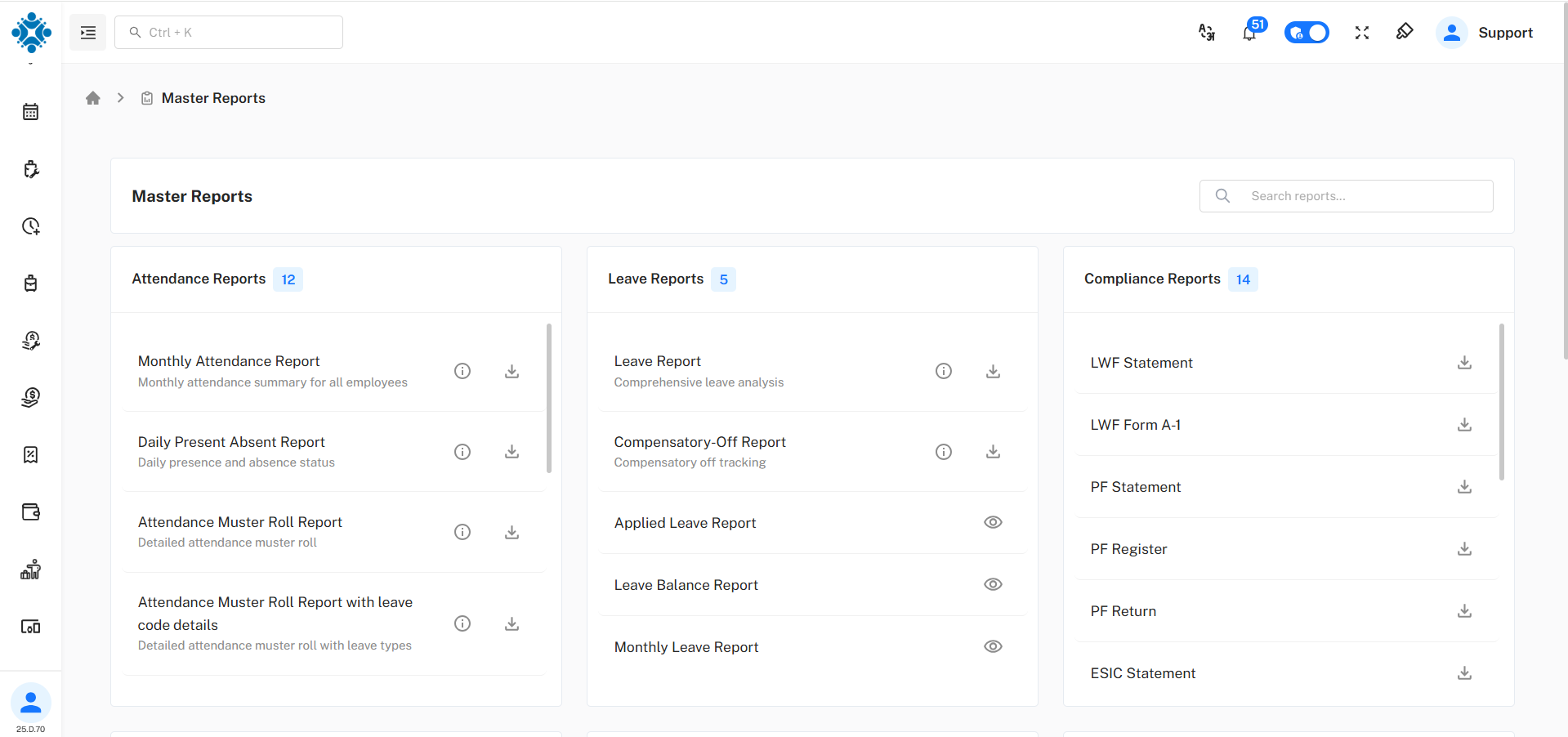
Available Attendance Reports
| Report Name | Description |
|---|---|
| Monthly Attendance Report | Shows monthly attendance summary for employees |
| Daily Present Absent Report | Displays daily presence and absence status |
| Attendance Muster Roll Report | Provides detailed attendance records |
| Attendance Muster Roll Report with Leave Code Details | Shows attendance along with leave type information |
| Attendance Penalty Report | Displays penalties applied due to attendance issues |
| Attendance Half Day Penalty Report | Shows half-day penalties for attendance shortfalls |
| Employee Attendance Report | Displays attendance details for individual employees |
| Employee Attendance Weekly Report | Shows weekly attendance data for employees |
| Missing Punch Report | Lists employees with missing punch entries |
| Attendance Analysis Report | Helps analyze attendance trends and patterns |
| Attendance Summary Report | Provides a summarized view of attendance data |
| Geo Fencing Reports | Shows attendance data based on geo-fencing rules |
Viewing and Downloading Reports
For each report:
-
Use the download option to export the report
-
Use the view option to check data on screen (available only for some reports)
-
Reports can be downloaded based on selected filters such as date, employee, or department. About Filters