Candidate Offers
Last Updated: February 9, 2026
Document Version: 1.0
What is the Candidate Offers Page?
The Candidate Offers page shows a list of all job offers created for candidates and their current status. From this page, HR and recruiters can:
- View all offers in one place
- Check the status of each offer
- Create and send new offers
- Manage draft, sent, accepted, or deleted offers
This page acts as a central dashboard for managing candidate job offers.
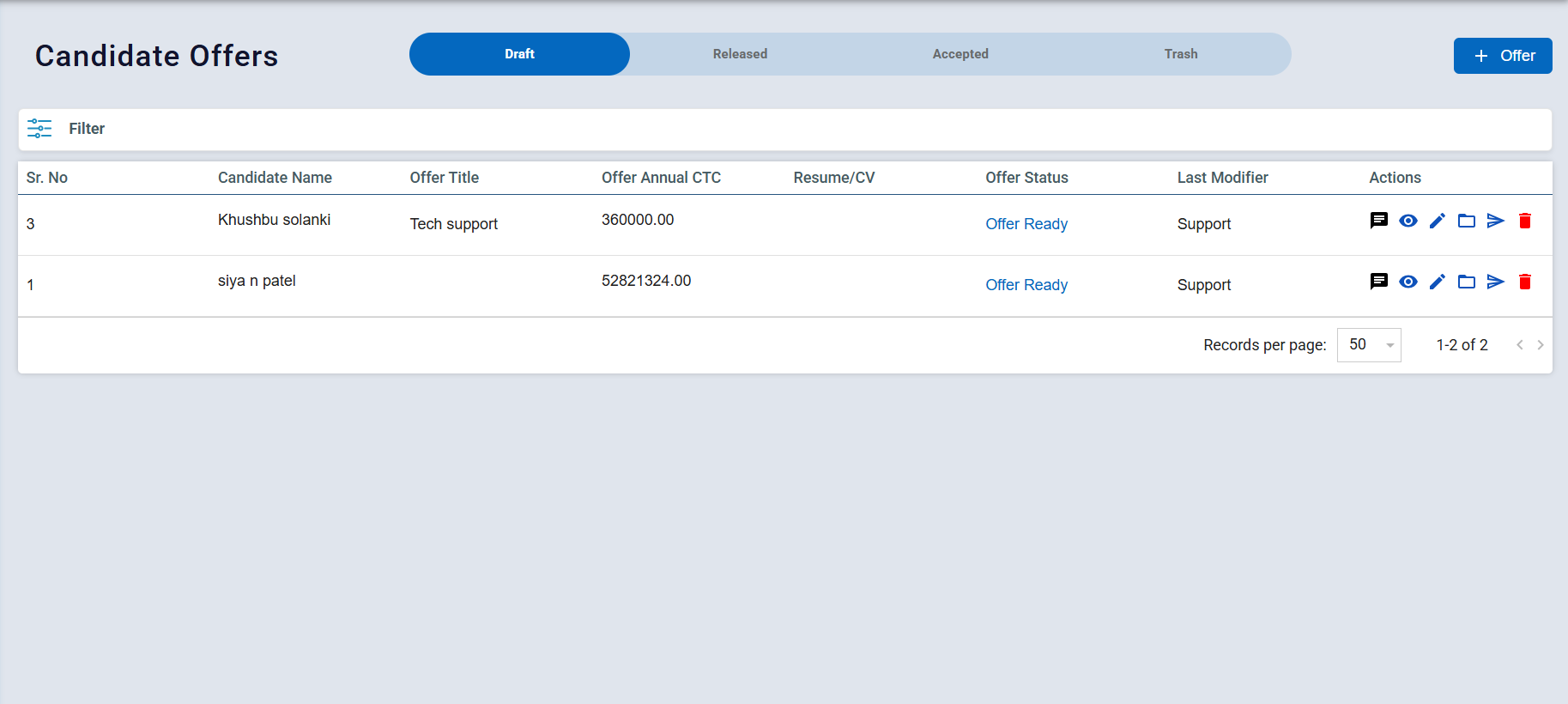
The page is divided into different tabs based on the offer status:
1. Draft: Offers that are created but not yet sent to the candidate It is useful when you want to save details and send the offer later. You can edit or delete draft offers anytime.
2. Released: Offers that have been sent to the candidate via email. The candidate has received the offer but has not responded yet. You can track pending responses from this tab.
3. Accepted: Offers that have been accepted by the candidate & These candidates are ready to move to the joining or onboarding process.
4. Trash: Offers that have been deleted or no longer active. You can used mainly for record or cleanup purposes
Create and send a job offer to a candidate.
- Click on the + Offer button. This will open a new form where you can enter candidate and offer details.
Fill in the candidate’s personal information :
- Name – Full name of the candidate
- Email –Enter candidate email id which also used to send the offer letter
- Mobile Number – Contact number of the candidate
- Date of Birth – Enter the candidate’s date of birth
- Expected Joining Date – When the candidate is expected to join
- Resume Upload – Upload the candidate’s resume (PDF or document)
- Address – Write residential address of the candidate
Make sure the email and mobile number are correct, as these are critical for communication.
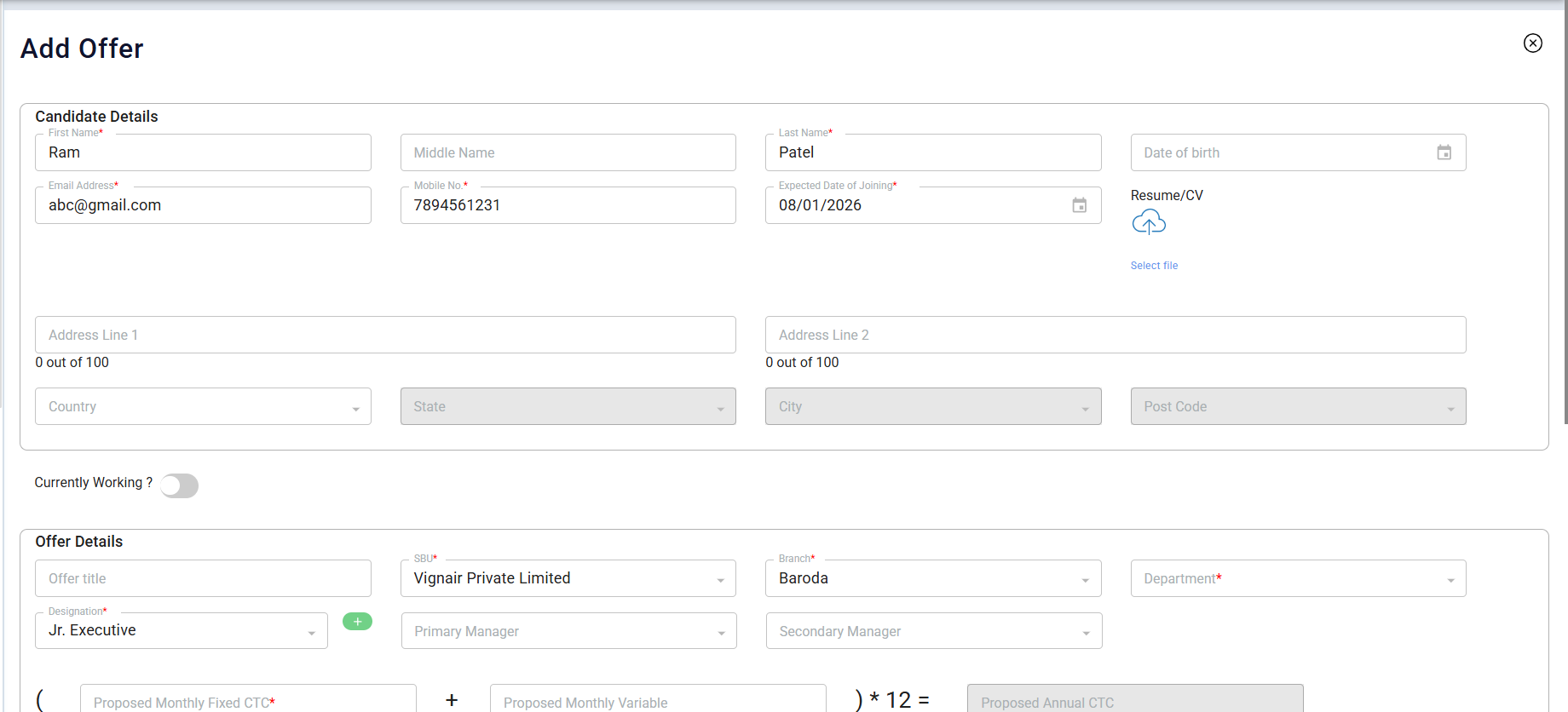
- Currently Working : This option is used when candidate is currently working in some other company and you want to know about his current salary details.
Now enter the job-related and salary details:
- Offer Title – Title of the offer (e.g., Job Offer – Software Engineer)
- Designation – Job role or position
- Department – Department the candidate will work in
- Branch – Office location or branch name
- Manager – Reporting manager for the candidate
- Monthly CTC – Monthly salary offered
- Annual CTC – Total yearly salary package
These details appear in the offer letter, so accuracy is important.
Once all details are filled:
- Click Send Offer to immediately send the offer letter email to the candidate
OR
- Click Save as Draft if you want to:Review later,Get approval before sending or Edit details at a later time.