Candidate Offer Setup
Last Updated: February 9, 2026
Document Version: 1.0
What is Candidate Offer Setup?
When a company selects a candidate, an offer letter email is sent to them. The Candidate Offer Setup allows you to:
- Decide who receives the email (To, CC, BCC)
- Write the email subject and message
- Attach documents (offer letter, policies, etc.)
- Set how long the offer is valid before expiry
- Use predefined templates for consistency
Once everything is configured, the same setup can be reused for future candidates.
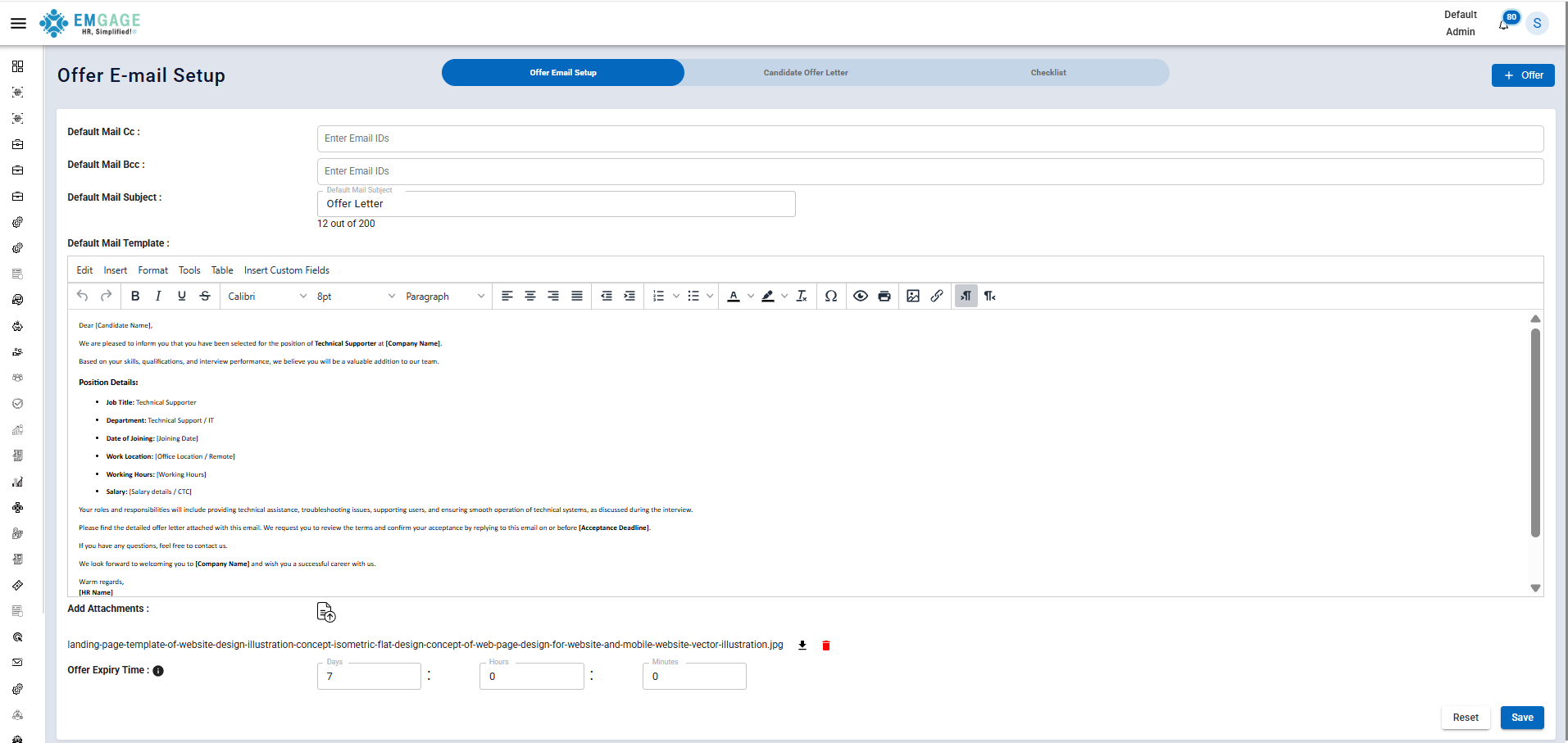
This section controls the email content that goes to the candidate along with the offer letter.
-
CC: People who should be informed (e.g., HR manager, recruiter)
-
BCC: People who should receive the email without the candidate seeing their email address
-
Email Subject: You can add a custom subject line that appears in the candidate's inbox (Title of the email).
-
Offer Email Content: This part allows you to write the main message of the email. This is where you can welcome the candidate, mention the job role and company name, explain the attached offer letter, and provide instructions for next steps.
-
Attachments: You can attach files that should be sent with the email, such as:
-
Offer Expiry Time: You can set a time limit for how long the offer is valid. After this time, the offer may automatically expire if the candidate does not accept it.
Candidate offer Letter
You can create templates for offer letters to maintain consistency and save time. Using templates ensures that all candidates receive the same information in a professional format.
- It helps to: Same format for all candidates, Less manual work and Fewer mistakes
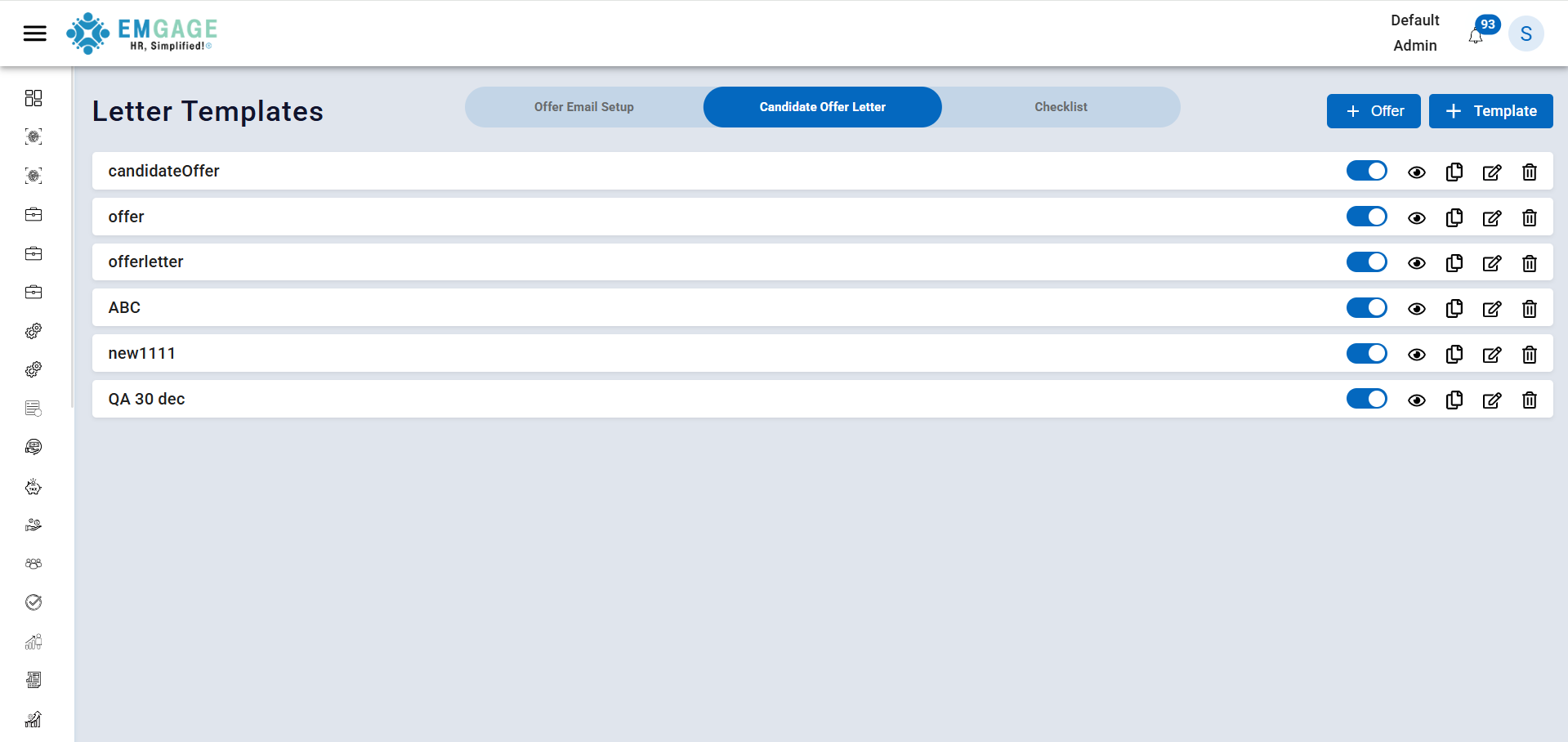
What You Can Do with Templates
- Create new offer letter templates for different roles or locations
- Edit existing templates when company details change
- Enable or disable templates (only enabled templates can be used)
- Select a template while sending an offer to a candidate
Example:
- Fresher Offer Template
- Experienced Hire Offer Template
- Contract Employee Offer Template
Checklist
Checklist defines the documents a candidate must submit during joining.This helps HR teams ensure that all required documents are collected properly.
-
Add different document types, such as:Bank Details, Educational Certificates, ID Proof,Address Proof
-
Mark documents as: Mandatory (must be submitted) Or Optional (good to have, but not required)
-
Enable Verification Required if documents need to be checked and approved and also Set a default checklist that applies to most candidates
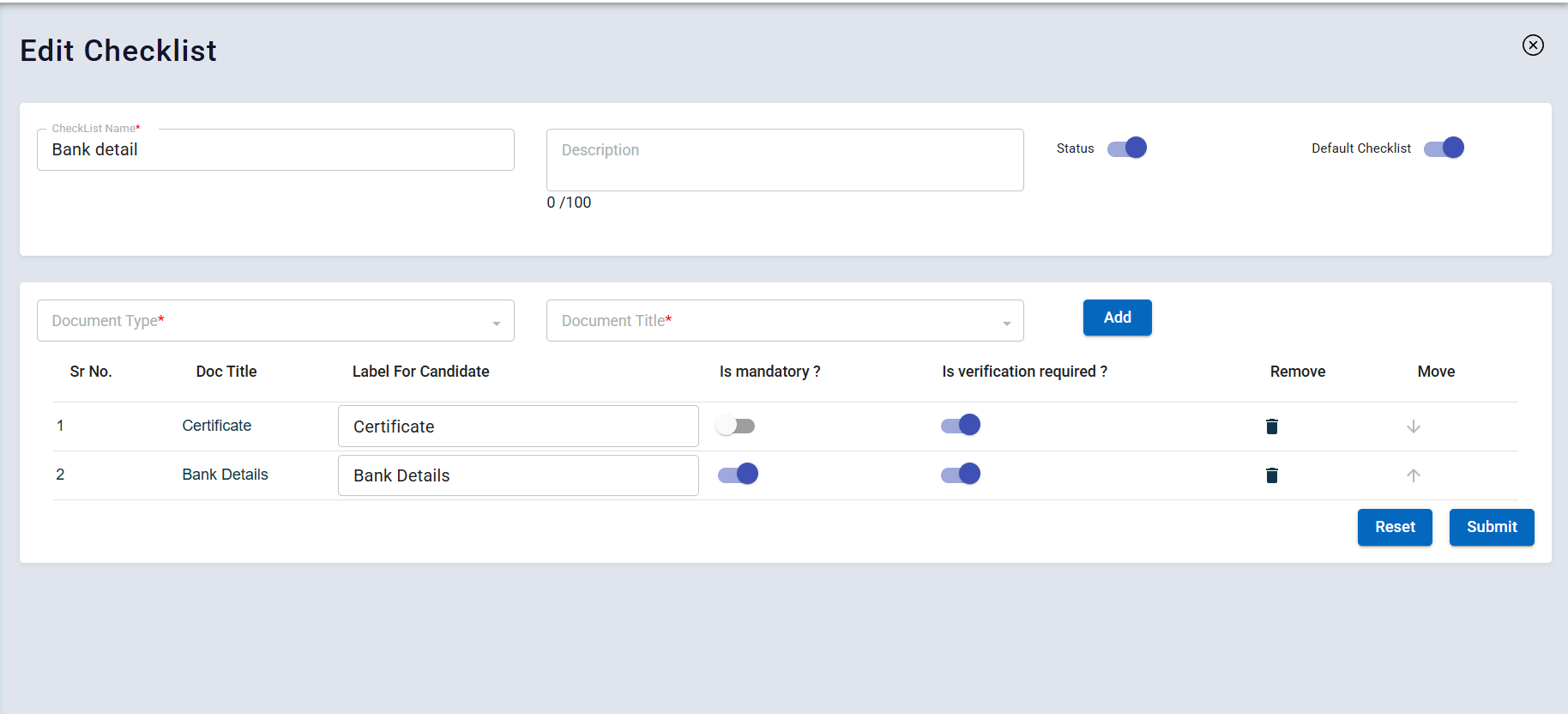
Edit Checklist
While editing a checklist, you can:
- Change the checklist name (e.g., "Bank document checklist"), Update the description to explain its purpose.
- Enable or disable the checklist, Add or remove documents from the list, Reorder documents to decide the sequence shown to candidates
This flexibility allows you to customize the checklist based on company or role requirements.