Compose Email (Static & Dynamic Email)
Overview
The Compose Email allows administrators to communicate with employees using Static Emails or Dynamic Email Templates. Emails can be sent to selected employees based on defined criteria, ensuring targeted and effective communication.
1. Static Email Creation
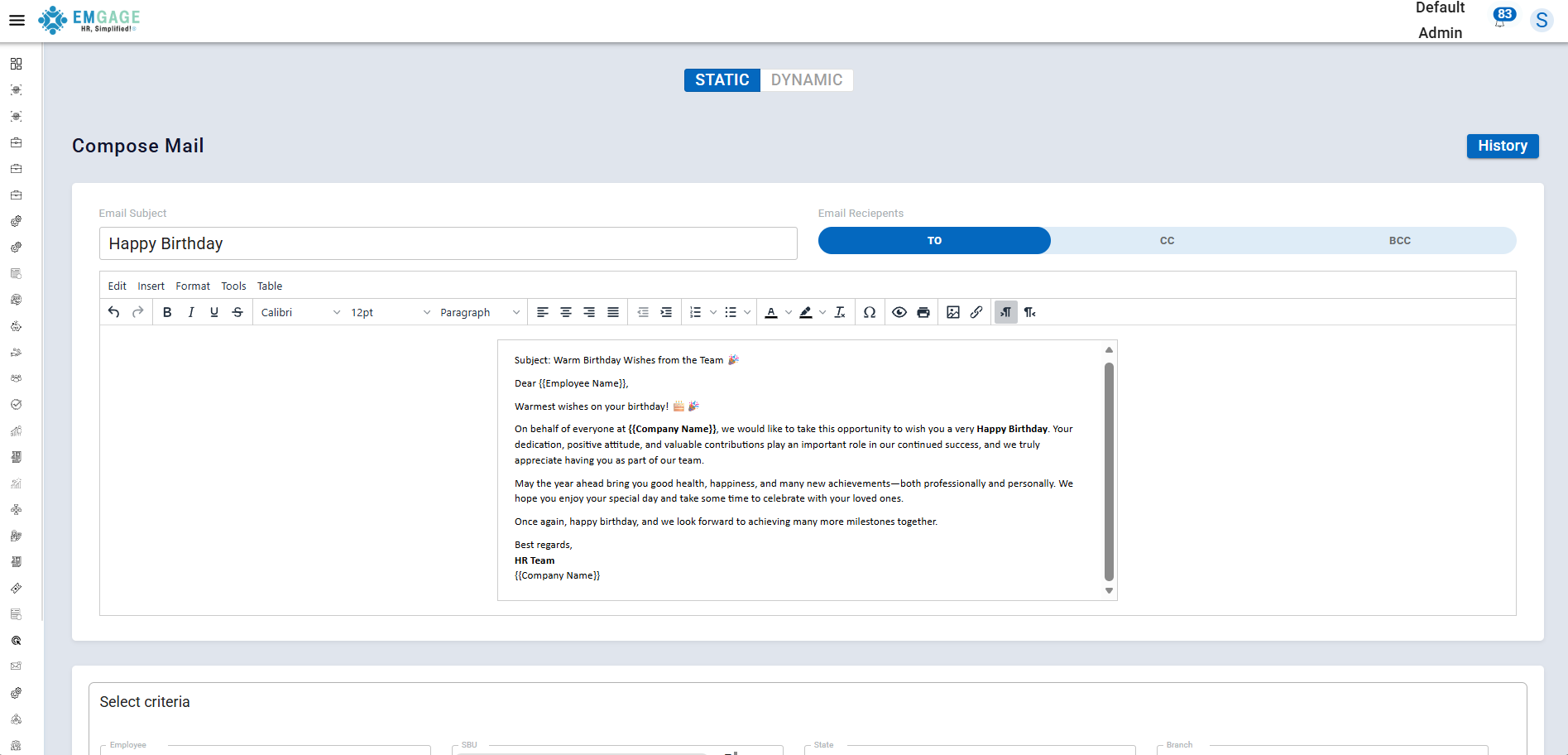
The Static Email option allows admins to manually create an email.
Steps
- Create a static email page manually
- Enter the Subject and Email Content
- Add recipients in To
- Add recipients in CC or BCC as required
This option is ideal for one-time or customized email communication.
2. Select Criteria & Send Static Email
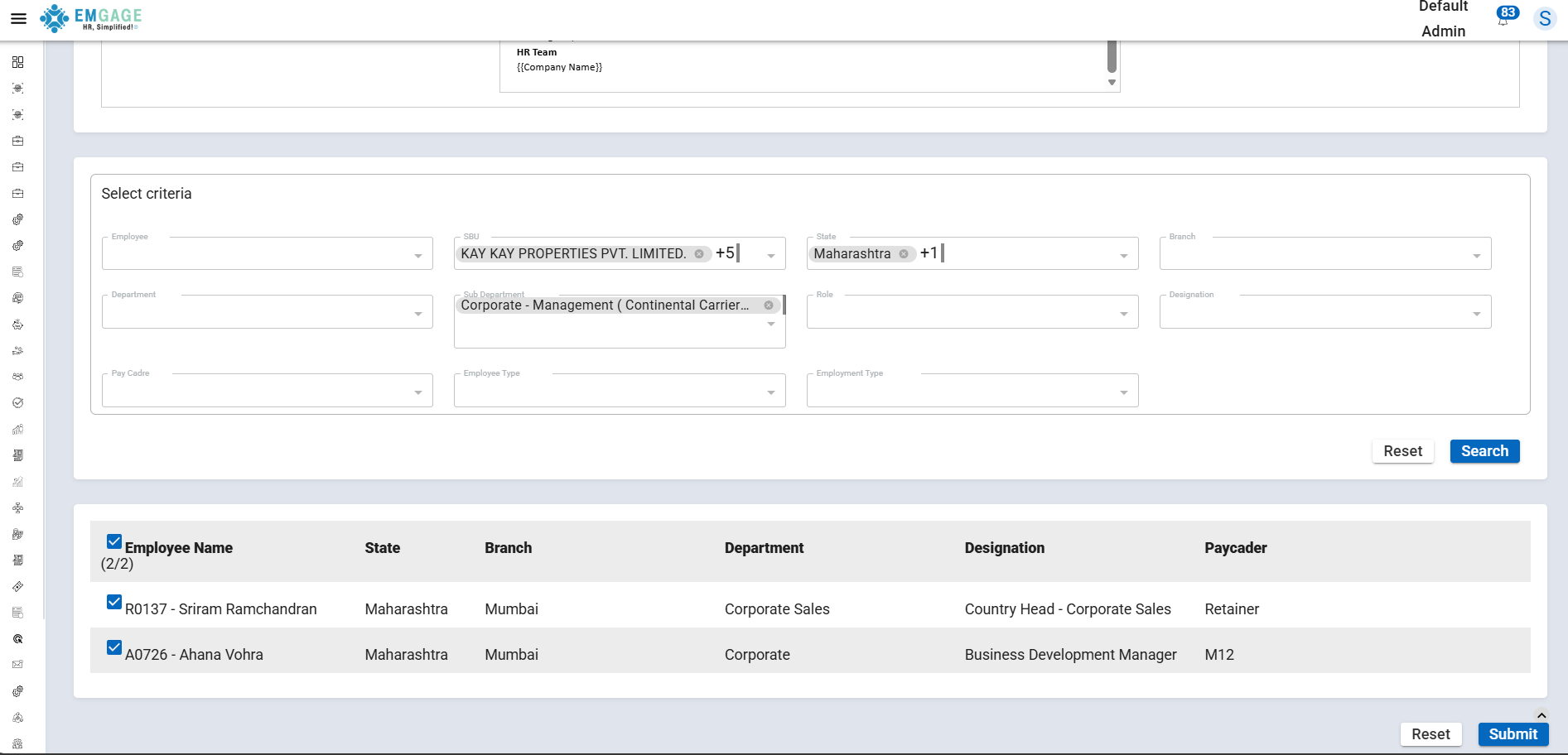
After creating the static email, the admin can select employees using predefined criteria.
Actions Available
- Select criteria (Department, Role, Location, etc.)
- Review selected employees
- Click the Submit button to send the email
The email is sent only to employees matching the selected criteria.
3. Dynamic Email Using Templates
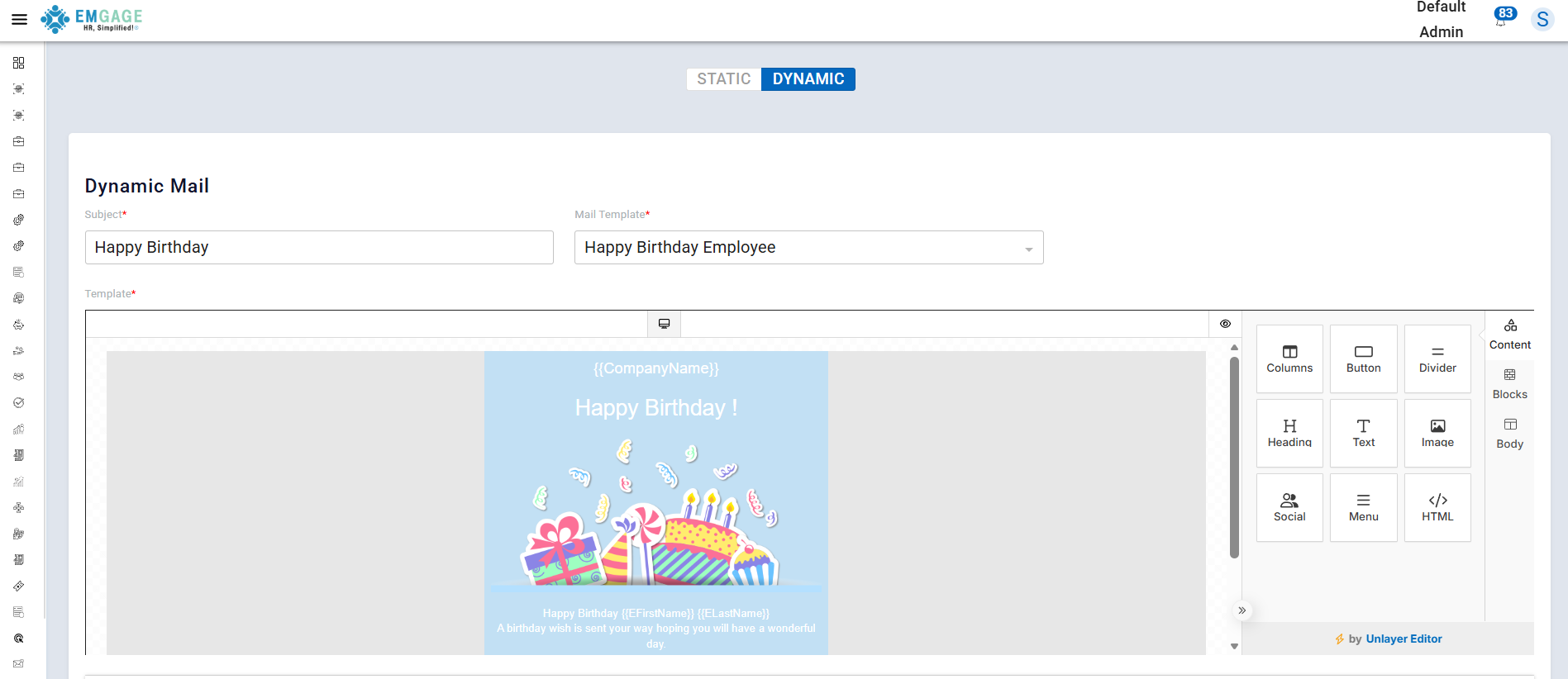
The Dynamic Email feature allows admins to send emails using predefined templates.
Key Features
- Select an already created email template
- Templates include predefined subject and body content
- Dynamic fields auto-populate employee data
This ensures consistency in communication.
Select Template & Create Email
From the template list:
- Select the required email template
- Preview template content
- Edit if necessary (optional)
- Proceed to send the email
Send Dynamic Email to Employees
After selecting the template:
- Choose employees based on criteria
- Click Submit
- The email is sent automatically to selected employees
Email Workflow
- Create a static email (optional CC/BCC)
- Select employee criteria
- Send static email
- Choose dynamic email template
- Send email to selected employees
Key Benefits
- Supports both static and dynamic emails
- Targeted communication using employee criteria
- Time-saving reusable templates
- Consistent and professional communication
- Easy-to-use email management system