Form Assign
Last Updated: October 26, 2025
Document Version: 1.0
Prepared for: Emgage HRMS Implementation Team
Form assignment management allows you to assign forms created in different sections to specific users or roles, controlling who can access and use various forms within the system.
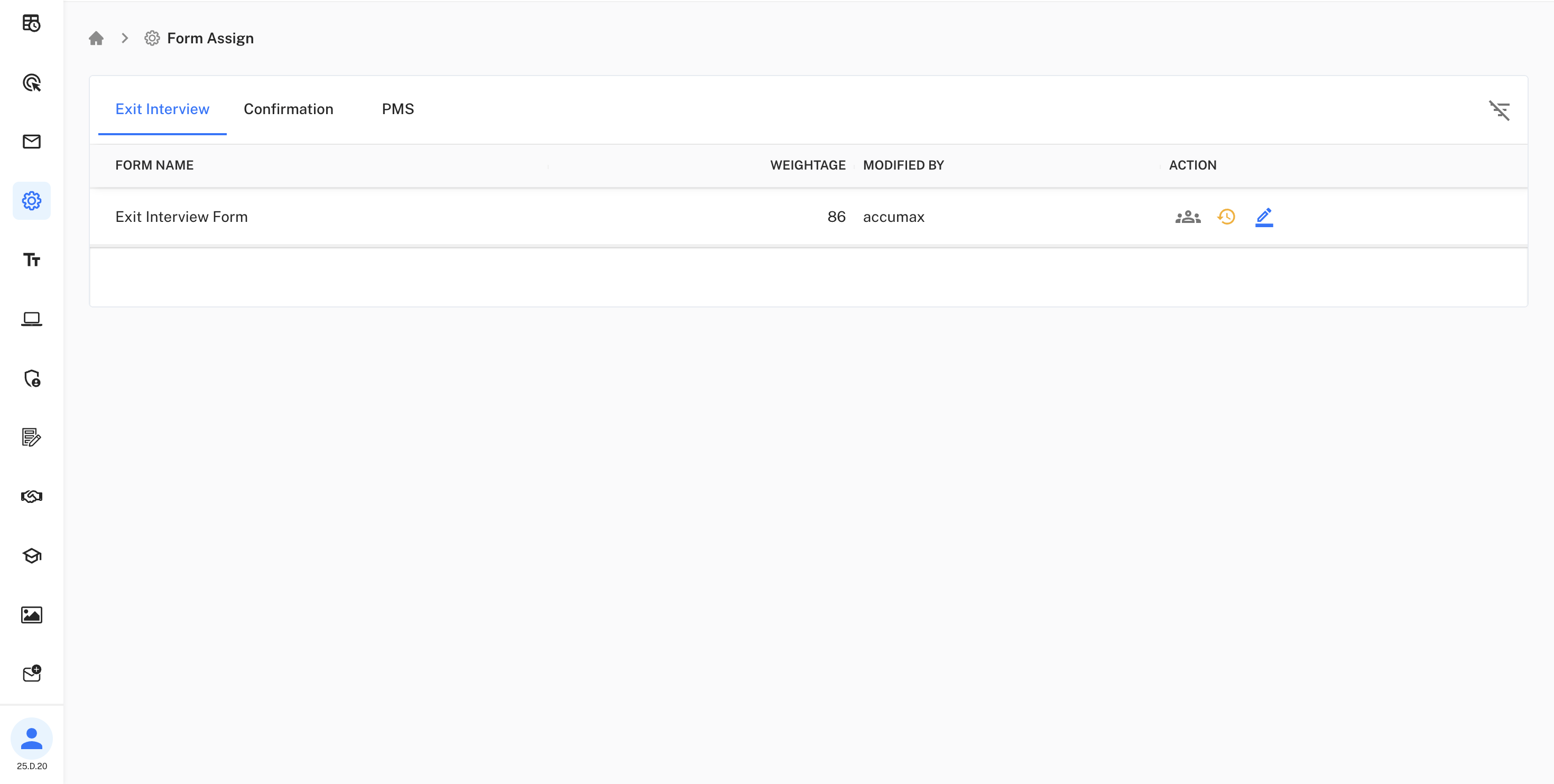
Exit Interview
Assign exit interview forms to users who can access and manage employee separation processes.
Exit Interview Form Details:
Forms created in the separation section can be assigned here
for controlled access during employee exit processes.
Confirmation
Assign confirmation forms to users for employee confirmation processes.
Confirmation Forms: Assign forms created in the confirmation section to relevant users and managers.
PMS
Assign Performance Management System (PMS) forms to users for performance evaluation processes.
PMS Forms: Assign forms created in the PMS section to managers and HR personnel for performance reviews.
Form Assignment Features
Form Management:
• View all available forms from different sections
• Assign forms to specific users or roles
• Set weightage for form importance
• Track form modifications and assignments
Centralized control for all form access permissions
across the organization.
Access Control:
- Control who can view and use specific forms
- Manage form permissions based on user roles
- Ensure appropriate access to sensitive forms like exit interviews
Form Categories:
- Exit Interview Forms: Created in separation section, assigned here for access control
- Confirmation Forms: Created in confirmation section, assigned for employee confirmation processes
- PMS Forms: Created in PMS section, assigned for performance management workflows