HCM Configuration
Last Updated: October 26, 2025
Document Version: 1.0
Prepared for: Emgage HRMS Implementation Team
Human Capital Management (HCM) system configuration provides comprehensive settings for managing employee profiles, payroll, attendance, notifications, workflows, documents, and support features.
Configuration Overview
The HCM configuration consists of ten main sections, each controlling specific aspects of the HR system:
- Employee Profile - Profile settings and photo management
- Payroll - Salary processing and notifications
- Attendance/Leave - Leave management during resignations
- Mail Notification - Email settings and onboarding
- System Workflow - Approval processes and manager modes
- Mandatory Documents - Required documentation setup
- Probation - Probation period management
- Expense - Expense calculation methods
- Support - Support channel configuration
Employee Profile
Configure employee profile settings with future joining date and photo upload functionality.
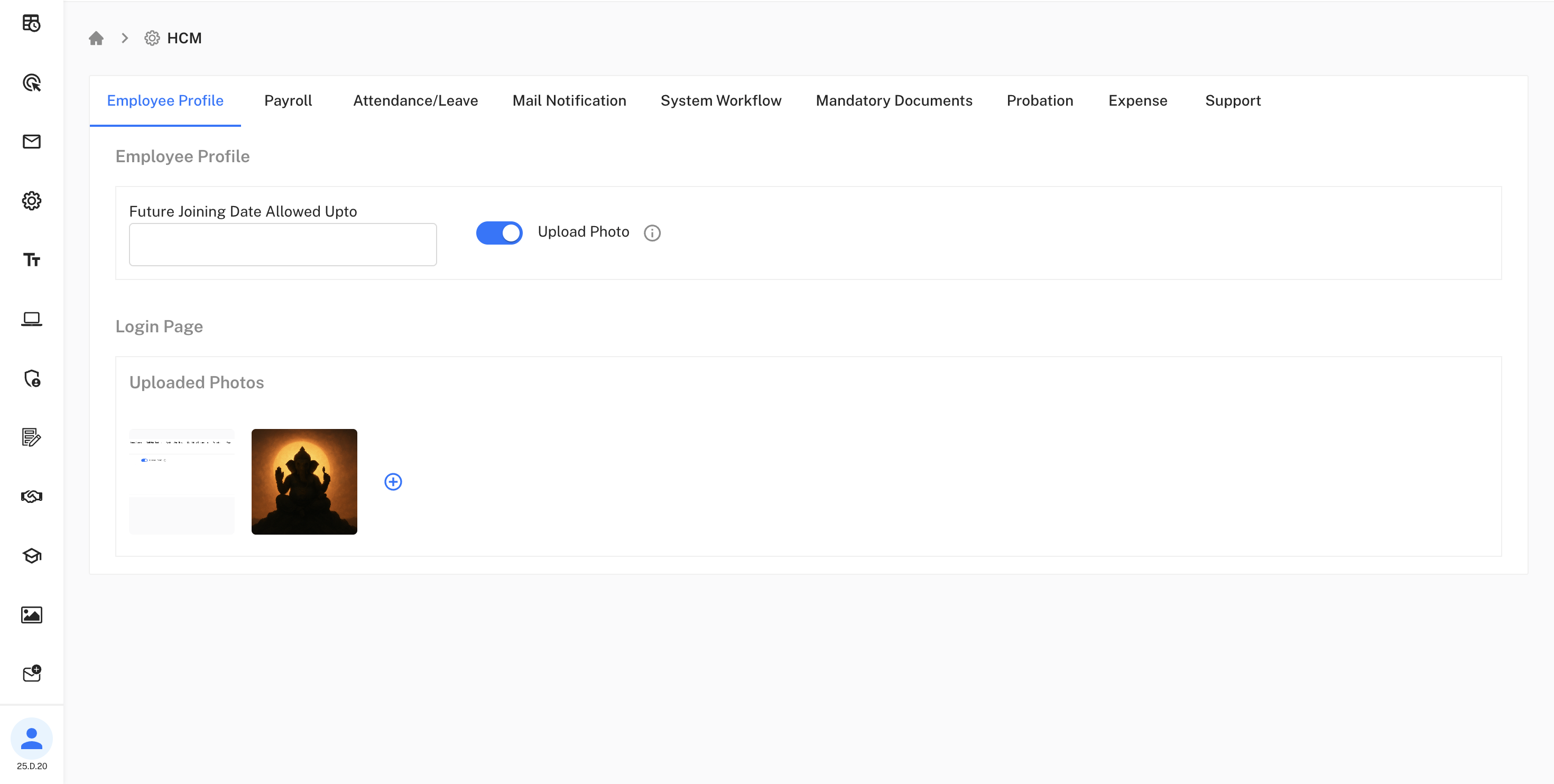
Key Settings:
• Future Joining Date Allowed Upto: Configure maximum future date for employee joining
• Upload Photo: Enable photo upload for employee profiles
This section allows HR administrators to control employee profile
features and set joining date restrictions.
Login Page
Login interface configuration with uploaded photos display.

Interface Elements:
• Uploaded Photos: Display employee profile photos on login page
The login page serves as the main entry point with customizable
branding and photo gallery.
Payroll
Comprehensive payroll management configuration for salary processing and notifications.
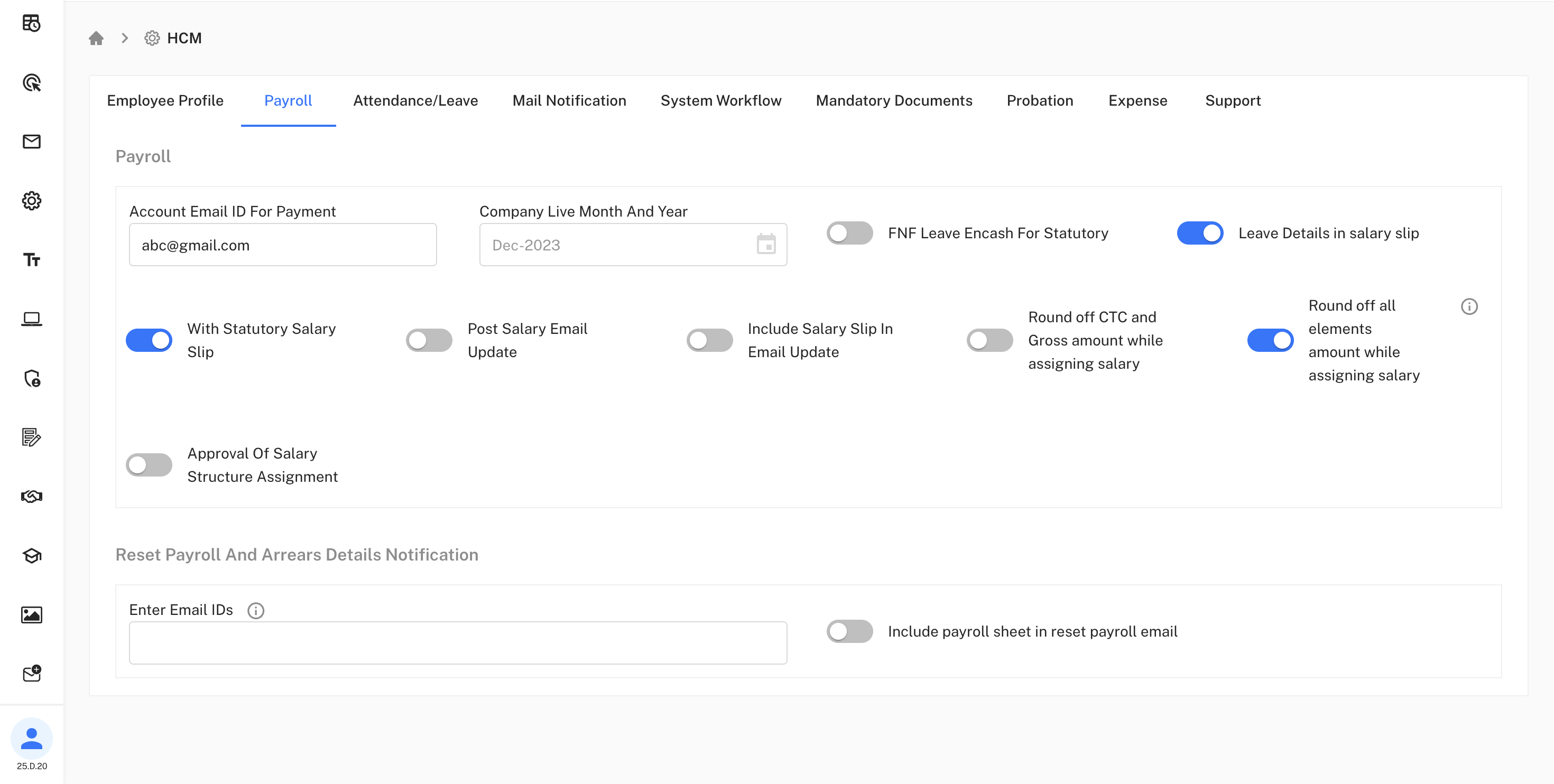
Email Settings:
• Account Email ID For Payment: Email for payment notifications
• Company Live Month And Year: Current payroll period
Salary Processing:
• With Statutory Salary Slip: Include statutory deductions
• FNF Leave Encash For Statutory: Full and final settlement configuration
• Leave Details in salary slip: Include leave information in salary documents
Notification Settings:
- Post Salary Email Update: Email notifications after salary processing
- Include Salary Slip In Email Update: Attach salary slips to emails
Calculation Options:
- Round off CTC and Gross amount while assigning salary: Automatic rounding for calculations
- Round off all elements amount while assigning salary: Apply rounding to all components
Approval & Reset:
• Approval Of Salary Structure Assignment: Enable approval workflow
• Reset Payroll And Arrears Details Notification: Configure reset notifications
• Enter Email IDs: Email addresses for reset notifications
• Include payroll sheet in reset payroll email: Attach payroll sheets
Configure payroll approval workflows and reset notification
settings for proper financial control.
Attendance/Leave
Configure leave effects during resignation and full & final settlement processes.

Leave Effects After Resignation/FNF: Handle leave during employee resignation with multiple options:
• Cancel Leave Request: Standard leave cancellation
• After Last Working Date: Process after final working day
• After Resignation Date: Process after resignation effective date
• On Resignation HR Approval: Triggered by HR approval
• On Resignation Submit: Immediate processing on submission
This configuration ensures proper leave handling during employee separation processes.
Mail Notification
Email notification settings and self-onboarding configuration for system communications.
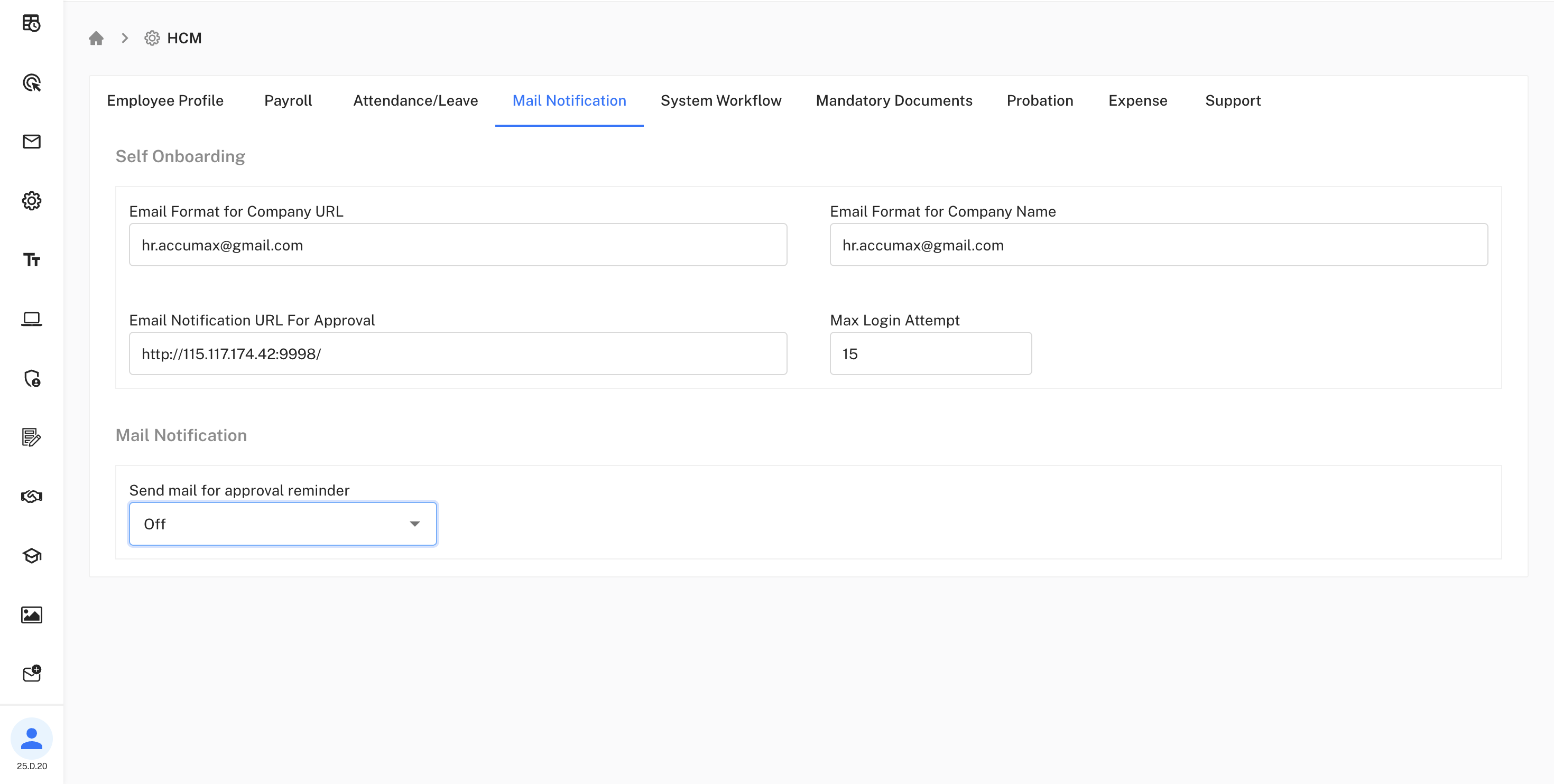
Self Onboarding Settings:
• Email Format for Company URL: Configure company URL format in emails
• Email Format for Company Name: Set company name format for communications
• Email Notification URL For Approval: Approval notification URL
• Max Login Attempt: Maximum login attempts before lockout
Configure email templates and security settings for
self-onboarding processes.
Notification Controls:
- Send mail for approval reminder: Enable/disable approval reminder emails (Off/On)
This section manages all email communications and onboarding processes.
System Workflow
Configure approval workflow modes for various HR processes across the organization.
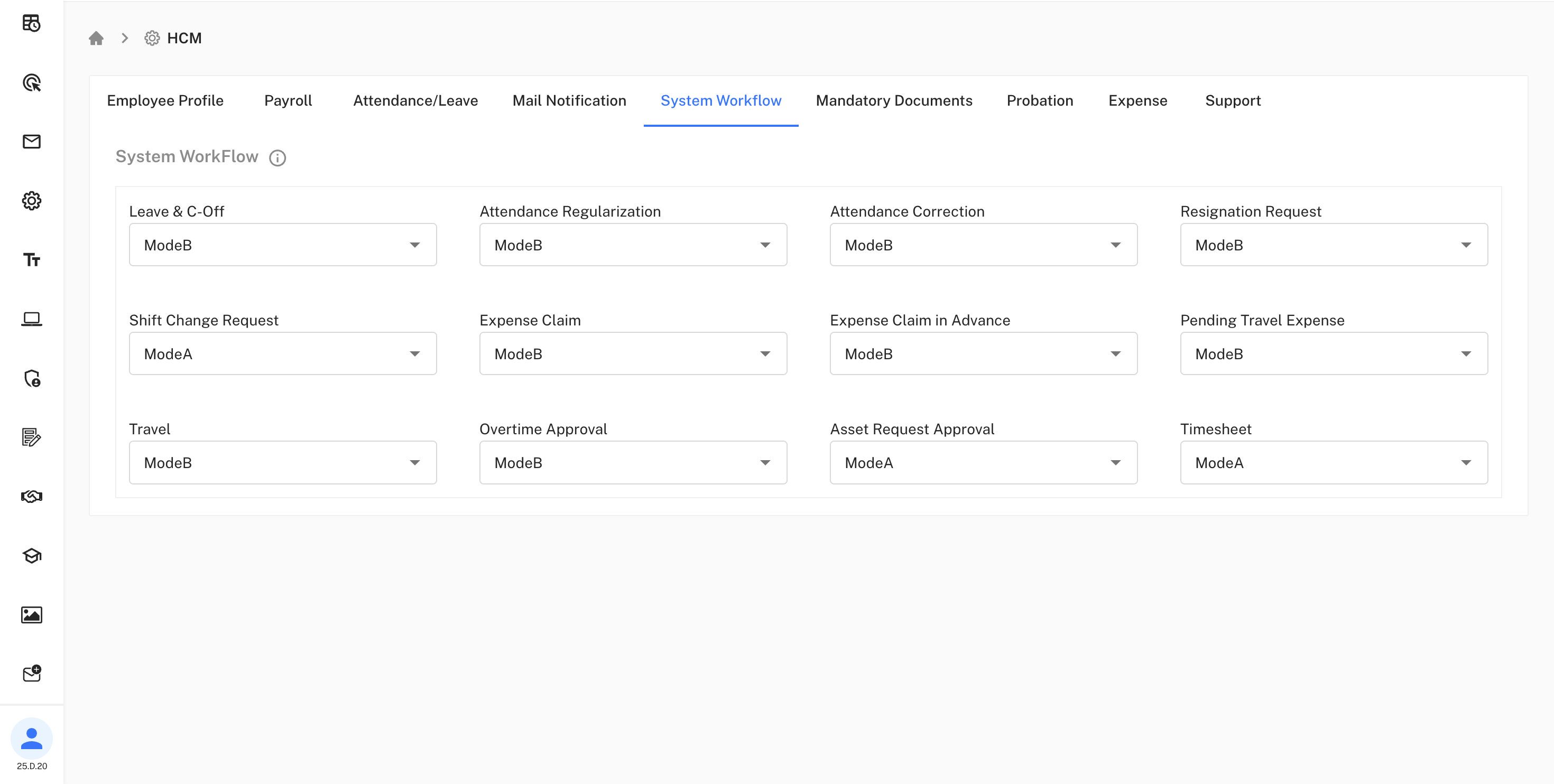
Workflow Modes:
• Mode A: Primary manager only approval
• Mode B: Primary or secondary manager (any one can approve)
• Mode C: Both primary and secondary manager approval required
Choose appropriate workflow modes based on organizational
hierarchy and approval requirements.
Current Workflow Settings:
| Process | Mode | Description |
|---|---|---|
| Leave & C-Off | ModeB | Any manager can approve |
| Attendance Regularization | ModeB | Flexible approval |
| Attendance Correction | ModeB | Any manager approval |
| Resignation Request | ModeB | Flexible approval |
| Shift Change Request | ModeA | Primary manager only |
| Expense Claim | ModeB | Any manager can approve |
| Expense Claim in Advance | ModeB | Flexible approval |
| Pending Travel Expense | ModeB | Any manager approval |
| Travel | ModeB | Flexible approval |
| Overtime Approval | ModeB | Any manager can approve |
| Asset Request Approval | ModeA | Primary manager only |
| Timesheet | ModeA | Primary manager only |
This configuration ensures appropriate approval hierarchies for different business processes.
Mandatory Documents
Configure required documentation for employee onboarding and compliance.
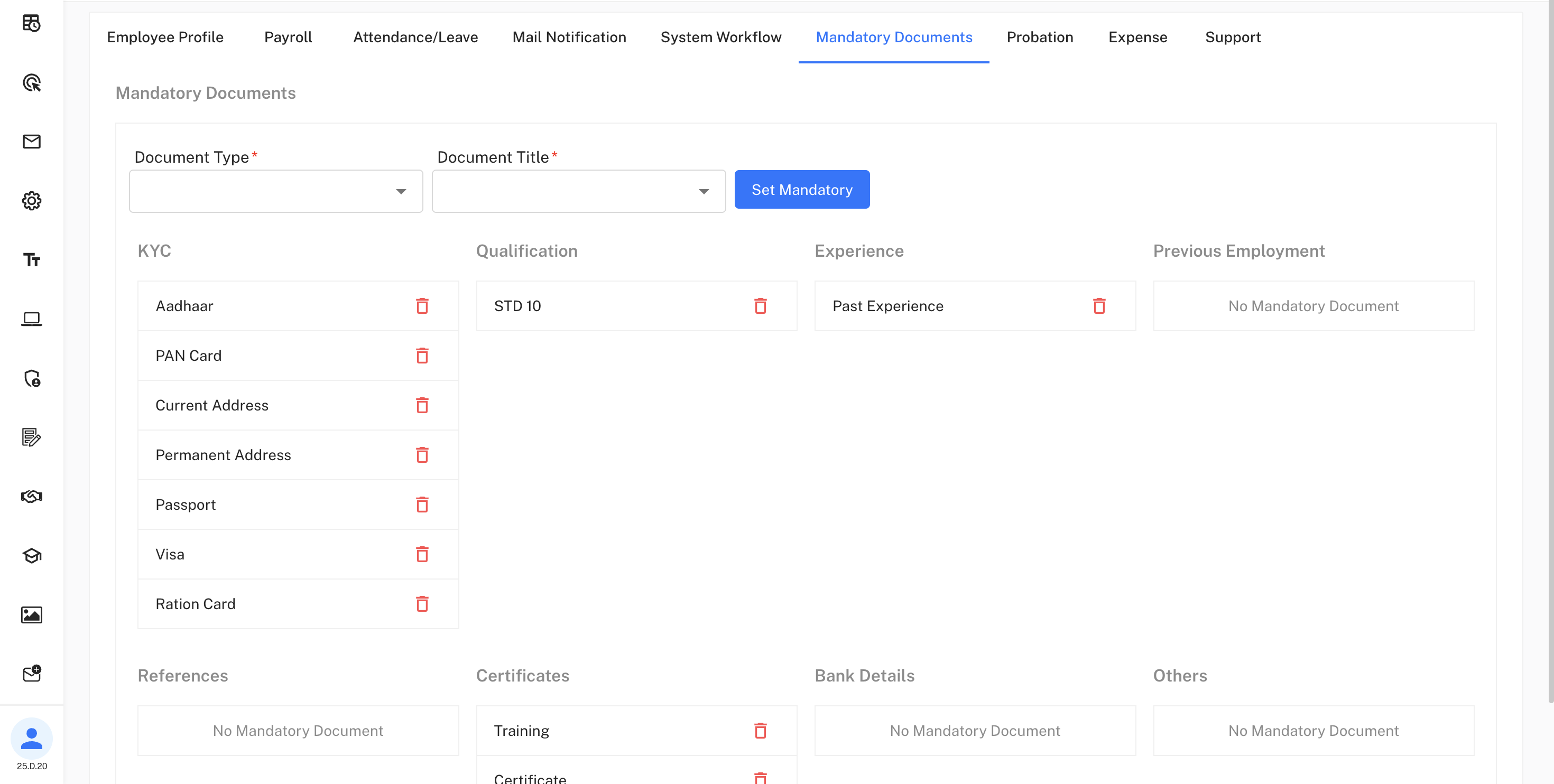
Document Categories:
KYC (Know Your Customer):
• Aadhaar, PAN Card, Current Address, Permanent Address
• Passport, Visa, Ration Card
Educational Qualifications:
• STD 10 (Secondary education certificate)
Professional Experience:
• Past Experience documentation
Configure which documents are mandatory for compliance
and onboarding requirements.
Optional Categories:
- Previous Employment: No Mandatory Document
- References: No Mandatory Document
- Bank Details: No Mandatory Document
- Others: No Mandatory Document
Training & Certifications:
- Training certificates
- Professional certificates
This section allows HR to define which documents are mandatory for employee onboarding.
Probation Review Configuration
Probation period management and notification settings.
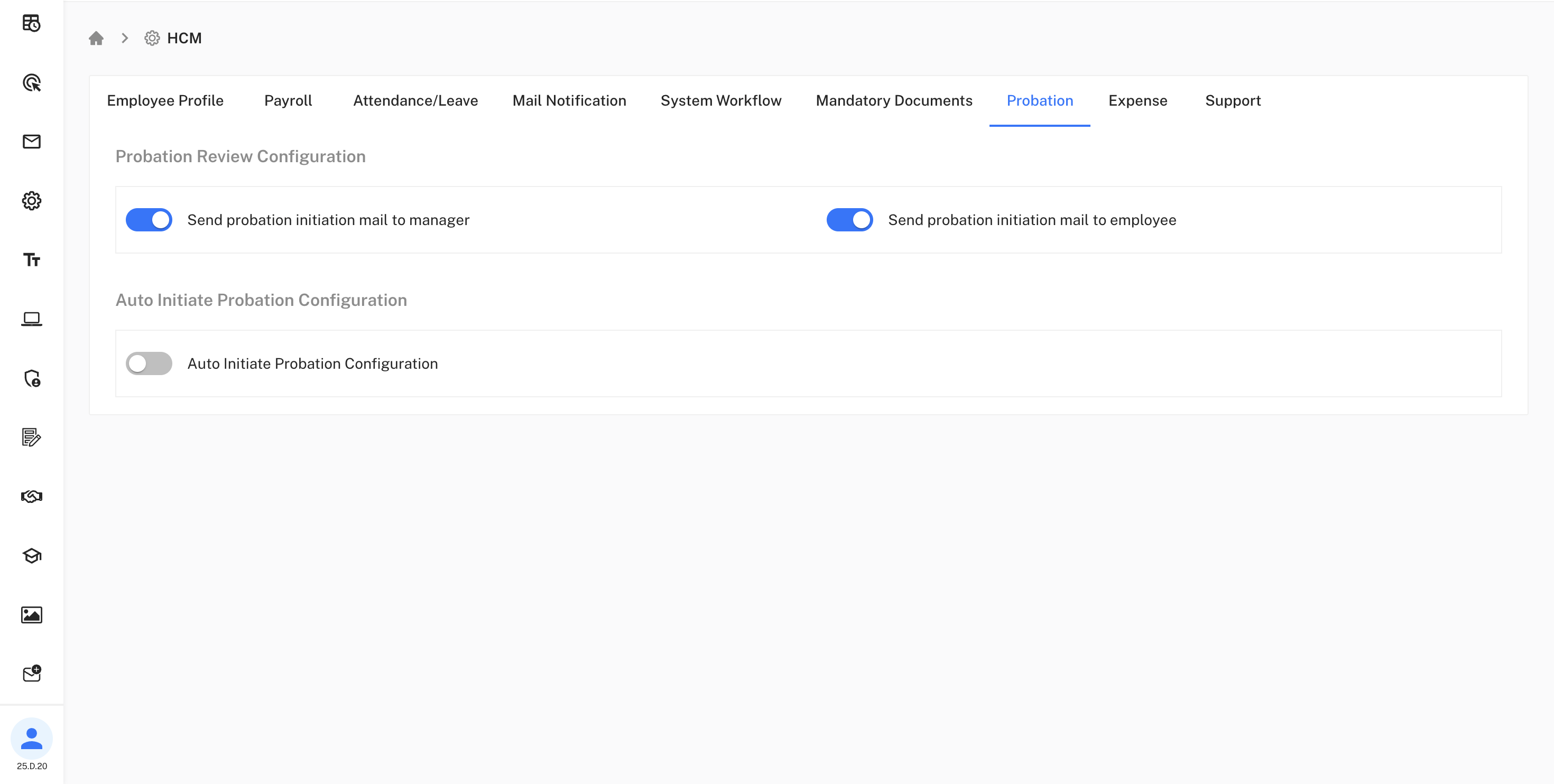
Notification Settings:
• Send probation initiation mail to manager: Enable automatic manager notifications
• Send probation initiation mail to employee: Enable automatic employee notifications
Automation Settings:
• Auto Initiate Probation Configuration: Enable automatic probation initiation for new employees
Automate probation communication and workflow processes
for consistent employee onboarding.
This ensures proper communication and automated workflows during employee probation periods.
Expense Summary Month Configuration
Configure expense calculation methods for monthly reporting.
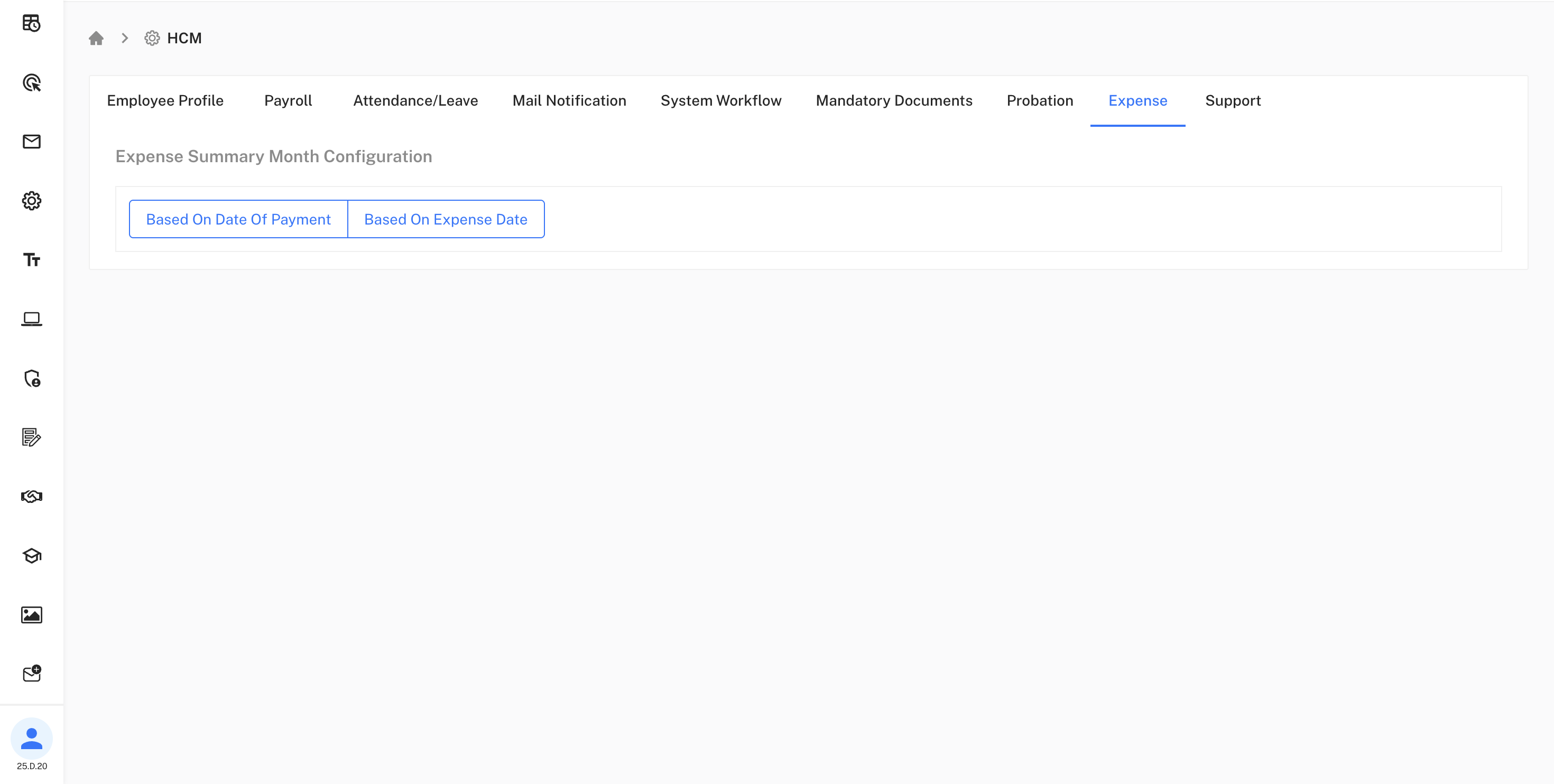
Calculation Methods:
• Based On Date Of Payment: Calculate expenses by payment processing date
• Based On Expense Date: Calculate expenses by original incurrence date
Choose the method that best aligns with your financial
reporting requirements.
Support Button Configuration
Configure multiple support channels with customizable settings and branding.
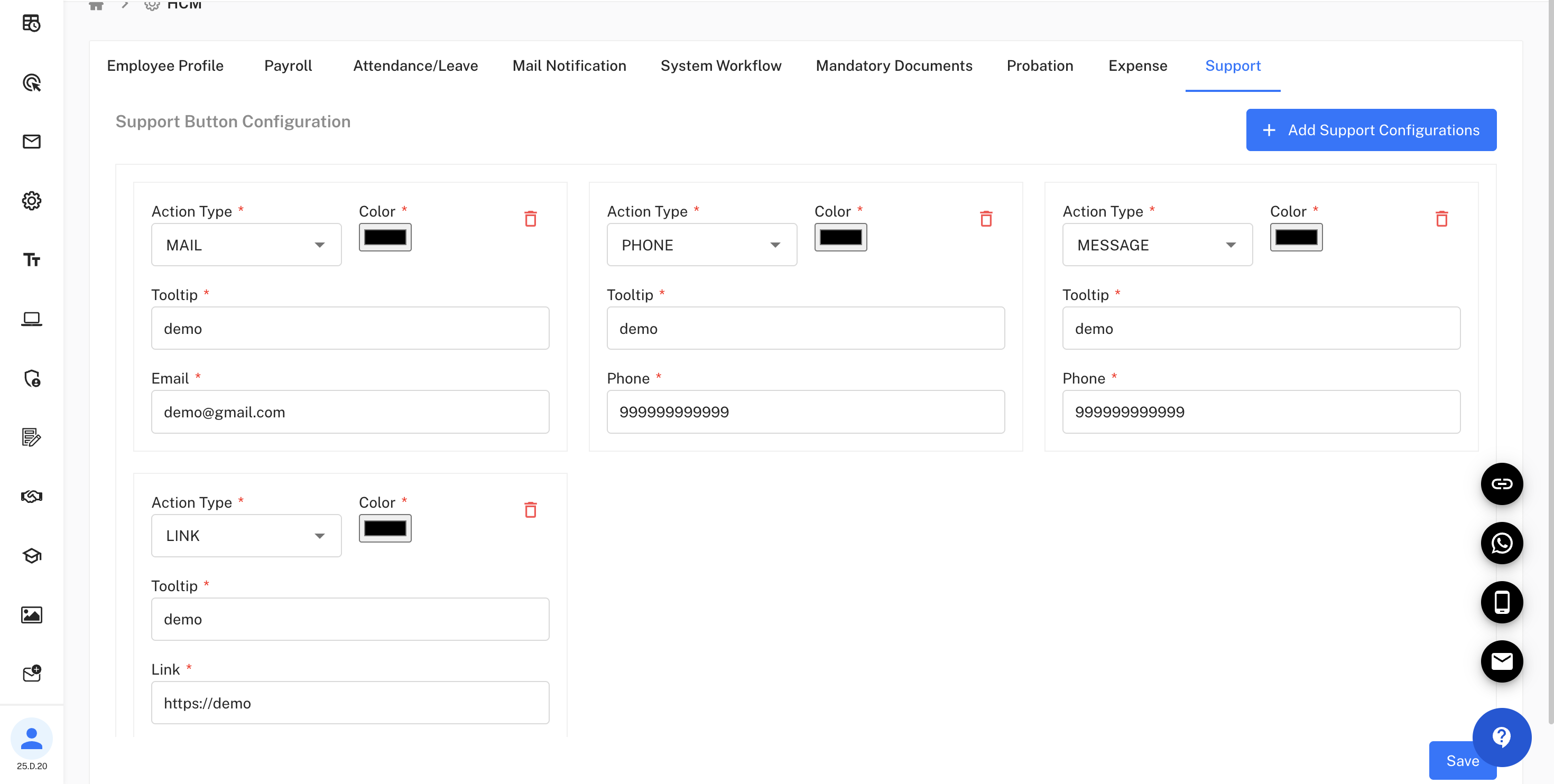
Available Support Channels:
Email Support:
- Action Type: MAIL
- Tooltip: demo
- Email:
demo@gmail.com
Phone Support:
- Action Type: PHONE
- Tooltip: demo
- Phone: 999999999999
Message Support:
- Action Type: MESSAGE
- Tooltip: demo
- Phone: 999999999999
Link Support:
- Action Type: LINK
- Tooltip: demo
- Link:
https://demo