Email Notification Setup
Last Updated: January 2026
Overview
The Email Notification Setup module is the central hub for automating employee lifecycle communications. It ensures that no important milestone—from a warm welcome to a work anniversary—goes unnoticed.
Why set this up?
- Engagement: Automatically celebrate birthdays and anniversaries.
- Compliance: Timely reminders for appraisals and probation endings.
- Efficiency: Set it once, and the system handles the rest.
| Event Type | Purpose | Impact |
|---|---|---|
| Work Anniversary | Service milestone celebrations | Increases retention |
| Birthday | Employee birthday wishes | Boosts morale |
| Appraisal | Performance review reminders | Ensures timely feedback |
| New Joins | Welcome new employees | Improves onboarding |
| Under Probation | Probation status updates | Critical for HR tracking |
| Custom Cycle | Configurable recurring emails | Flexible communication |
Main Configuration Dashboard
Manage all your notification triggers from a single command center.
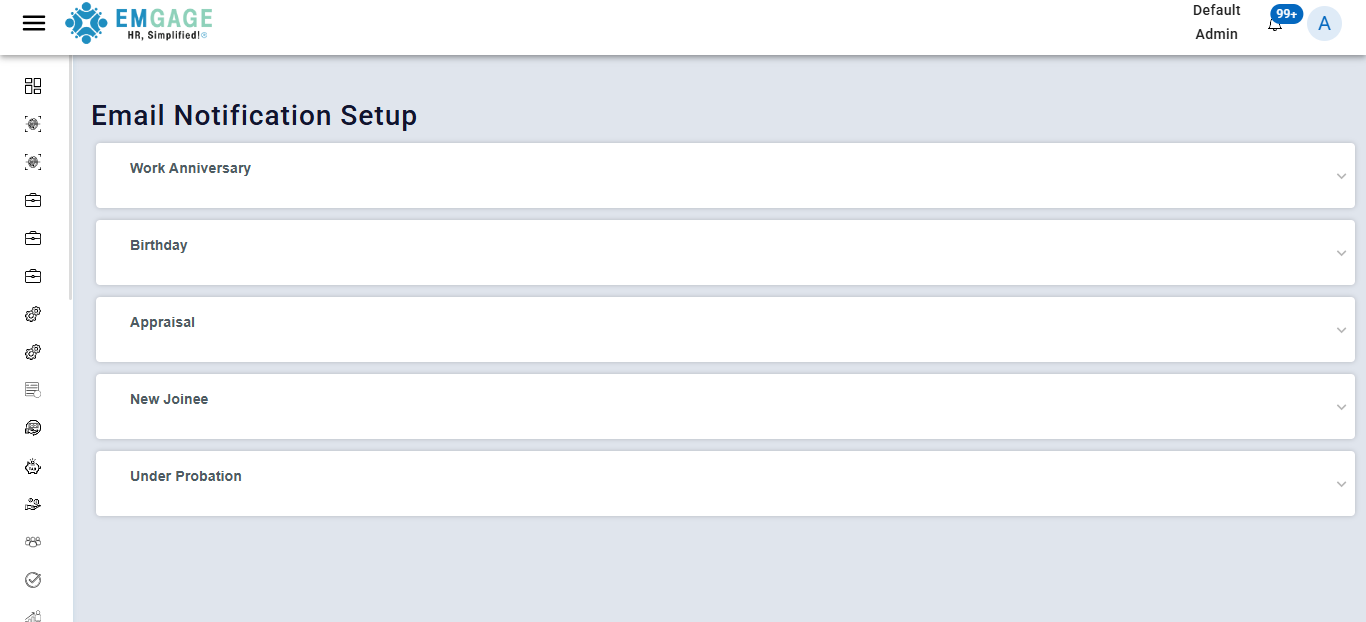
Status Indicators
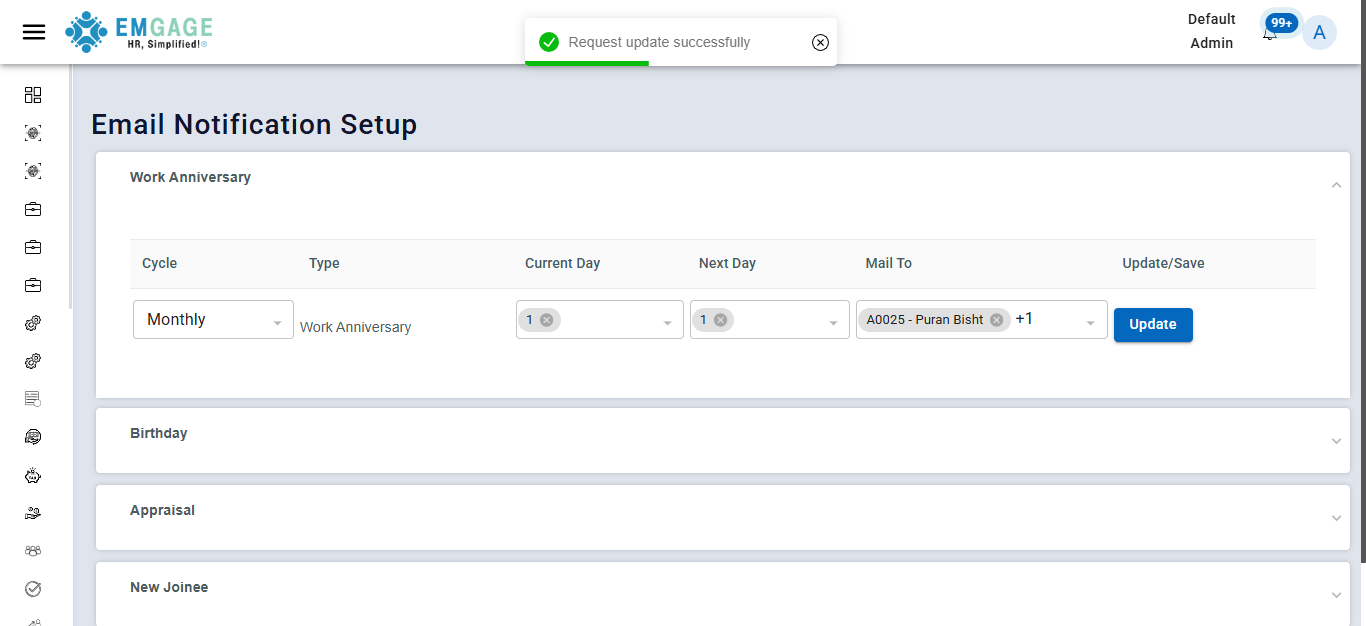
- ✅ Green: Configuration saved successfully.
- 🔄 Spinning: Changes are currently saving.
Pro Tip
Always check for the Green Checkmark before navigating away from the page to ensure your settings are live.
Work Anniversary Configuration
Configure how the system celebrates employee tenure.
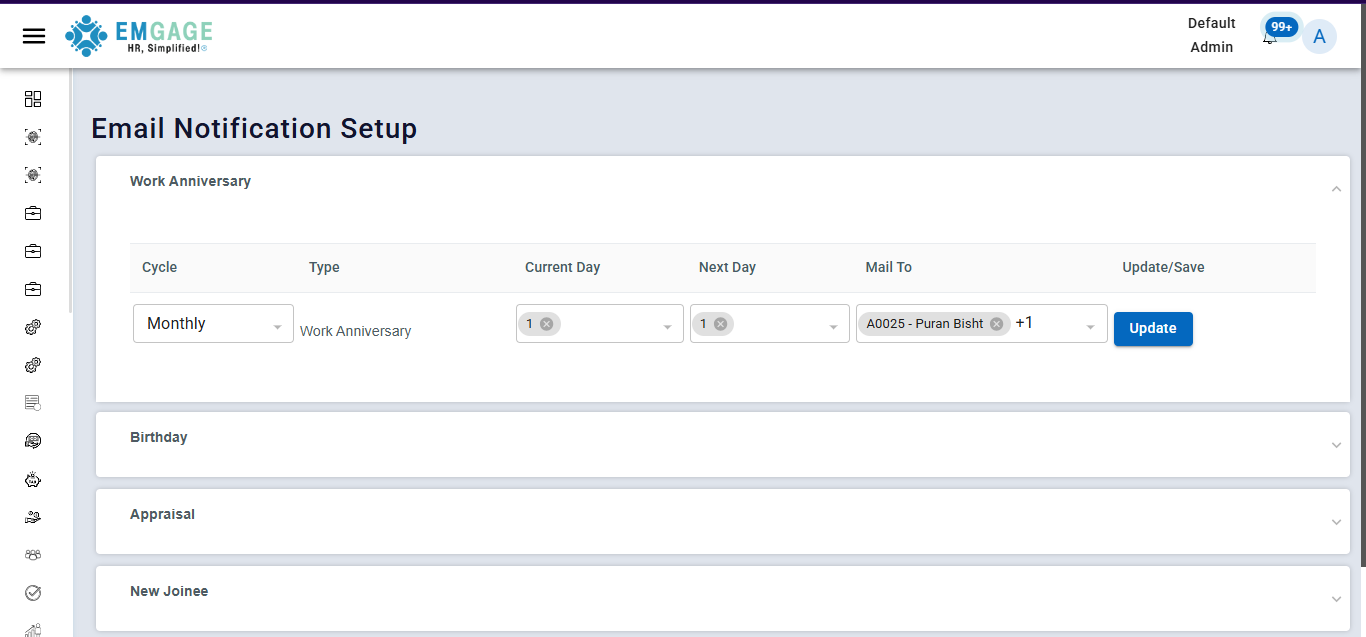
Configuration Parameters
- Cycle:
Monthly(Recommended for batched updates) - Type:
Anniversary - Trigger Dates:
- Current Day: 08 (Triggers on the 8th)
- Next Day: 09
- Recipients:
All Employees - Subject Line: Work Anniversary
Preview Feature
Use the Preview button to see exactly how the email will look to an employee before you click Update.
Cycle Configuration (Advanced)
Need something specific? Use the Cycle tab for custom recurring schedules.
Capabilities
- Frequency: Set to Daily, Weekly, or Monthly.
- Scope: Target specific departments or the whole company.
- Flexibility: Ideal for Quarterly Performance Reminders or Policy Updates.
How to Configure (Step-by-Step)
- Select Event: Choose the tab for the event you wish to automate (e.g., Birthday).
- Set Frequency: Choose how often the system checks for this event (Daily/Monthly).
- Define Timing: Input the specific Day/Date for the trigger.
- Target Audience: Select who receives the mail (All vs. Specific Groups).
- Craft Subject: Enter a clear email subject line.
- Save: Click Update and wait for the Green Indicator.
Quick Setup Cheatsheet
| Scenario | Recommended Cycle | Trigger |
|---|---|---|
| New Hires | Daily | Ensures welcome emails go out on Day 1. |
| Birthdays | Monthly/Daily | Auto-triggers on the specific birth date. |
| Anniversaries | Monthly | Consolidates celebrations (e.g., "August Anniversaries"). |