Employee Data Export System
Overview
The Employee Data Export System allows users to export employee information in a structured Excel format. Users can create presets, select all or custom fields, customize data categories, and export employee records as required.
Create Preset
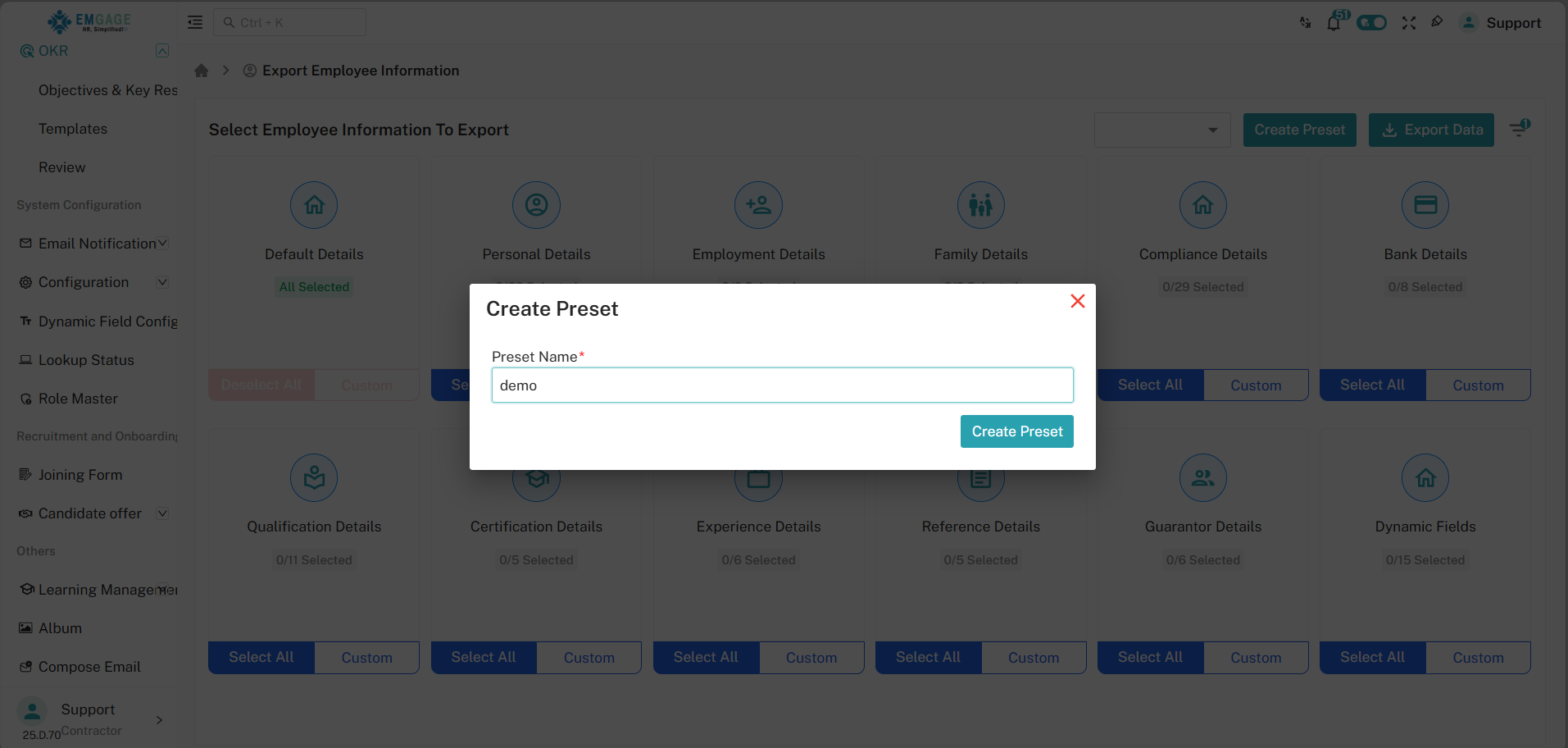
Users can create a Preset to save their preferred export configuration for future use.
Steps to Create a Preset:
- Click on Create Preset.
- Enter a Preset Name of your choice.
- Click Create Preset to save it.
Once created, the preset can be selected from the preset dropdown and reused without reconfiguring the export options every time.
Select Employee Information to Export
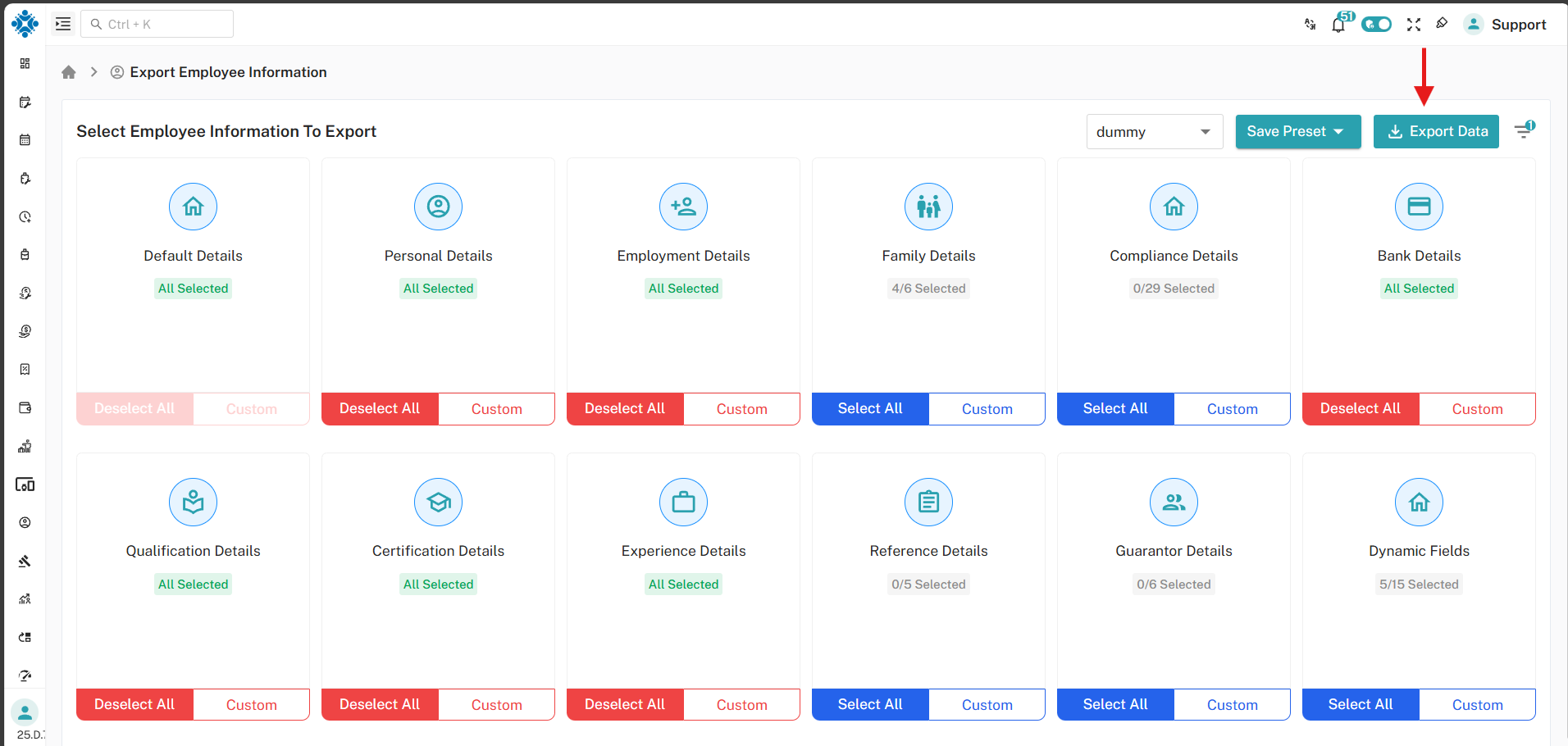
After selecting or creating a preset, users can choose the employee data they want to export.
The following employee data categories are available:
- Default Details (Selected by default)
- Personal Details
- Employment Details
- Family Details
- Compliance Details
- Bank Details
- Qualification Details
- Certification Details
- Experience Details
- Reference Details
- Guarantor Details
- Dynamic Fields
For each category, users can:
- Select All – Export all fields in the category
- Deselect All – Remove all fields from the category
- Custom – Manually choose specific fields
Customize Export Information
Using the Custom option, users can customize which fields are included in the export.
For example, within Family Details, users can select specific fields such as:
- Relation
- Name
- Occupation
- Mobile Number
- Birth Date
- Description
Click Save to apply the selected fields to the export configuration.
Export Data
After completing the preset selection and field customization, click on the Export Data button to generate the export file.
Exported Excel File Details
- Contains employee details based on the selected preset
- Includes only selected categories and customized fields
- Displays information employee-wise for easy understanding
- Useful for reporting, auditing, and analysis
Summary
This feature provides flexibility and efficiency by allowing users to export exactly the employee data they need using presets and custom field selection.