Candidate Experience
Last Updated: September 28, 2025 Document Version: 1.0 Prepared for: Emgage HRMS Implementation Team
Candidate Experience
Understanding the candidate experience is crucial for administrators to provide support and optimize the onboarding process. This guide walks through every step of what candidates see and experience when completing their joining form.
Candidate Journey Overview
The candidate experience is designed to be intuitive and engaging. The system guides candidates through a structured process with clear progress indicators.
Form Sections and Navigation
Application Form Structure
When a candidate receives their link, they will see a dashboard showing the progress of their application. The joining form is organized into logical sections to collect all necessary information.
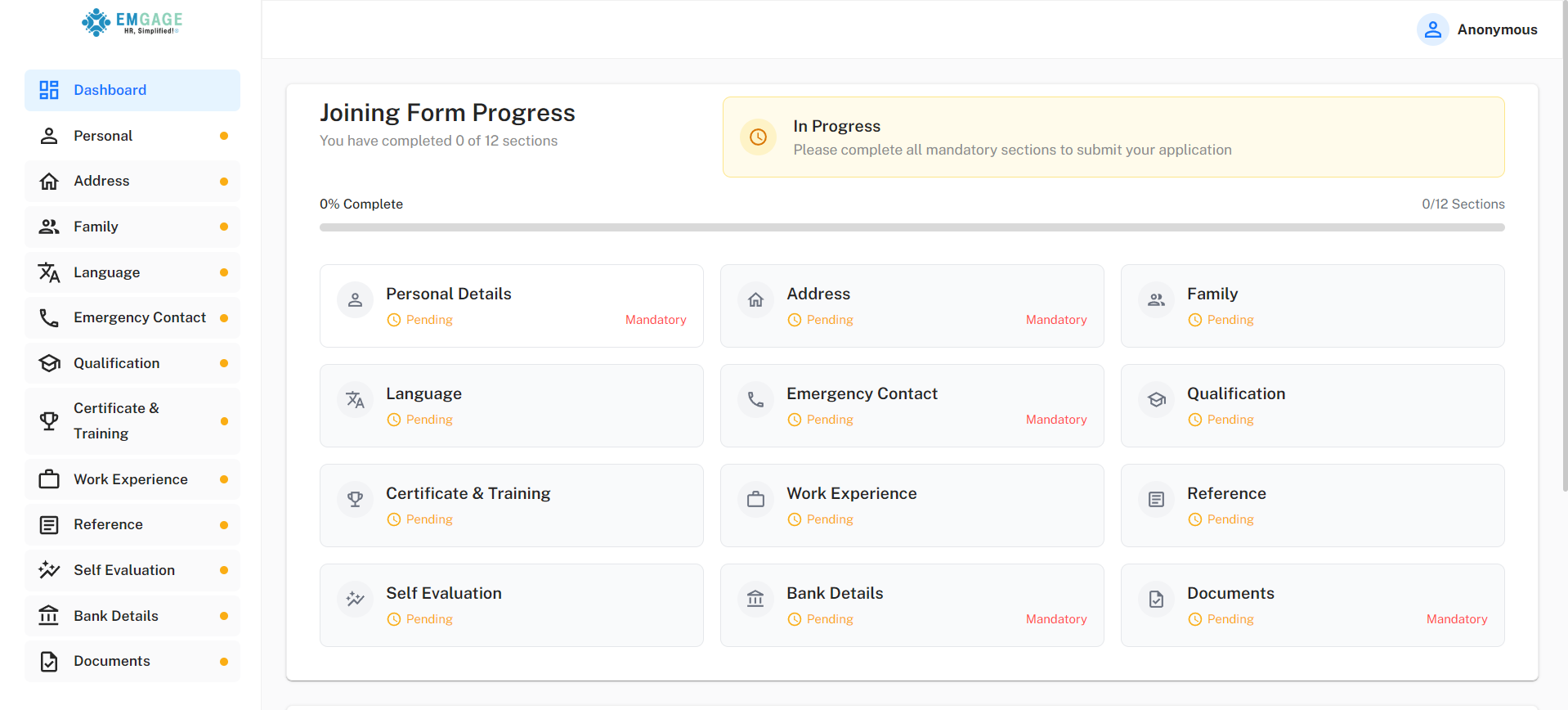
Key Sections Include:
- Personal Details
- Address & Family
- Qualifications & Work Experience
- Bank Details & Documents
Progress Tracking System
- Progress Bar: A visual representation of the overall completion percentage.
- Section Status: Each section is marked as "Pending" or "Completed".
- Auto-Save: The system automatically saves progress, allowing candidates to return later.
Application Completion Process
Final Review and Submission
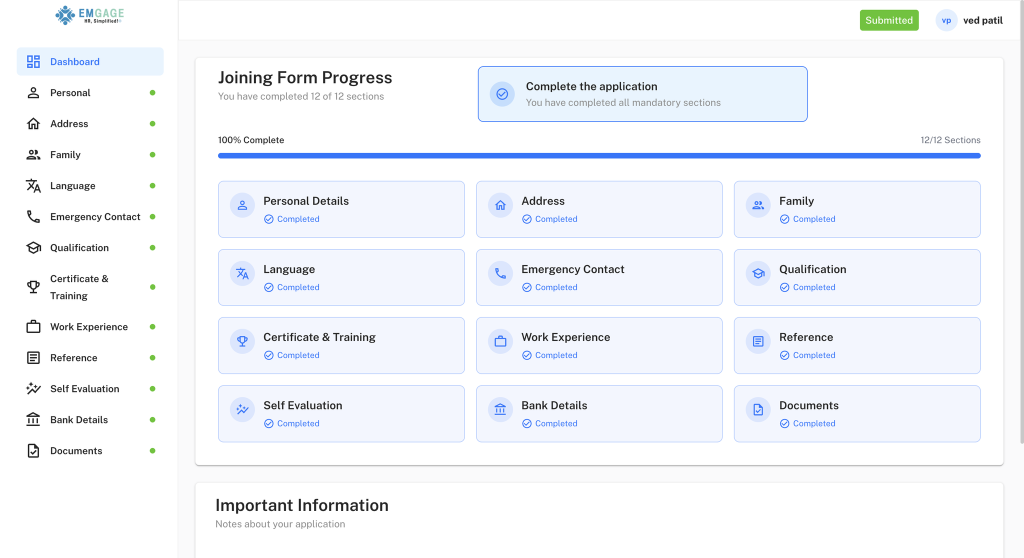
After filling out all the required sections, the dashboard updates to 100% complete, and the application is submitted.
Post-Submission Experience
- Confirmation: Candidates see a "Submitted" status and receive an email confirmation.
- Next Steps: The system informs them of the next steps in the review process.
Next: Learn about the Admin Conversion Process to understand how administrators convert completed candidates into employees.