Dashboard Management
Last Updated: September 28, 2025 Document Version: 1.0 Prepared for: Emgage HRMS Implementation Team
Dashboard Management
The Joining Form dashboard is your central command center for managing all candidate onboarding activities. This comprehensive interface provides real-time insights and control over the entire recruitment pipeline.
Dashboard Overview
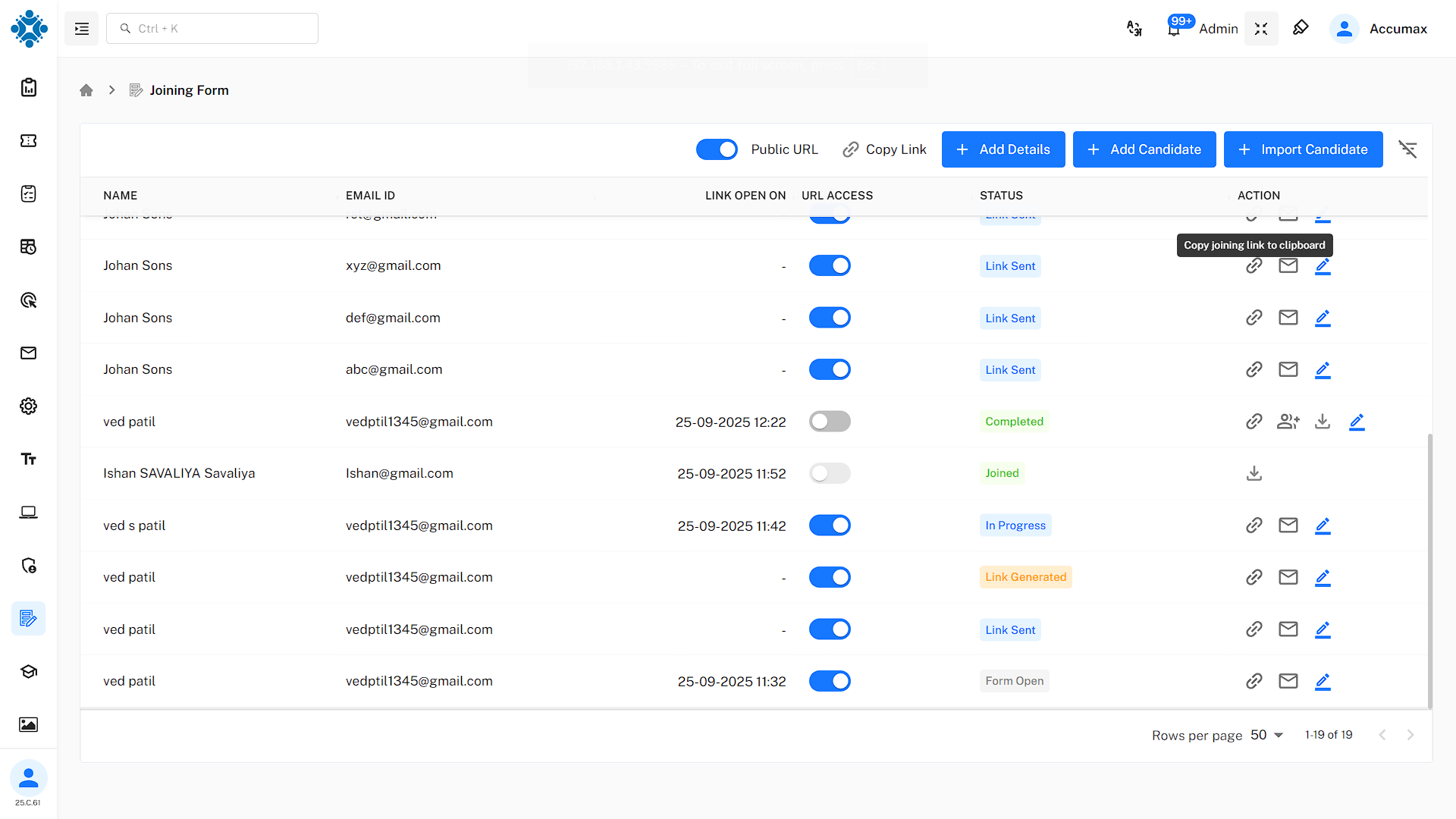
The main dashboard interface displays several key elements:
- Search Functionality: Quickly locate specific candidates by name, email, or application ID.
- Filter Options: Sort candidates by status, date, department, or custom criteria.
- Bulk Actions: Perform operations on multiple candidates simultaneously.
- Export Features: Generate reports and export candidate data in various formats.
Candidate Status Overview
The dashboard provides comprehensive status tracking for all candidates:
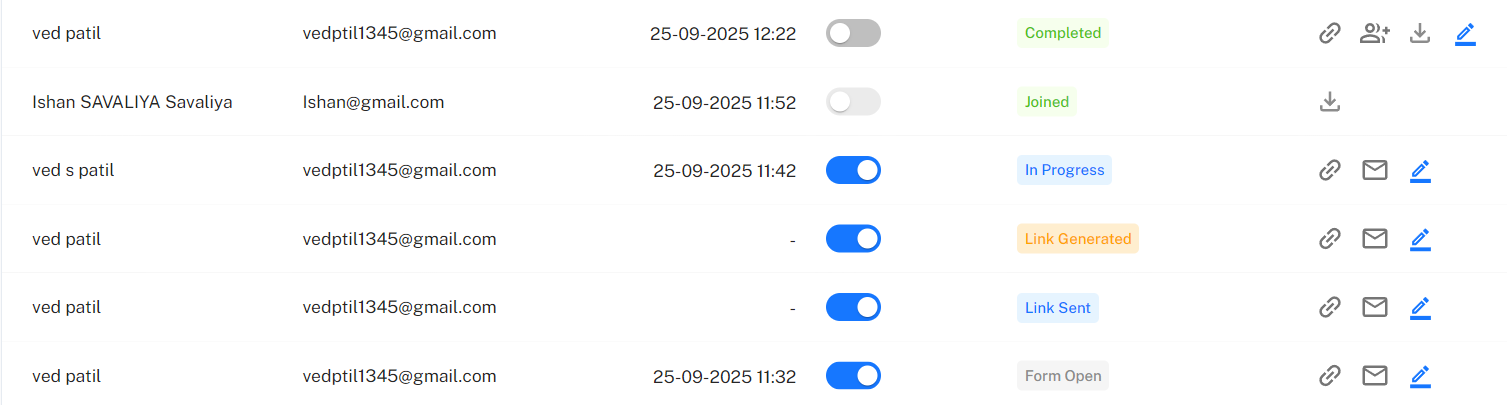
- Form Open: Candidate has accessed the form link.
- In Progress: Candidate is actively filling out the application.
- Link Generated/Sent: An invitation has been created or sent but not yet opened.
- Joined: Candidate has completed the form and is ready for conversion.
- Completed: Admin has converted the candidate into an employee.
The dashboard provides instant insights into:
- Conversion Rates: Percentage of candidates successfully onboarded.
- Time Metrics: Average time from application to conversion.
- Drop-off Points: Where candidates typically abandon the process.
- Peak Activity: Busiest times for applications and completions.
Navigation Features
Quick Action Buttons
The dashboard prominently displays four main action buttons:
Add Details Button
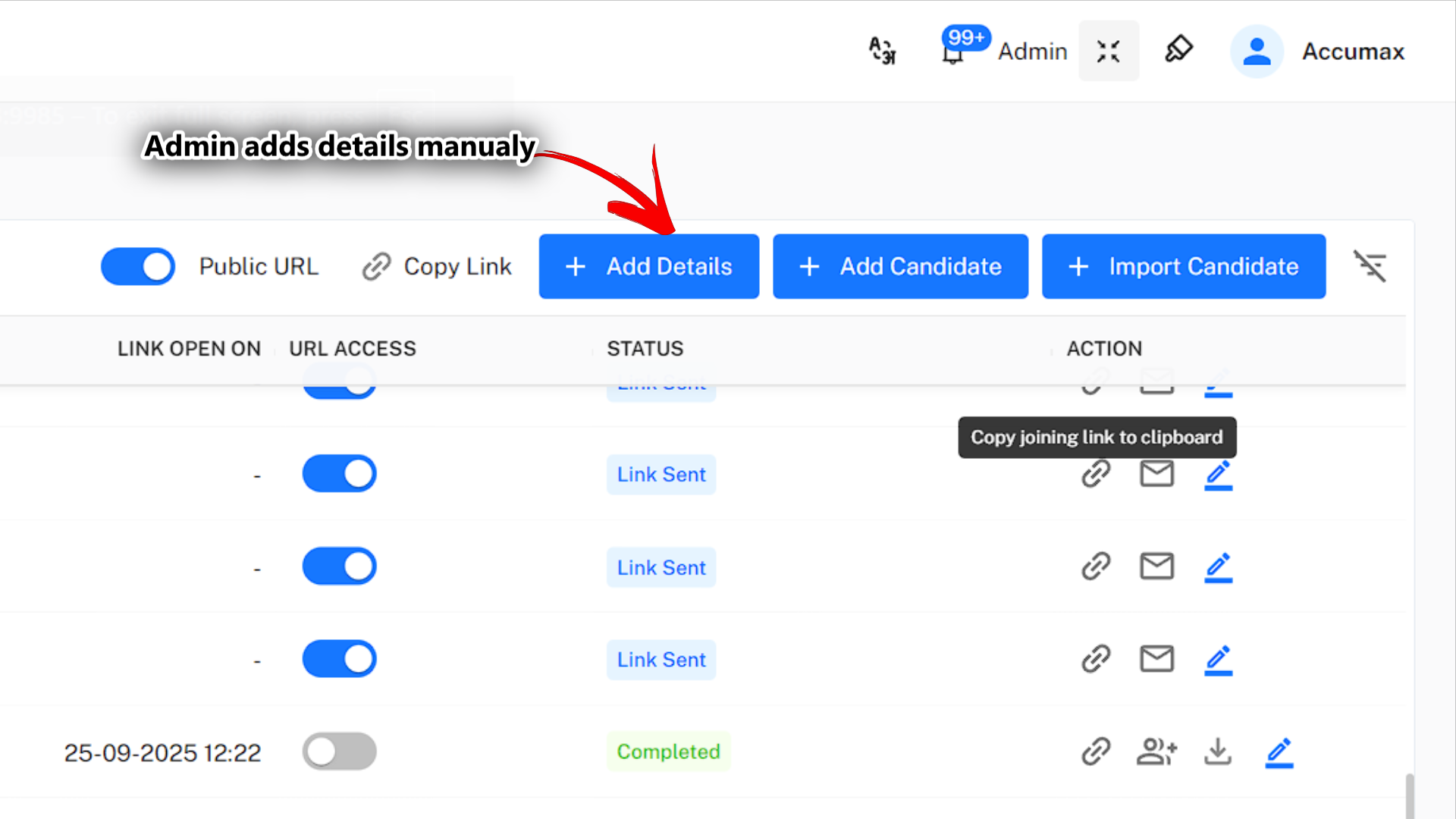
This button allows administrators to directly input candidate information:
- Use Case: When candidate data is collected through other channels.
- Benefits: Immediate data entry without candidate involvement.
- Process: Admin fills the complete form on the candidate's behalf.
- Outcome: Instant candidate record creation with 'Completed' status.
Add Candidate Button
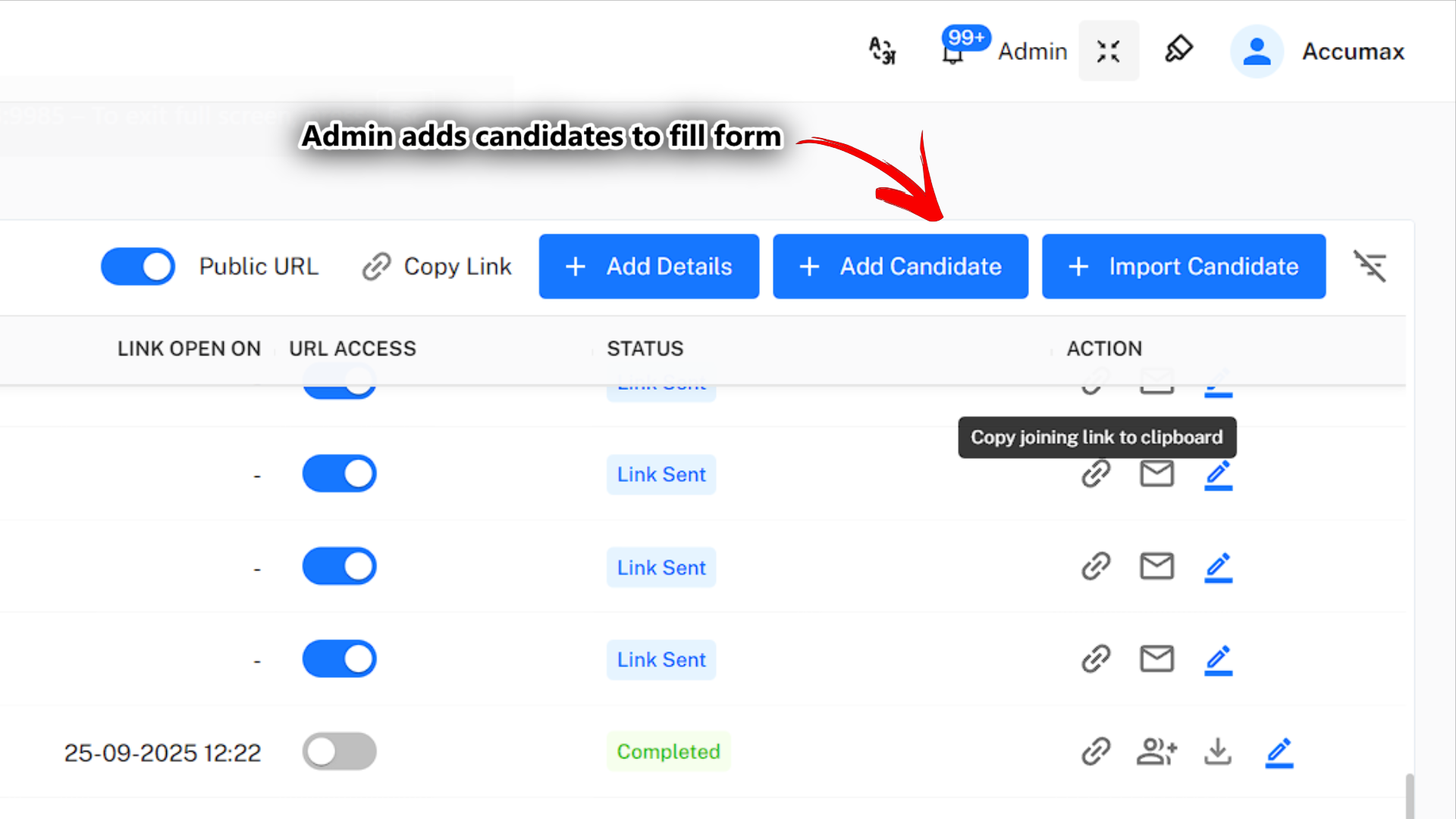
This initiates the individual candidate invitation process:
- Use Case: Targeted recruitment for specific positions.
- Benefits: Personalized candidate experience with unique links.
- Process: Admin enters basic info, and the system sends an invitation email.
- Outcome: The candidate receives a custom link to complete their own application.
Import Candidate Button
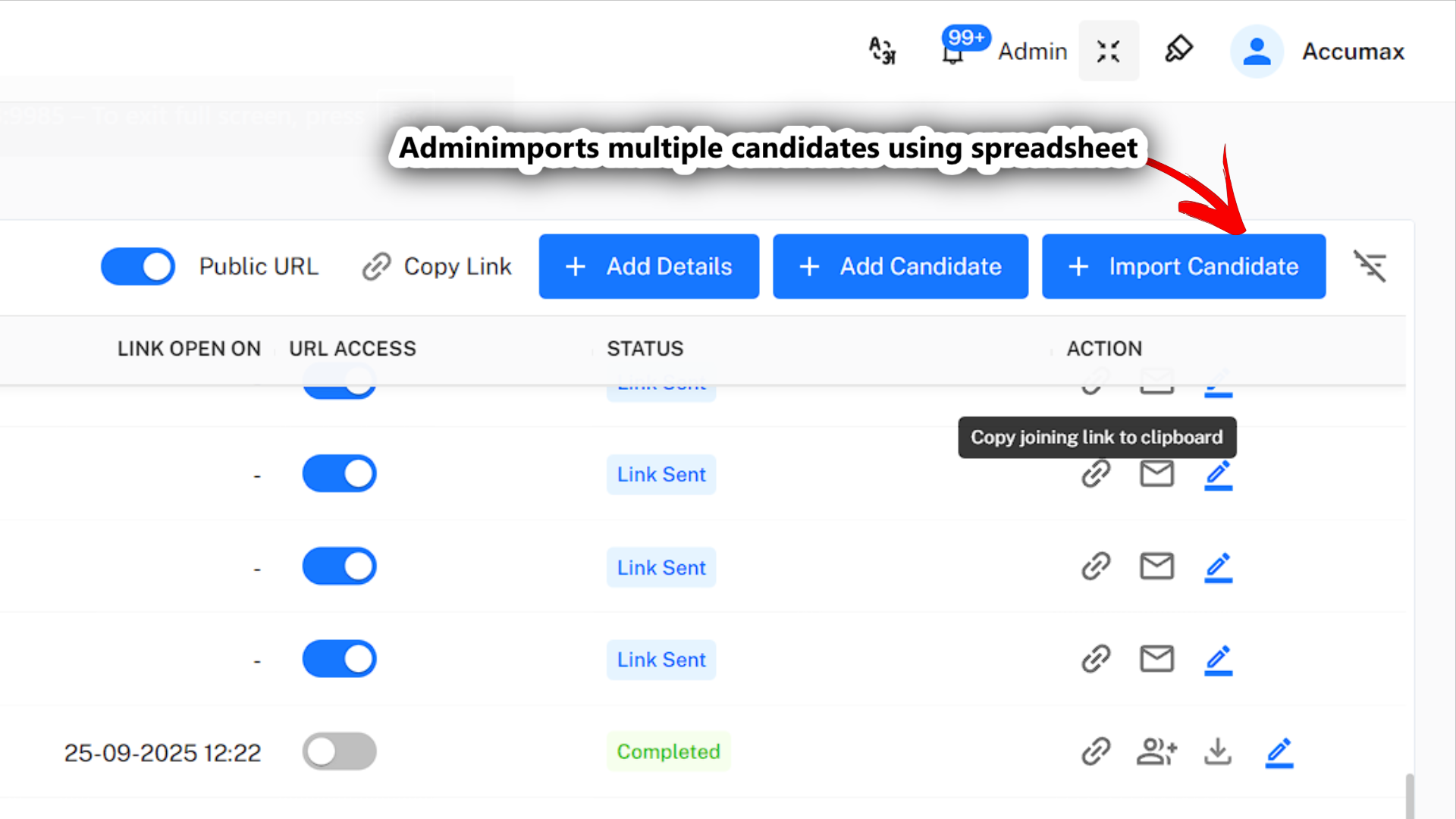
Access to the bulk import functionality:
- Use Case: Processing multiple candidates from recruitment drives.
- Benefits: Efficient mass onboarding with data validation.
- Process: Excel upload with automatic parsing and validation.
- Outcome: Multiple candidate records are created simultaneously.
Public URL Management
The dashboard includes controls for managing public application links:
- Toggle Activation: Enable/disable public URL with a single click.
- Link Generation: Automatic creation of shareable application URLs.
- Access Control: Set permissions and restrictions for public access.
- Analytics Tracking: Monitor public URL usage and conversion rates.
Advanced Dashboard Features
Candidate Filtering and Search
The dashboard offers sophisticated filtering capabilities:
- Status Filters: View candidates by current application status.
- Date Ranges: Filter by application date, last activity, or completion date.
- Department Sorting: Organize by target department or position.
- Custom Criteria: Create saved filters for recurring searches.
Bulk Operations
Administrators can perform mass actions on selected candidates:
- Status Updates: Change multiple candidate statuses simultaneously.
- Email Communications: Send bulk notifications or reminders.
- Data Export: Generate reports for selected candidate groups.
- Archive/Delete: Manage candidate records in bulk.
Next: Learn about Public URL Setup to understand how to configure and manage public application links for open recruitment campaigns.