Profile Approval
Last Updated: October 3, 2025 Document Version: 1.0 Prepared for: Emgage HRMS Implementation Team
The Profile Approval module enables HR personnel and managers to review and approve employee profile changes. When employees update their information, it enters an approval workflow for verification before being applied to their official records.
System Overview
The approval process consists of four main components:
- Profile Approval Dashboard - Main interface for viewing pending approvals by category
- Category-specific Views - Detailed approval queues for different profile sections
- Individual Review Interface - Detailed view of specific change requests
- Approval Actions - Approve or reject changes with comments
Profile Approval Dashboard
The main dashboard shows all pending approvals organized by profile categories. Each category displays the number of pending requests requiring attention.
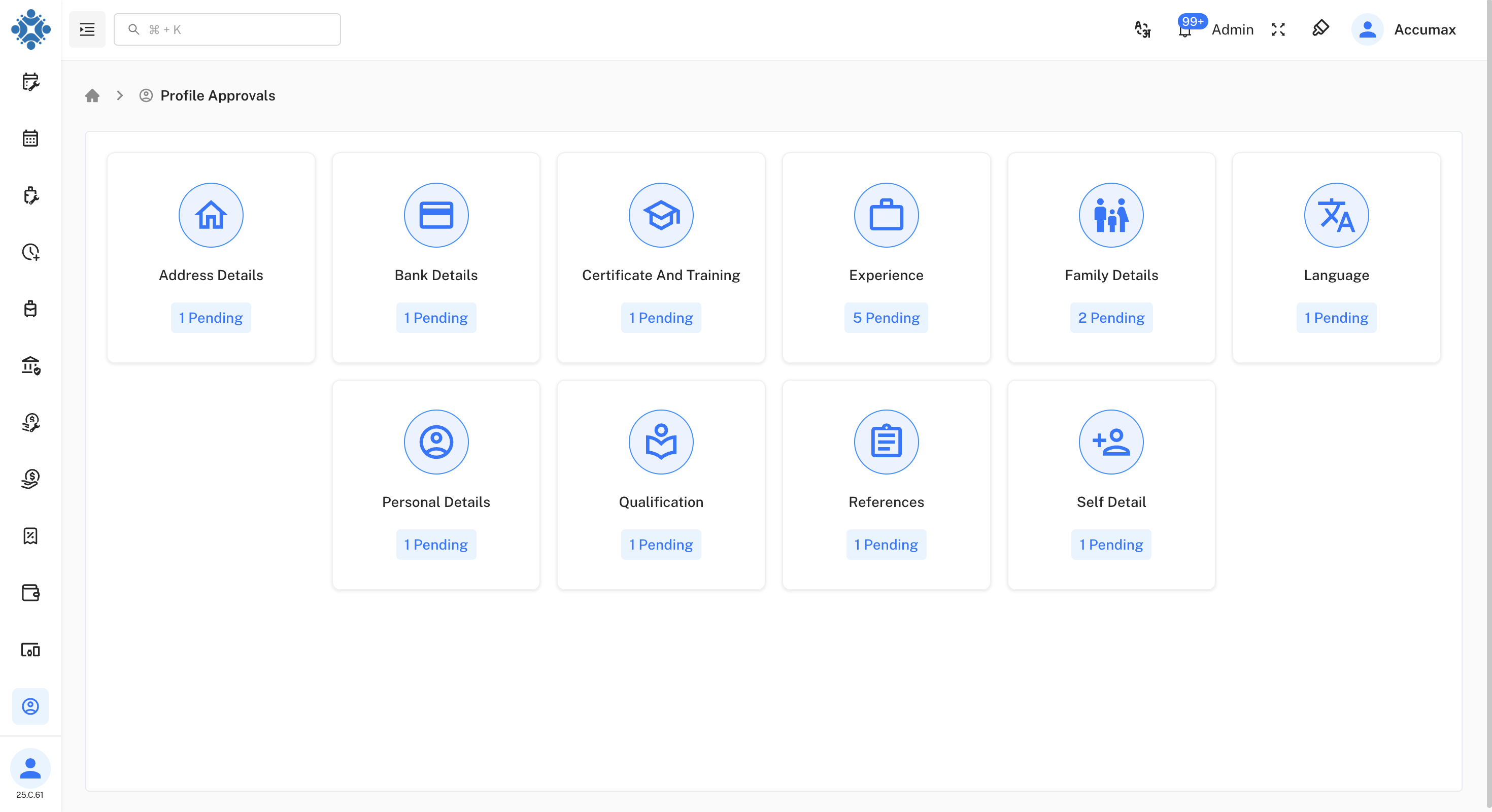
Available Categories:
| Category | Description |
|---|---|
| Address Details | Home address and contact information changes |
| Bank Details | Banking information updates |
| Certificate And Training | Educational and training certifications |
| Experience | Work experience and employment history |
| Family Details | Family member information updates |
| Language | Language proficiency updates |
| Personal Details | Basic personal information changes |
| Qualification | Educational qualifications |
| References | Professional reference updates |
| Self Detail | Additional personal details |
Category-specific Approval Views
Each category provides a detailed view of pending approvals with comprehensive employee information and change details.
Address Details Approvals
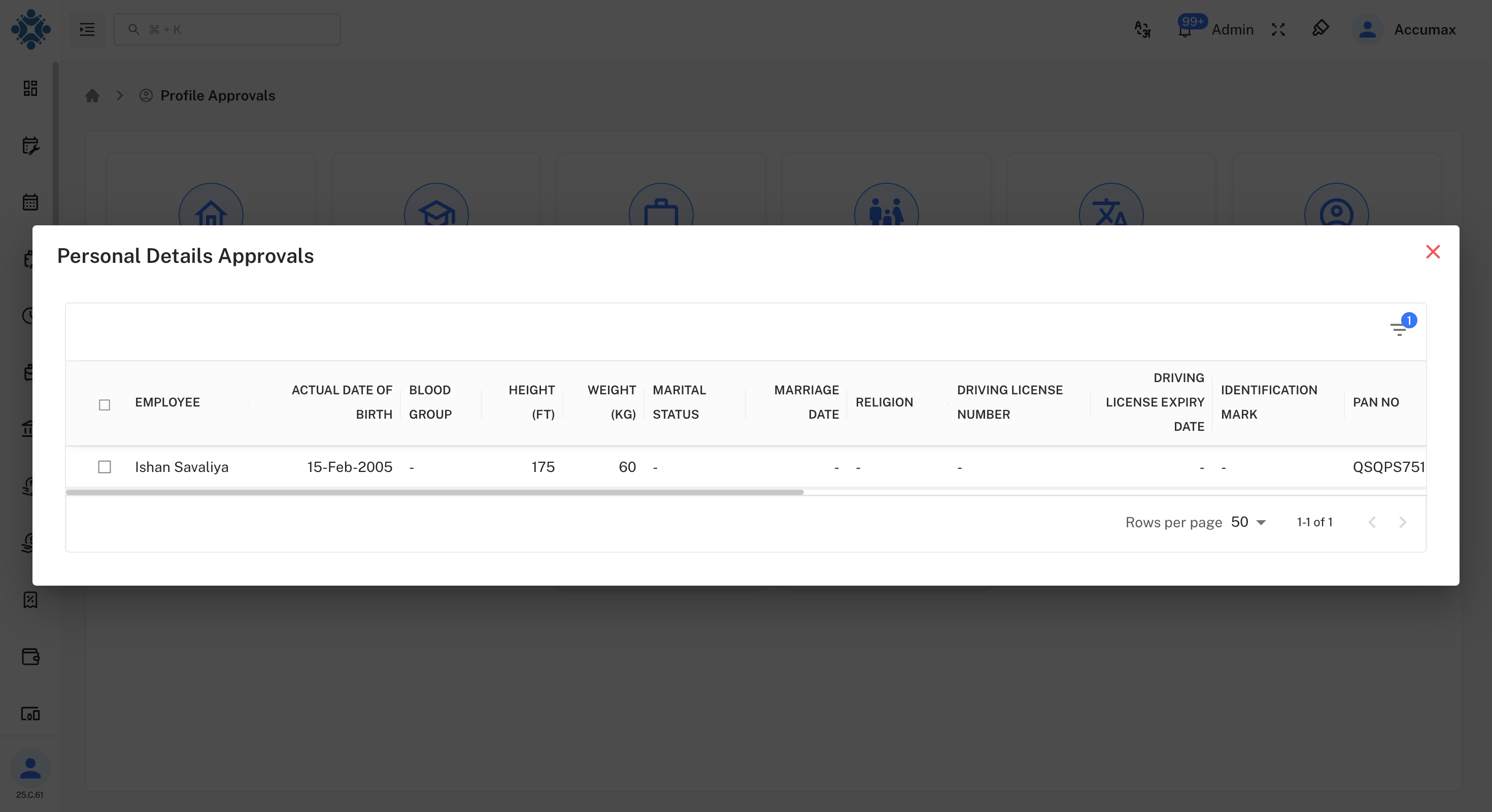
Information Displayed:
- Employee name and current address details
- Street address, area, city, state, and country
- Post code and building information
- Current address attachment downloads
Personal Details Approvals
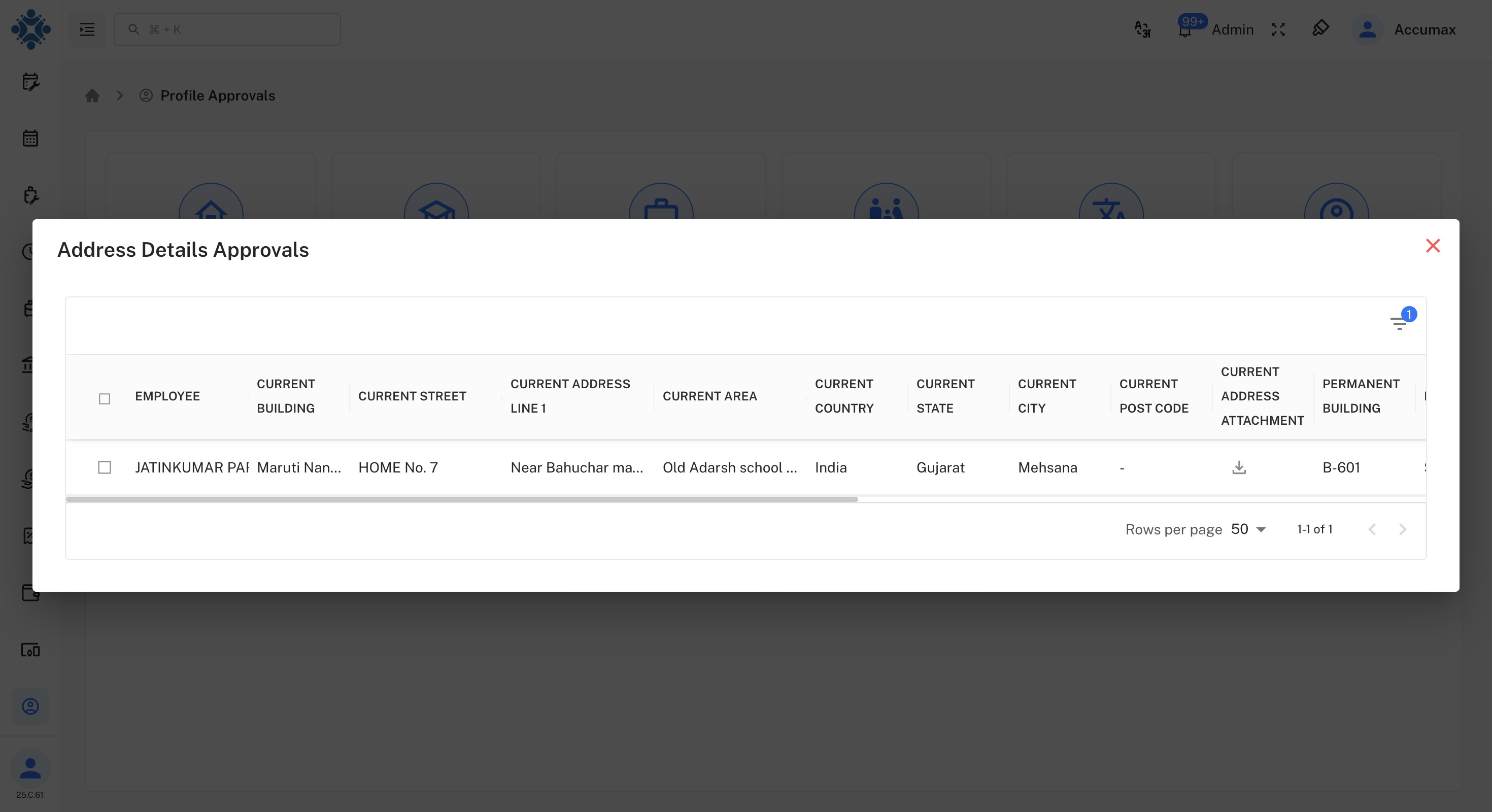
Information Displayed:
- Employee personal information
- Date of birth, blood group, height, weight
- Marital status, religion, driving license details
- PAN number and identification marks
Experience Approvals
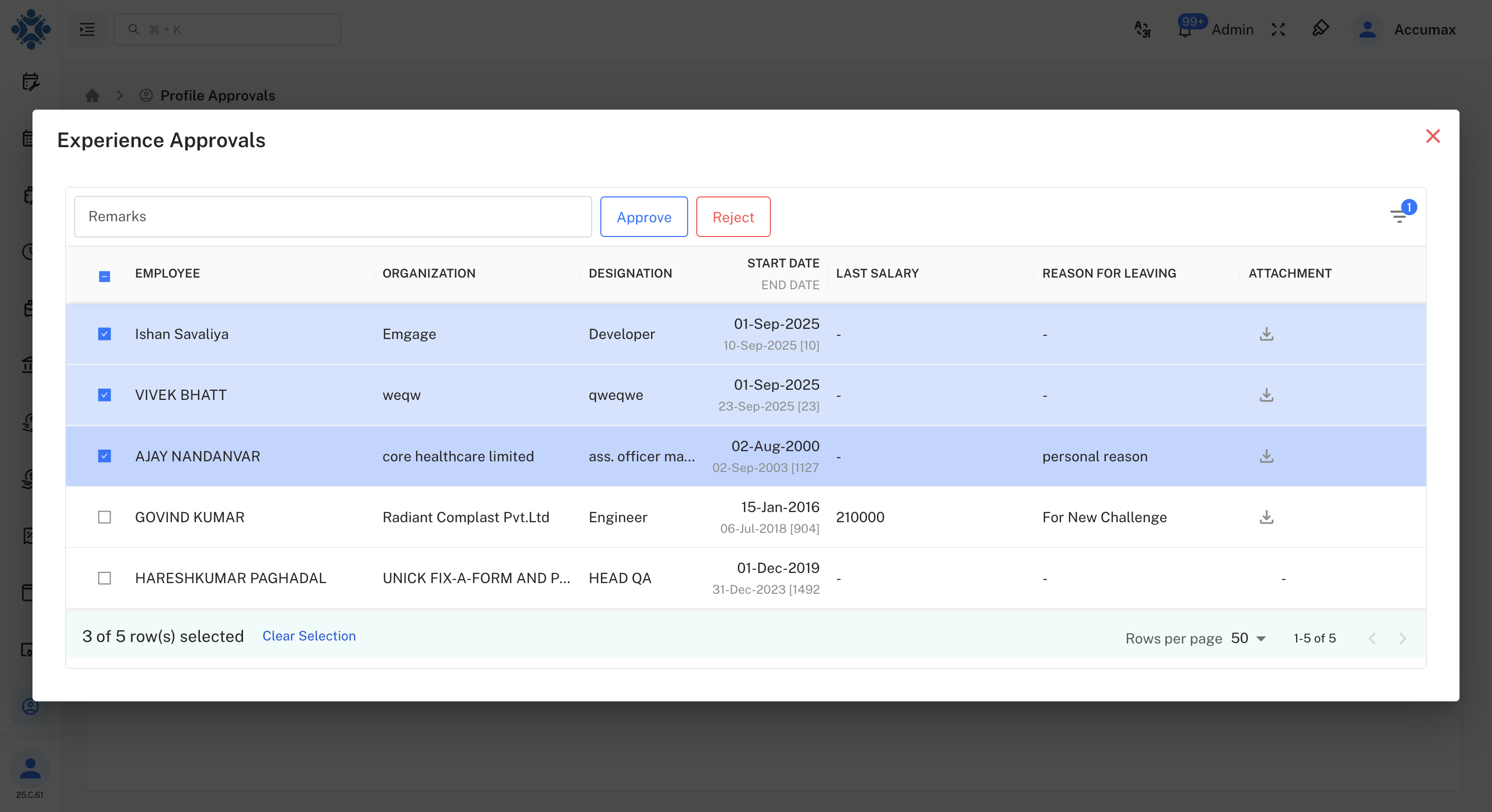
Information Displayed:
- Employee work experience details
- Organization, designation, start/end dates
- Last salary and reason for leaving
- Supporting document attachments
- Bulk approval options available
Individual Change Review
When reviewing specific changes, employee can see detailed comparison between old and new data values.
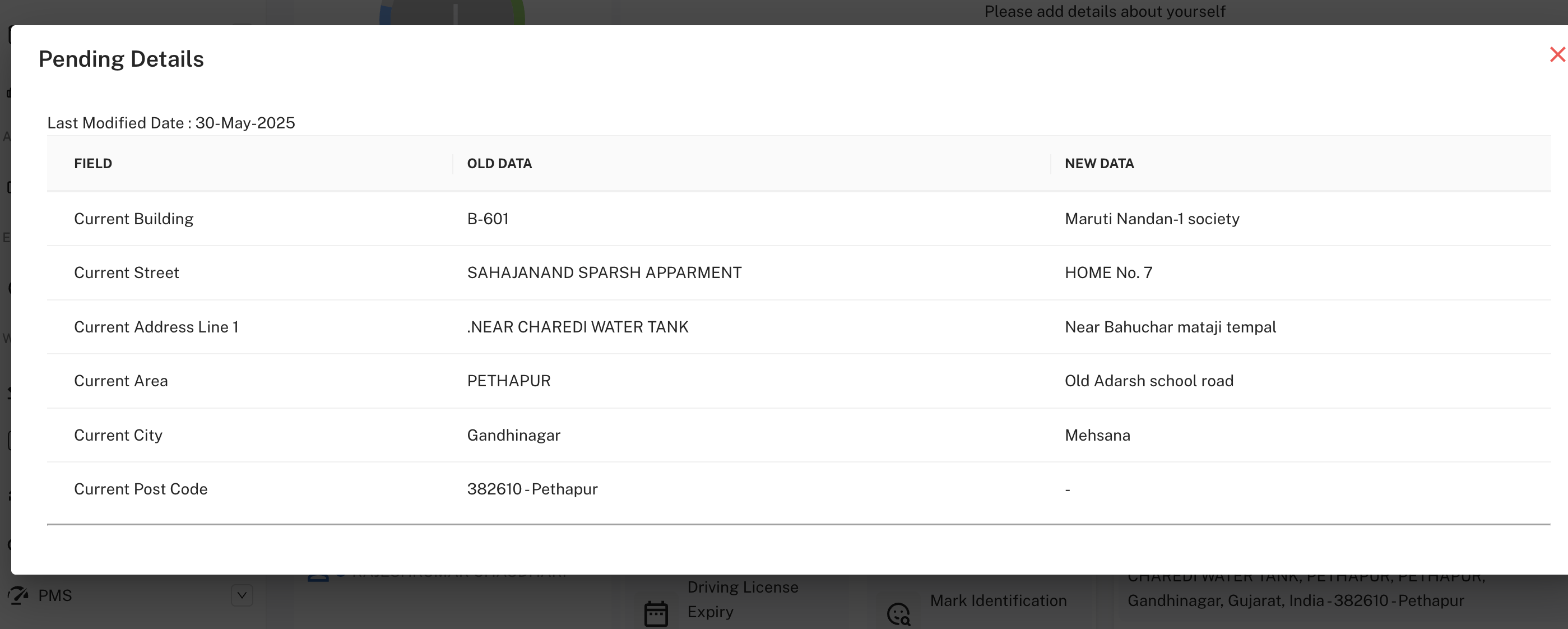
Review Process:
- Compare old vs new data values
- Review employee justification
- Download supporting documents if available
- Make approval decision
- Add approval comments if needed
Implementation Guidelines
For HR Personnel:
- Review requests promptly to avoid processing delays
- Verify supporting documentation before approval
- Use clear, professional comments when rejecting requests
- Maintain audit trail for all approval decisions
For Managers:
- Focus on requests from direct reports
- Evaluate business impact of changes
- Escalate complex cases to HR when needed
- Communicate decisions clearly to employees
Common Issues and Solutions
Approval Interface Problems:
- Issue: Category not loading properly
- Solution: Refresh browser and verify user permissions
Document Download Failures:
- Issue: Attachment not downloading
- Solution: Check file format and browser settings
Bulk Action Issues:
- Issue: Multiple selections not working
- Solution: Use individual checkboxes and confirm selection count