Payment Slip Management
Last Updated: October 3, 2025 Document Version: 1.0 Prepared for: Emgage HRMS Implementation Team
Payment Slip Management
The Payment Slip section provides administrators with comprehensive tools to access, manage, and distribute employee payroll documents, including individual monthly payslips, consolidated reports, and annual tax forms.
Process Overview
Administrators can efficiently retrieve payroll information for any employee by using the powerful filtering options. The system allows for the generation of several key documents on-demand, ensuring timely access to financial records for both HR and employees.
Payment Slip Workflow
This video demonstrates the complete workflow, from filtering for an employee to downloading various types of payroll reports like the Cumulative Pay Slip, individual monthly slips, and Year-to-Date (YTD) summaries.
Core Features & Actions
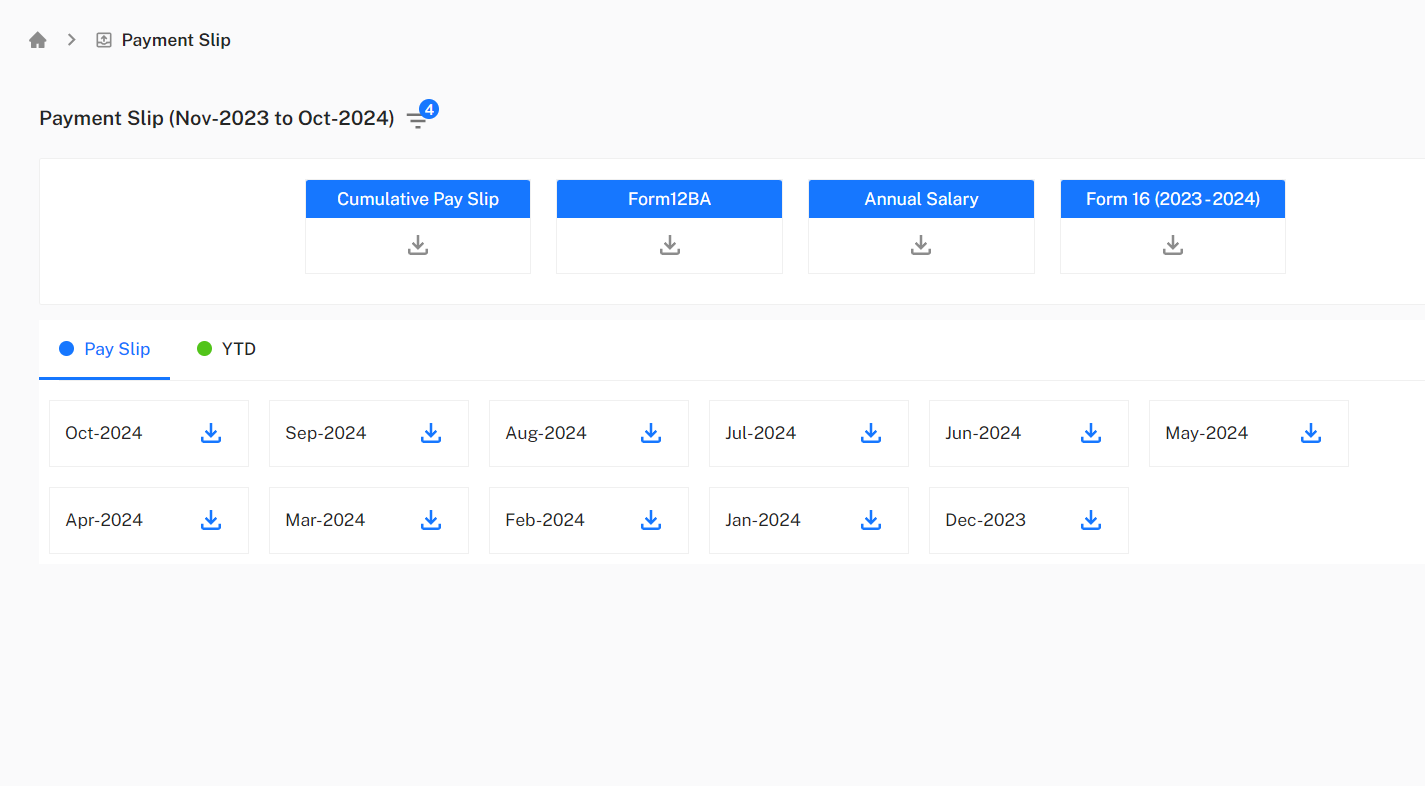 Main interface showing the filter panel for selecting employees and date ranges
1. Filtering Options
The filter panel on the right allows you to precisely locate the required documents:
- Employee: Search and select a specific employee by name or ID.
- Date Range: Define the period for which you want to view payslips using the "From Date" and "To Date" selectors.
2. Main Report Generation
Two primary action buttons are available at the top of the page after filtering for a specific date range:
- Cumulative Pay Slip: Generates a single, consolidated PDF report that summarizes an employee's monthly earnings and deductions over the entire selected period. This is useful for providing a comprehensive financial overview.
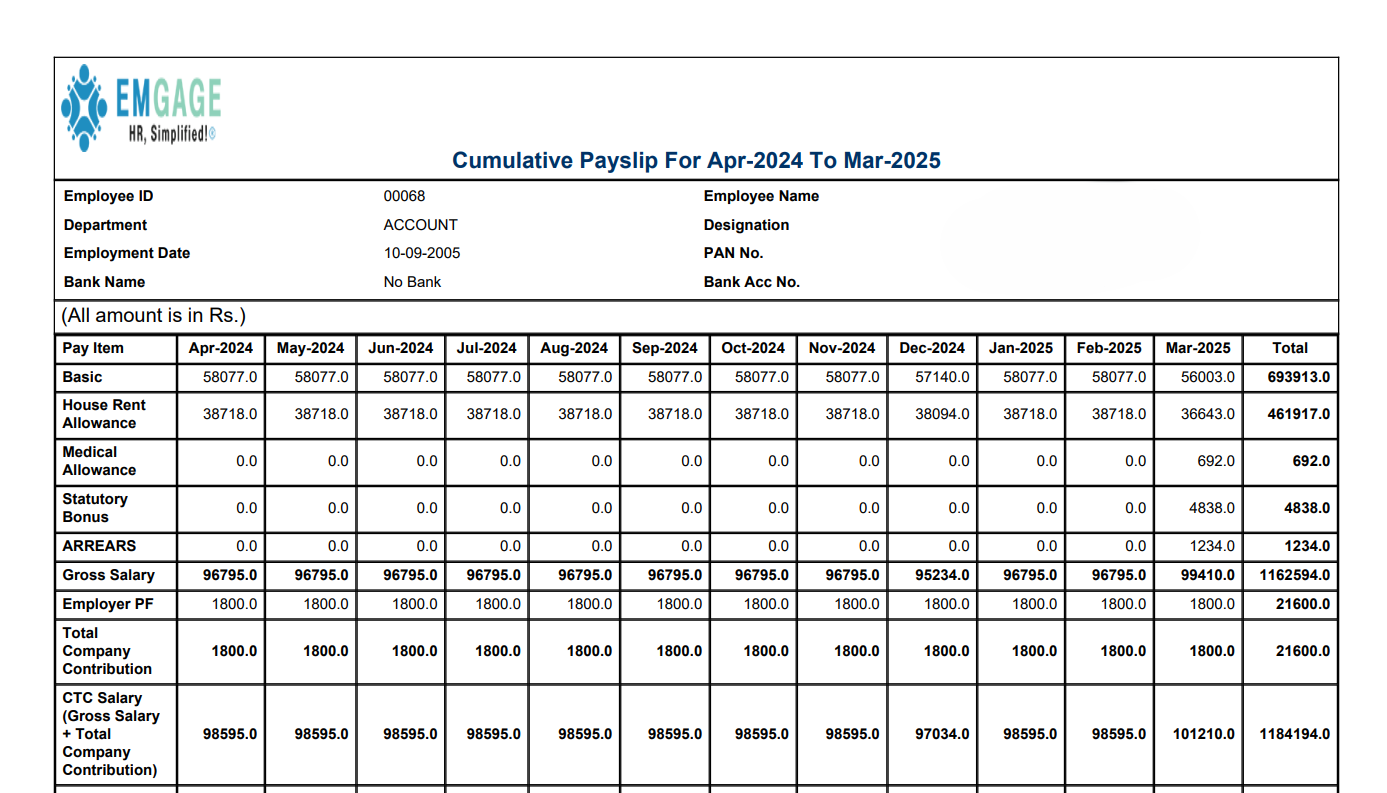 Example of a generated Cumulative Pay Slip PDF report
- Form 16: Downloads the employee's annual tax form for the selected financial year.
To successfully generate Form 16, the company's TAN/PAN number must be correctly configured in the system's setup. If this information is missing, you will receive an error notification. Please contact your system administrator to update the company settings.

Error message displayed when TAN/PAN is not configured in the system
3. Individual Document Tabs
Below the main action buttons, you can access more granular reports via two tabs:
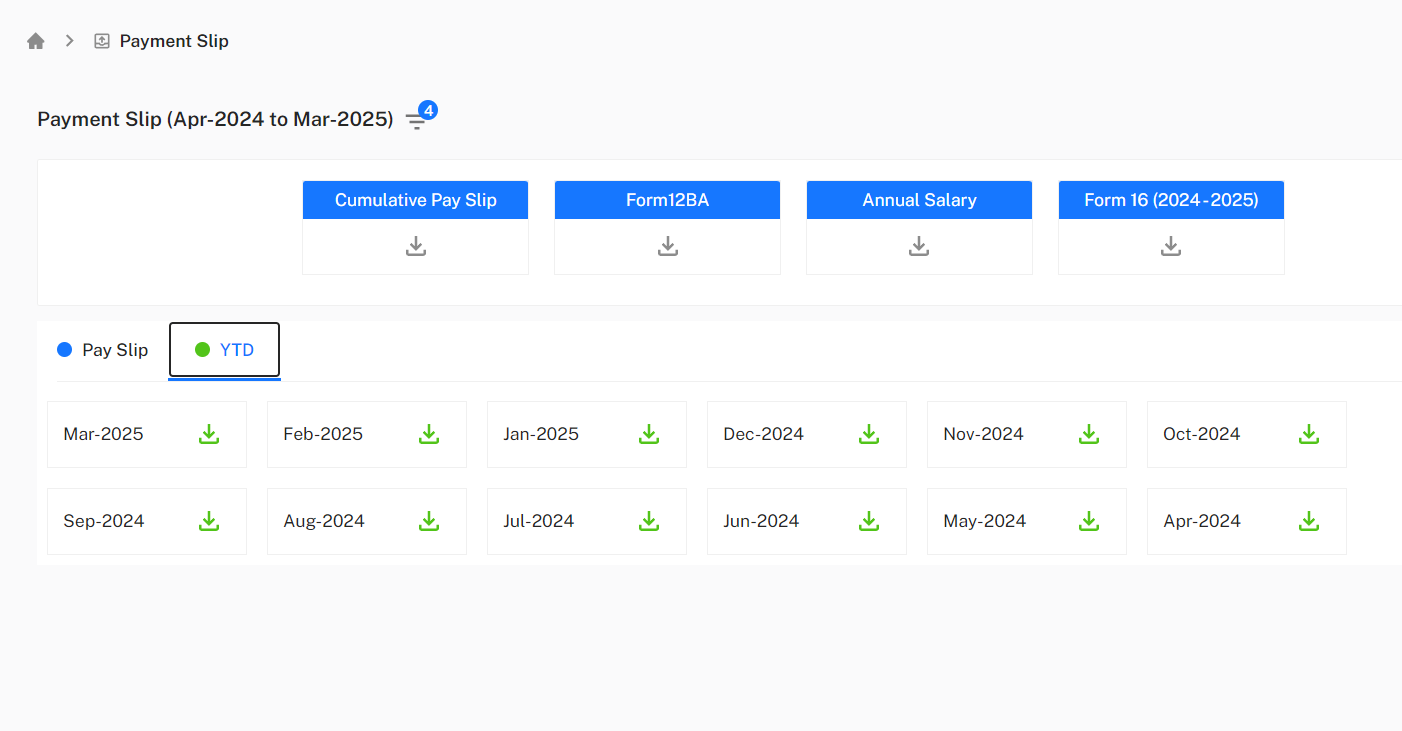 Pay Slip and YTD tabs showing monthly payslip listings
Pay Slip Tab
This tab displays a list of individual payslips for each month within the selected date range.
- Action: Click the download icon next to any month (e.g., Nov-2024, Oct-2024) to download that specific month's detailed payslip as a PDF.
YTD (Year-to-Date) Tab
This tab provides Year-to-Date financial summaries.
- Action: Clicking the download icon for a specific month (e.g., Nov-2024) will generate a YTD report. This PDF includes the cumulative earnings and deductions from the beginning of the financial year up to and including that selected month.