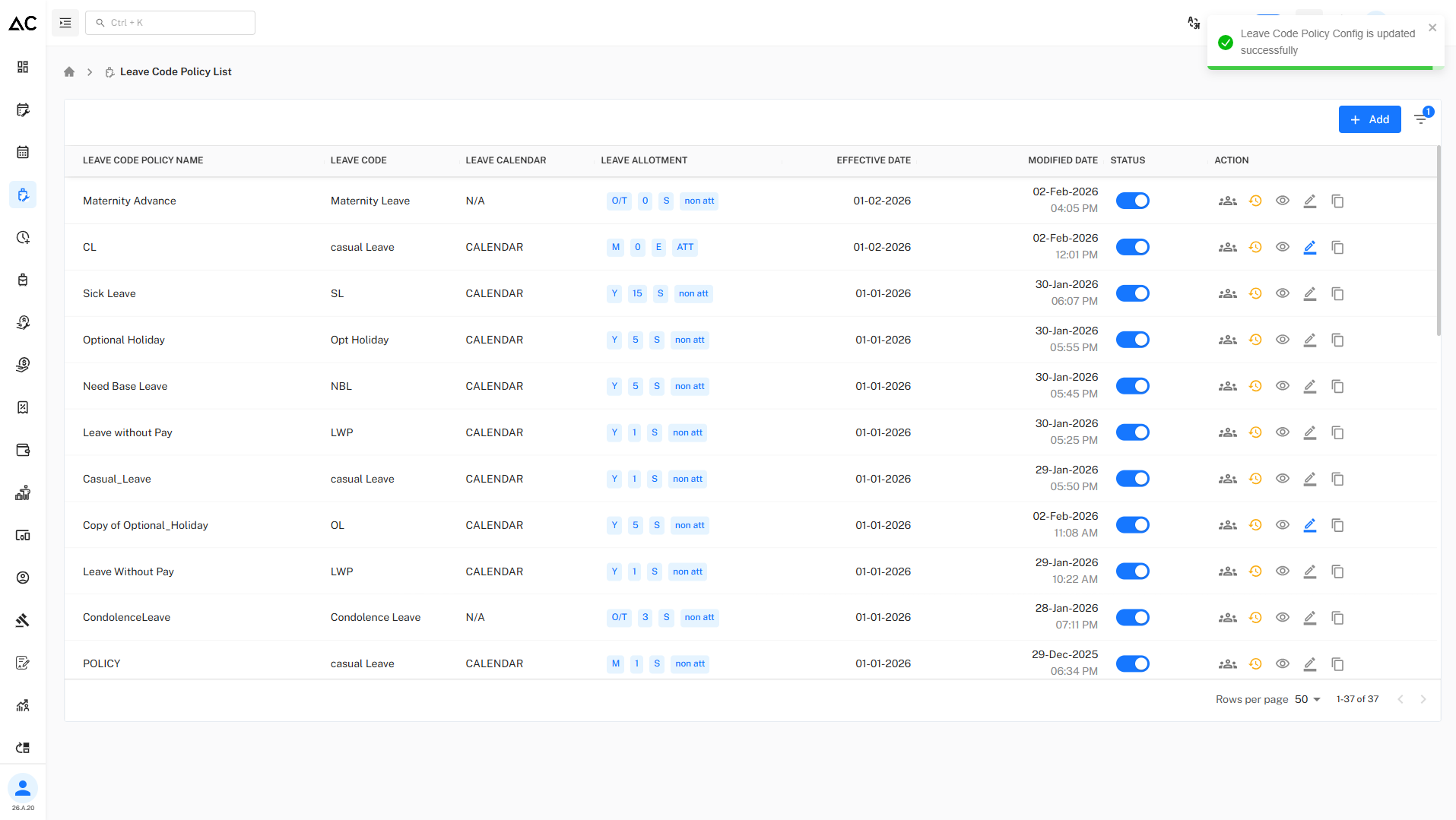
Casual Leave (CL)
- Casual Leave Advance Policy is a detailed leave policy configuration that allows an organization to pre-define all rules and conditions related to casual leave in advance, instead of handling them manually.
Basic Information
- Policy Name : CL
- Leave Code : CL
- Description : Casual Leave Advance Policy
Calendar Settings
- Leave Calendar : Calendar Year (January – December)
- Policy Start Date : 01-Feb-2026
Year End Settings
- Year End Closing : Manual
- Allow Next Year Leave Requests : No
Switching to Advance Settings
Where to Enable Advance Settings
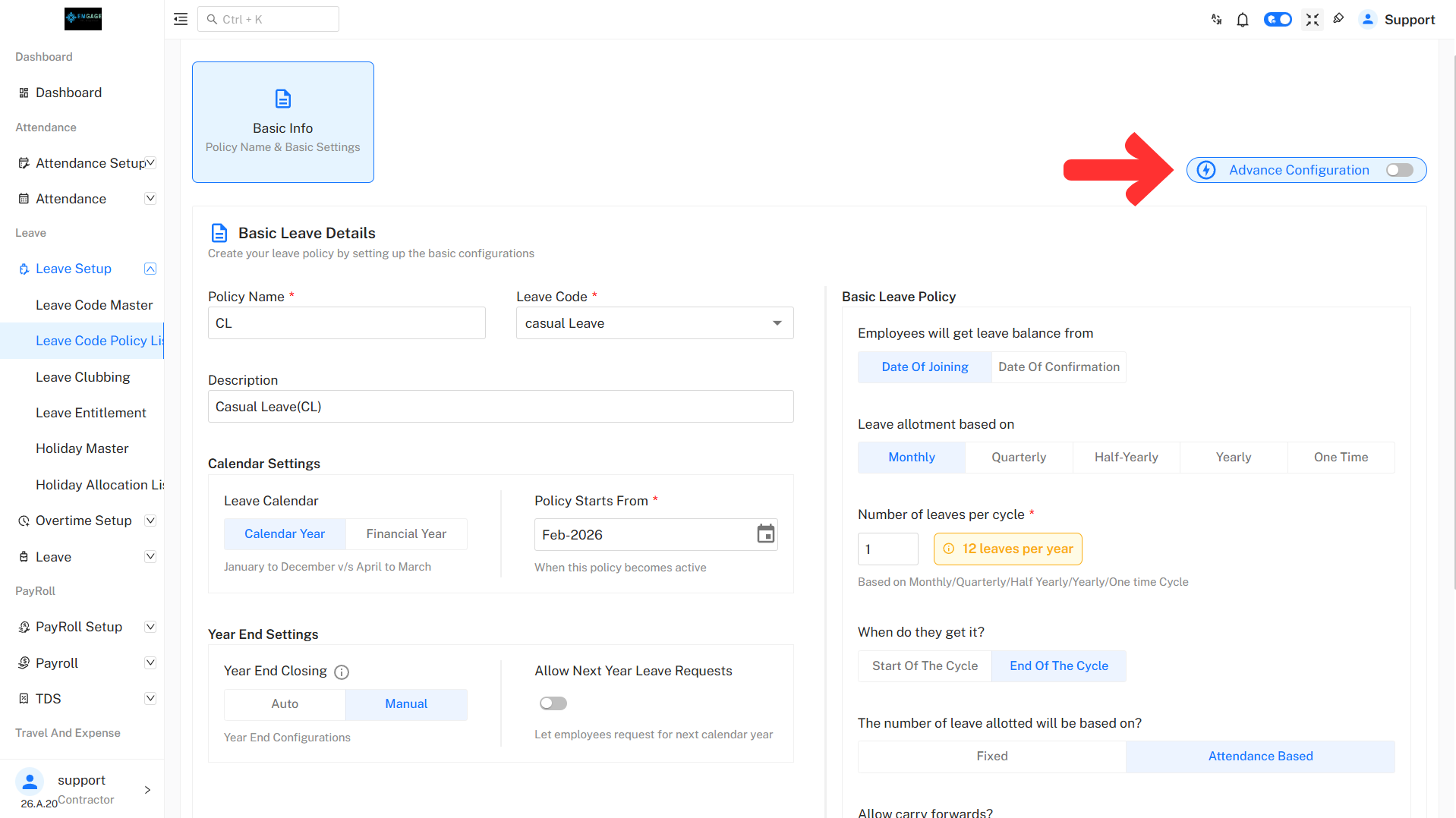
- Use the Advance Configuration toggle at the top-right
- Turn the toggle ON
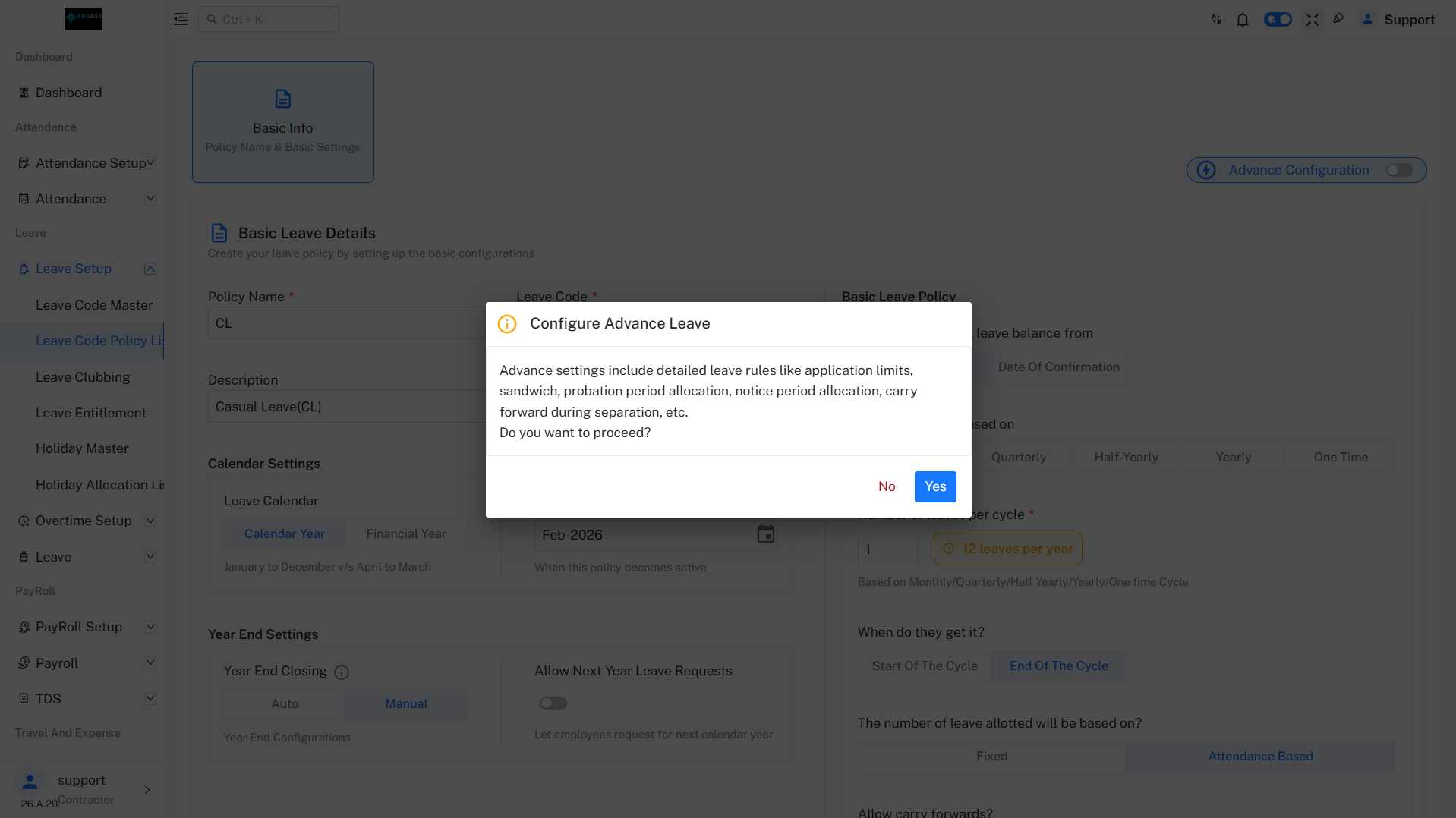
- Confirm by clicking Yes in the popup
The policy is now converted from Basic Policy to Advance Policy.
1. Basic Leave Details
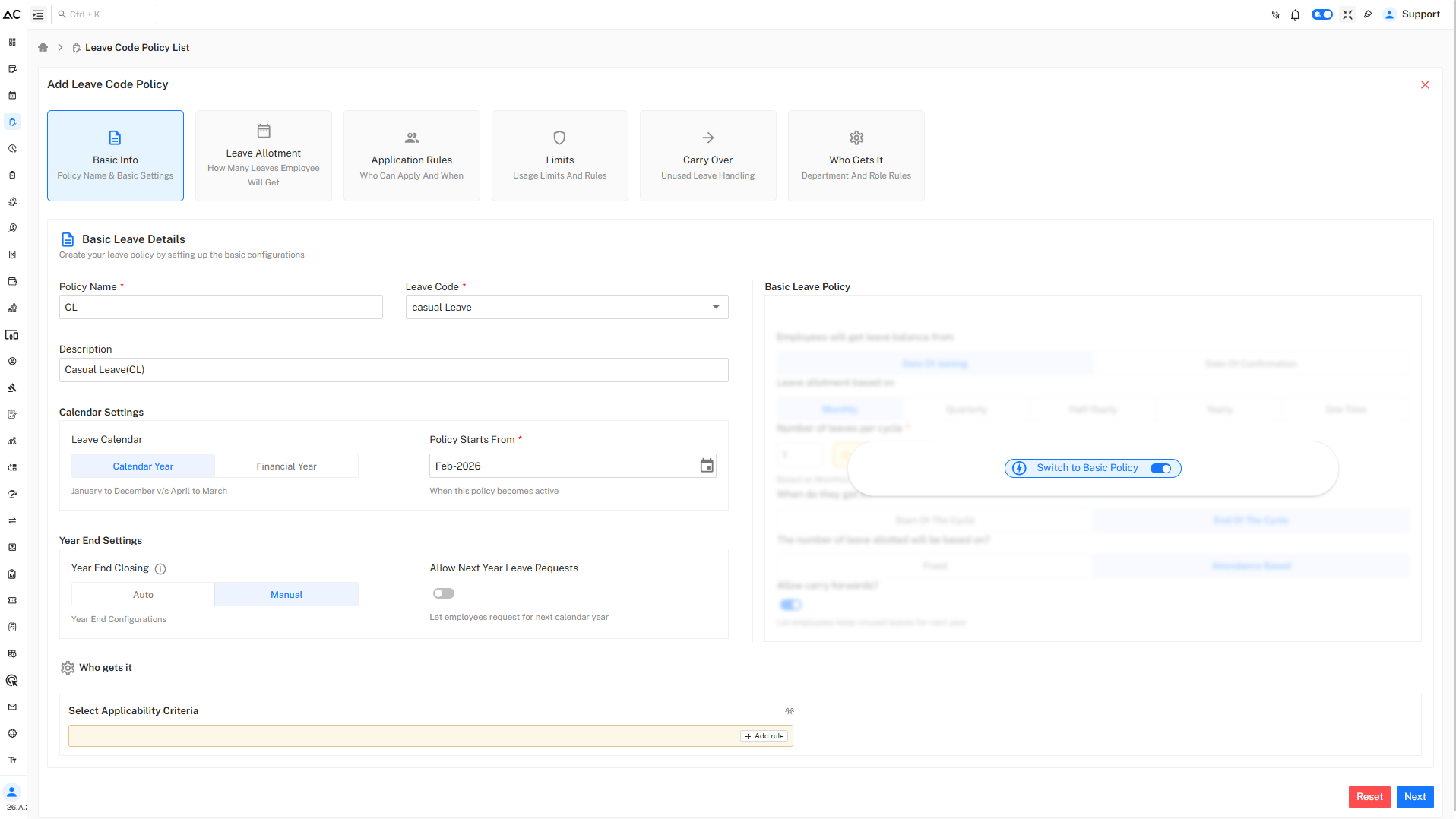
Policy Information
- Policy Name: CL
- Leave Code: Casual Leave
- Description: Casual Leave (CL)
Calendar Settings
- Leave Calendar: Calendar Year / Financial Year (January to December or April to March)
- Policy Starts From: February 2026
Year End Settings
- Year End Closing: Manual
- Allow Next Year Leave Requests: Disabled
2. Leave Allotment
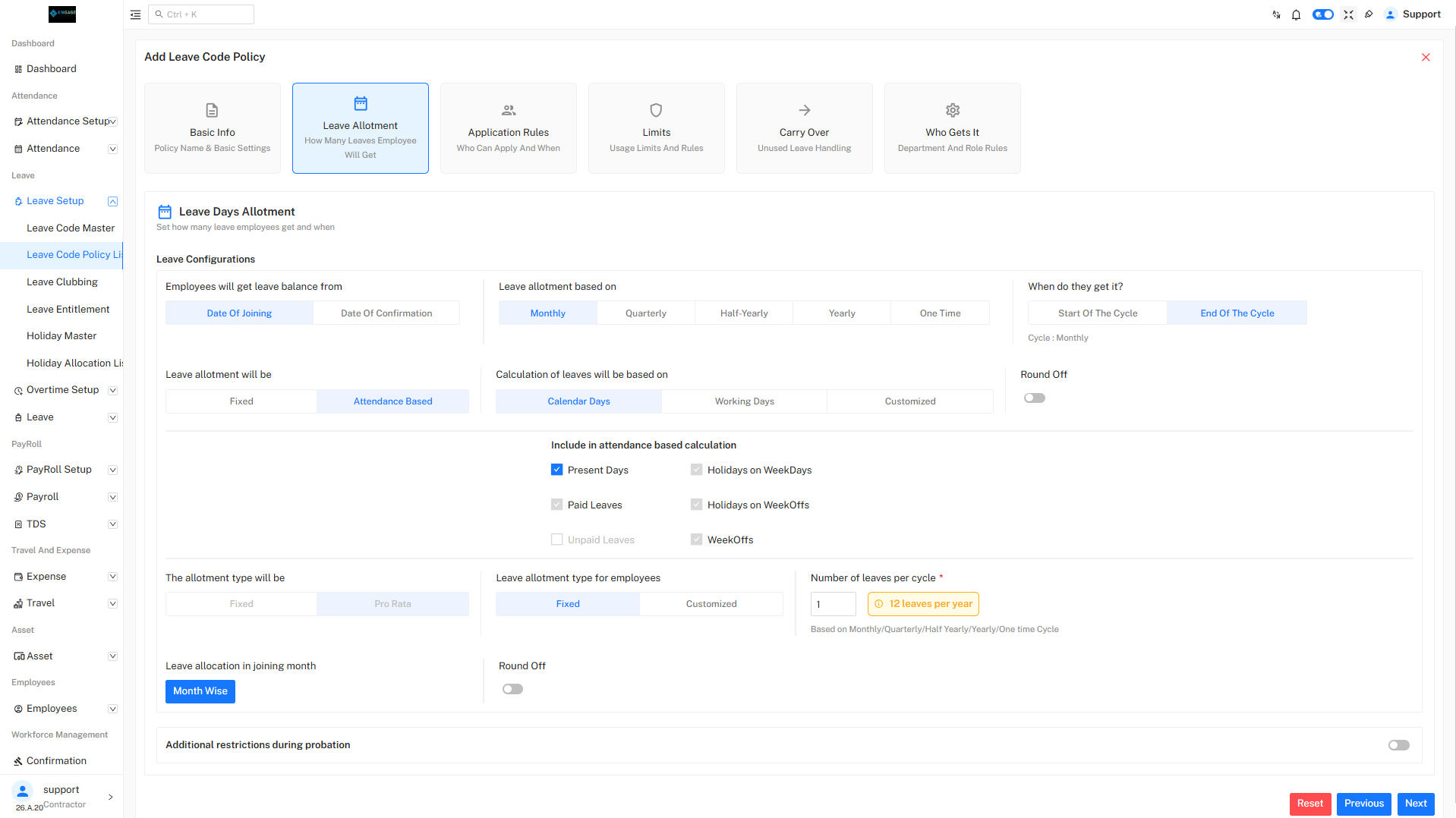
Leave Configuration
- Leave Balance From: Date of Joining
- Leave Allotment Based On: Monthly
- Cycle: Monthly
Allotment Rules
- Allotment Type: Attendance Based
- Calculation Based On: Calendar Days
- Round Off: Disabled
- Leave Allocation in Joining Month: Month-wise
Leave Allotment & Calculation
- This configuration defines how Casual Leave (CL) is credited to employees and how the system calculates the final leave balance.

Leave Allotment Will Be → Attendance Based
- When Attendance Based is selected, leave is not granted as a fixed number. Instead, it is earned proportionally based on the employee’s attendance during the calculation period (usually monthly).
How it works
- Employees who are present for all eligible days receive the full leave credit.
- Employees with absent days, unpaid leave, or loss of pay (LOP) receive reduced leave credit.
- Leave credit is calculated using the attendance ratio.
Example
- Monthly Casual Leave entitlement: 1.5 days
- Total calendar days in the month: 30
- Employee present for: 24 days
Attendance Based Leave Allotment Configuration
Attendance Components Included
The following attendance elements are considered while calculating Casual Leave:
- Present Days
- Paid Leaves
- Unpaid Leaves
- Holidays on Weekdays
- Holidays on WeekOffs
- WeekOffs
These settings ensure accurate leave credit based on defined attendance rules.
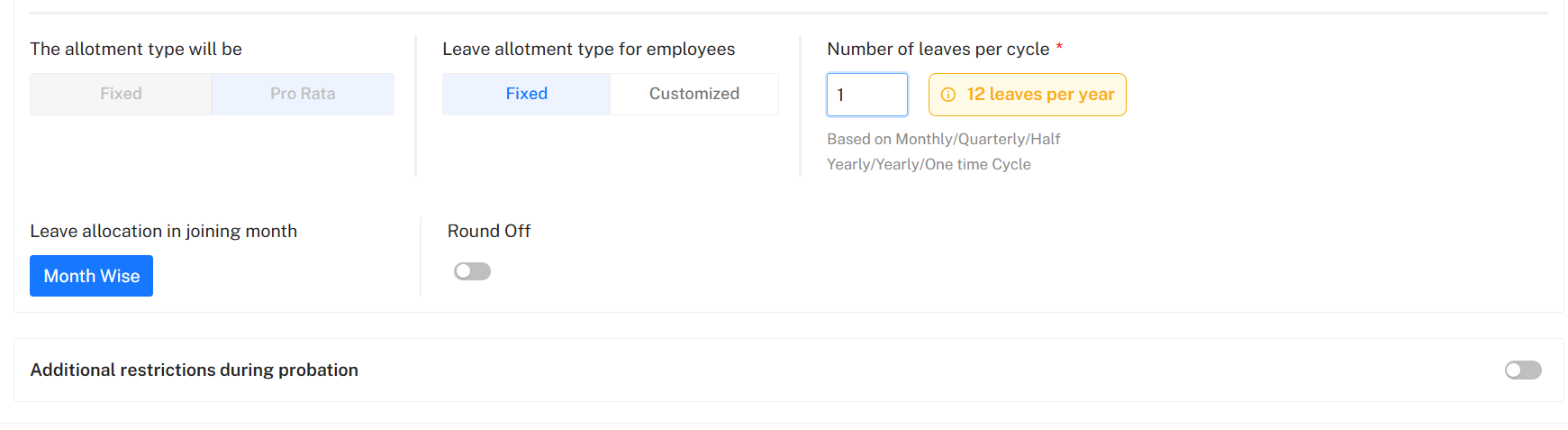
Allotment Type
- Allotment Method: Pro Rata (Leave is credited proportionately based on attendance)
- Leave Allotment Type for Employees: Fixed (Same leave value is applied to all eligible employees)
Leave Credit Settings
- Number of Leaves per Cycle: Configurable (Monthly / Quarterly / Half-Yearly / Yearly / One-time)
- Leave Allocation in Joining Month: Month-wise (Leave is credited based on remaining days in the joining month)
- Round Off: Disabled (Fractional leave values are maintained without rounding)
Probation Restrictions
- Additional Restrictions During Probation: Configurable (Allows stricter leave rules for employees under probation)
Number of Leaves
- Leaves Per Cycle: 1
- Total Leaves Per Year: 12
3. Application Rules
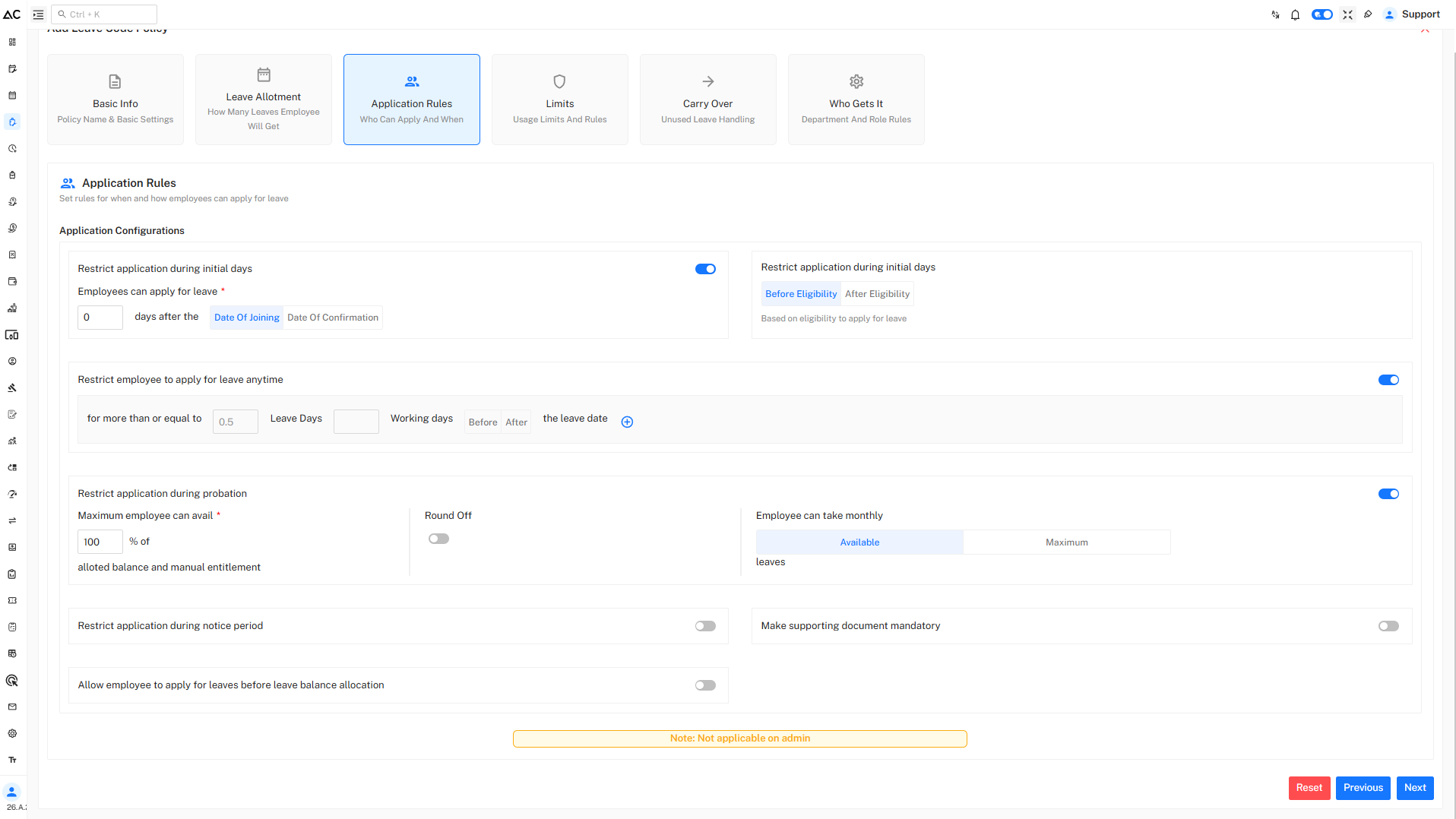
Eligibility Rules
- Employees can apply for leave 0 days after Date of Joining
- Leave application is restricted before eligibility
- Restriction during initial days and probation is enabled
Application Restrictions
- Employees cannot apply:
- For more than 0.5 leave days
- Without sufficient leave balance
- Monthly leave usage is limited to available balance only
Additional Rules
- Leave application during notice period: Disabled
- Supporting document requirement: Disabled
- Applying before leave balance allocation: Disabled
Application Configurations

Restrict Employee to Apply for Leave Anytime
- Status: Enabled
- Employees can apply for leave:
- For 0.5 or more leave days
- Based on working days
- Before the leave date
This configuration ensures controlled and timely leave applications while maintaining operational continuity.
Additional Application Restrictions
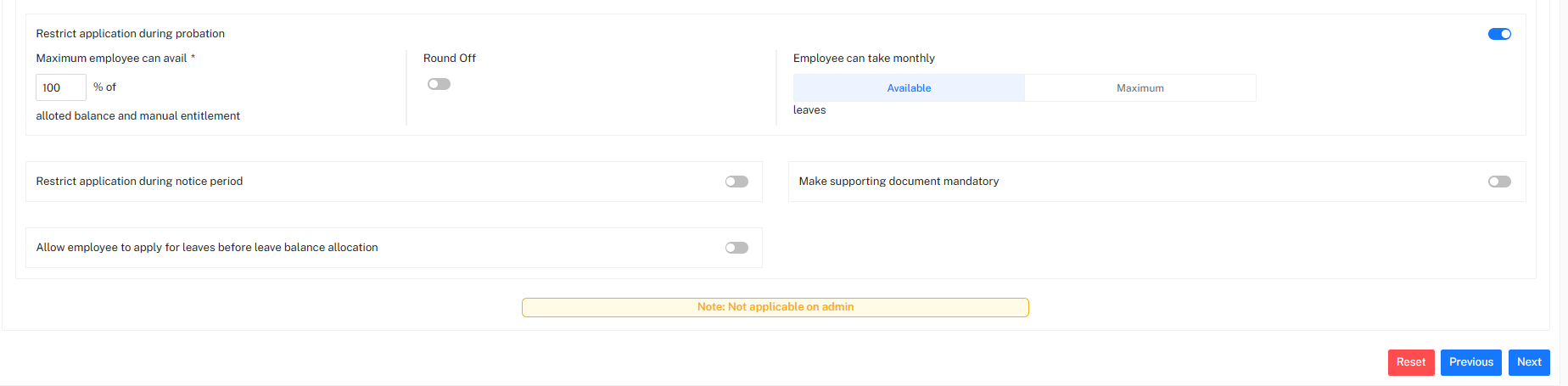
Probation Rule
- Leave during probation is allowed.
- Employees can use 100% of their leave balance.
- Round off: Not applied.
Monthly Leave
- Leave can be used as per available balance.
- No monthly limit.
Notice Period
- Leave application during notice period is allowed.
Documents
- Supporting documents are not required.
Leave Before Credit
- Leave can be applied only after balance is credited.
4. Usage Limits & Restrictions
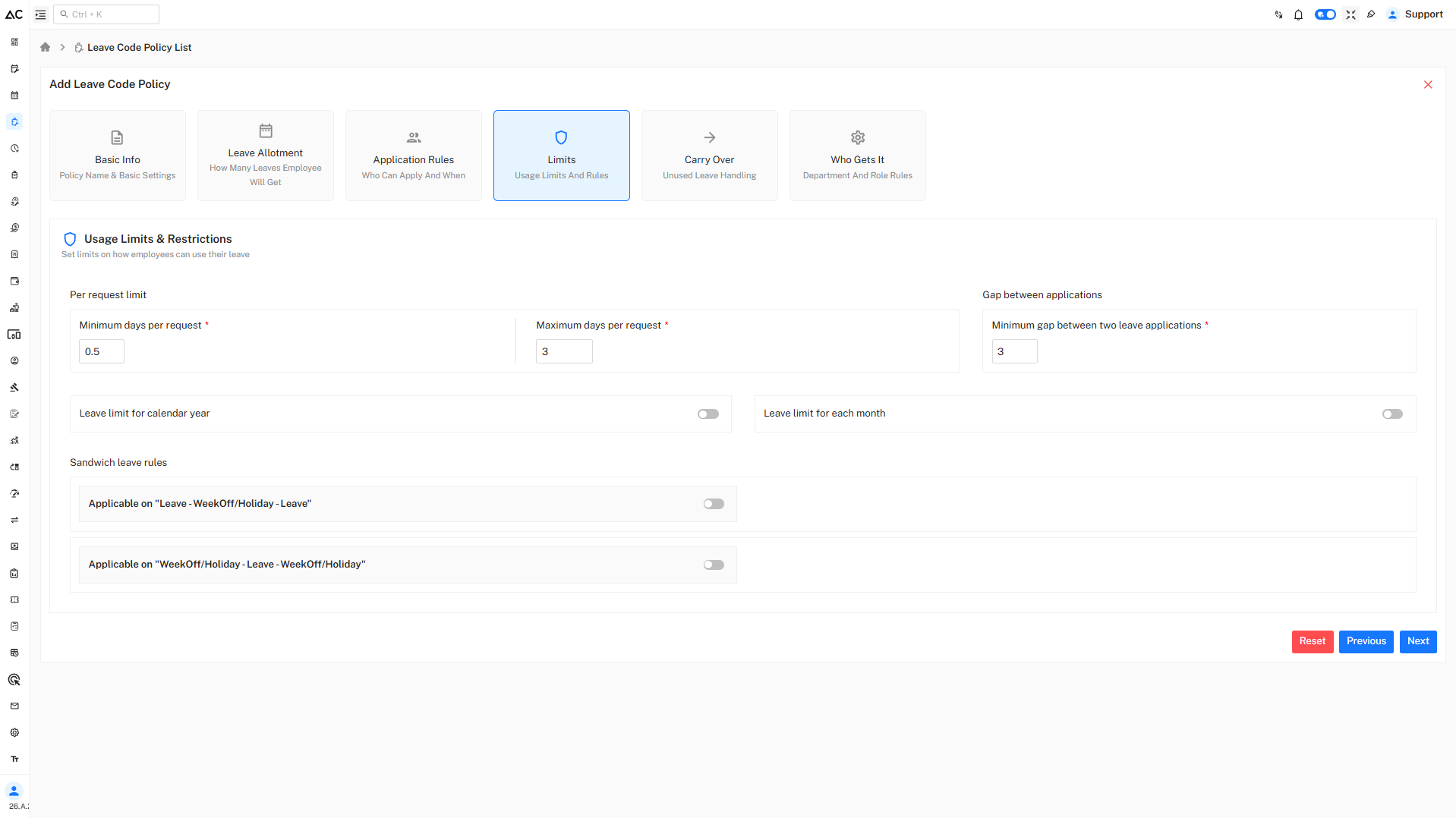
Per Request Limits
- Minimum Days Per Request: 0.5 day
- Maximum Days Per Request: 3 days
Gap Between Applications
- Minimum Gap: 3 days between two leave applications
Sandwich Leave Rules
- Disabled for:
- Leave – Week Off – Leave
- Holiday – Leave – Holiday
Usage Limits & Sandwich Leave Rules
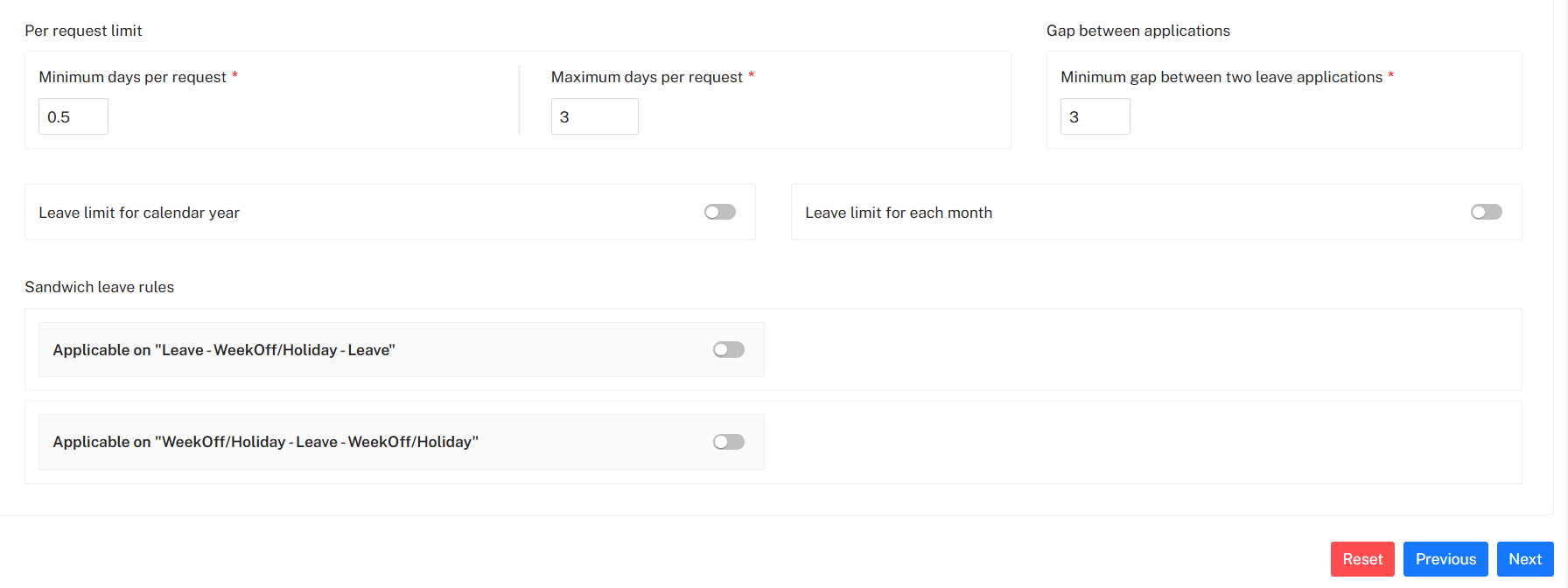
Per Request Limits
- Minimum days per request: 0.5 day
- Maximum days per request: 3 days
Gap Between Applications
- Minimum gap between two leave applications: 3 days
Leave Limits
- Leave limit for calendar year: Disabled
- Leave limit for each month: Disabled
(No yearly or monthly cap is enforced beyond the available balance.)
Sandwich Leave Rules
- Leave – WeekOff/Holiday – Leave: Not applicable
- WeekOff/Holiday – Leave – WeekOff/Holiday: Not applicable
(Weekends and holidays between leave days are not counted as leave.)
5. Carry Forward & Encashment
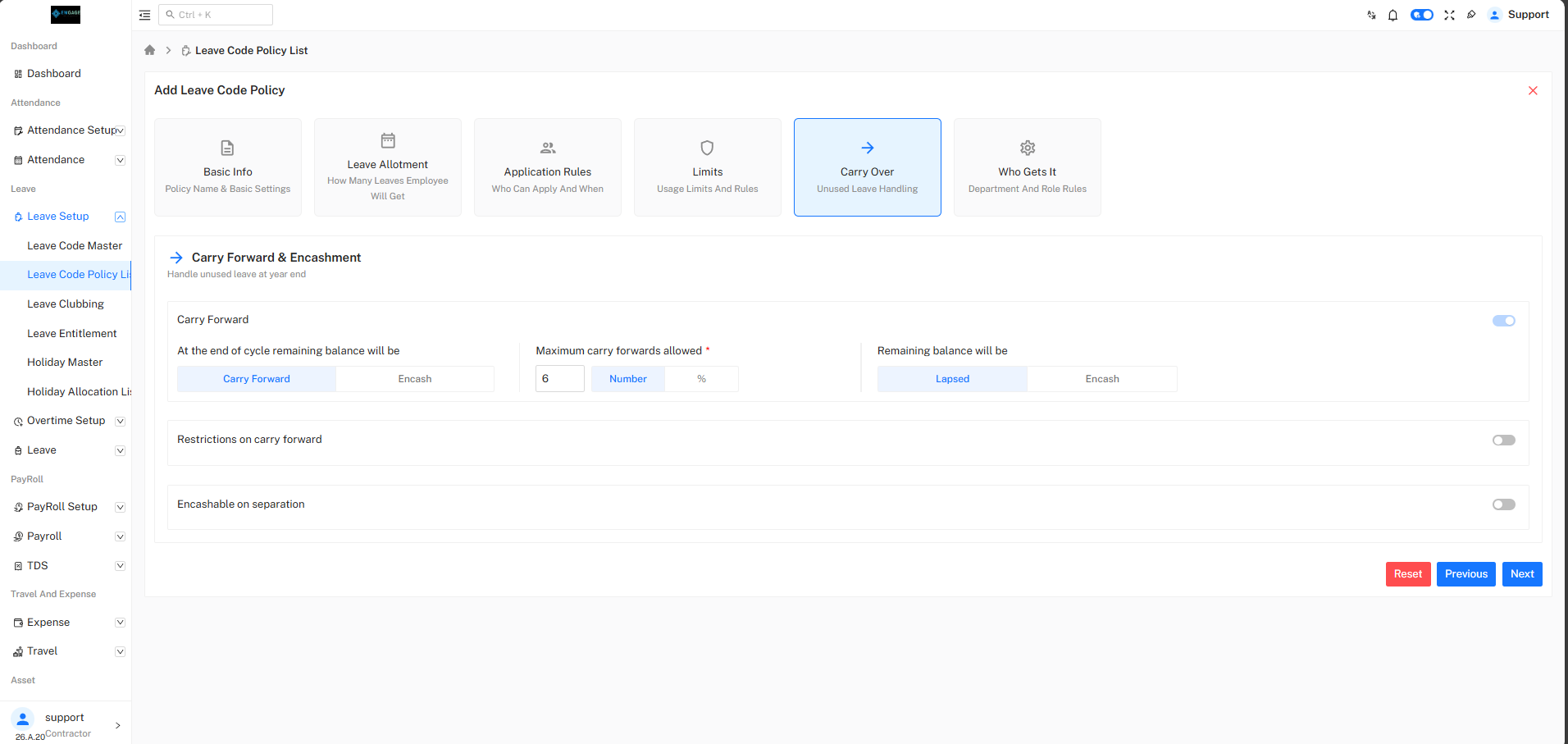
Carry Forward Rules
- Carry Forward Enabled
- Maximum Carry Forward Allowed: 6 leaves
- Remaining balance after limit will be Lapsed
Encashment
- Encashment on Separation: Disabled
- Encashment at Year End: Disabled
6. Who Gets This Leave
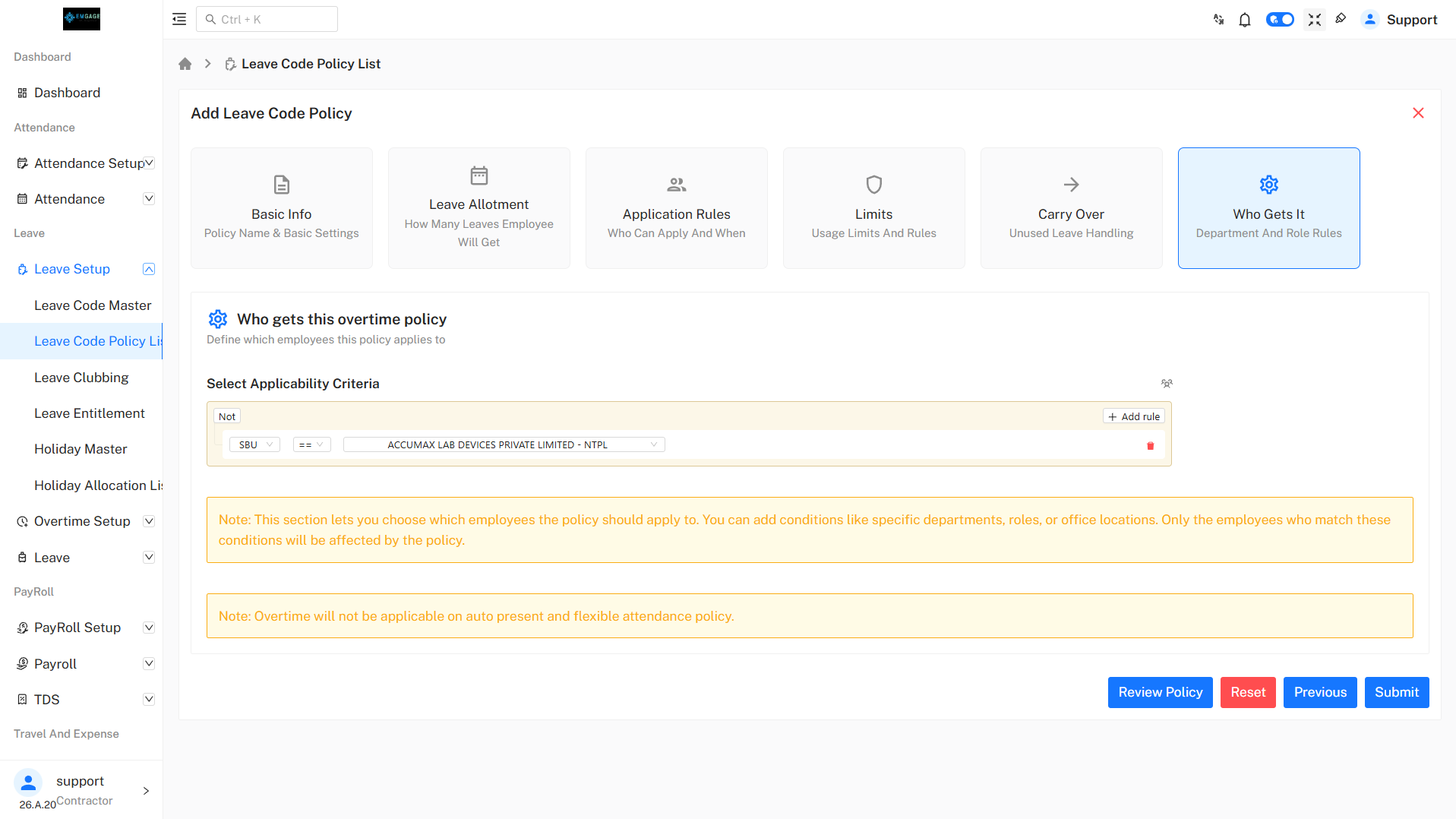
Applicability Criteria
- Leave policy is applicable based on:
- Department
- Role
- SBU
- Location
Only employees matching the defined conditions will be eligible for this leave policy.
Note: This policy will not apply to employees excluded using rule-based conditions.
Review Policy
- By clicking on Review Policy, the configured policy can be reviewed before submission.
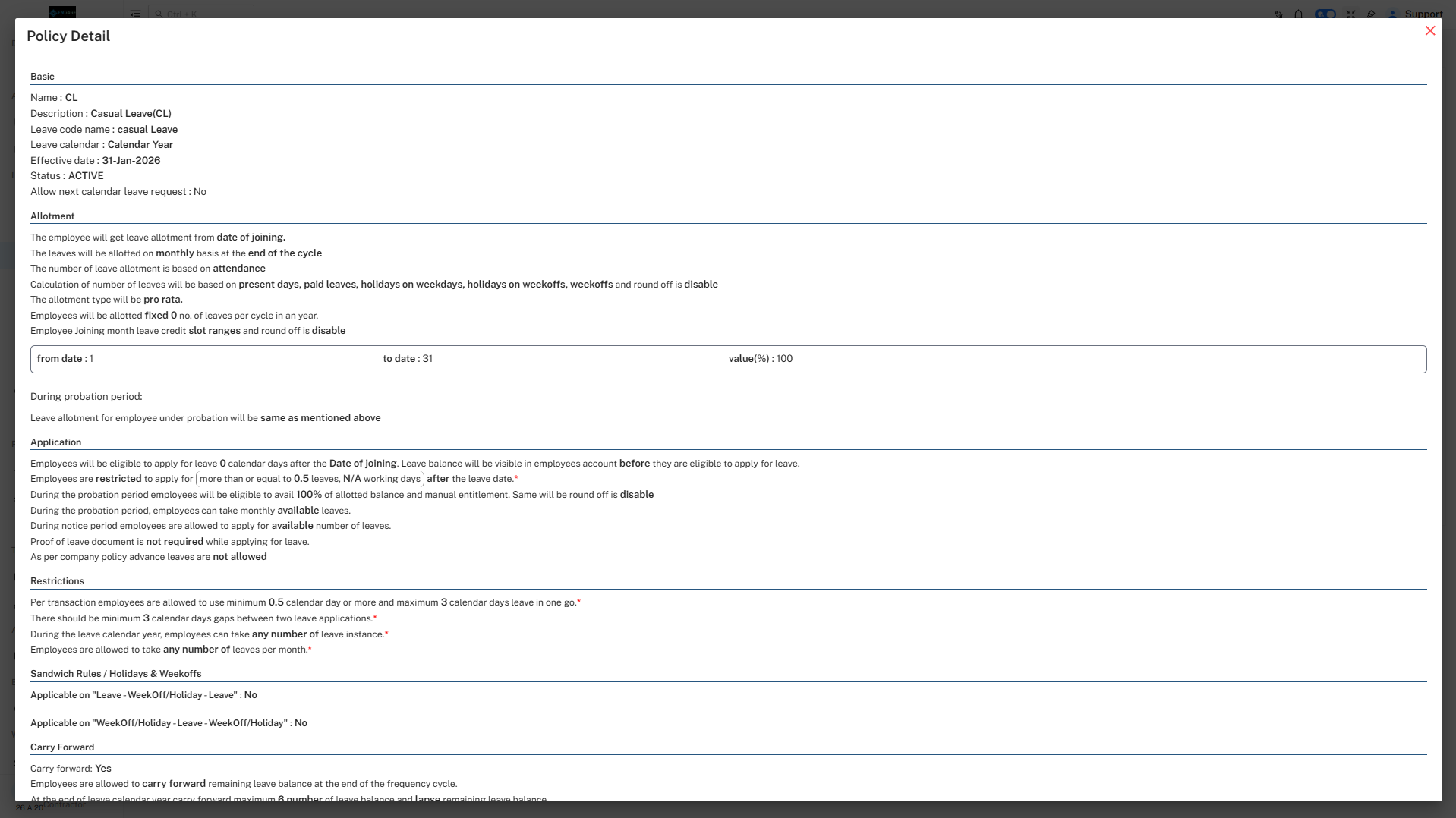
- After reviewing the policy, click on the Submit button.
Leave Code Policy List
- After successful submission, the policy will appear on the Leave Code Policy List page.