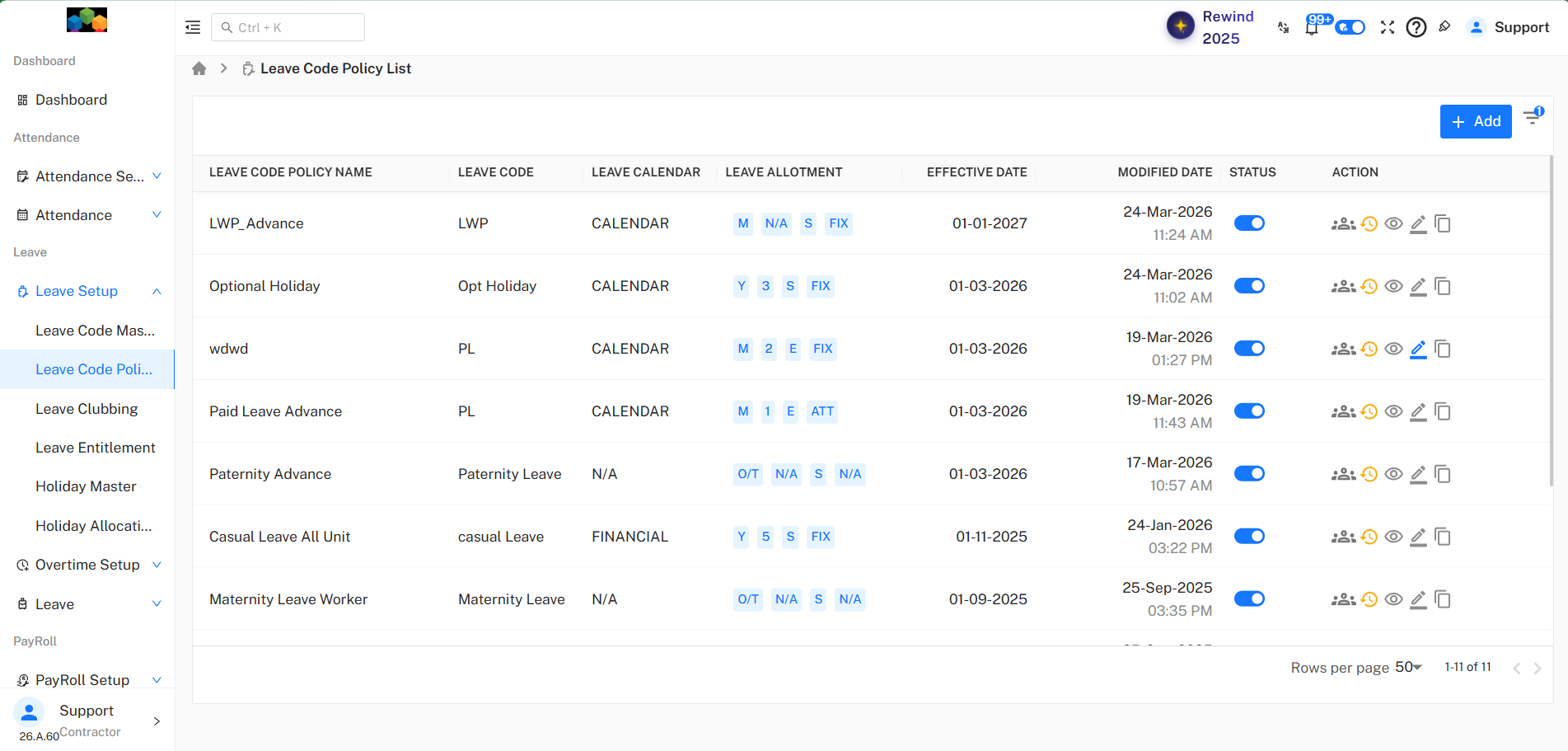
Leave Without Pay Leave (LWP)
The Leave Without Pay (LWP) – Advance Policy, including its configuration, rules, limits, and applicability. This policy allows employees to apply for unpaid leave with predefined restrictions and approval conditions.
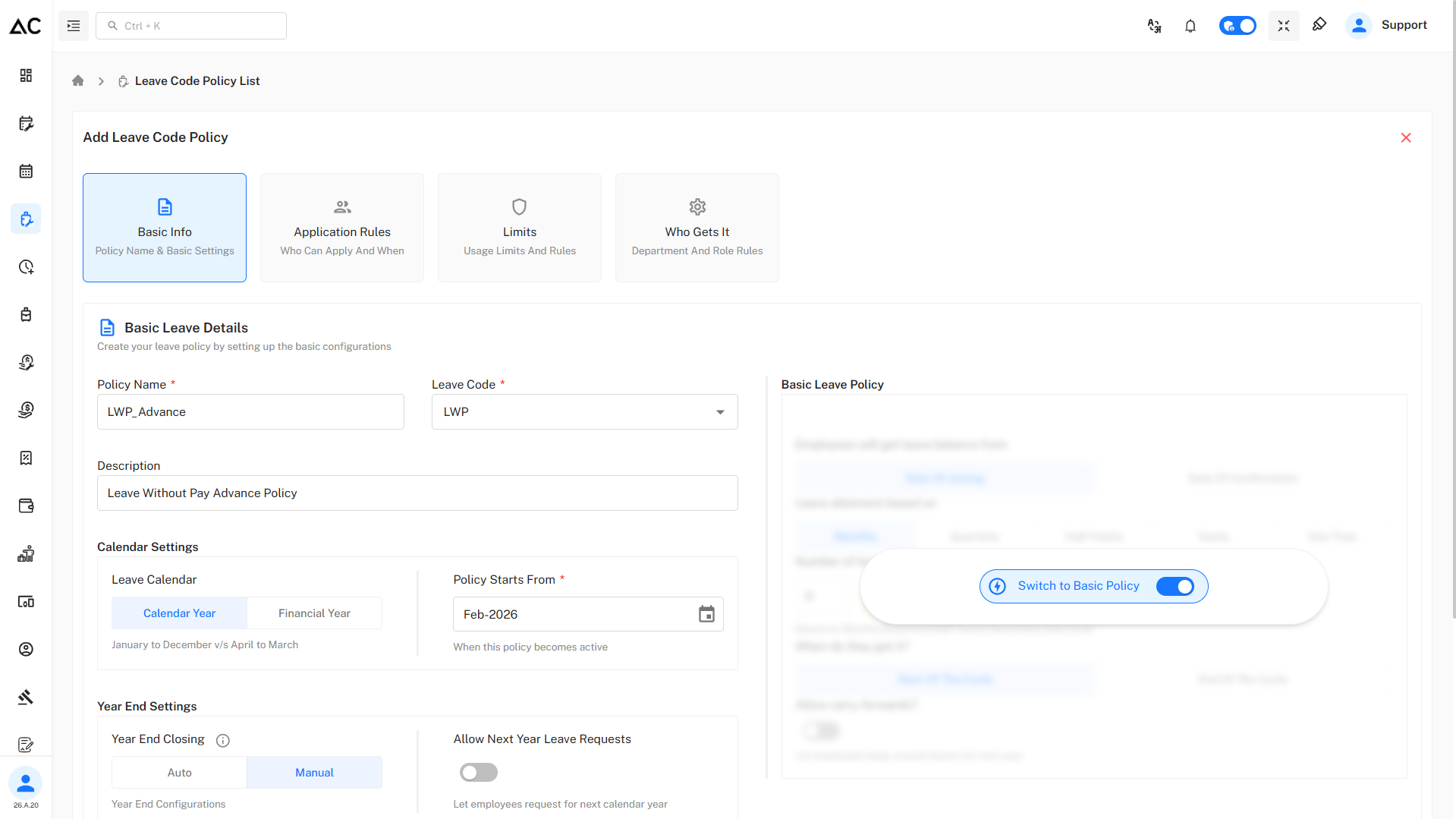
Basic Information
Configure the following fields:
- Policy Name : LWP_Advance
- Leave Code : LWP
- Description : Leave Without Pay Advance Policy
Calendar settings
Configure the following fields:
- Leave Calendar : Calendar Year (January – December) / Financial Year (April - March)
- Policy Start Date : 01-Feb-2026
Year End Settings
Configure the following fields:
- Year End closing - Auto/Manual
- Allow Next Year Leave Requests : Yes/No
Switching to Advance Settings
Where to Enable Advance Settings
- Use the Advance Configuration toggle at the top-right
- Turn the toggle ON
- Confirm by clicking Yes in the popup
The policy is now converted from Basic Policy to Advance Policy.
What Changes After Enabling Advance Settings
- Application Rules become configurable
- Leave usage limits can be enforced
- Sandwich rules can be enabled
- Employee applicability can be controlled
Application Rules
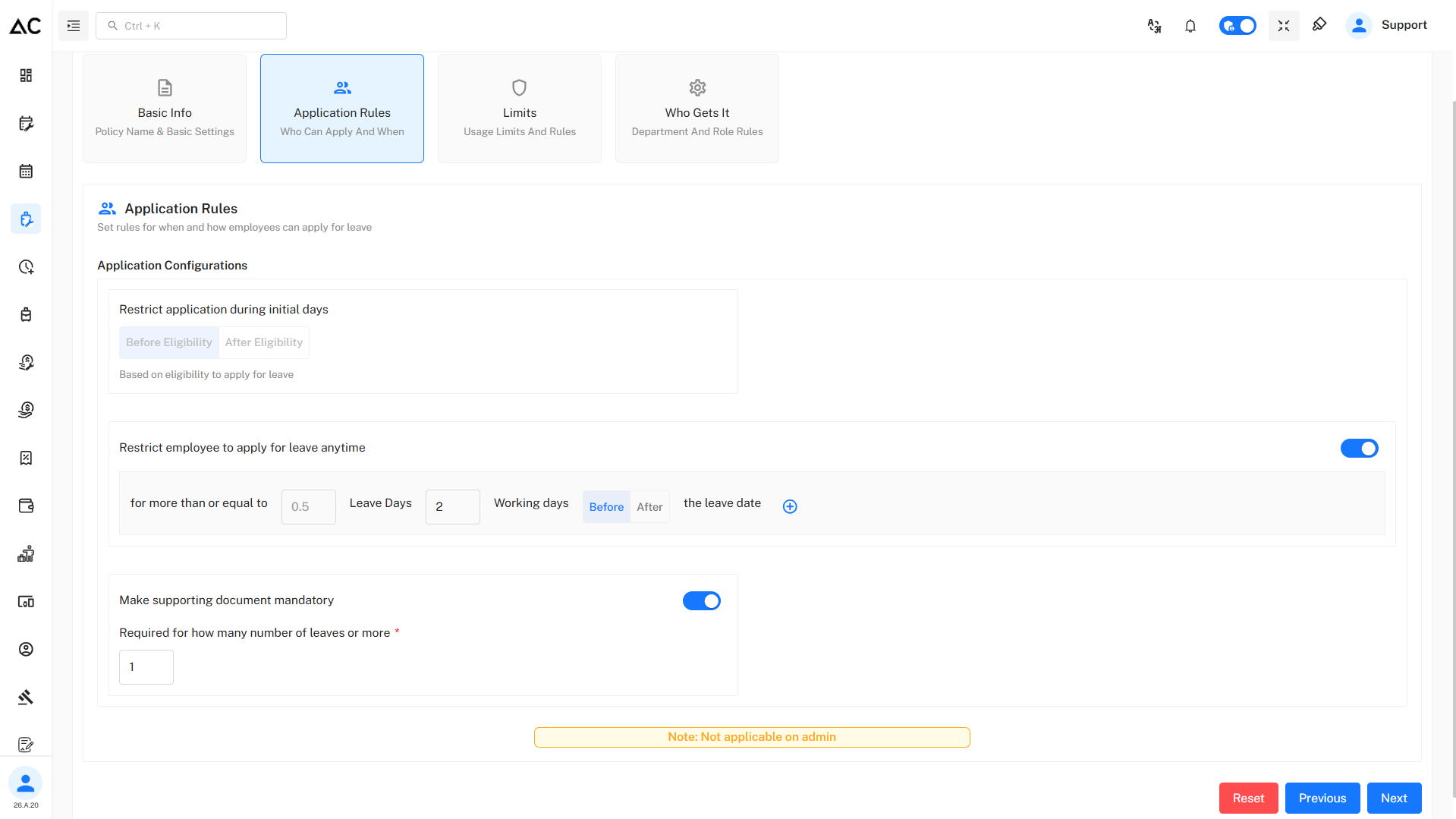
Restrict Application During Initial Days
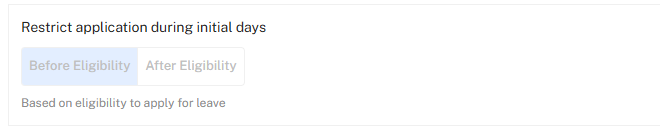
This setting controls whether employees are allowed to apply for leave during their initial employment period.
-
Before Eligibility : Employees are restricted from applying for leave before they become eligible as per policy or system eligibility rules.
-
After Eligibility : Employees can apply for leave only after eligibility conditions are met.
This option is disabled by default for LWP because Leave Without Pay does not depend on eligibility or balance and may be required even during an employee’s initial employment period.
Restrict Employee to Apply for Leave Anytime (Advance Notice Rule)
This rule enforces advance leave application requirements.

-
Leave Days (≥ 0.5 days) This rule applies when an employee applies for 0.5 day or more of leave.
-
Working Days (2 days) The employee must apply at least 2 working days in advance.
-
Before / After the Leave Date
- Before (selected): Leave must be applied before the leave date.
- After: Leave can be applied after the leave date.
Supporting Document Requirement
This rule enforces proof for leave applications.
- When enabled, employees are required to upload a supporting document (medical certificate, approval note, etc.).
- The document becomes mandatory when applying for 1 day or more of leave.

Note : Not applicable for admin users :
Admins can apply or manage leave without being restricted by these rules.
Limits :
The Limits section defines how much leave an employee can apply for in a single request and how holidays/week-offs are treated when they fall between leave days.
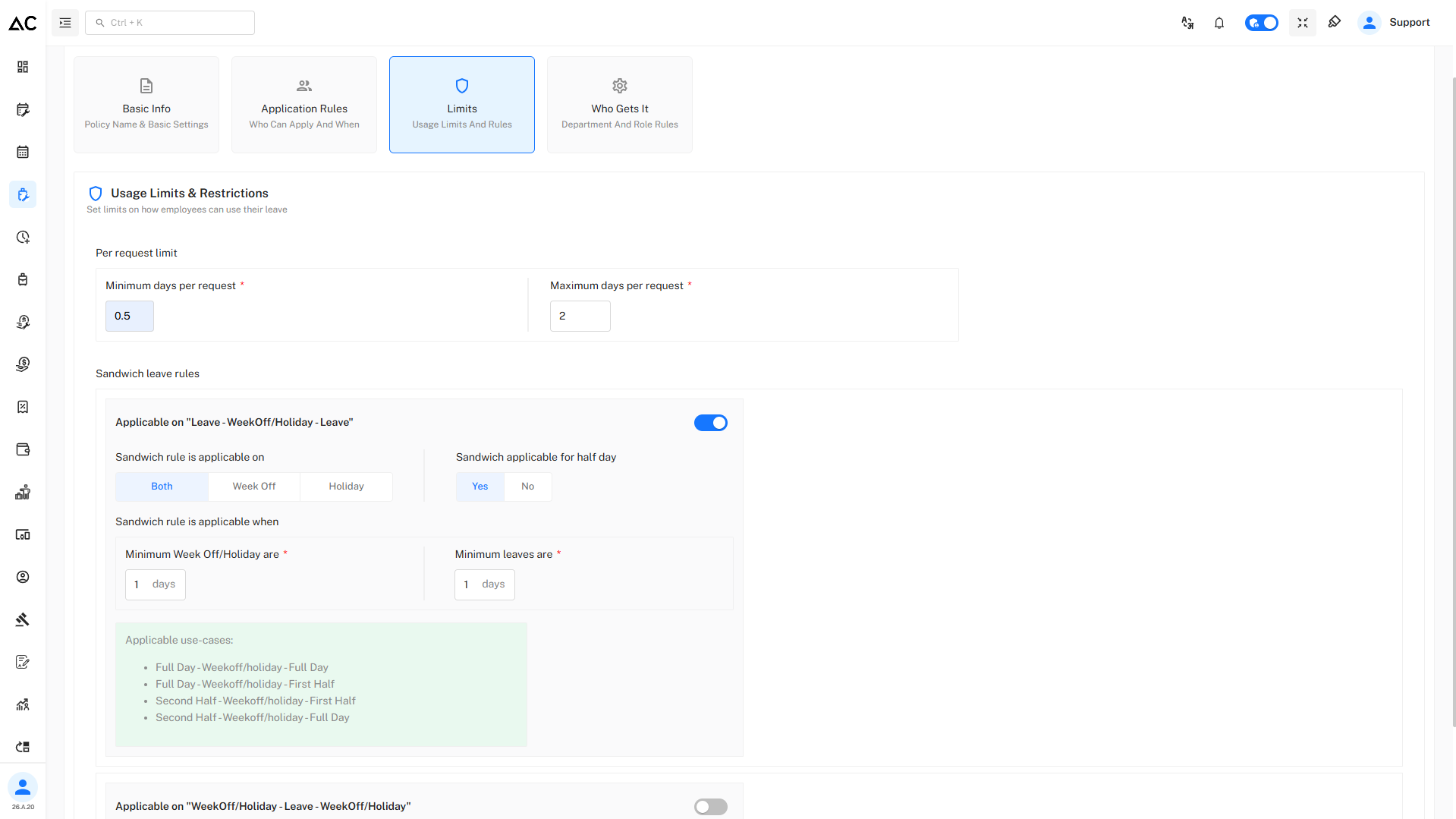
Per Request Limit
This controls the minimum and maximum leave duration allowed in one leave request.
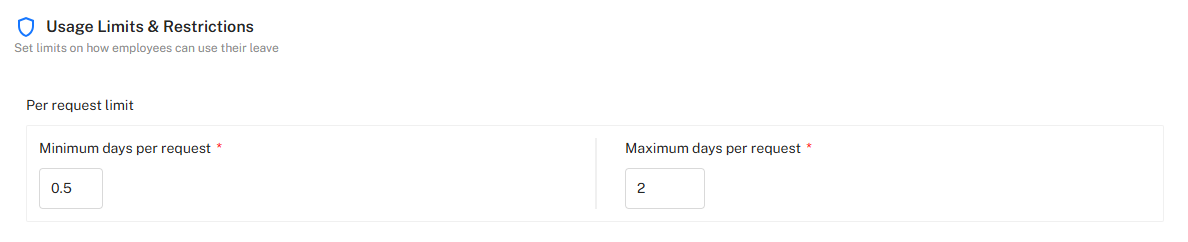
- Minimum per request : This ensures about how many minimum leaves an employee can apply for.
- Maximum per request : This ensures about how many maximum leaves an employee can apply for in one go.
Sandwich Rules
Sandwich rules decide whether Week-Offs or Holidays between leave days are counted as leave days or not.
Rule 1 : Leave – Week-Off/Holiday – Leave
This rule applies when a holiday or week-off falls between two leave days.
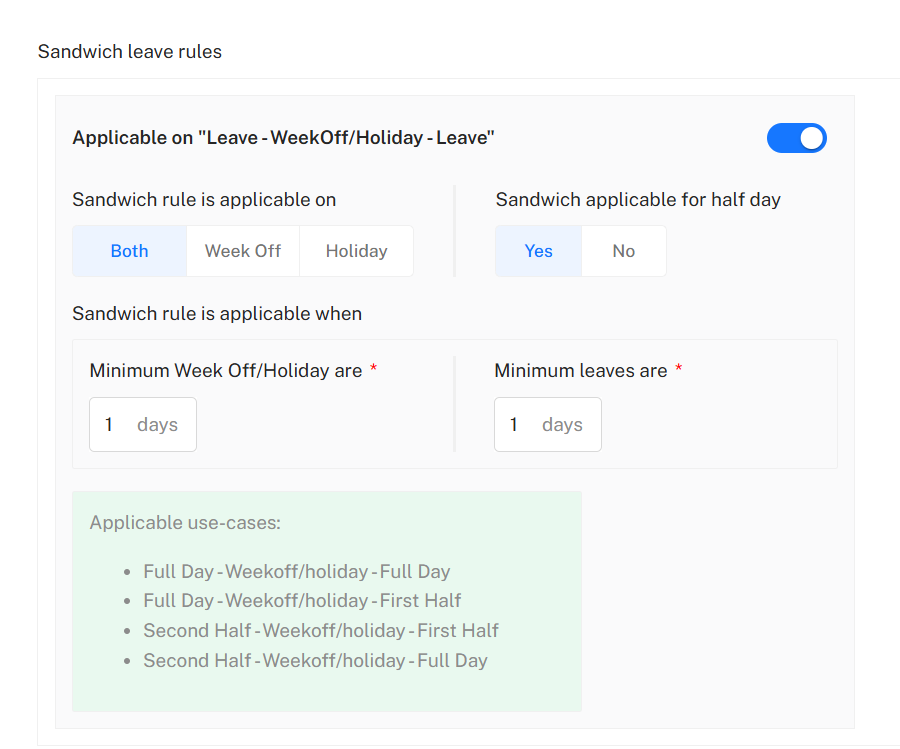
Configuration
- Applicable: Yes
- Applicable On: Both (Week-Off and Holiday)
- Sandwich applicable for half day: Yes
- Minimum Week-Off/Holiday: 1 day
- Minimum Leave: 1 day
How it works
If an employee takes leave before and after a holiday/week-off, that intervening day is counted as leave, provided:
- At least 1 day of leave is applied on each side
- The holiday/week-off is at least 1 day.
Applicable Use Cases
Full Day – Week-Off/Holiday – Full Day
Full Day – Week-Off/Holiday – First Half
Second Half – Week-Off/Holiday – First Half
Second Half – Week-Off/Holiday – Full Day
Example:
Friday (Leave) → Saturday (Holiday) → Monday (Leave)
Saturday is counted as leave.
Rule 2 : Week-Off/Holiday – Leave – Week-Off/Holiday
This rule applies when leave is taken between two holidays/week-offs.
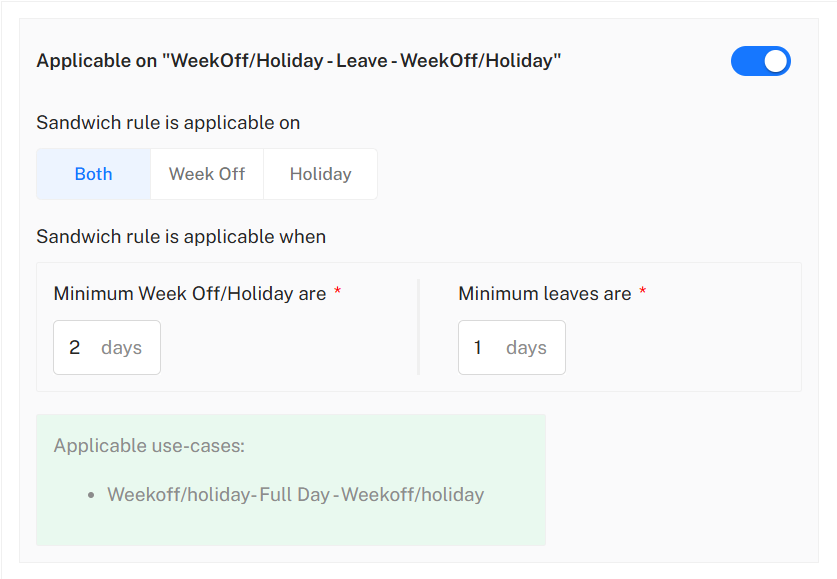
Configuration
- Applicable: Yes
- Applicable On: Both (Week-Off and Holiday)
- Minimum Week-Off/Holiday: 2 days
- Minimum Leave: 1 day
How it works If an employee takes leave between two holidays/week-offs, the leave day is treated as part of a sandwich only if:
- The combined holidays/week-offs are 2 days or more, and
- The applied leave is at least 1 day.
Applicable Use Case
Week-Off/Holiday – Full Day Leave – Week-Off/Holiday
Example:
Saturday (Holiday) → Monday (Leave) → Tuesday (Holiday)
Monday is considered part of a sandwich leave pattern.
Who Gets This Policy
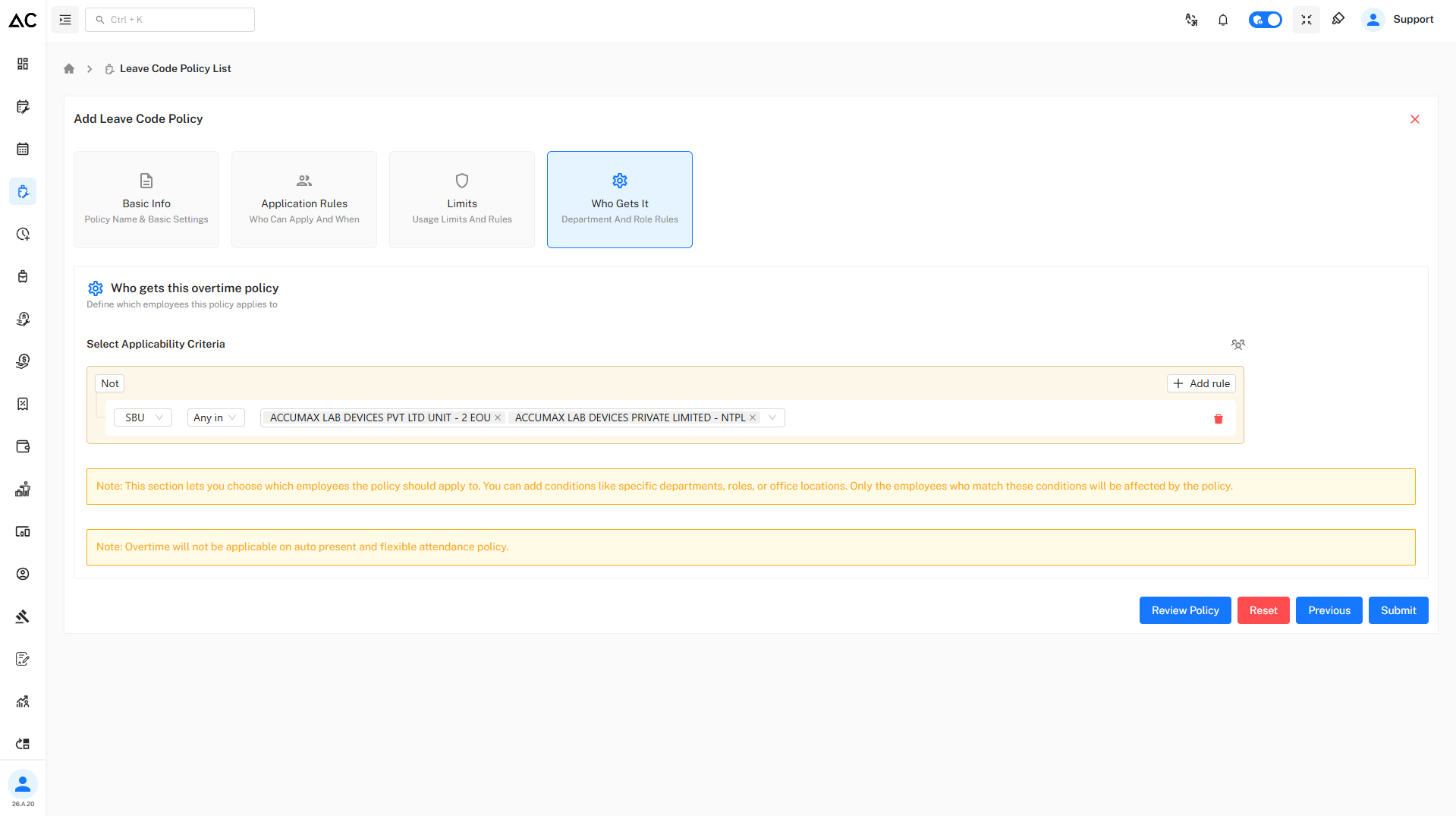
- Based on SBU, Department, Role, Designation etc.
- Only matching employees are eligible
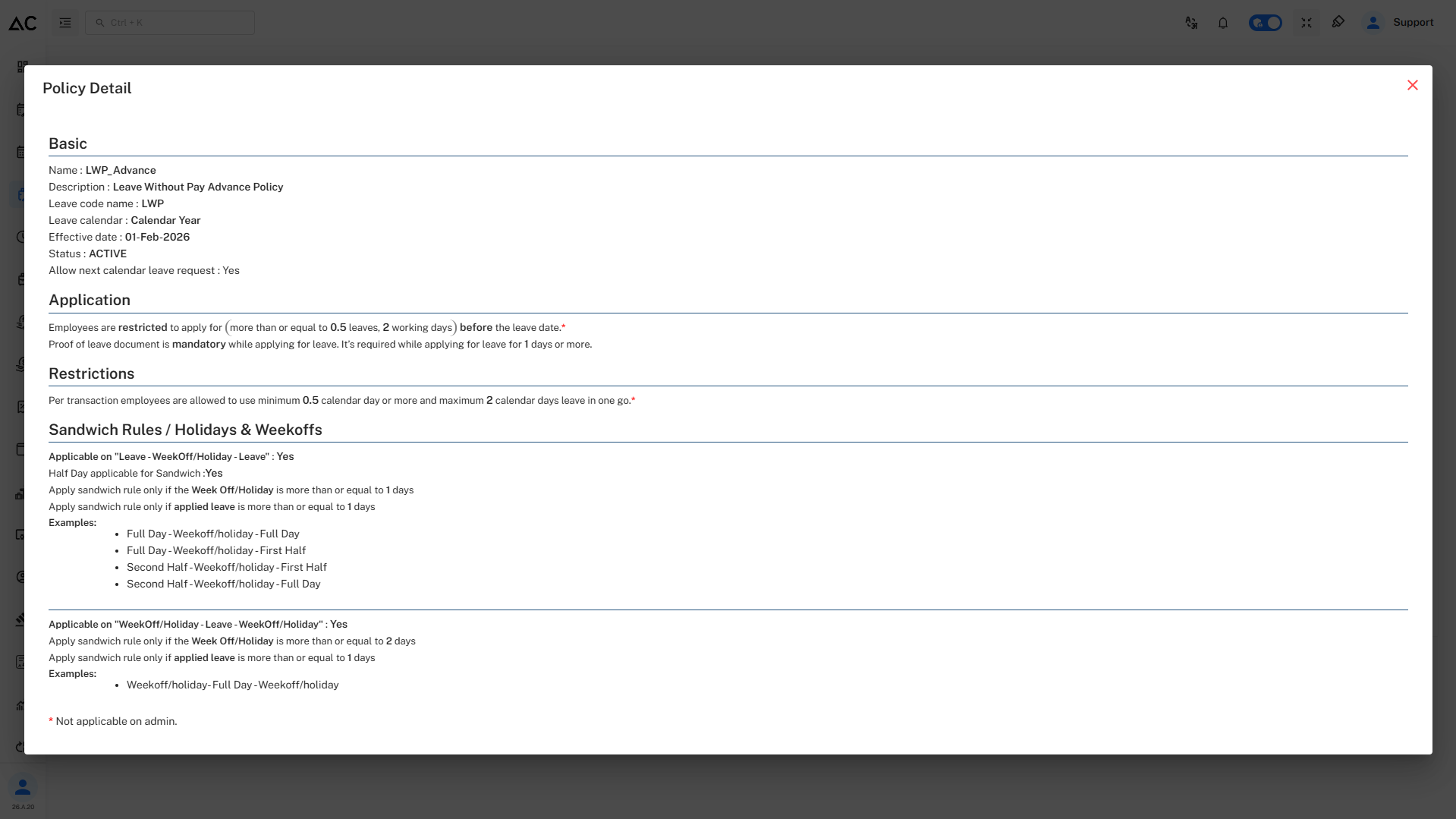
Review Policy
- By clicking on Review Policy button we can review our policy before submitting.
- It will look like this :
Summary
The LWP Advance Policy is designed to manage unpaid leave requests in advance by defining:
- When employees can apply for LWP.
- Minimum and maximum leave limits per request.
- Mandatory document requirements.
- Sandwich rules involving holidays and week-offs.
- Employee applicability criteria.
The LWP Advance Policy ensures structured unpaid leave management with strict rules and better control.