Maternity Leave (ML)
- The Maternity Leave – Advance Policy, includes leave allotment, eligibility conditions, application rules, limits, sandwich rules, and employee applicability.
Basic Information
Configure the following fields:
- Policy Name : Maternity Advance
- Leave Code : Maternity Leave
- Description : Maternity Advance Leave policy
Calendar settings
Configure the following fields:
- Leave Calendar : Calendar Year (January – December) / Financial Year (April - March)
- Policy Start Date : 01-Feb-2026
Year End Settings
Configure the following fields:
- Year End closing - Auto/Manual
- Allow Next Year Leave Requests : Yes/No
Leave Allotment
This defines how and when maternity leave is given.
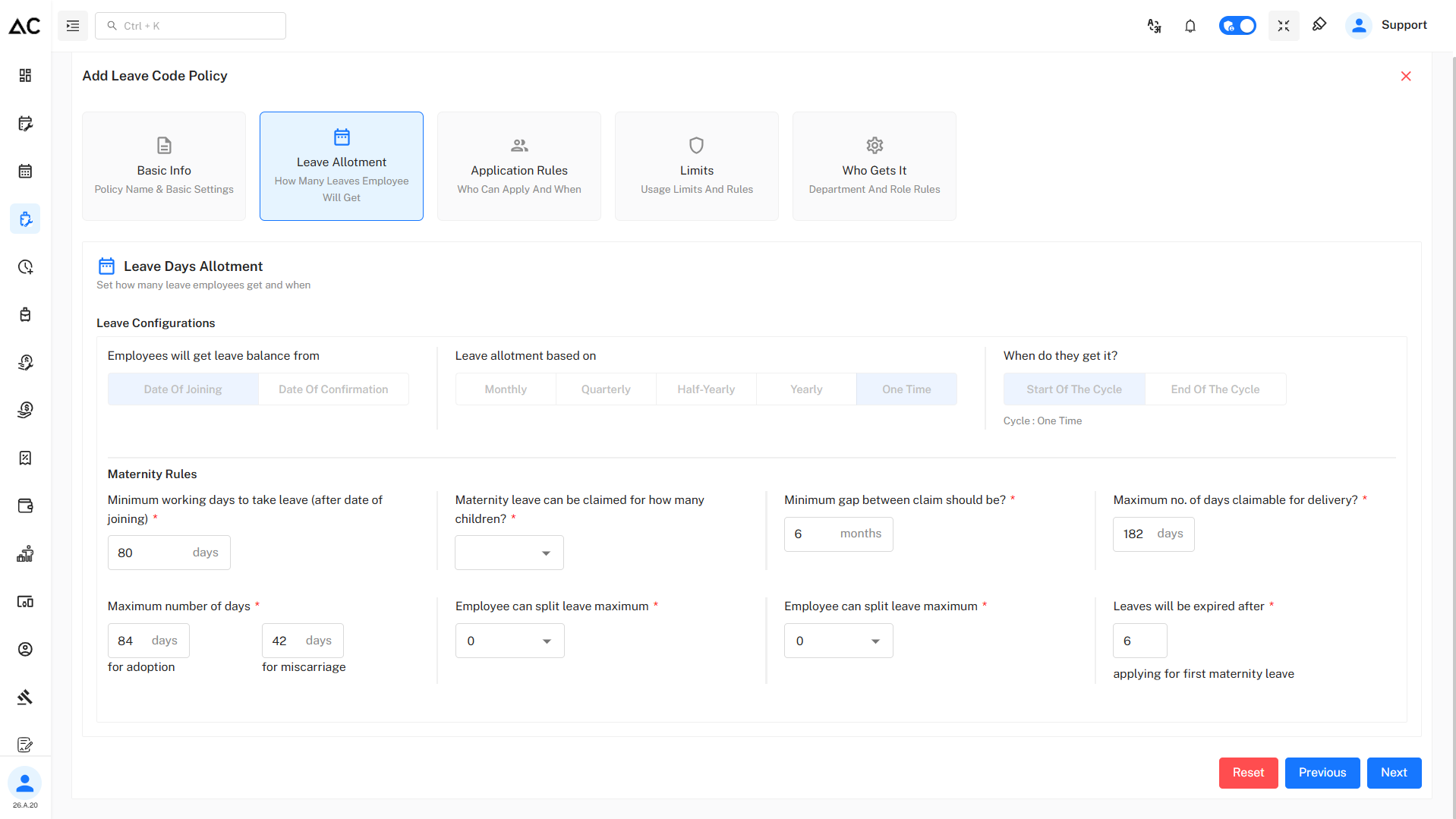
Leave Allocation Details
- Leave allotment fields are disabled for Maternity Leave because it is a one-time, policy-defined leave and does not follow regular accumulation or allocation rules.

- Leave balance is granted from the Date of Joining
- Leave is allotted on a One-Time basis
- Leave is credited at the Start of the Cycle
Maternity Rules

Eligibility
- Minimum 80 working days (after date of joining) are required to claim maternity leave
Claim Conditions
- Maternity leave can be claimed for up to 2 children
- Minimum gap between maternity claims must be 6 months
Maximum Leave Duration
- 182 days for delivery
- 84 days for adoption
- 42 days for miscarriage
Leave Splitting & Expiry
- Employees cannot split maternity leave
- Leave expires 6 months after applying for the first maternity leave
Application Rules
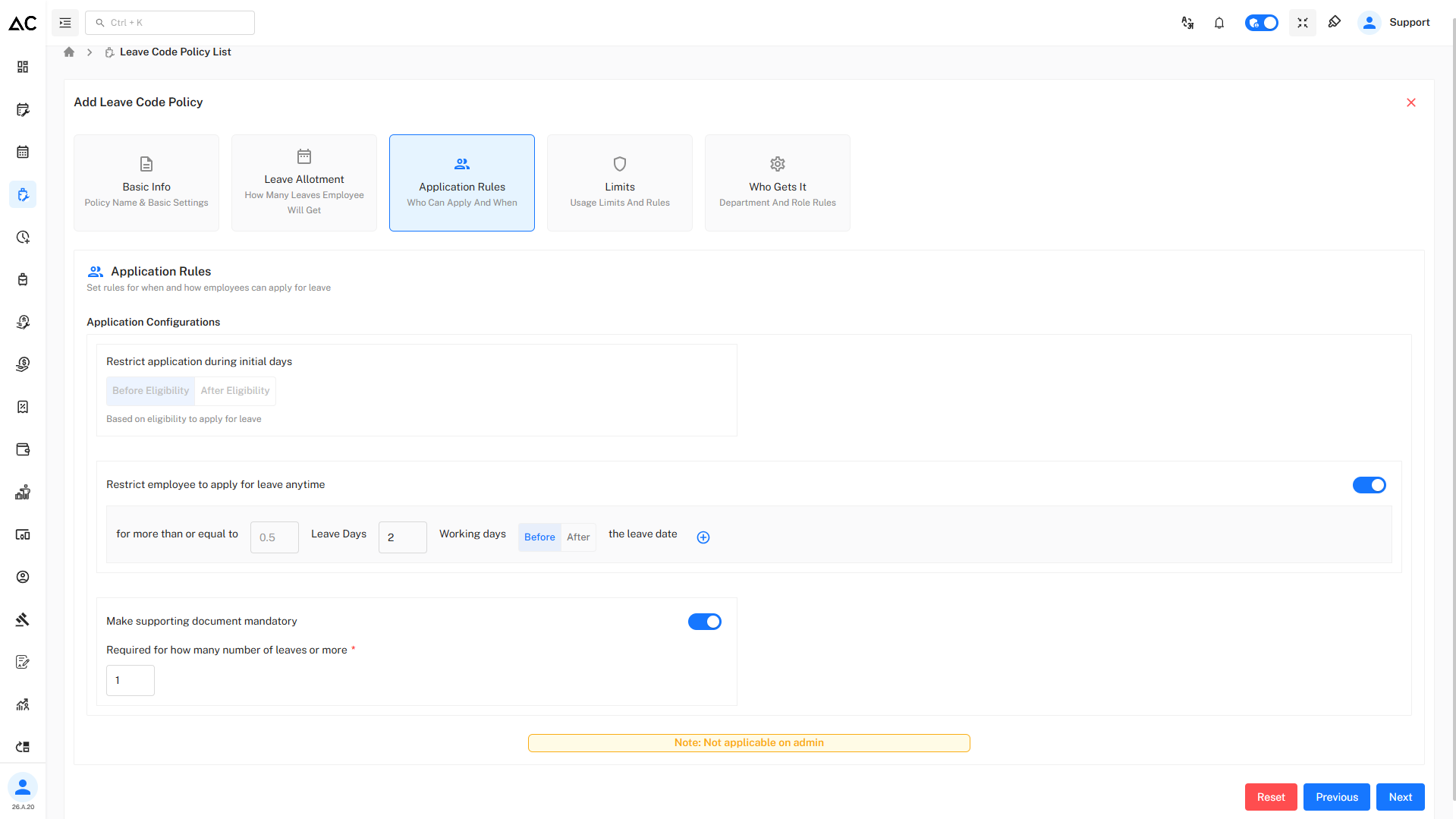
Restrict application during initial days
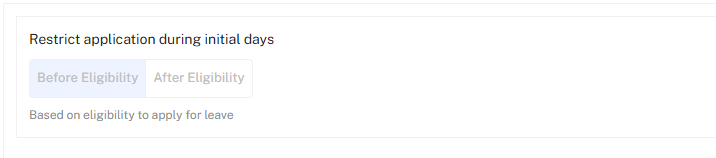
- This option is disabled because maternity leave eligibility is already controlled by fixed rules, so this restriction is not required and not applicable.
Advance Application

- Leave of 0.5 day or more must be applied
- Application must be submitted 2 working days before the leave start date
Supporting Document

This rule enforces Proof for leave applications.
- When enabled, employees are required to upload a supporting document (medical certificate, approval note, etc.).
- The document becomes mandatory when applying for 1 day or more of leave.
Note : Not applicable for admin users :
Admins can apply or manage leave without being restricted by these rules.
Limits
The Limits section defines how much leave an employee can apply for in a single request and how holidays/week-offs are treated when they fall between leave days.
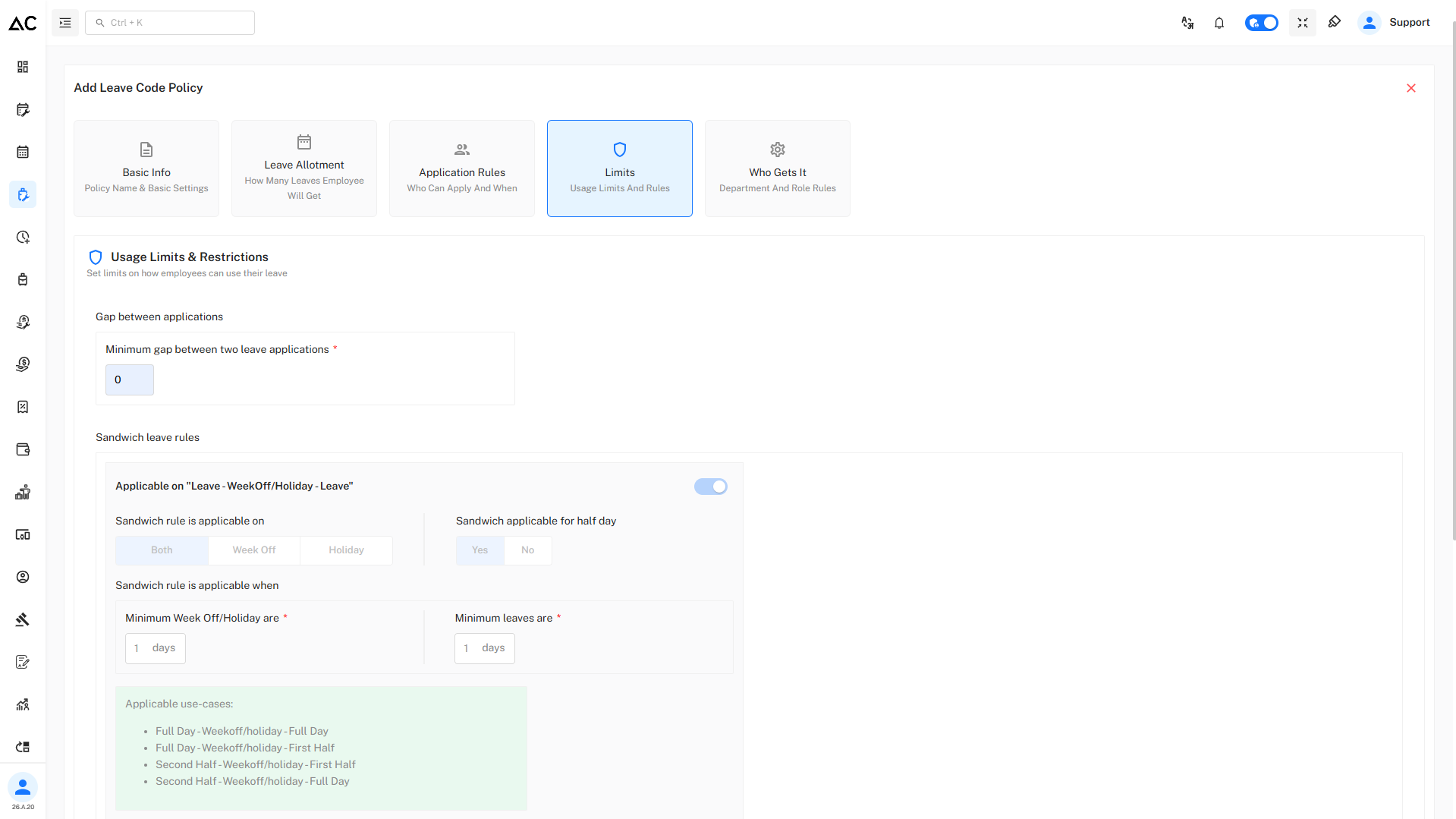
Gap between applications
- Minimum gap between two maternity leave applications: 0 days
Sandwich leave rules
- Sandwich leave rules are disabled because maternity leave is a continuous, long-duration leave, and holidays or week-offs should not break or change the leave calculation.
Who Gets This Policy
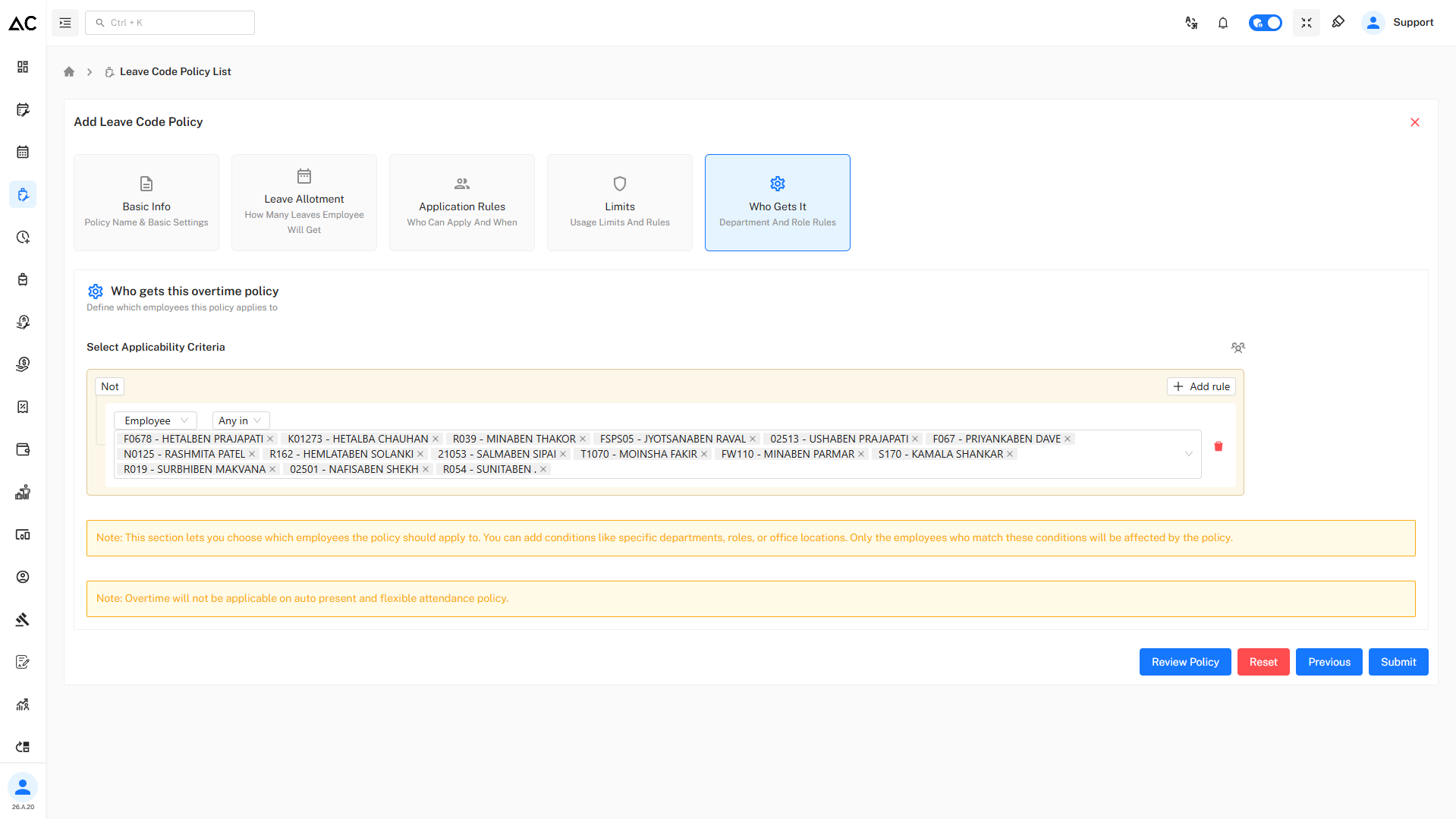
- Applicable to selected employees
- Employee-based conditions are used
- Employees not included in the rule are excluded
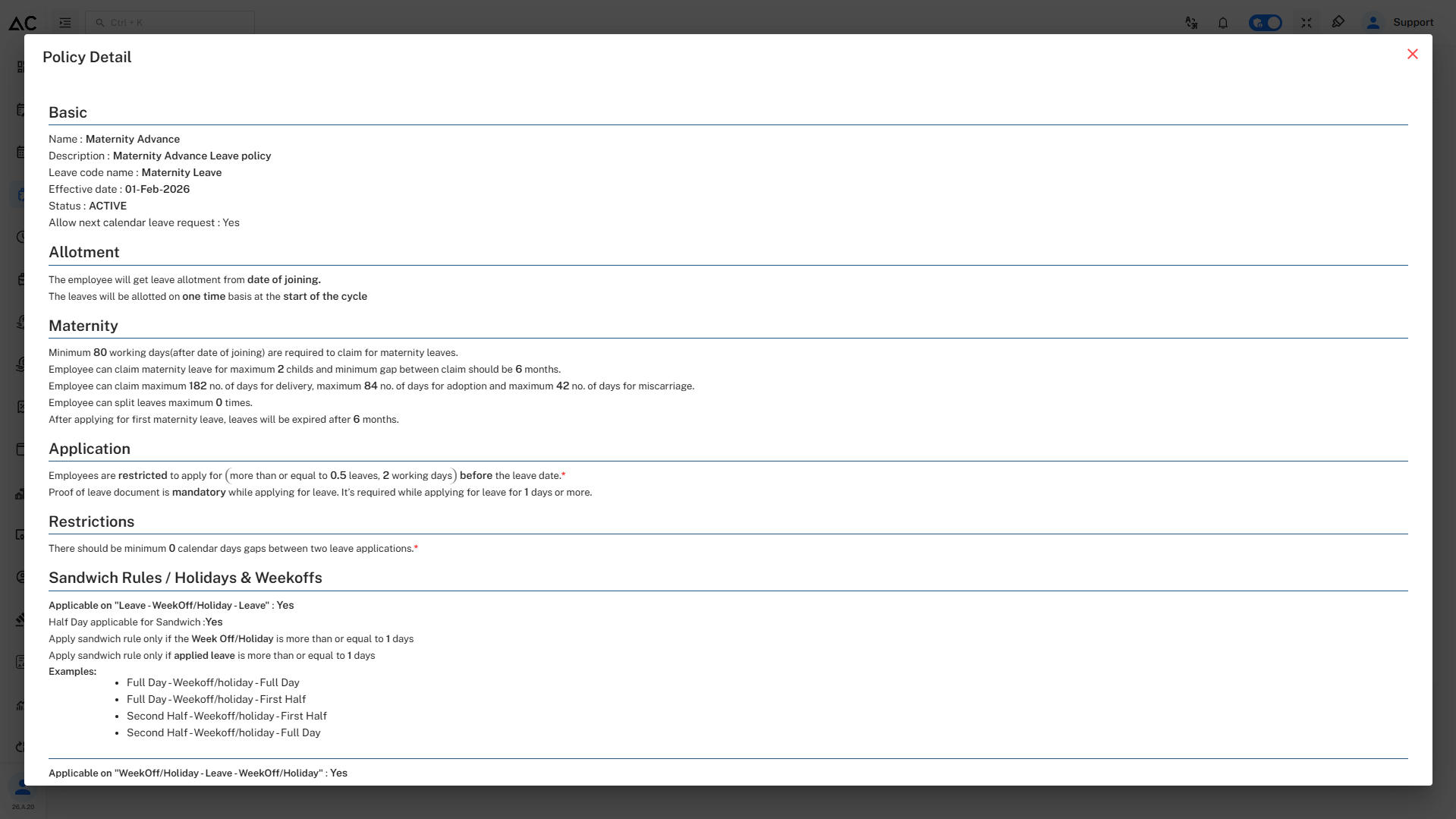
Review Policy
- By clicking on Review Policy button we can review our policy before submitting.
- It will look like this :
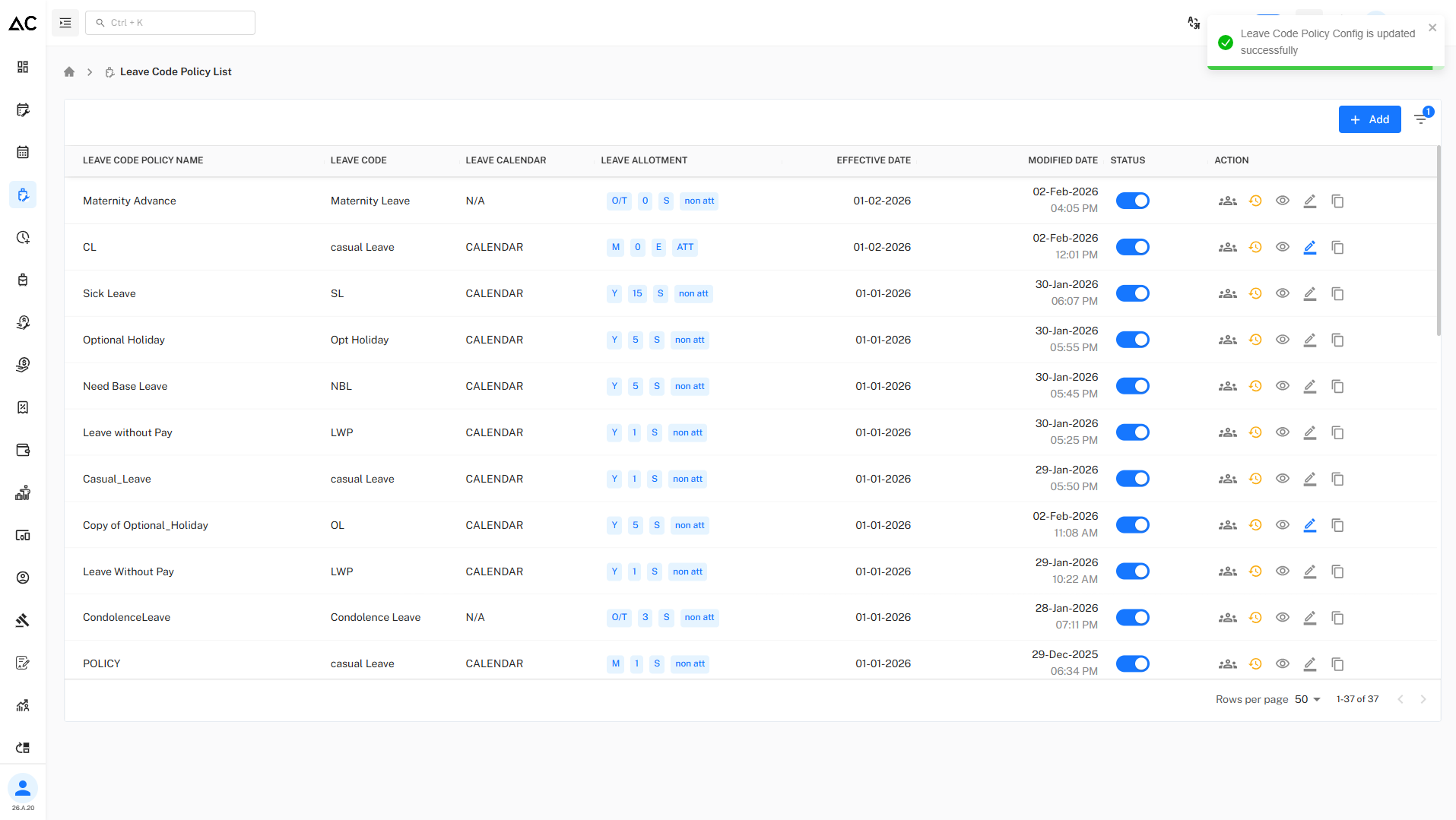
Leave code policy list
- Once the policy is sumitted a success message will pop up and the leave policy will be dispalyed on the Leave Code Policy List page.
Summary
- The Maternity Leave – Advance Policy provides a controlled and compliant way to manage maternity leave by enforcing eligibility, limits, documentation, and application rules.
- It ensures female employees receive maternity benefits as per policy rules while maintaining clear controls on eligibility, duration, and usage.