Need Based Leave (NBL)
- Need Based Leave (NBL) allows employees to take leave for genuine personal or urgent needs that are not covered under other leave types.
- This leave provides flexibility to handle unforeseen situations as per company policy.
Basic Information
Configure the following fields:
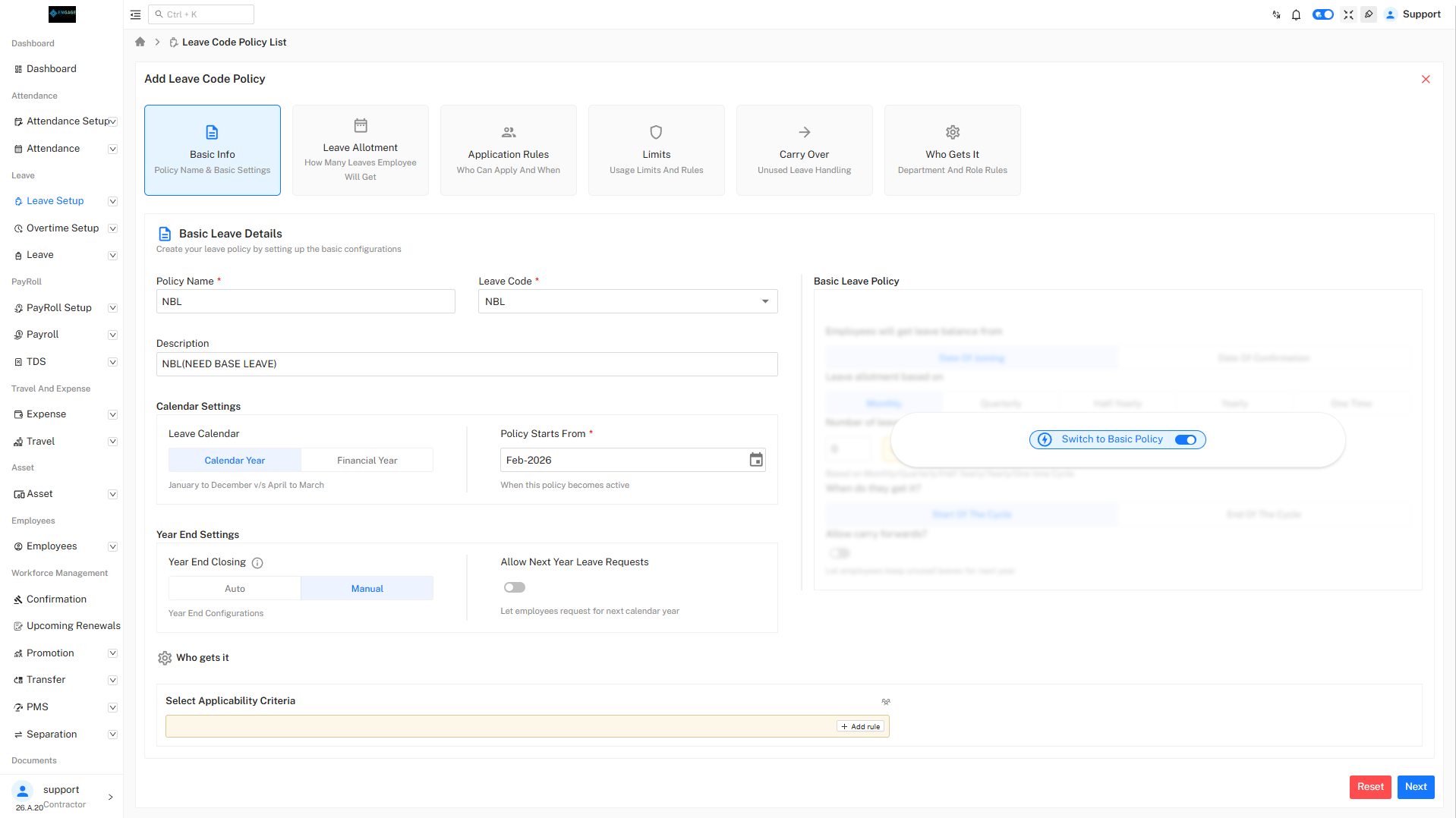
- Policy Name : NBL_Advance
- Leave Code : NBL
- Description : Need-Based Leave Advance Policy
Calendar Settings
Configure the following fields:
- Leave Calendar : Calendar Year (January – December)
- Policy Start Date : 01-Feb-2026
Year End Settings
Configure the following fields:
- Year End Closing : Manual
- Allow Next Year Leave Requests : No
Switching to Advance Settings
Where to Enable Advance Settings
- Use the Advance Configuration toggle at the top-right
- Turn the toggle ON
- Confirm by clicking Yes in the popup
The policy is now converted from Basic Policy to Advance Policy.
Leave Allotment
Leave Configuration
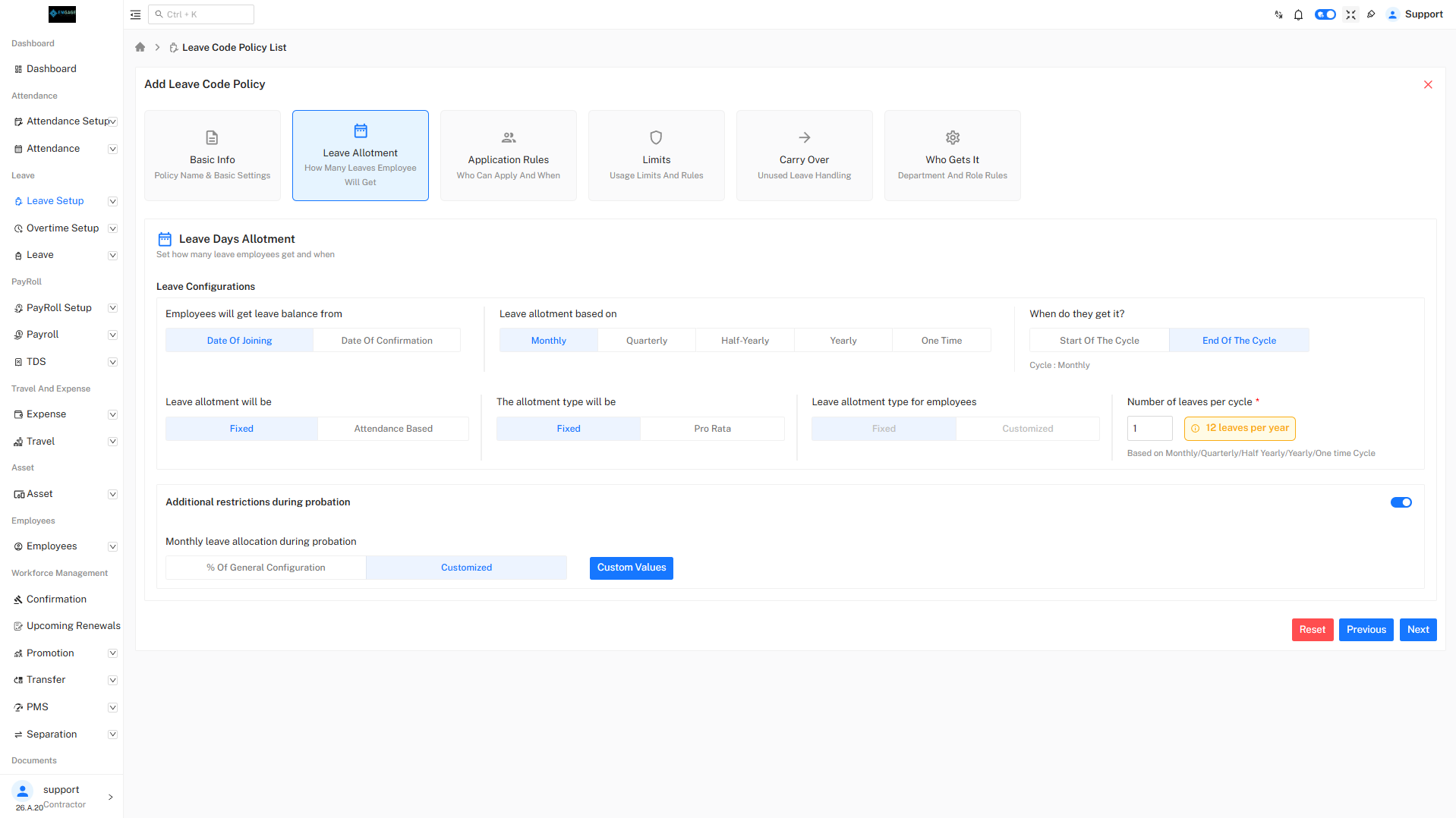
- Leave Balance Source : Date of Joining
- Leave Allotment Based On : Monthly
- Allotment Type : Fixed
- Calculation Based On : Calendar Days
- Number of Leaves per Cycle : As per company requirement
NBL is generally allotted on a limited or conditional basis depending on organizational needs.
Application Rules
Restrict Application During Initial Days
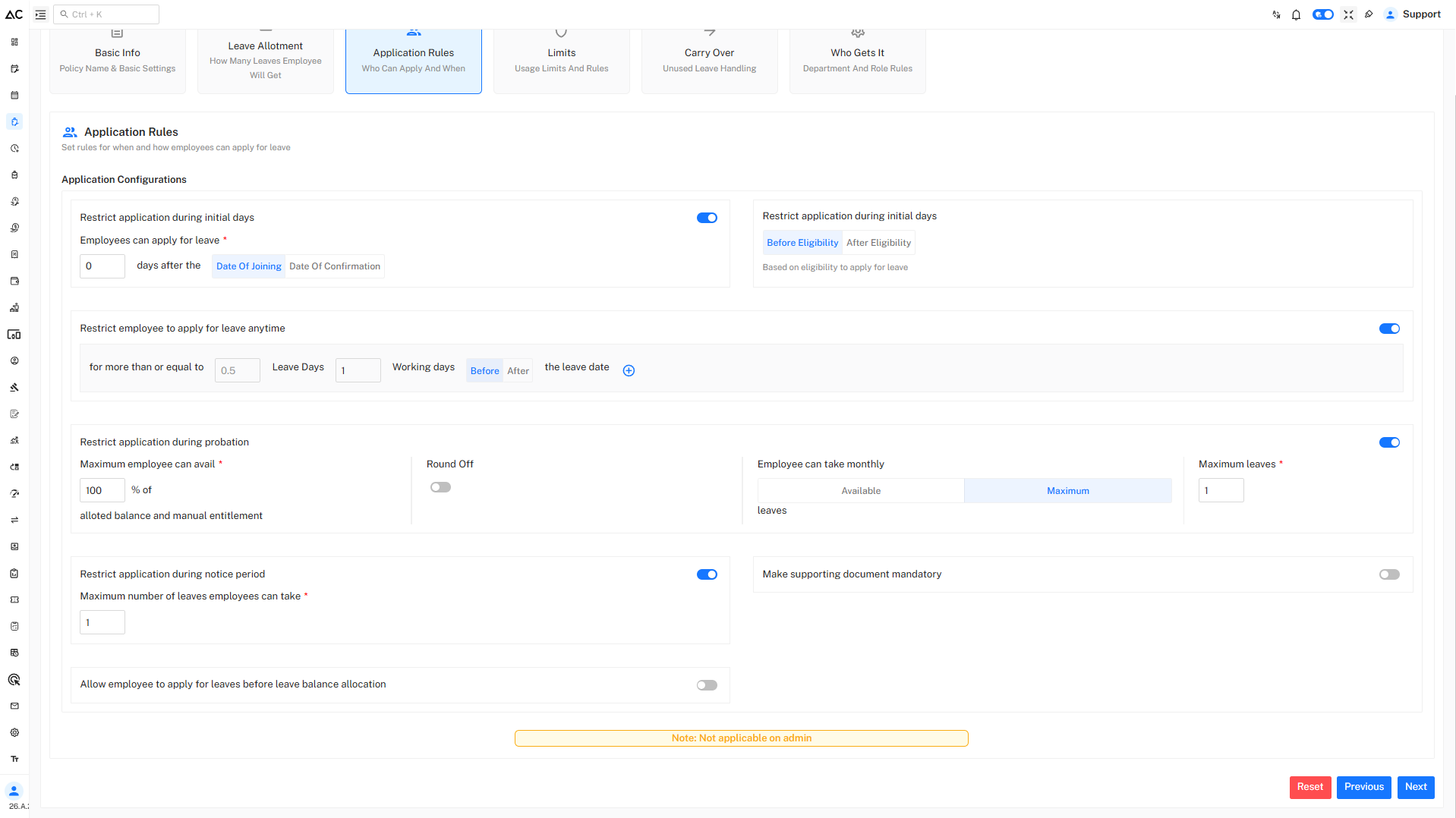
- Employees can apply for NBL only after completing the defined eligibility period.
- Eligibility can be based on Date of Joining or Date of Confirmation.
Advance Notice Rule
- Applicable for : ≥ 0.5 leave day
- Advance Notice Required : 2 working days
- Application Timing : Before the leave date
This ensures proper planning and approval for need-based absences.
Restrict During Probation
- Maximum leave allowed during probation: Limited or configurable
- Prevents misuse of NBL during early employment stages.
Supporting Document Requirement
- Supporting documents can be made mandatory
- Required for special or extended NBL requests
Note: These rules are not applicable for admin users.
Usage Limits & Restrictions
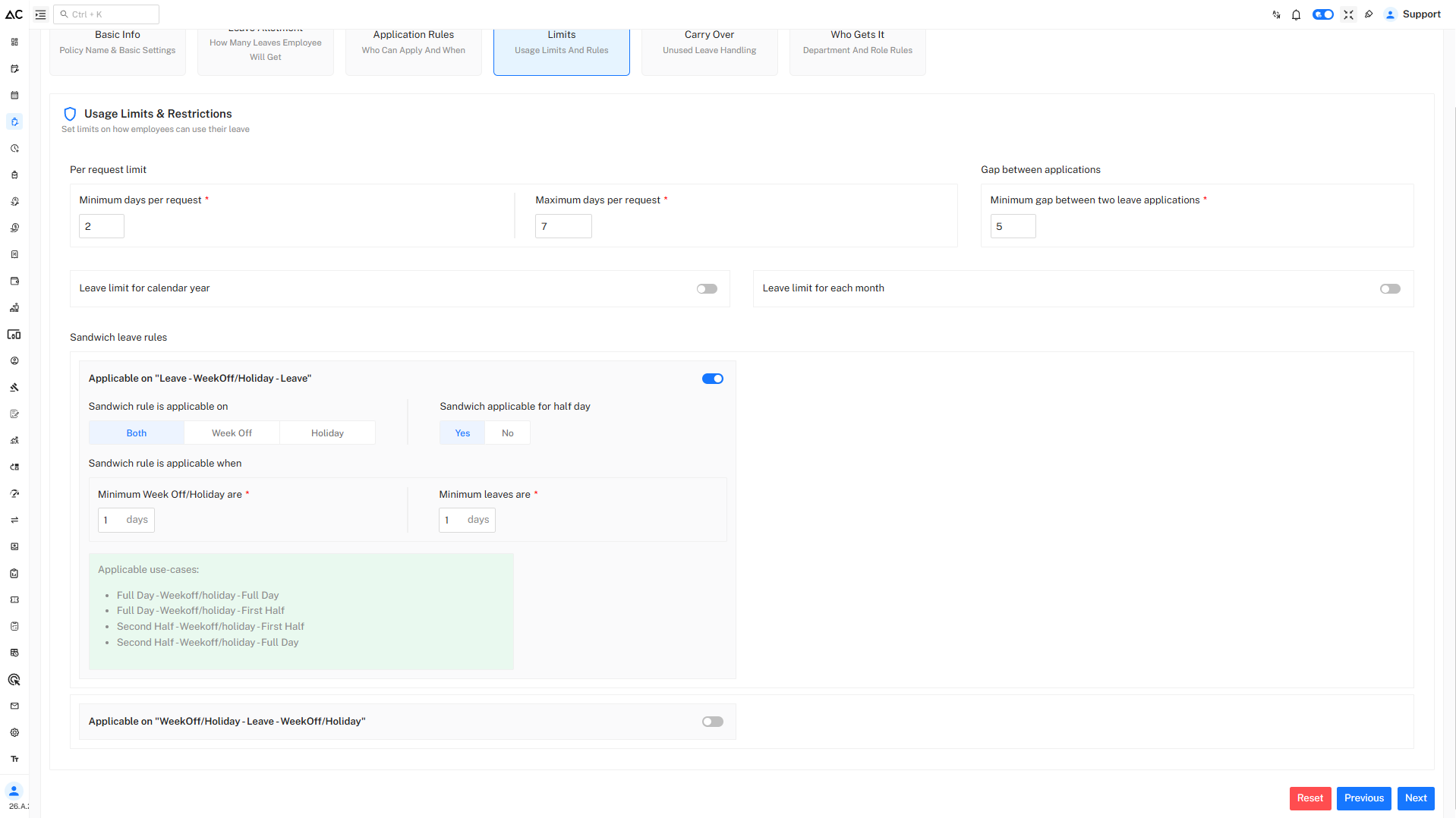
Per Request Limits
- Minimum Days per Request : 2 days
- Maximum Days per Request : 7 days
Gap Between Applications
- Minimum gap between two NBL applications: 5 days
Sandwich Rules
Sandwich rules decide whether holidays or week-offs between leave days are counted as leave.
Rule 1: Leave – Week-Off/Holiday – Leave
- Applicable: Yes
- Applicable On: Week-Off & Holiday
- Minimum Week-off/Holiday: 1 day
Example:
Friday (Leave) → Saturday (Holiday) → Monday (Leave)
Saturday will be counted as leave.
Rule 2: Week-Off/Holiday – Leave – Week-Off/Holiday
- Applicable when leave is taken between two holidays/week-offs
- Minimum combined holidays/week-offs: 2 days(as per given in policy)
Example:
Saturday (Holiday) → Monday (Leave) → Tuesday (Holiday)
Monday is treated as sandwich leave.
Carry Forward & Encashment
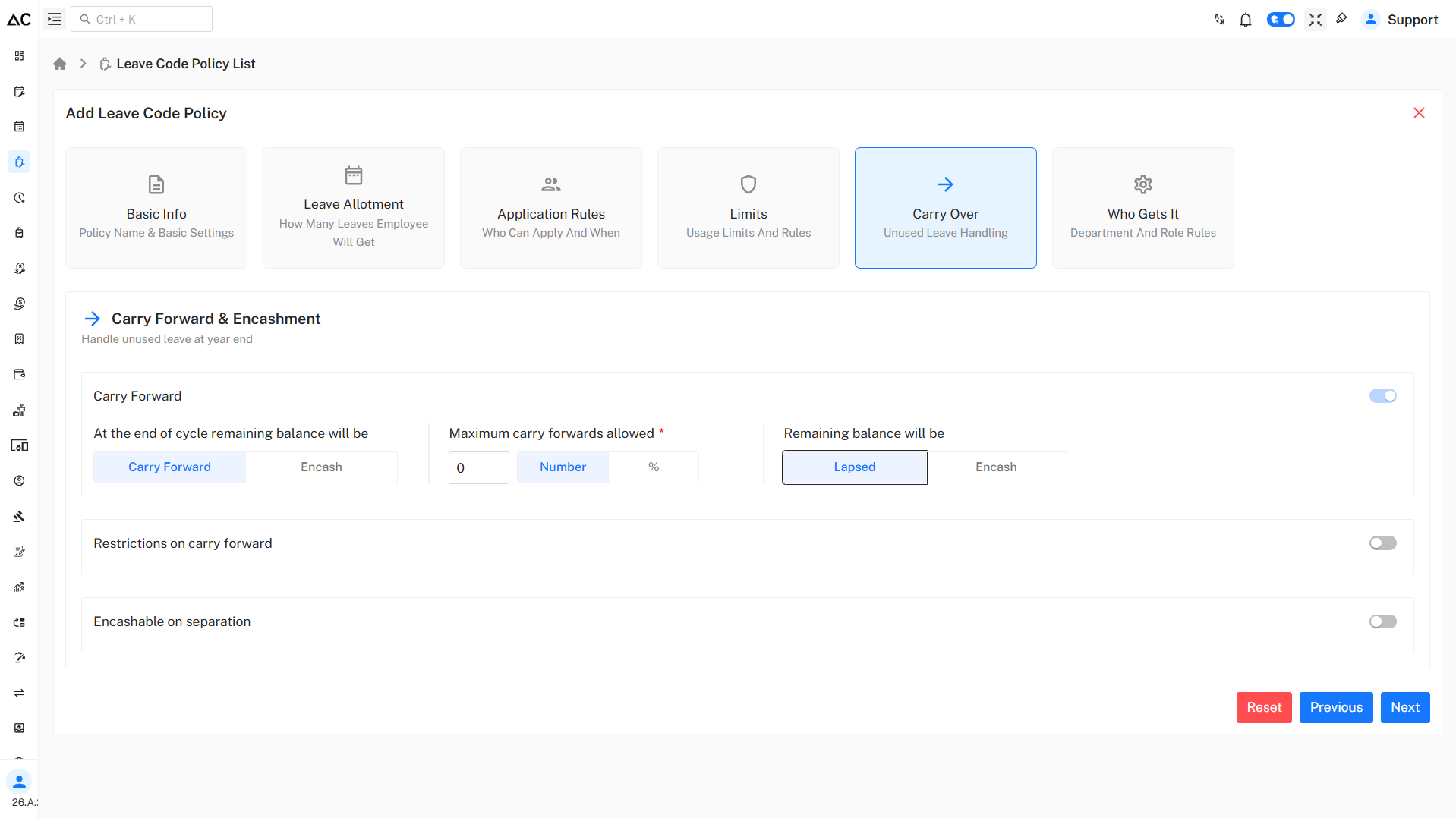
- Carry Forward Allowed : 0
- Unused Leave at Year End : Lapsed
- Encashment : Not Allowed
NBL is intended for immediate needs and does not carry forward to the next cycle.
Who Gets This Policy
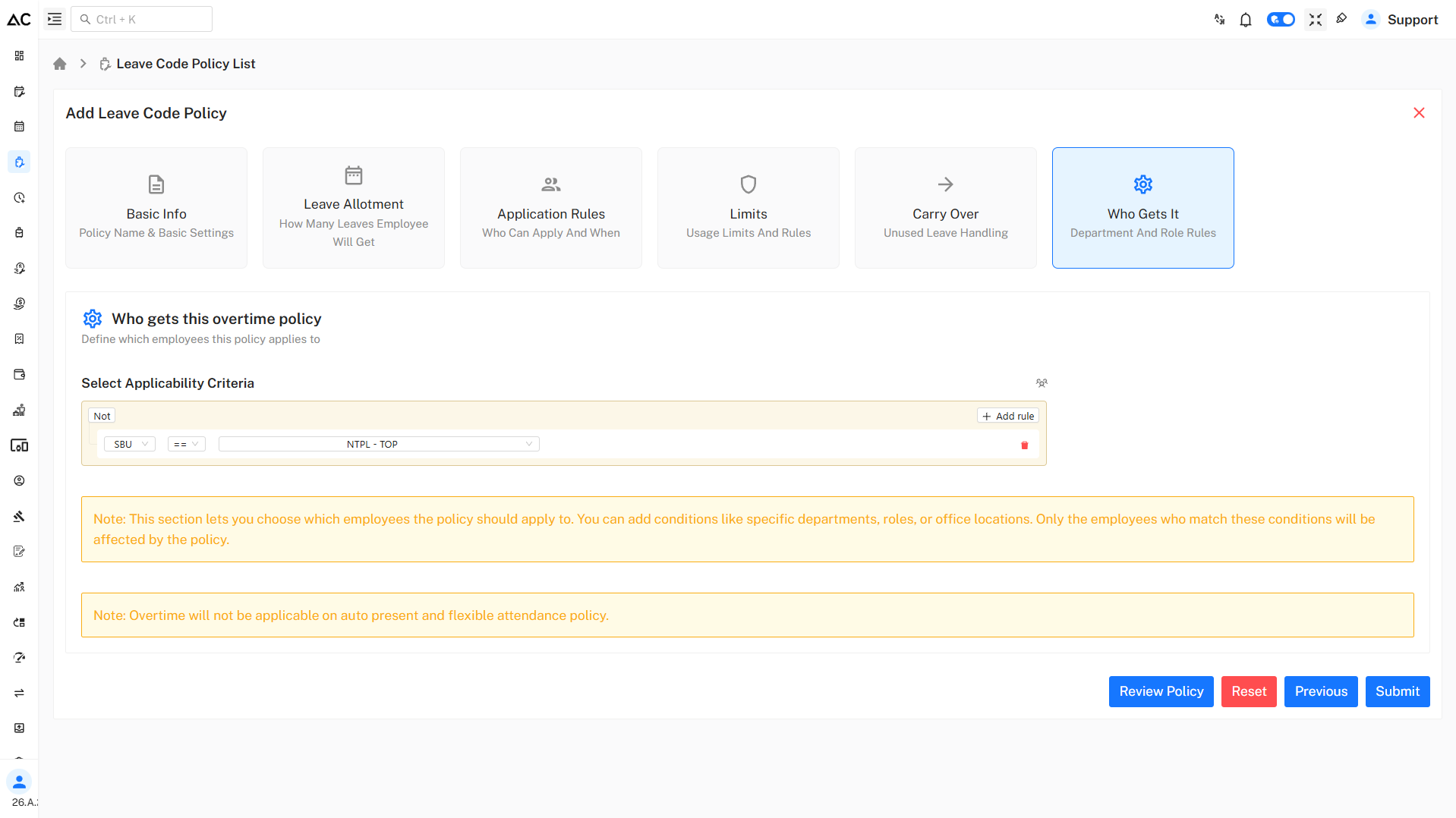
This policy is applicable based on:
- SBU
- Department
- Role
- Location
Only employees matching the defined criteria will be eligible for NBL.
Review Policy
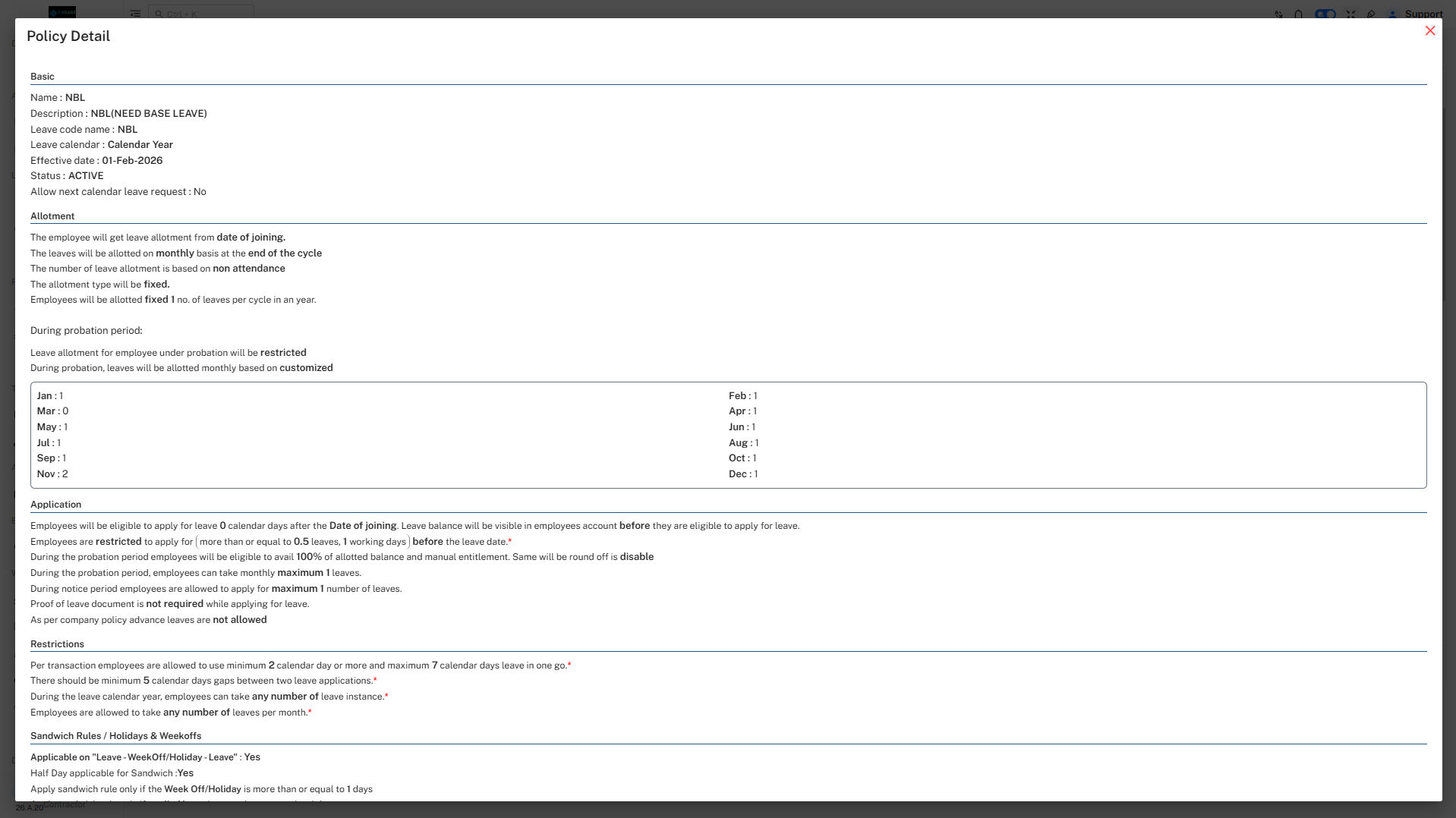
- By clicking on Review Policy button we can review our policy before submitting.
- It will look like this :