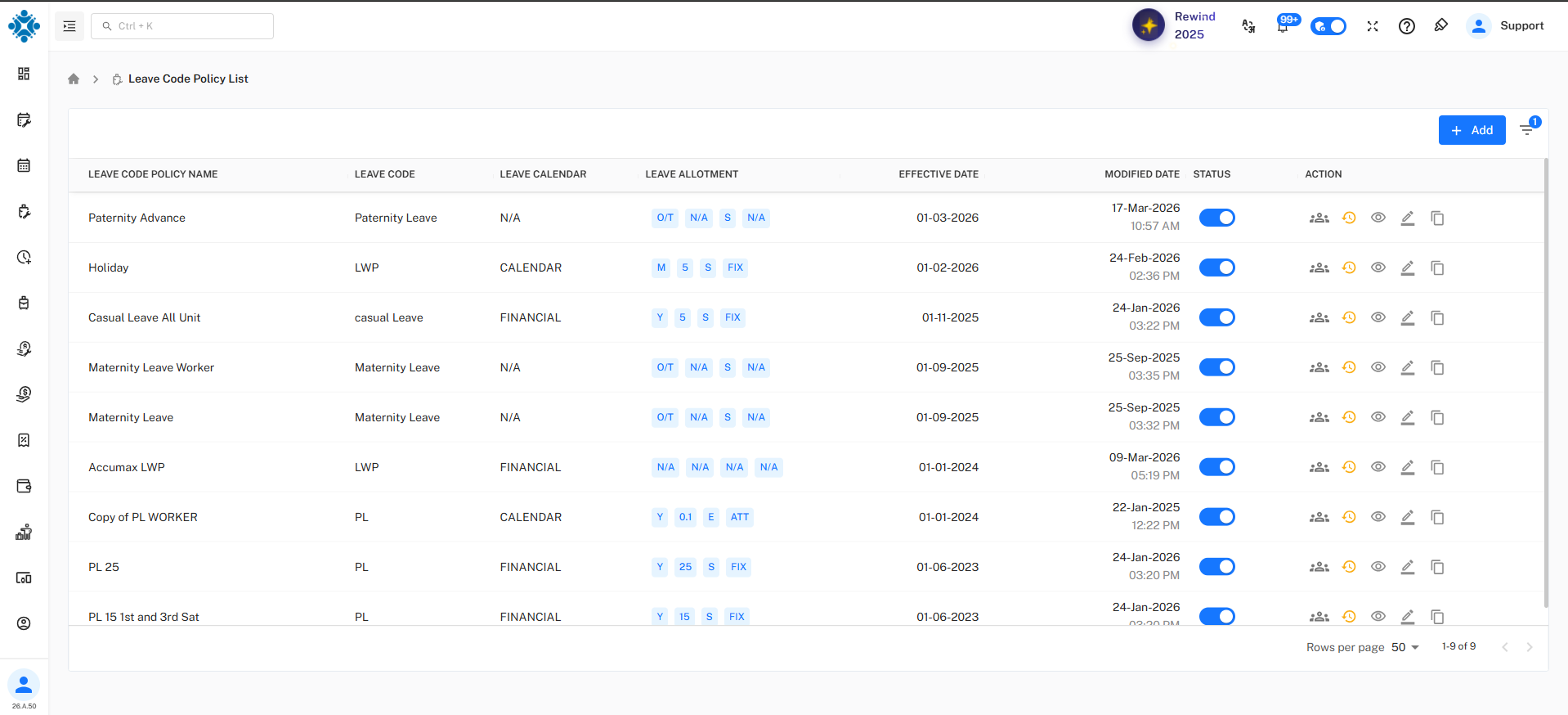
Paternity Leave (PL)
- The Paternity Advance Policy is used to manage paternity leave in a controlled and rule-based manner.
- It ensures that eligible employees can apply for paternity leave with predefined limits, documentation, and advance notice.
Basic Information
- Policy Name : Maternity Advance
- Leave Code : Maternity Leave
- Description : Maternity Advance Leave policy
Calendar settings
- Leave Calendar : Calendar Year (January – December) / Financial Year (April - March)
- Policy Start Date : 01-Feb-2026
Year End Settings
- Year End closing - Auto/Manual
- Allow Next Year Leave Requests : Yes/No
Leave Allotment
This defines how and when paternity leave is given.
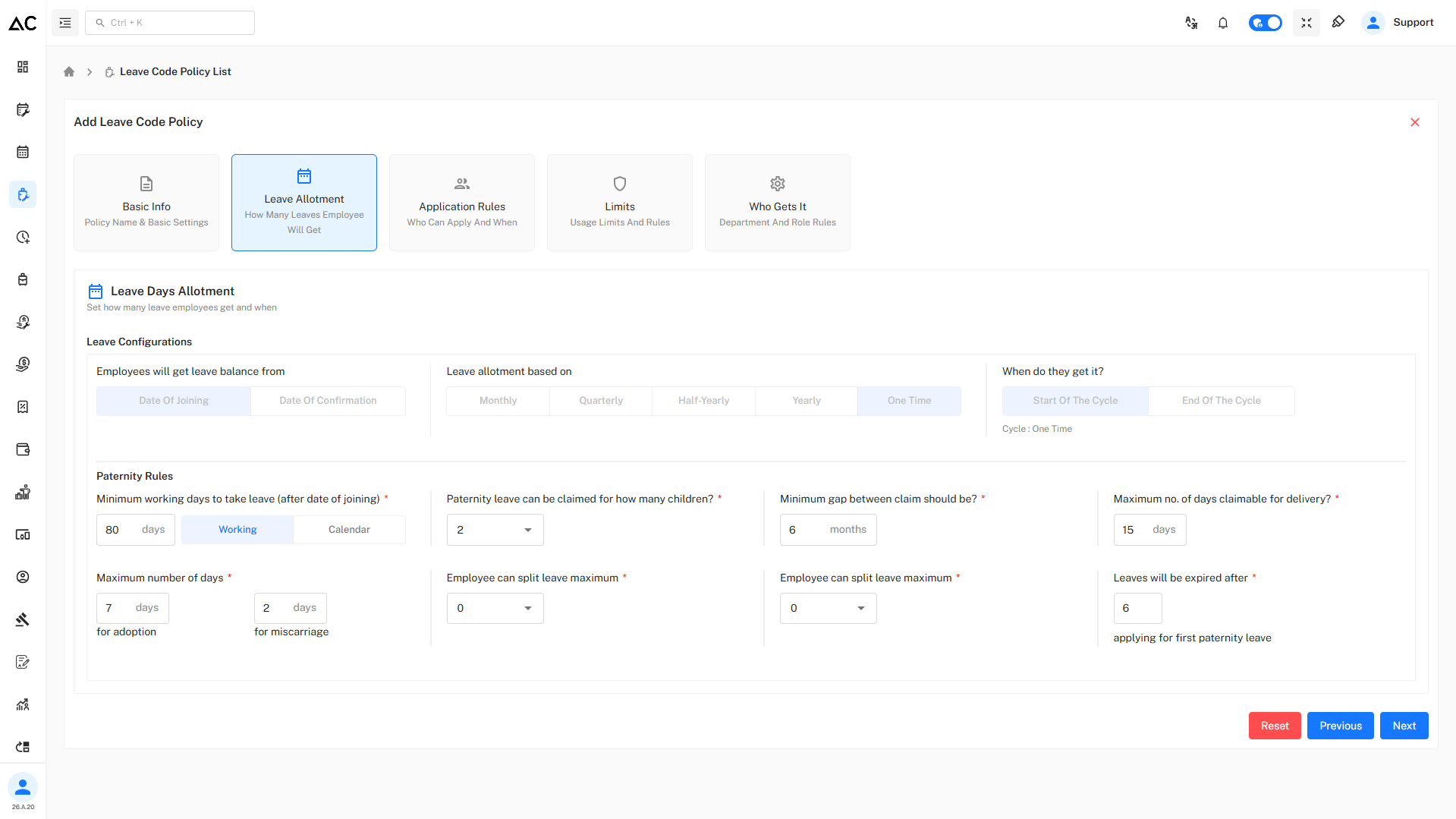
Leave Configuration

- These options are disabled because paternity leave is a fixed, one-time leave and does not follow monthly or yearly accrual.
Paternity Rules

Eligibility Rules
- Employee must complete 80 working days after joining
Claim Conditions
- Paternity leave can be claimed for maximum 2 children
- Minimum gap between claims is 6 months
Maximum Leave Duration
- 15 days for delivery
- 7 days for adoption
- 2 days for miscarriage
Leave Splitting & Expiry
- Leave cannot be split
- Leave expires after 6 months from first paternity leave application
Application Rules
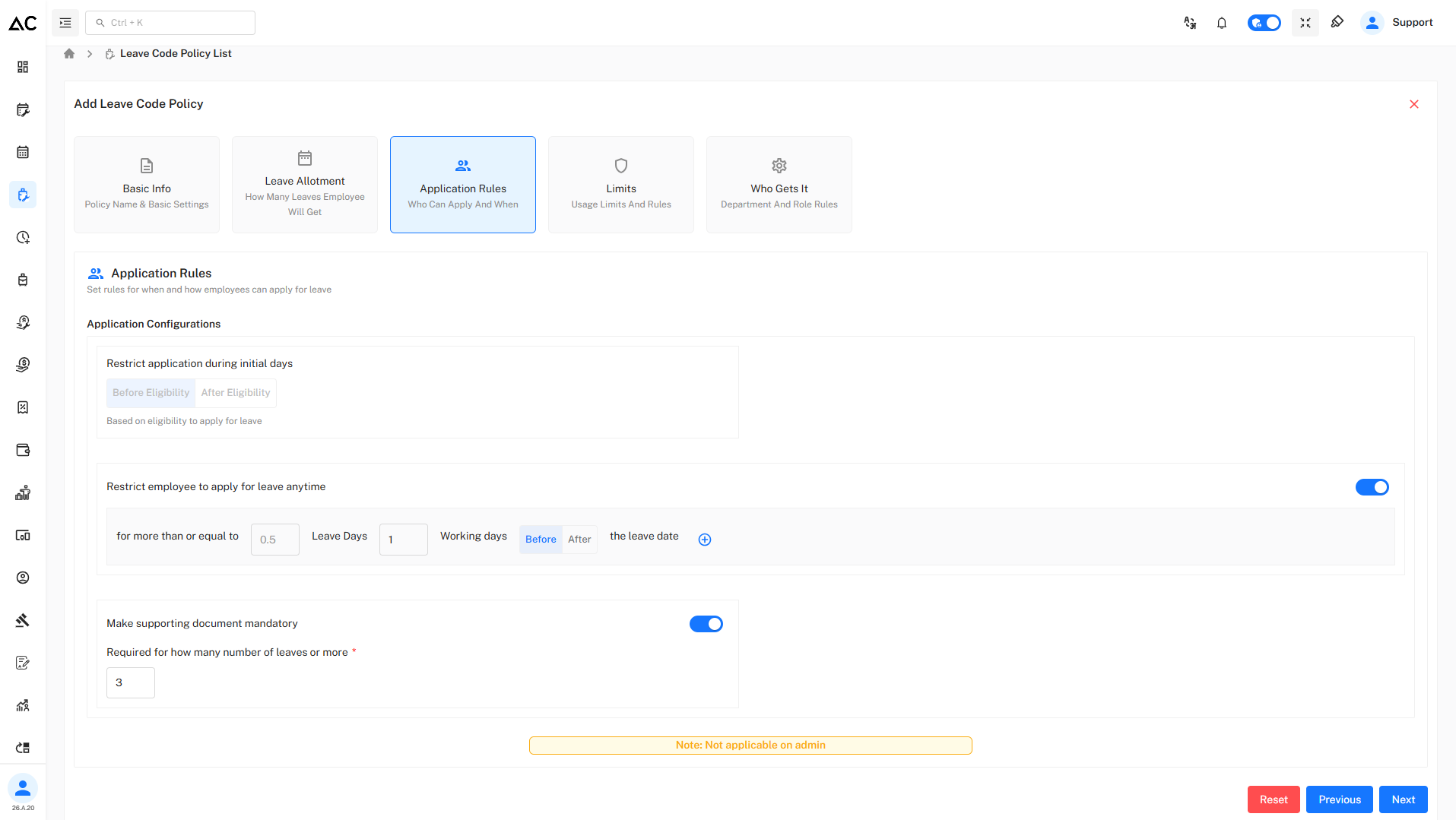
Restrict application during initial days
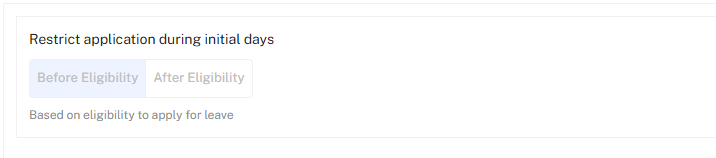
- This option is disabled because paternity leave eligibility is already controlled by fixed rules, so this restriction is not required and not applicable.
Advance Application

- Leave of 0.5 day or more must be applied
- Application must be submitted 2 working day before the leave date
Supporting Document

- Supporting document is mandatory
- Required when applying for 1 days or more
Limit
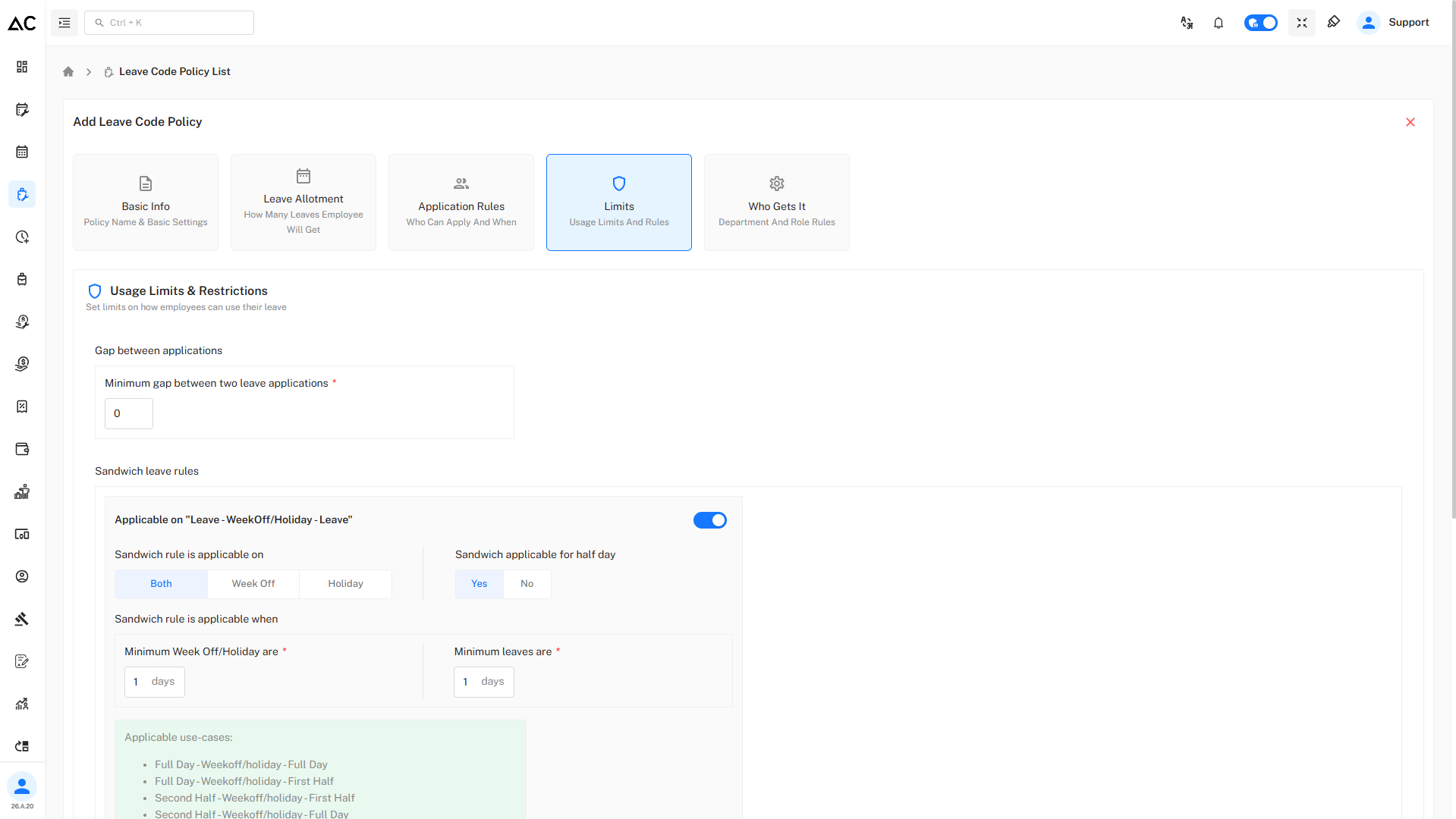
- Minimum gap between two leave applications: 0 days
Sandwich Rules
Sandwich rules decide whether Week-Offs or Holidays between leave days are counted as leave days or not.
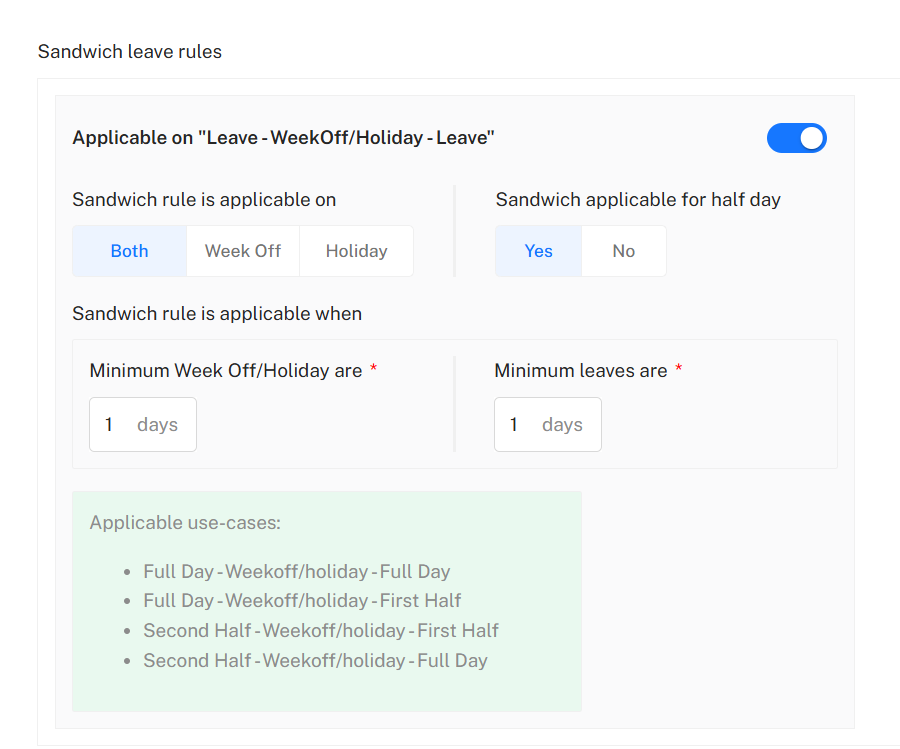
Rule 1 : Leave – Week-Off/Holiday – Leave
This rule applies when a holiday or week-off falls between two leave days.
Configuration
- Applicable: Yes
- Applicable On: Both (Week-Off and Holiday)
- Sandwich applicable for half day: Yes
- Minimum Week-Off/Holiday: 1 day
- Minimum Leave: 1 day
How it works
If an employee takes leave before and after a holiday/week-off, that intervening day is counted as leave, provided:
- At least 1 day of leave is applied on each side
- The holiday/week-off is at least 1 day.
Applicable Use Cases
Full Day – Week-Off/Holiday – Full Day
Full Day – Week-Off/Holiday – First Half
Second Half – Week-Off/Holiday – First Half
Second Half – Week-Off/Holiday – Full Day
Example:
Friday (Leave) → Saturday (Holiday) → Monday (Leave)
Saturday is counted as leave.
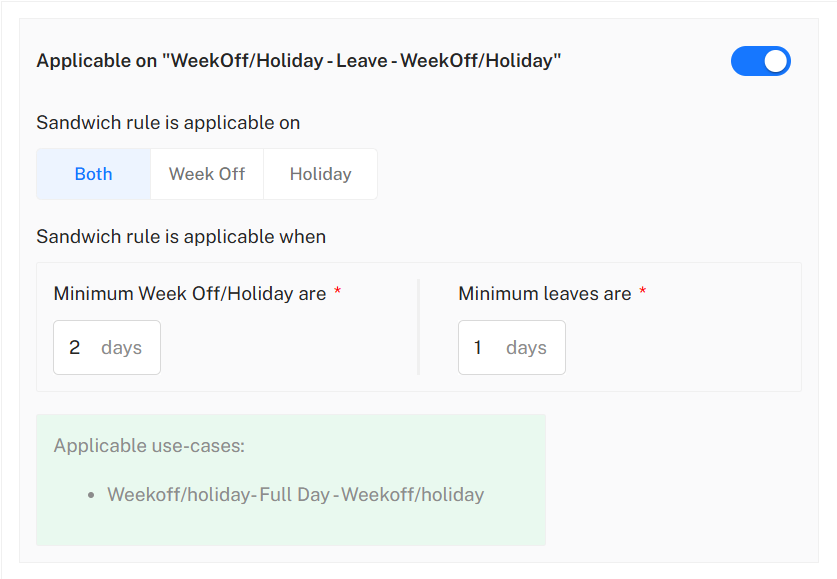
Rule 2 : Week-Off/Holiday – Leave – Week-Off/Holiday
This rule applies when leave is taken between two holidays/week-offs.
Configuration
- Applicable: Yes
- Applicable On: Both (Week-Off and Holiday)
- Minimum Week-Off/Holiday: 2 days
- Minimum Leave: 1 day
How it works
If an employee takes leave between two holidays/week-offs, the leave day is treated as part of a sandwich only if:
- The combined holidays/week-offs are 2 days or more, and
- The applied leave is at least 1 day.
Applicable Use Case
Week-Off/Holiday – Full Day Leave – Week-Off/Holiday
Example:
Saturday (Holiday) → Monday (Leave) → Tuesday (Holiday)
Monday is considered part of a sandwich leave pattern.
- Sandwich rules are enabled for paternity leave because it is a short-duration leave.
Who Gets This Policy
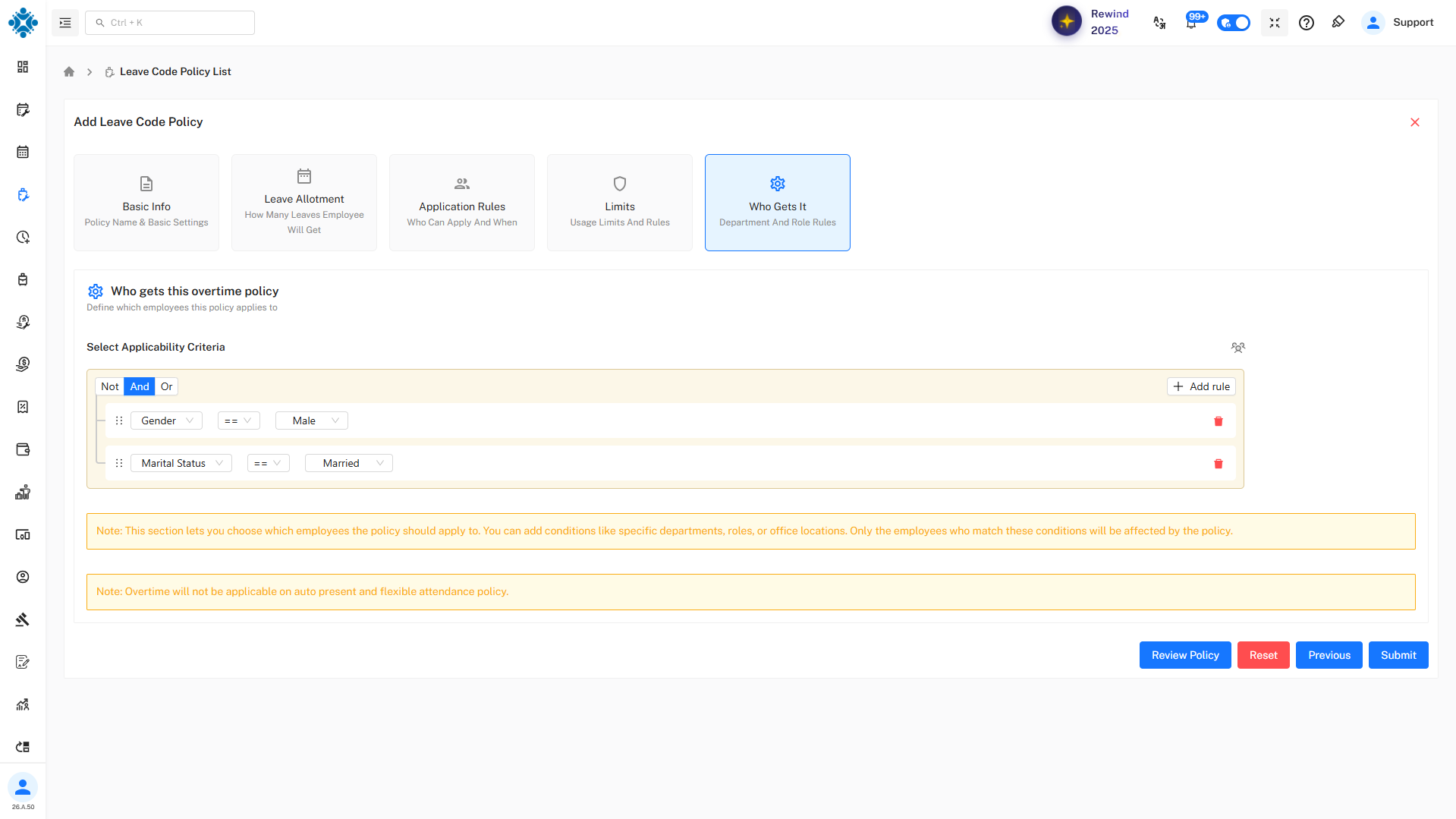
- Policy is applied to specific employees
- Employees can be selected individually or using conditions
- Only selected employees can apply for this leave
Review Policy
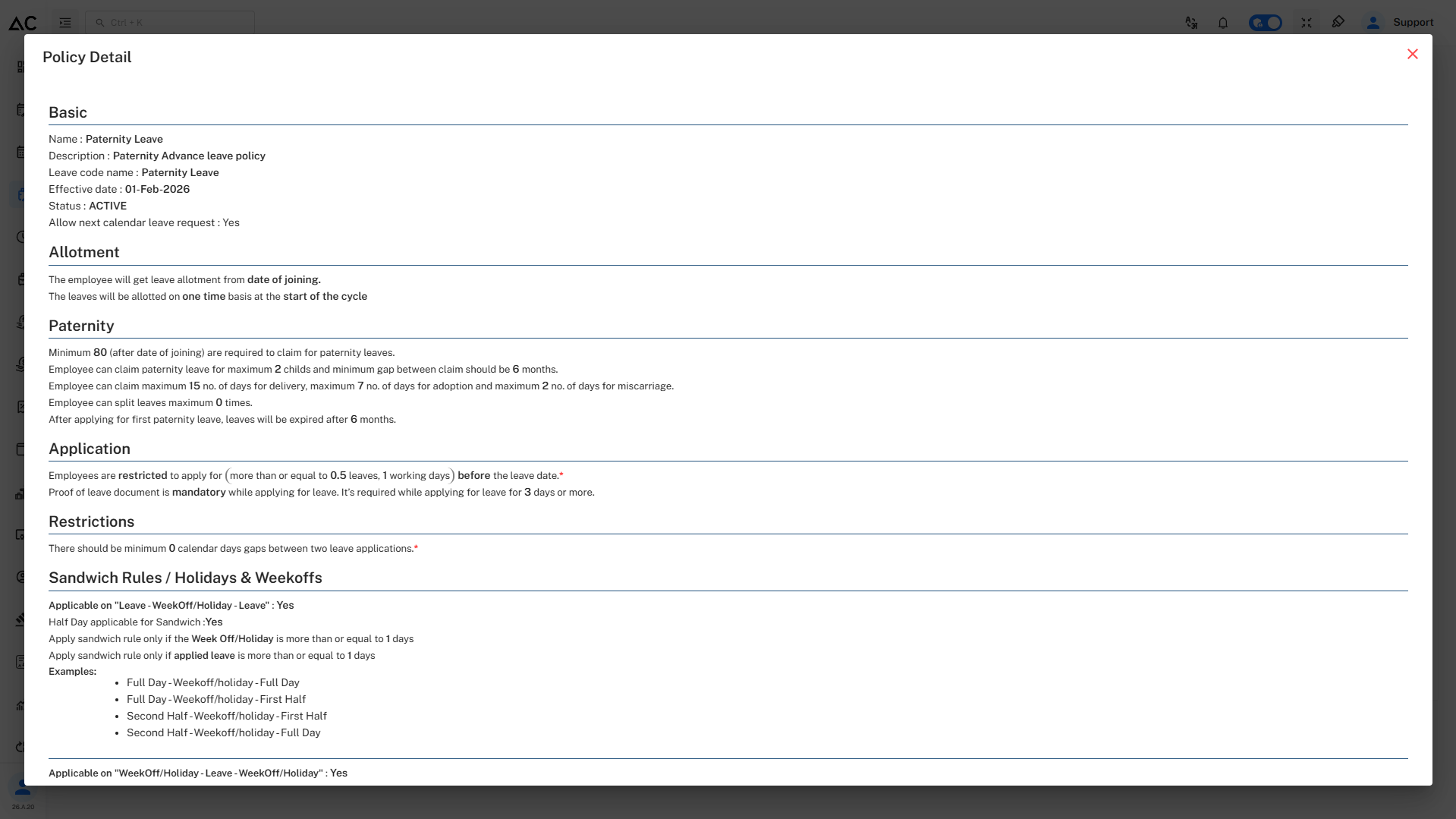
- By clicking on Review Policy button we can review our policy before submitting.
- It will look like this :
Summary
The Paternity Leave – Advance Policy provides a structured and automated way to manage paternity leave by enforcing eligibility, limits, advance notice, documentation, and sandwich rules.