Maternity Leave (MAT)
- Maternity Leave is provided to a female employee during pregnancy and after childbirth.
- It allows her to take time off for delivery, recovery, and to take care of the newborn.
- The duration of maternity leave is decided as per company policy and government rules.
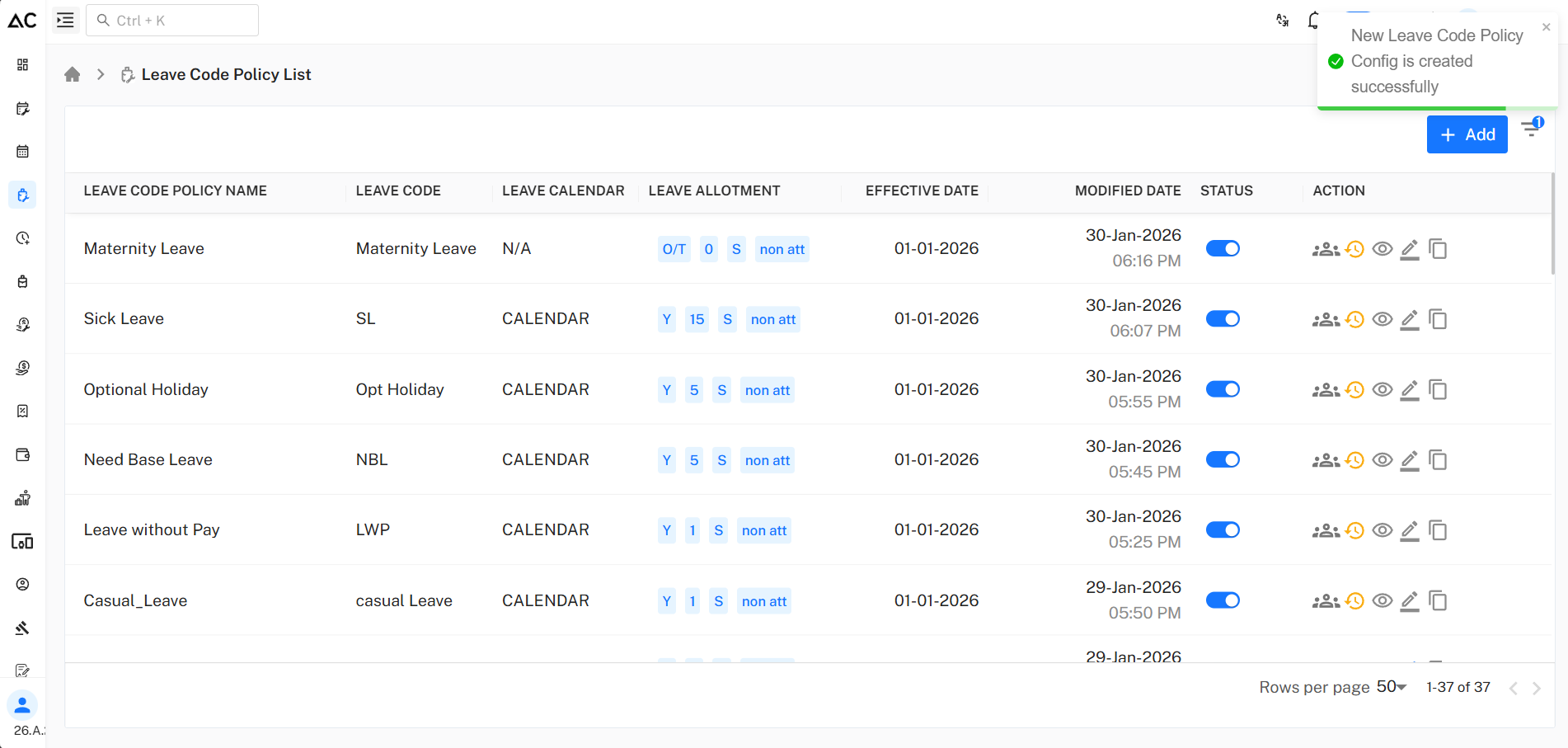
To make a new leave code policy, click on the + Add button on the Leave Code Policy List page.
Leave Code Policy Page
After clicking + Add, you will see a page like this:
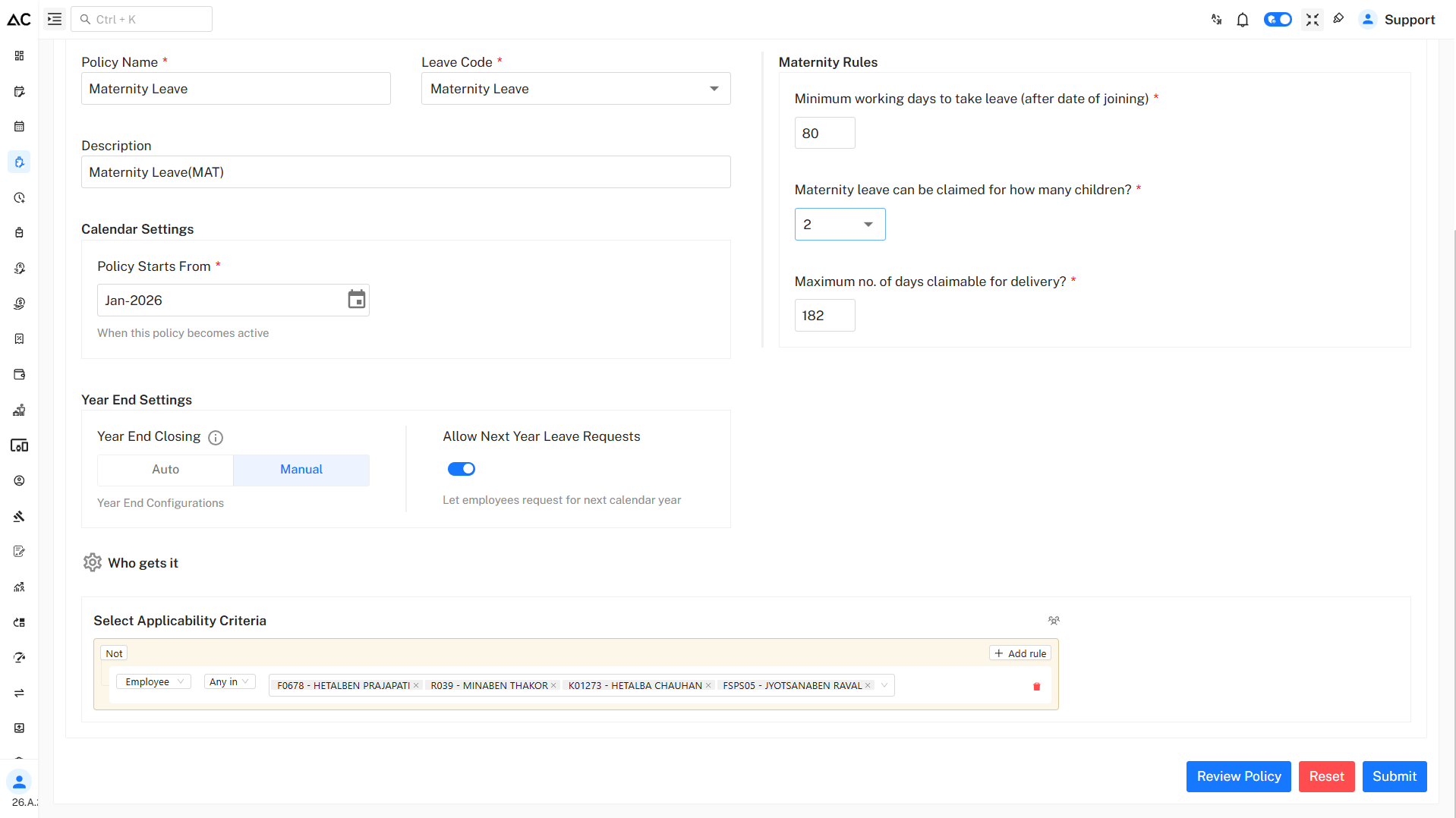
Fill the Details
Enter the following information:
- Policy Name: Maternity Leave
- Leave Code: ML
- Description: Maternity Leave
Calendar Setting
Policy Start From:
- Defines the month and year from which the leave policy becomes effective.
Year End Setting
Choose how leave balance is handled at year end:
-
Auto : Balance is auto-updated on the first date of the new year.
-
Manual : Balance is updated after freezing the last month's attendance.
Allow Next Year Leave Requests:
-
Disabled
Employees can apply only for the current year’s leave. -
Enabled
Employees can apply for leave for the next year.
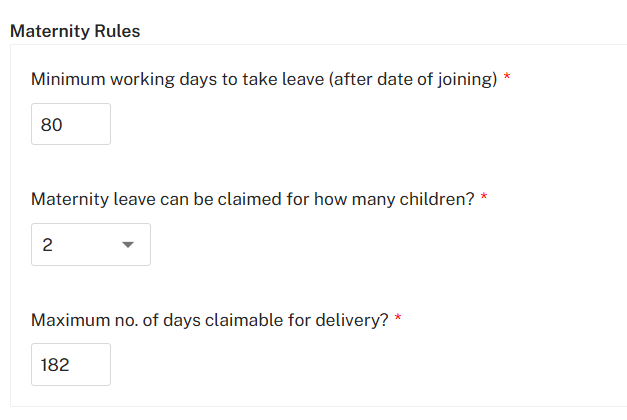
Maternity Rules
-
Minimum working days to take leave:
A female employee must complete at least 80 working days after joining to be eligible for maternity leave. -
Maternity leave can be claimed for how many children:
Maternity leave can be claimed for up to two children. -
Maximum number of days claimable for delivery:
A female employee can take a maximum of 182 days of maternity leave for delivery.
Who Gets This Leave
Under Who gets it, define the applicability criteria.
Steps :
- Click on +Add rule
- Select criteria such as Employee
- Apply Any in or Not conditions
This ensures the policy is applied only to eligible employees.
Show All Members
- This option displays all policy members along with their ID and name.
- It also allows searching and downloading the data in PDF, Excel, or CSV format.
Review and Submit
- Click on Review Policy to verify all entered details.
- Click Submit to create the Privilege Leave policy.
A success message confirms that the Privilege Leave policy has been created successfully.
Summary
Maternity Leave (ML) is a special leave provided to female employees during pregnancy and childbirth:
- Available after completing the minimum eligibility period
- Granted for a fixed number of days based on company policy
- Can be claimed for a limited number of children as defined in the policy
- Supports employee health, recovery, and childcare needs