Leave Code Policy Setup Documentation
Overview
The Leave Code Policy module allows administrators to define leave rules, allotments, applications, restrictions, carry forward, and allocation criteria for employees within the organization.
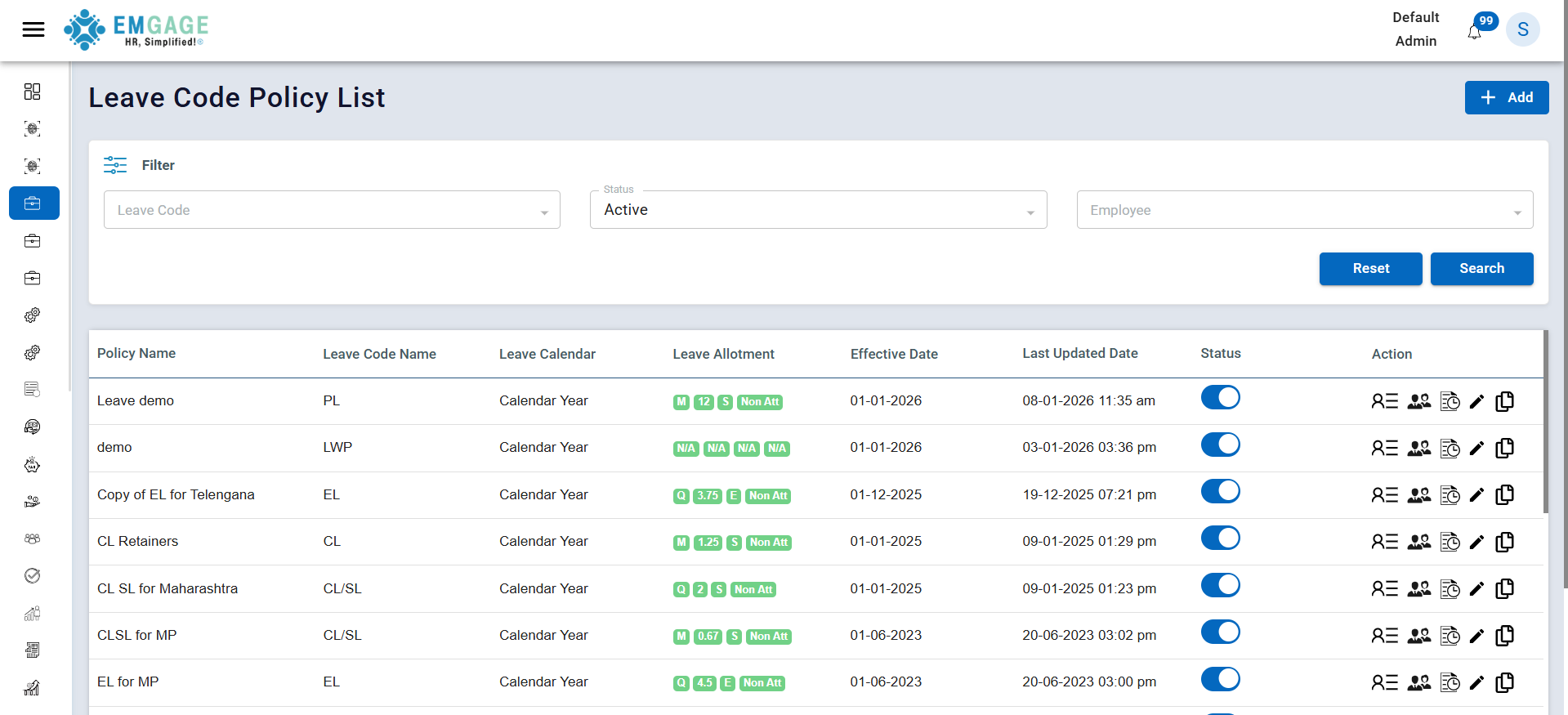
Leave Code Policy List
This page displays all existing leave policies with their details.
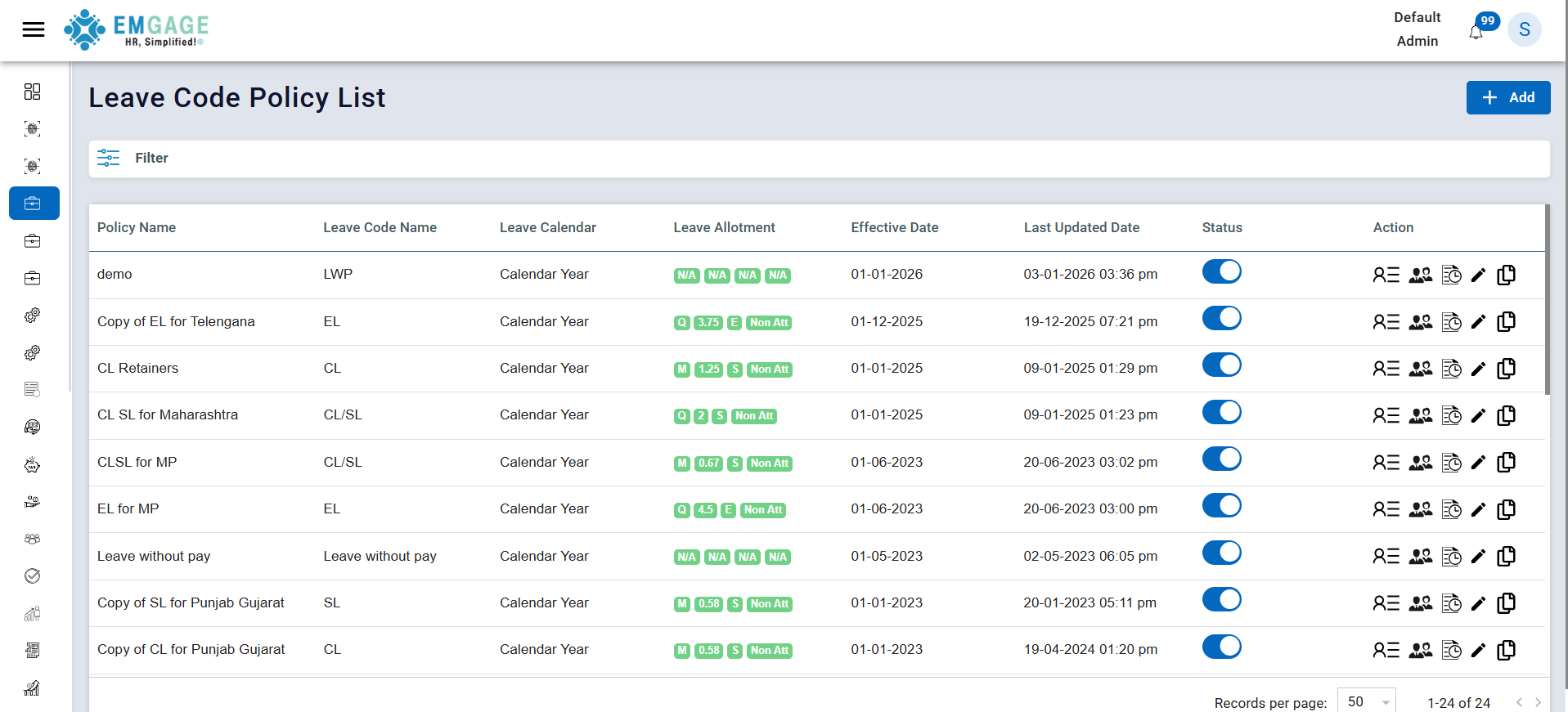
Key Columns:
- Policy Name – Name you have assigned to the leave policy.
- Leave Code Name – Short code representing the type of leave (e.g., CL, EL, LWP).
- Leave Calendar – Defines whether the leave follows a calendar year or financial year.
- Leave Allotment – Shows how many leaves are allotted and on what basis.
- Effective Date – Date from which the leave policy becomes applicable.
- Last Updated Date – Date and time when the policy was last modified.
- Status – Indicates whether the leave policy is active or inactive.
- Actions – Available operations such as viewing, assigning, editing, or copying the policy.
Step 1: Basic Details
Click on the + Add button in the list page to create a new leave policy.
In this step, basic information about the leave policy is configured.
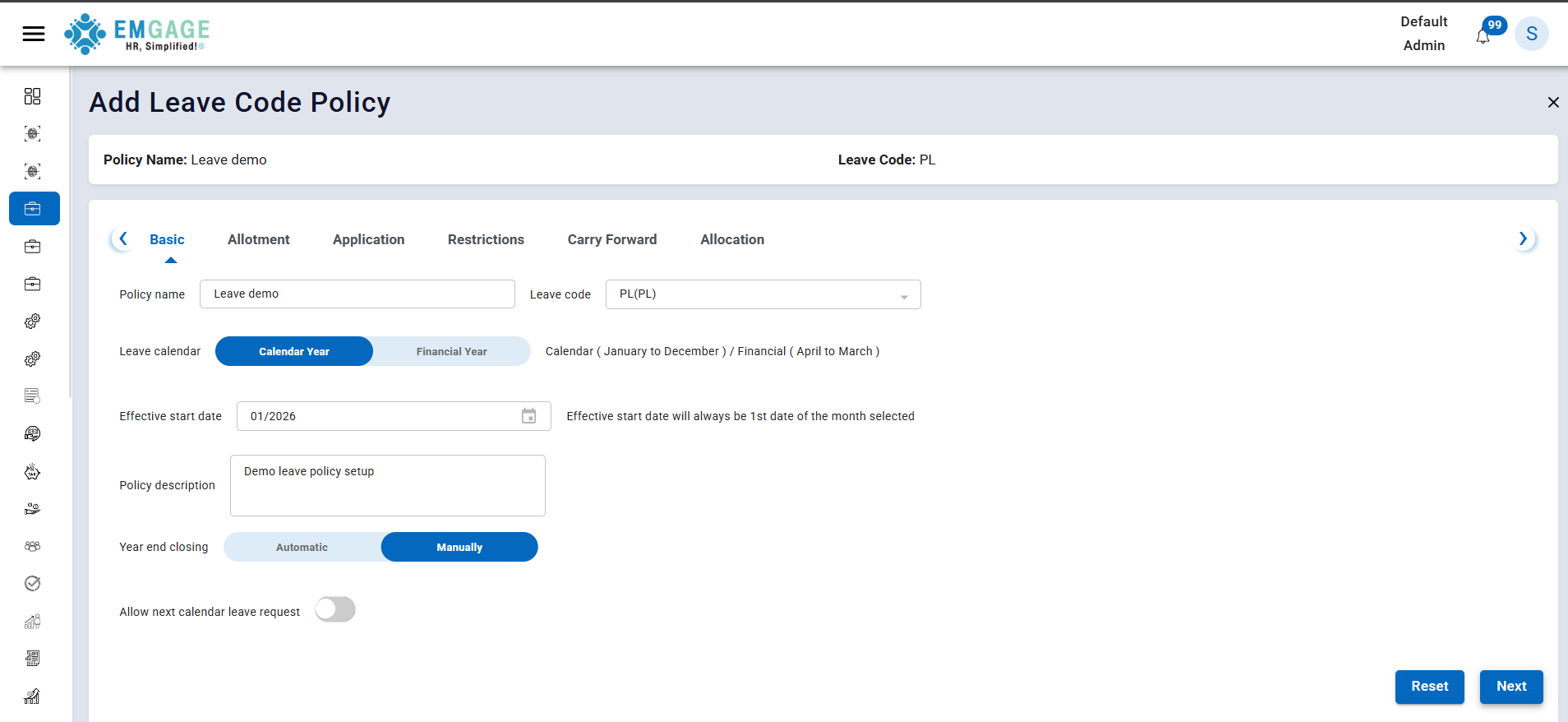
Fields:
- Policy Name – Name of the leave policy
- Leave Code – Select applicable leave code (for eg: PL,LWO,Maternity leave,Paternity leave etc). All this code will come from Leave Code Master.
- Leave Calendar
- Calendar Year (January–December)
- Financial Year (April–March)
- Effective Start Date
- The start date will always be the 1st day of the selected month
- Policy Description – Optional description
- Year End Closing
- Automatic
- Manual
- Allow Next Calendar Leave Request – Enable/disable future leave requests
Click Next to proceed.
Step 2: Allotment
This step defines how leaves are allotted to employees.
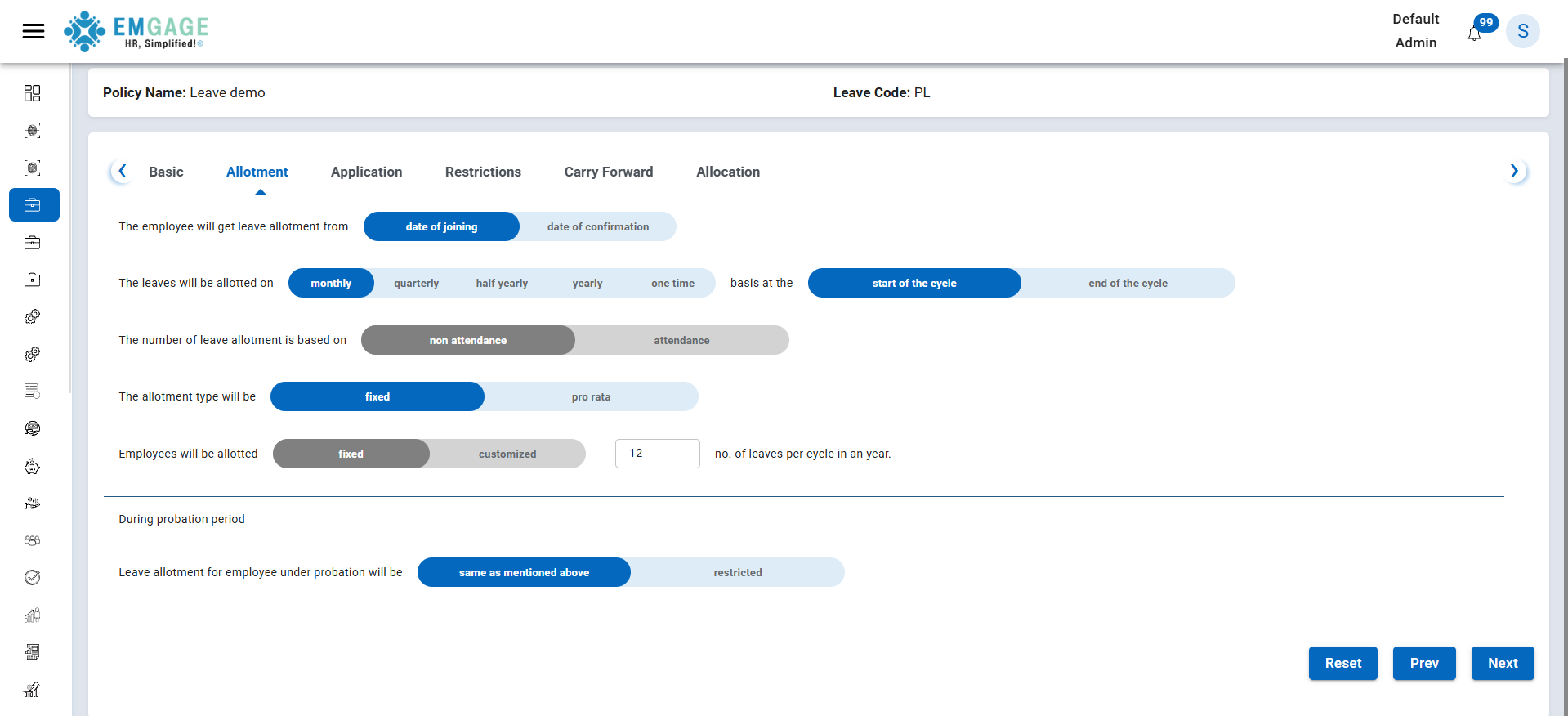
Configurations:
- Leave allotment starts from:
- Date of Joining
- Date of Confirmation
- Leave allotment frequency:
- Monthly
- Quarterly
- Half-Yearly
- Yearly
- One Time
- Allotment basis:
- Start of the cycle
- End of the cycle
- Allotment calculation:
- Attendance-based
- Non-attendance-based
- Allotment type:
- Fixed
- Pro-rata
- Number of leaves per cycle
Probation Period:
- Same as regular allotment
- Restricted allotment
Click Next to continue.
Step 3: Application Rules
This step controls how employees can apply for leave.
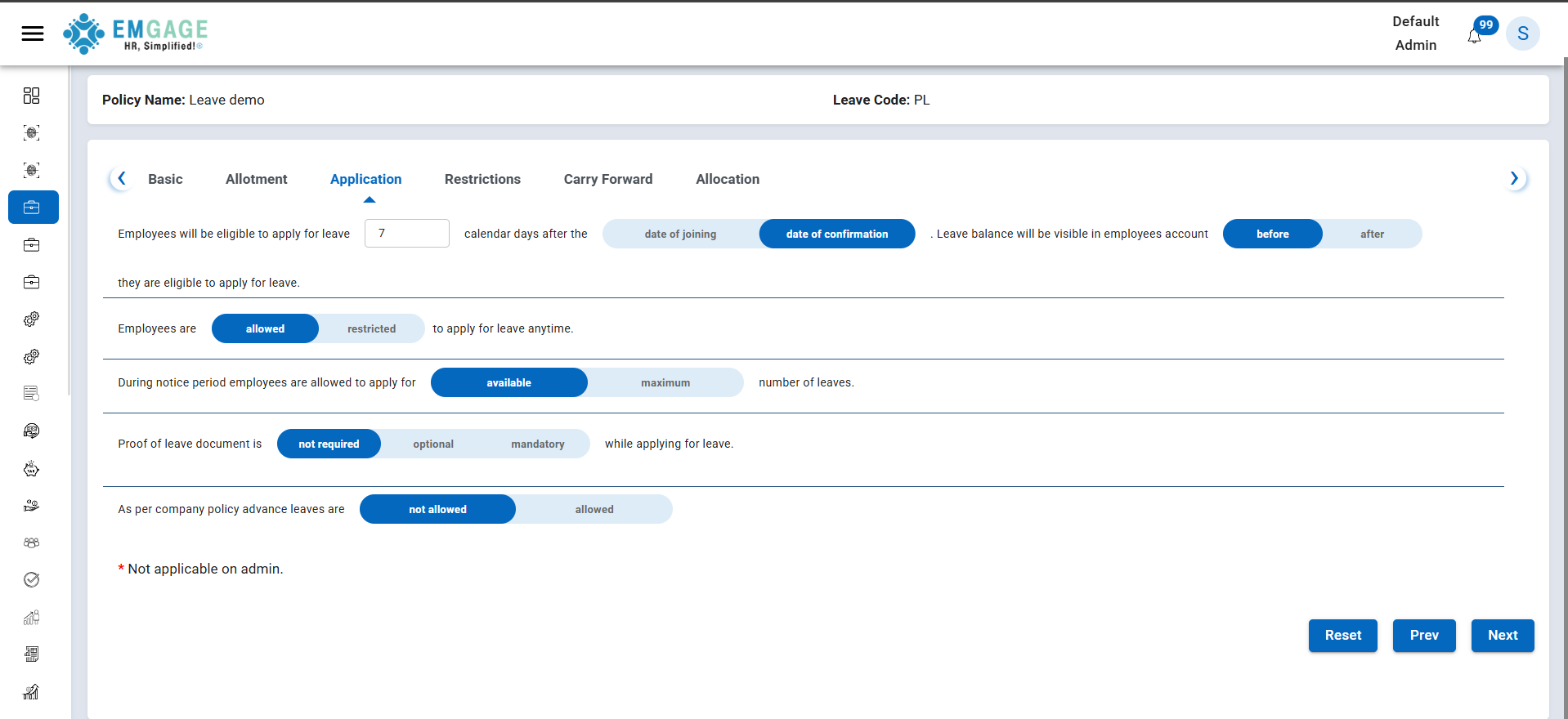
Rules Include:
- Eligibility to apply for leave after:
- Specific number of calendar days
- Based on date of joining or confirmation
- Leave balance visibility:
- Before eligibility
- After eligibility
- Leave application access:
- Allowed anytime
- Restricted
- Notice period rules:
- Available leave
- Maximum leave
- Proof of leave document:
- Not required
- Optional
- Mandatory
- Advance leave:
- Allowed
- Not allowed
Note: These rules are not applicable to Admin users.
Click Next to proceed.
Step 4: Restrictions
This step defines limits and constraints on leave usage.
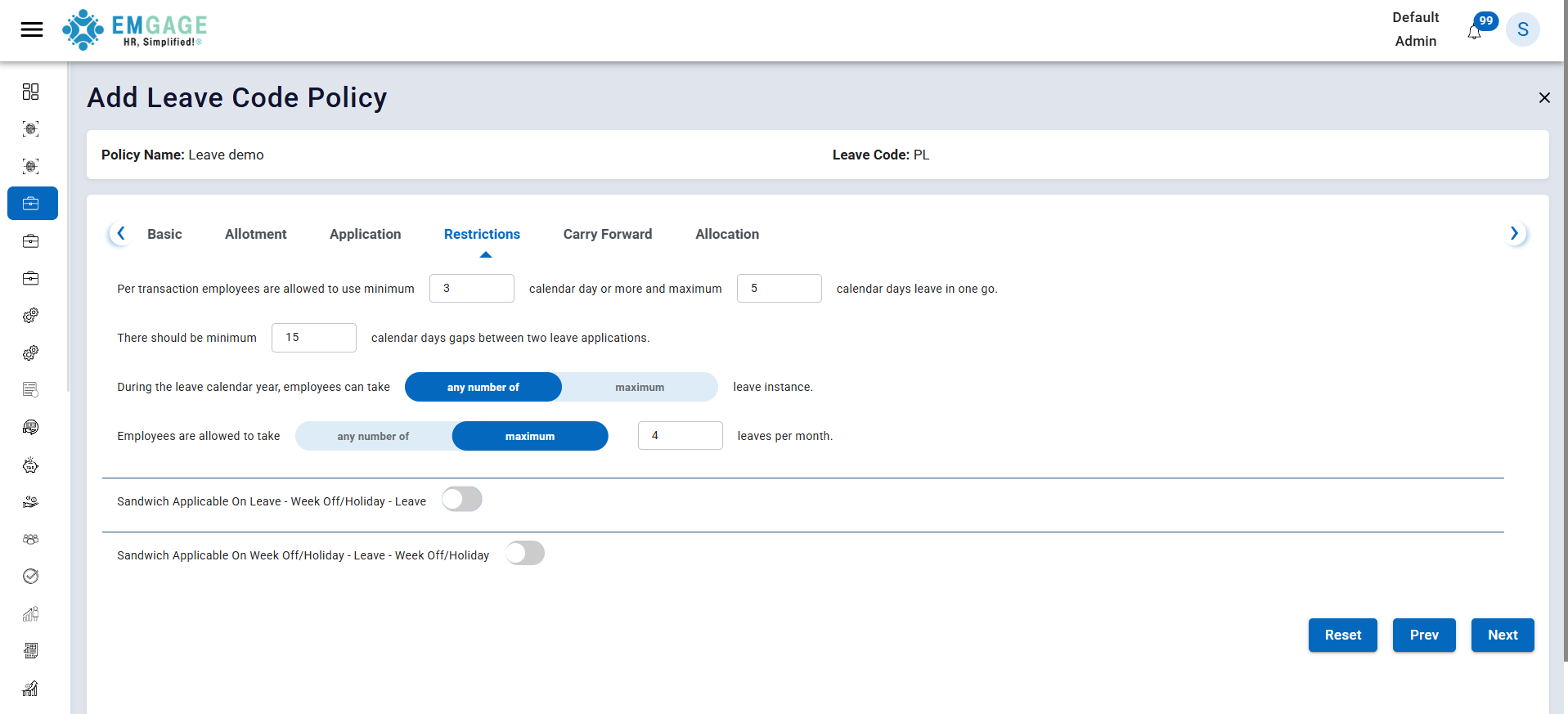
Restrictions Include:
- Minimum and maximum leave days per transaction
- Minimum gap between two leave applications
- Maximum leave instances per year
- Maximum leaves per month
- Sandwich leave rules:
- Week-off / Holiday between leaves
- Leave between week-offs / holidays
Click Next to continue.
Step 5: Carry Forward
This step defines how unused leaves are handled at the end of the cycle.
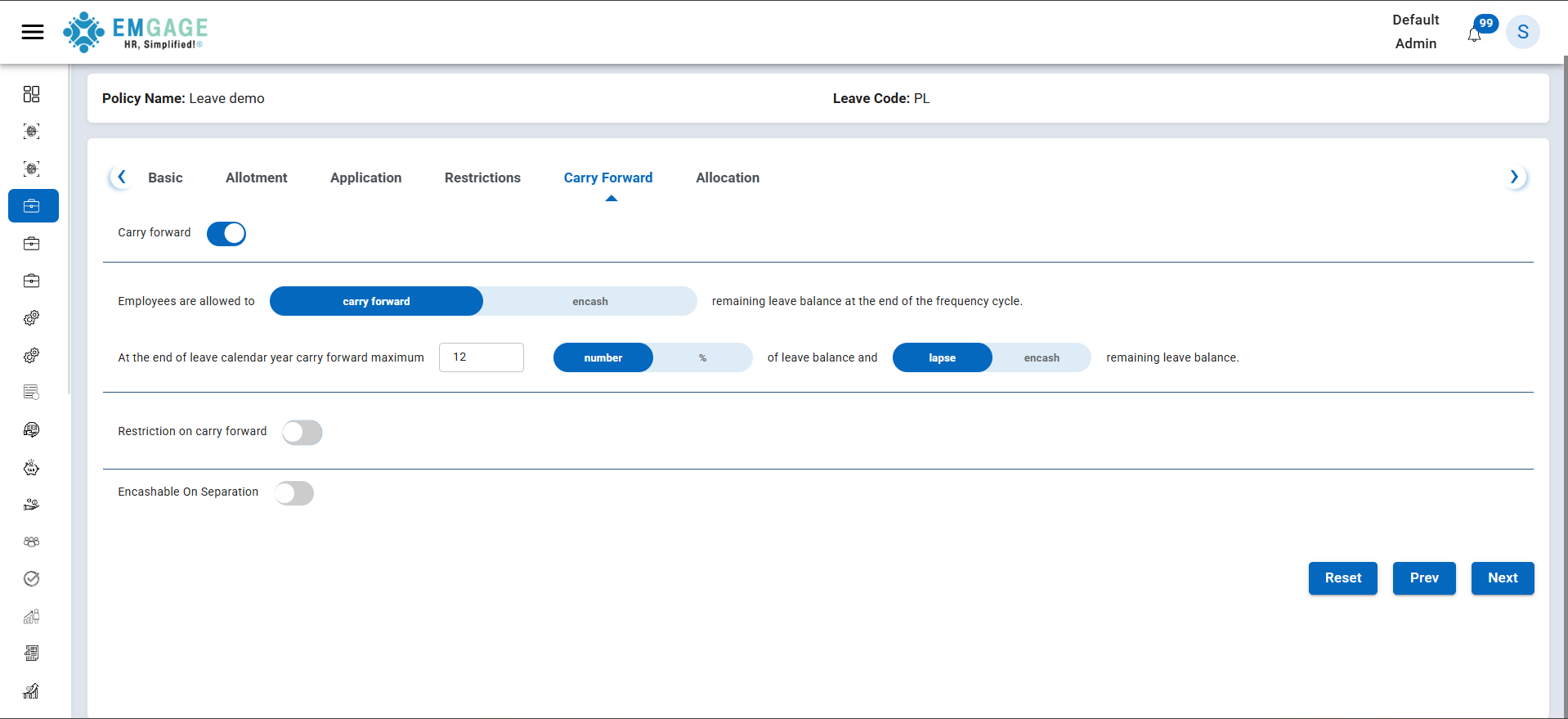
Options:
- Enable or disable carry forward
- Carry forward or encash remaining leave balance
- Maximum carry forward:
- Number
- Percentage
- Remaining balance handling:
- Lapse
- Encash
- Restriction on carry forward
- Encashable on separation
Click Next to proceed.
Step 6: Allocation
This step determines which employees or groups the policy applies to.
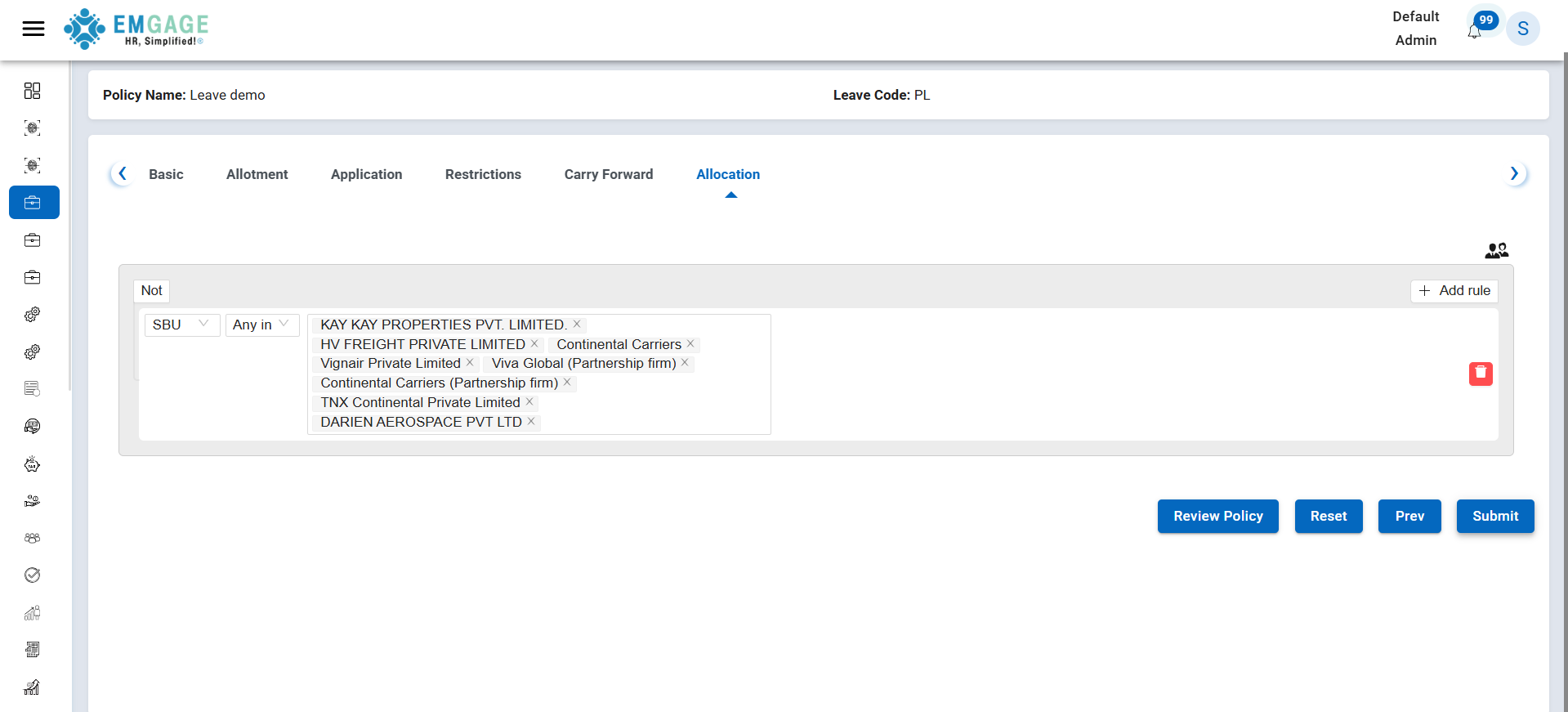
Allocation Rules:
- Allocate policy based on:
- SBU
- Company
- Other organizational attributes
- Include or exclude specific groups
- Add multiple allocation rules if required
Click Review Policy to verify all configurations.
Step 7: Review & Submit
After reviewing all configurations:
- Click Submit to save the leave policy
- The policy will appear in the Leave Code Policy List
- Status can be enabled or disabled as required
Important Notes
- Leave policies are applied based on allocation rules
- Effective date must always start from the first day of the selected month
- Changes to active policies may impact employee leave balances
- Admin users are exempt from application restrictions
Conclusion
The Leave Code Policy module provides flexible and comprehensive control over leave management, ensuring compliance with company policies and regional requirements.