Extra Working
Last Updated: October 6, 2025 Document Version: 1.0 Prepared for: Emgage HRMS Implementation Team
This system manages employee extra working (overtime) requests with comprehensive approval workflows, time tracking, and cancellation capabilities.
System Overview
The Extra Working module consists of three main sections:
- List Tab - View all extra working requests and their status
- Approvals Tab - Multi-level approval workflow for managers
- Cancellation Tab - Employee self-cancellation for their own requests
List Page (Main Dashboard)
Shows all extra working requests with detailed status tracking and approval progress.
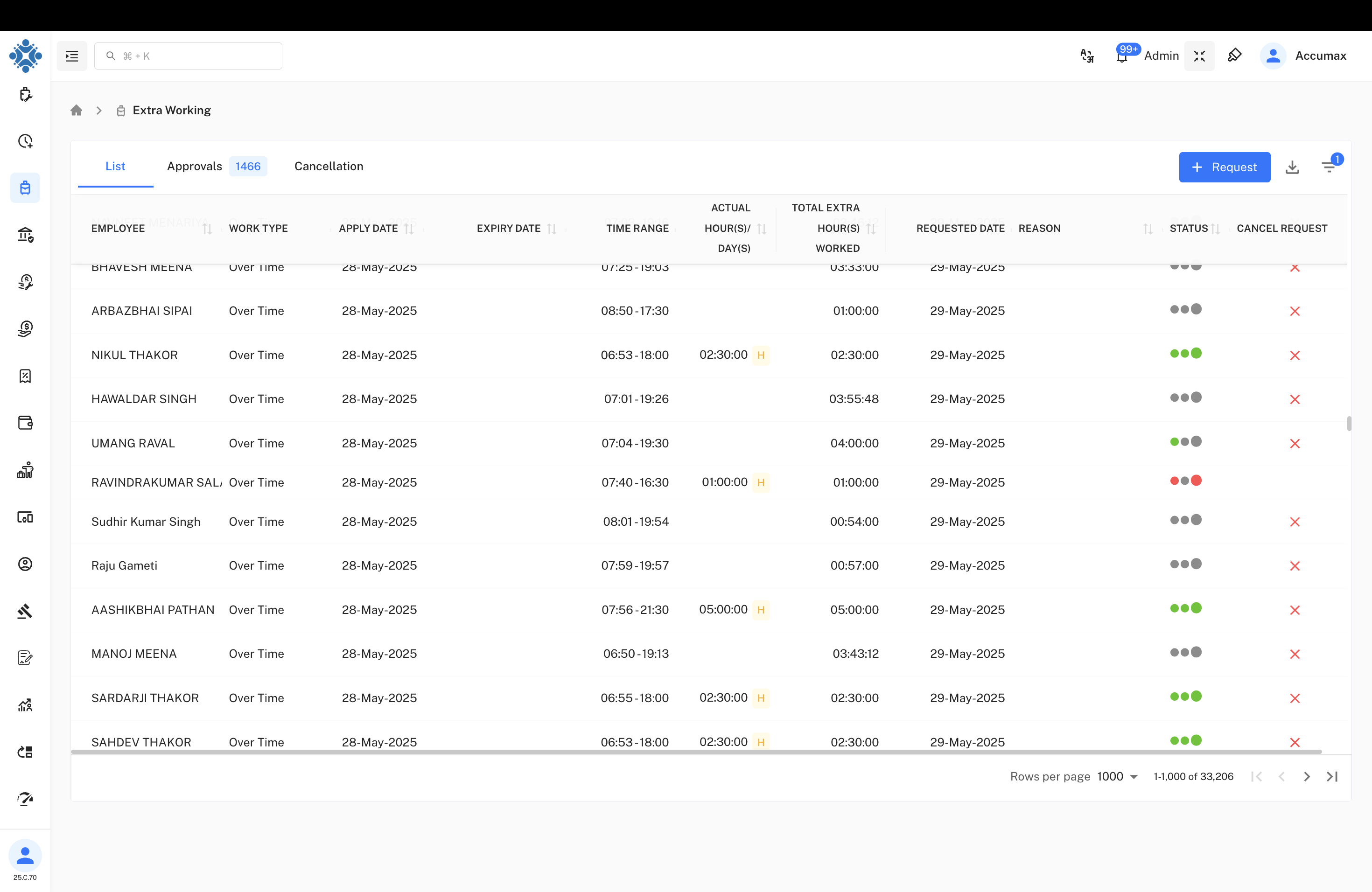
Table Columns:
- Employee - Employee name
- Work Type - Over Time or Extra Working
- Apply Date - Request submission date
- Expiry Date - Request expiration date (if applicable)
- Time Range - Working hours (e.g., 07:25-19:03)
- Actual Hours/Day(s) - Time worked with H (hours) or D (days) indicator
- Total Extra Hours Worked - Calculated overtime hours
- Requested Date - When overtime was requested
- Reason - Purpose for extra working
- Status - Three-dot approval indicator system
- Cancel Request - Option to cancel pending requests
Status Indicator System
The Status column uses a three-dot system to show approval progress:
- 1st Dot - Manager 1 approval status
- 2nd Dot - Manager 2 approval status
- 3rd Dot - Final approval/rejection status
Status Colors:
- Green dots - Approved
- Gray dots - Pending
- Red dots - Rejected
Extra Working Request Form
Employees can submit new overtime requests through the request form.
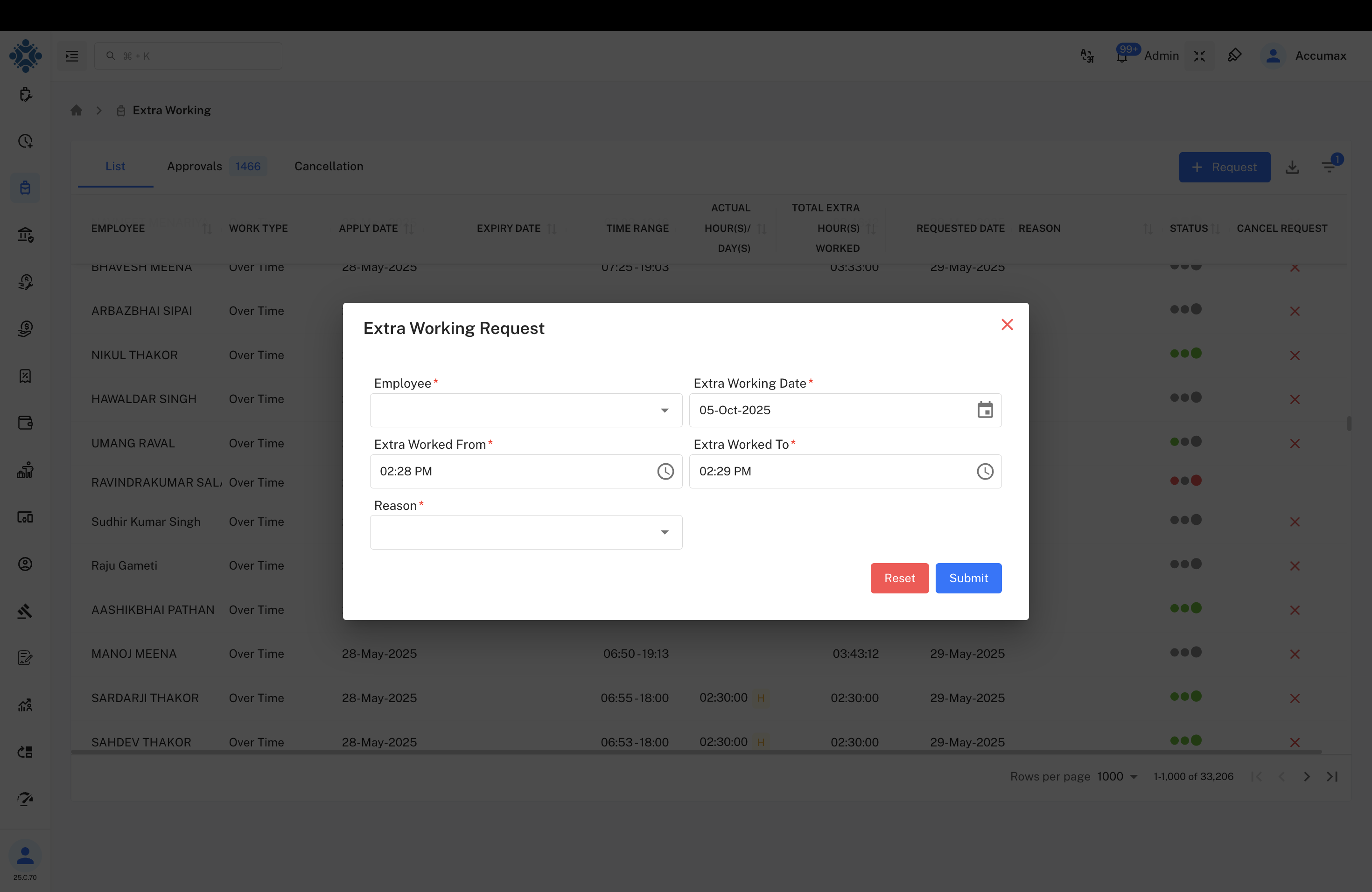
Form Fields:
- Employee - Auto-populated or selectable
- Extra Working Date - Date of overtime work
- Extra Worked From - Start time (e.g., 02:28 PM)
- Extra Worked To - End time (e.g., 02:29 PM)
- Reason - Dropdown with predefined reasons
Form Actions:
- Reset - Clear all form fields
- Submit - Send request for approval
Approvals Page
Multi-level approval system for managers to review and approve overtime requests.
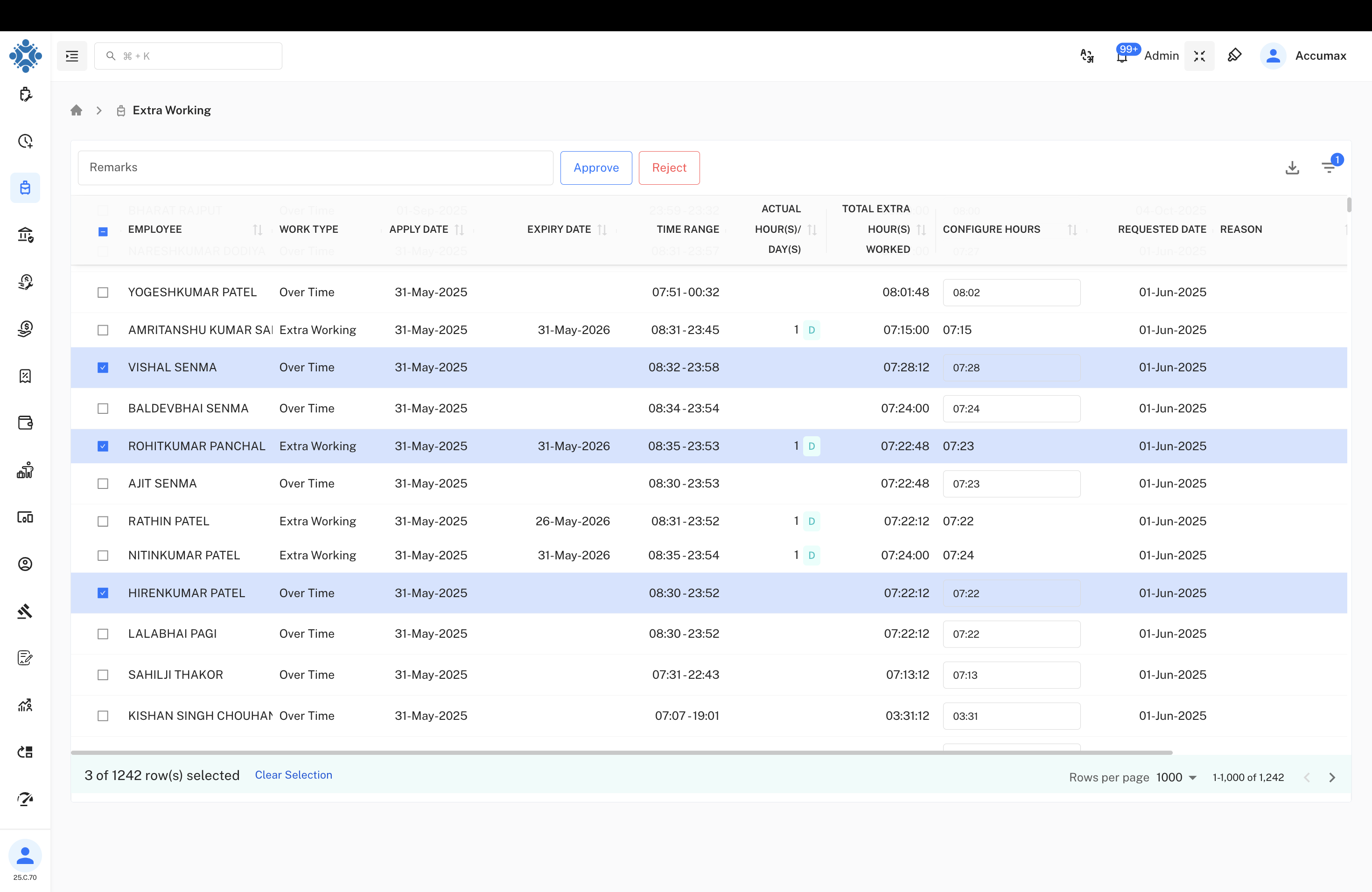
Extended Table Columns:
- Employee - Employee name with checkbox selection
- Work Type - Over Time or Extra Working classification
- Apply Date - Request submission date
- Expiry Date - Request validity period
- Work From - Start time of extra work
- Actual Hours/Days - Time worked with H/D indicator
- Total Extra Hours Worked - Calculated overtime
- Configure Hours - System calculated hours
- Requested Date - Request submission date
- Reason - Justification for overtime
Approval Actions:
- Approve - Accept the overtime request
- Reject - Decline the overtime request
- Remarks - Add comments for approval/rejection
Cancellation Page
Self-service cancellation option for employees to cancel their own pending requests.
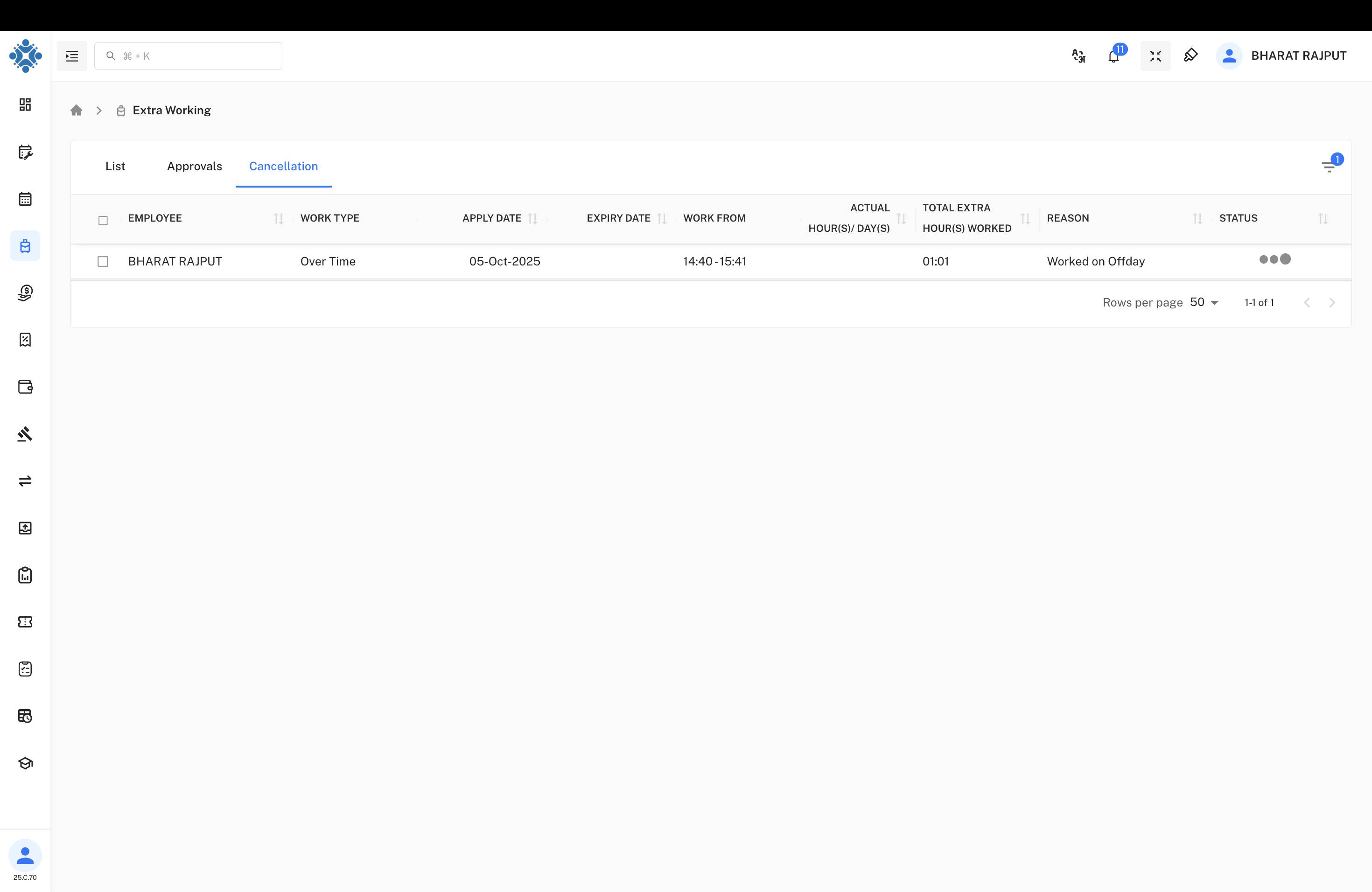
Cancellation Features:
- Employee-Only Access - Only the requester can see and cancel their own requests
- Pending Requests Only - Can only cancel requests that haven't been fully approved
- Same Table Structure - Shows employee's requests with cancellation option
Cancellation Workflow:
- Employee views their pending extra working requests
- Selects requests to cancel using checkboxes
- Confirms cancellation action
- Request is removed from approval queue
Approval Workflow Process
Multi-Level Approval System
- Employee Submission - Employee submits extra working request
- Manager 1 Review - First level manager approval (1st dot)
- Manager 2 Review - Second level manager approval (2nd dot)
- Final Status - approval or rejection (3rd dot)
- Completion - Request processed and recorded
Time Calculation
- Hour/Day Indicators - H for hours, D for days
- Configure Hours - System-suggested working hours
- Time Range Validation - Ensures valid start and end times
Key Features
- Multi-Level Approval - Configurable approval hierarchy
- Self-Service Cancellation - Employee control over pending requests
- Time Tracking - Precise hour and day calculations
- Status Transparency - Clear visual status indicators
- Reason Tracking - Mandatory justification for overtime
- Expiry Management - Automatic request expiration handling
User Permissions
Employees
- Submit extra working requests
- View their own request status
- Cancel their pending requests (Cancellation tab)
- Cannot see other employees' requests in cancellation view
Managers (Level 1 & 2)
- Review and approve/reject requests
- View all team requests in Approvals tab
- Add remarks to approval decisions
- Cannot cancel requests once approved
HR/Admin
- Full access to all tabs and functions
- Bulk approval capabilities
- System configuration and reporting
- Override capabilities for exceptional cases
Important: Only the employee who submitted the extra working request can cancel it through the Cancellation tab. Managers and HR cannot cancel requests on behalf of employees.
For overtime policies, calculation formulas, and approval hierarchies, refer to the company policy manual or contact HR administration.