Letter Setup Docx
Last Updated: February 03, 2026
Document Version: 1.0
About HR Letter Templates Setup using DOCX
- Letter Setup DOCX is a feature that allows HR teams to create and manage HR letter templates using Microsoft Word (DOCX) files.It enables users to design letters in Word, upload them as templates, and use predefined custom tags to automatically fill in employee details.
- Proper formatting such as headers, footers, watermarks, spacing, and alignment can be applied directly in the Word file to ensure letters are generated accurately.Using Letter Setup DOCX helps create professional, consistent, and error-free HR letters that can be downloaded, emailed, or shared with employees.
Enable Permission to Upload DOCX Template
- Go to the Role Master. Find role Admin. Give permission for Upload Documents.
Once enabled, users will be able to upload DOCX files in the HR Letter Setup module.
- Use the following navigation path to access the HR Letter Setup module:
- Navigation Path: HR Letter Setup → Letter Templates → + Template
HR Letters Dashboard
This screen displays all created HR letter templates along with their status.
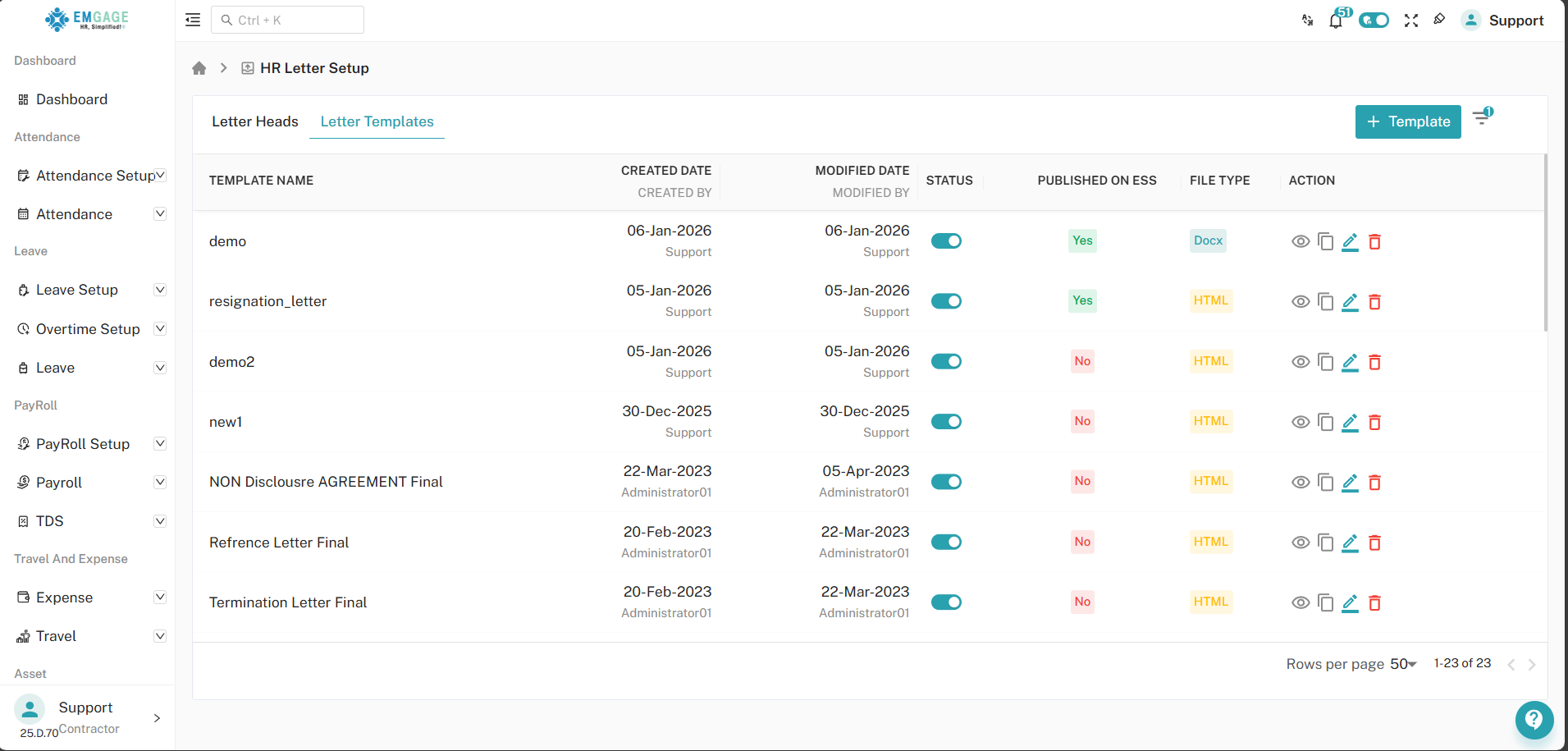
Available Features:
- View generated letters for each template
- Enable or disable templates
- Edit or delete templates
- Identify template type(DOCX / HTML)
- Check ESS publishing status
Upload DOCX File
- Upload a Word document that will act as the HR letter template.
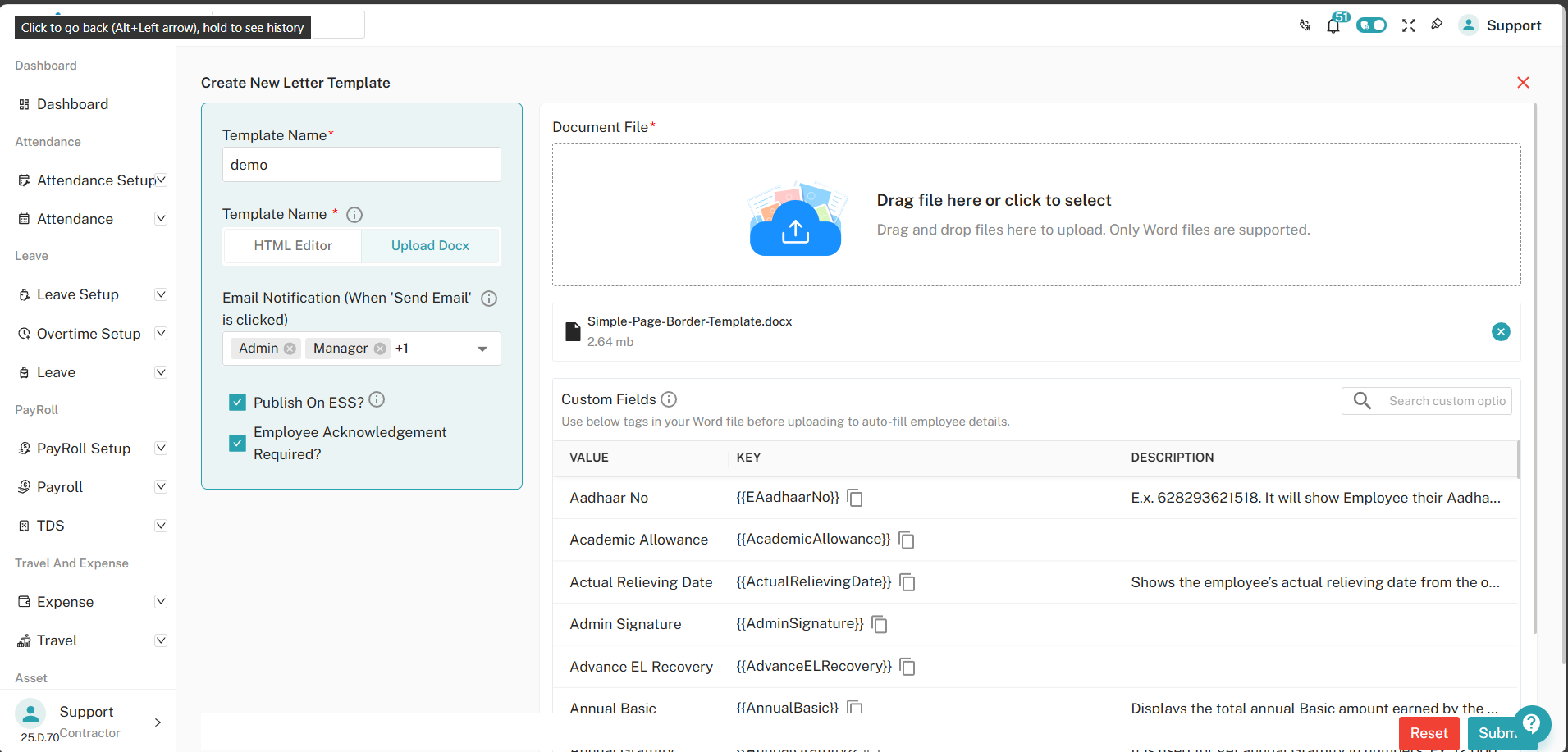
Fill in the following details:
-
Template Name : Enter a unique name for the template
Example:Demo Letter -
Template Type: Select the type of template. For DOCX templates,
Optional Settings:
- Email notification recipients (Admin, Manager, etc.)
- Publish letter on ESS
- Employee acknowledgement requirement
Using Custom Tags in DOCX
Custom tags allow dynamic employee data to appear in the generated letter.
These tags must be copied exactly and placed inside the DOCX file before uploading.
- Example Placeholders:
| Field Name | Placeholder |
|---|---|
| Aadhaar Number | {{EAadhaarNo}} |
| Actual Relieving Date | {{ActualRelievingDate}} |
| Admin Signature | {{AdminSignature}} |
| Annual Basic Salary | {{AnnualBasic}} |
Tip: Always copy and paste tags directly from the system to avoid errors.
Generate Letters from DOCX Template
- After creating the template:
- Go to the HR Letters module to generate letters for employees.
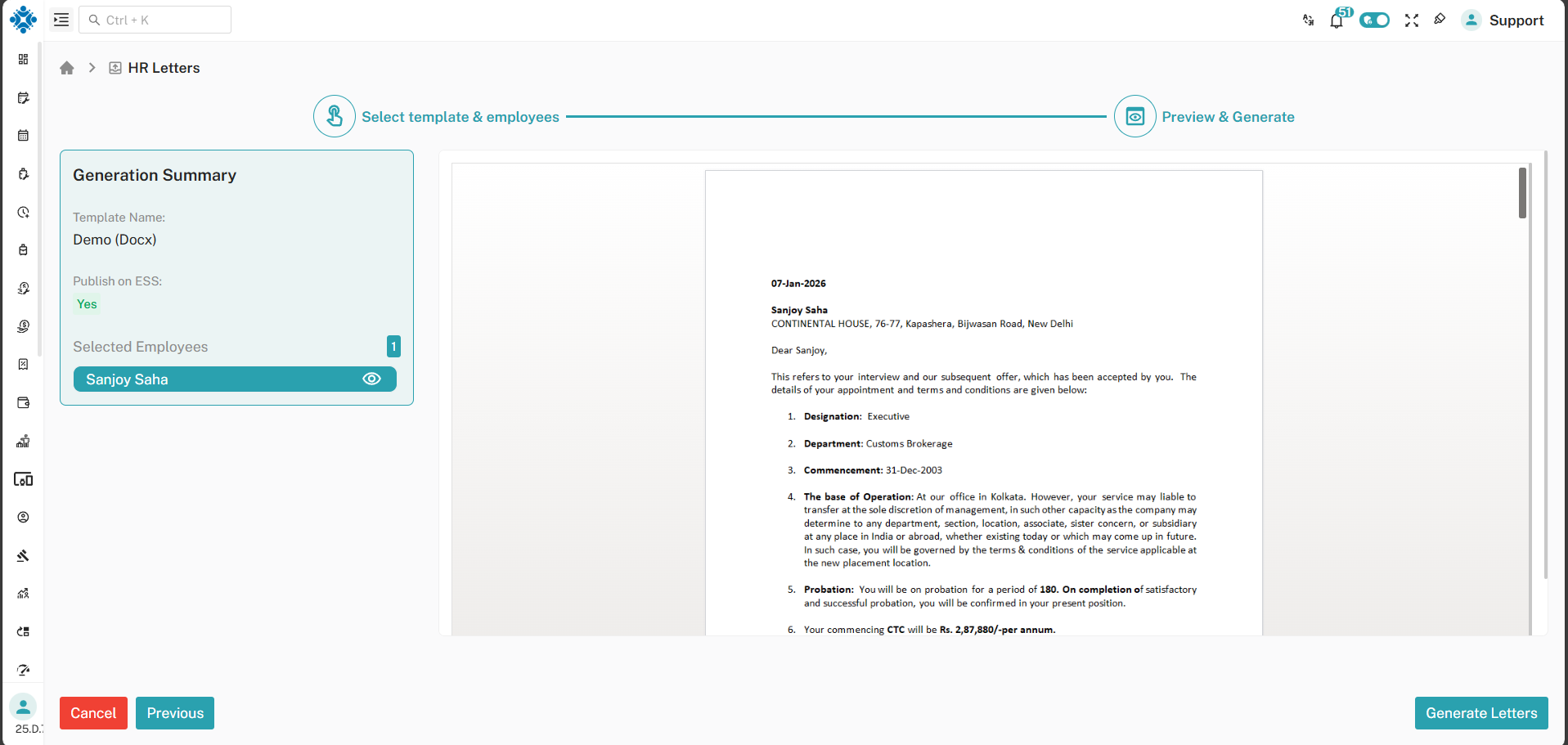
- Click + Generate Letters. select the required template and employees, then click Next.
Always preview the letter before final submission to verify formatting and data.
- After genrating letter, you can view the generated letter in the list. You can also download the letter in Word or PDF format, send it via email, or set reminders for employees to acknowledge receipt. From the HR Letters page, you can manage generated letters.
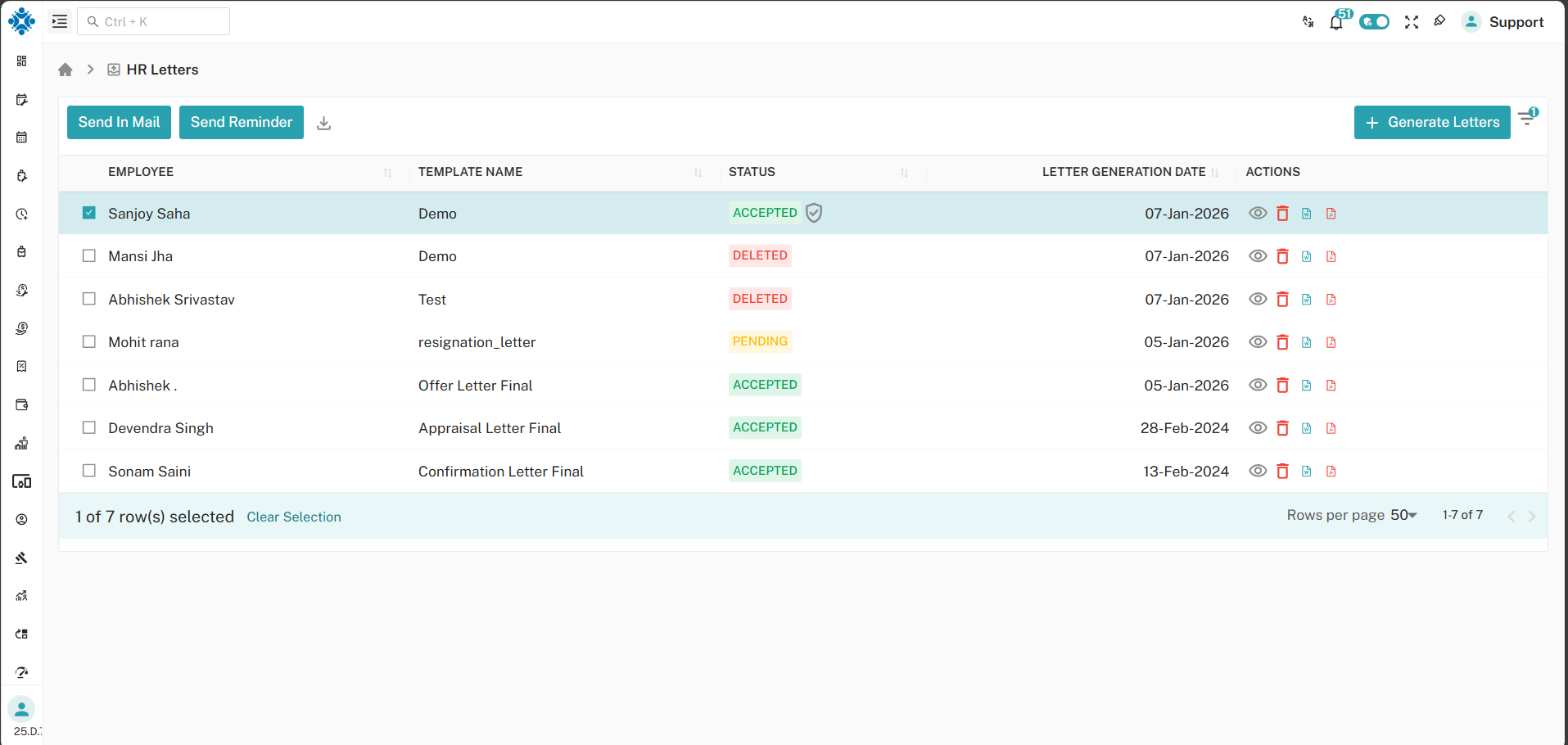
- You can View letter, Delete letter, Download Word file and PDF file, Send mail or reminder to employee.
Important Notes
- DOCX templates work only with Microsoft Word 2007 or later
- Ensure proper alignment, spacing, and justification in the Word file
- Add watermarks only using Word’s watermark feature
- Background images used instead of watermarks will not work
- Headers and footers must be added before uploading the DOCX file
- Page breaks must be managed manually in the Word file
- Always use the preview feature to check the generated letter before finalizing