Live Tracking
Last Updated: February 03, 2026
Document Version: 1.0
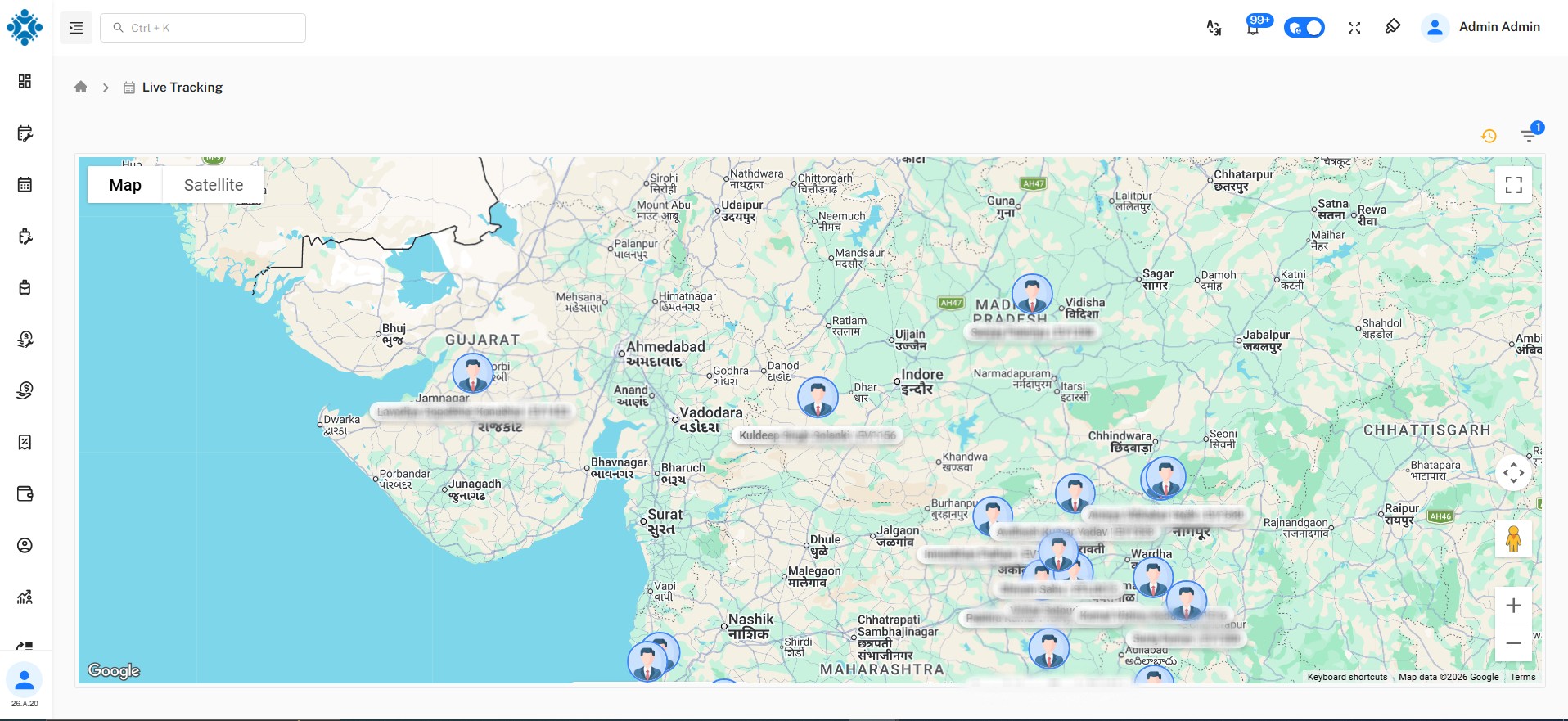
- Live Tracking helps Admin users see the real-time location of employees during their working hours.
- It is mainly used with the Attendance system when employees Punch In and Punch Out.
About Live Tracking
Live Tracking shows:
- Where an employee is currently located
- When and where an employee punched in or punched out
- Employee movement during working hours
This feature is useful for organizations where employees work in the field or from multiple locations.
How Live Tracking Works
- When an employee Punches In, the system captures the employee’s location
- While the employee is working, the system can show their current location
- When the employee Punches Out, the final location is recorded
- All location data is linked with attendance records
What Admin Can See
Using Live Tracking, Admin users can:
- View the current location of employees
- Check Punch In and Punch Out locations
- Verify whether employees are working from the correct area
- Tracking data is displayed only for past 5 to 8 hours from the punch in.
Use Case
Live Tracking is useful when:
- Employees work from the field
- Attendance location verification is required
- Admin wants real-time visibility of employee presence
Important Notes
- Live Tracking works only when attendance punching is used
- Location depends on device and permission availability
- Tracking follows organization attendance policies