LMS Course Management
Last Updated: October 27,2025 Document Version: 1.0 **Prepared for:**Emgage HRMS Implementation Team
Comprehensive Learning Platform The Learning Management System (LMS) provides a complete solution for creating, managing, and tracking educational courses with detailed analytics and participant engagement metrics.
Course Management Overview
Platform Benefits The LMS course management system offers comprehensive educational administration capabilities:
- Structured Learning Paths: Organize content into chapters and assessments
- Progress Tracking: Monitor enrollment completion rates and participant activity
- Flexible Configuration: Set deadlines, mandatory requirements, and applicability criteria
- Multi-format Content: Support for videos, YouTube integration, and textual content
- Real-time Analytics: Track course performance and participant engagement
Course Creation Process
Step 1: Course Basic Information
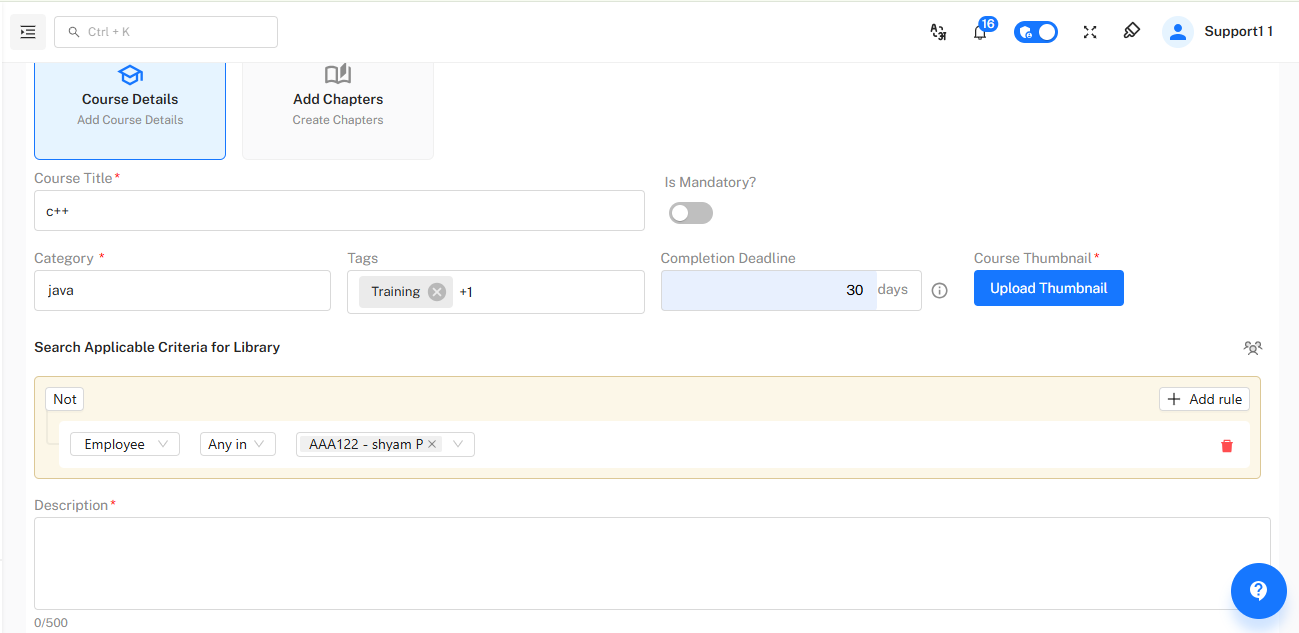
Course Foundation Start by defining the core course properties and target audience criteria.
Required Fields:
- Course Title (e.g., "C++", "Fresh farm")
- Category selection (e.g., "Java" category for C++ course)
- Completion deadline configuration (e.g., 30 days)
- Mandatory course designation
- Thumbnail upload for visual identification
- Tags for categorization and searchability
!Course Details Form
Basic Setup Workflow Initial Configuration Steps:
- Access Course Creation: Navigate to "Add Course Details" from LMS dashboard
- Enter Core Information: Provide course title, category, and description (500 characters max)
- Set Completion Parameters: Define deadline and mandatory status
- Upload Visual Assets: Add course thumbnail for better recognition
- Configure Applicability: Set criteria using employee groups or specific individuals
- Add Search Tags: Include relevant tags like "Training" for better discoverability
Step 2: Applicability Criteria Configuration
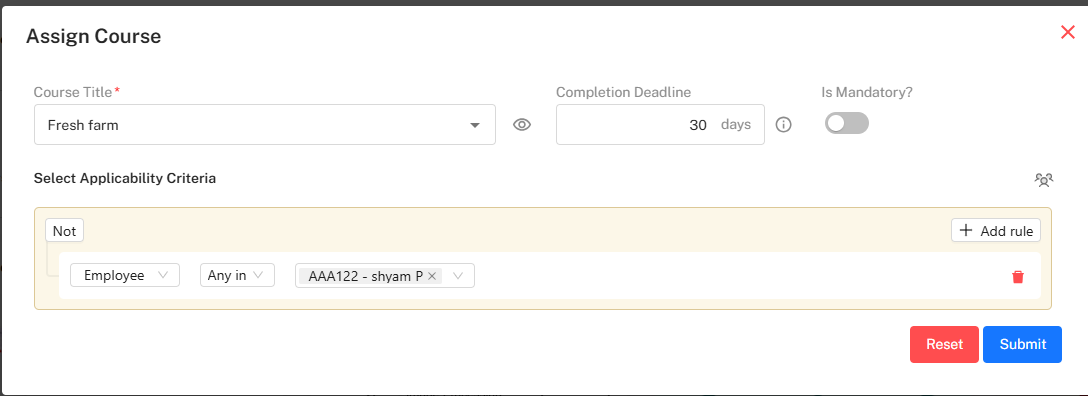
Targeted Learning Define precisely which users should have access to the course through flexible criteria settings.
Selection Options:
- Employee group-based access
- Individual employee selection
- Rule-based criteria creation
- Combination criteria using "Any in" conditions
!Applicability Criteria Interface
Criteria Setup Process Audience Targeting Steps:
- Select Criteria Type: Choose between employee groups, individuals, or custom rules
- Add Specific Employees: Select from list (e.g., "AAA122 - shyam P")
- Create Complex Rules: Use "Add rule" for advanced conditions
- Review Selections: Ensure correct targeting before finalizing
- Save Configuration: Apply criteria to course
Chapter Management
Creating Course Chapters
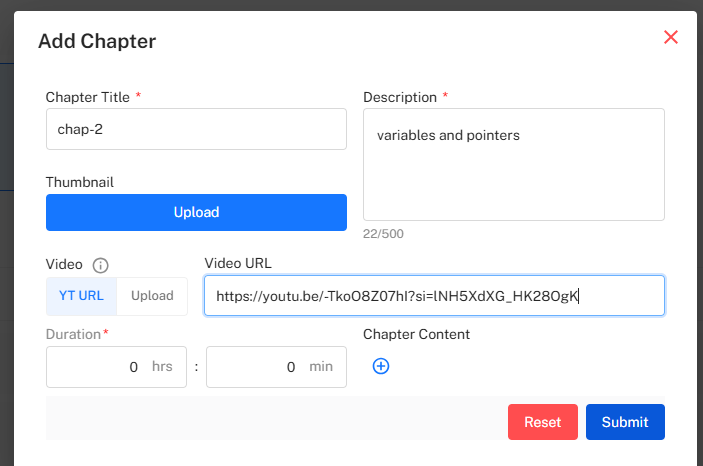
Structured Learning Content Organize course material into logical chapters with multimedia support and duration tracking.
Chapter Components:
- Chapter title and descriptive information
- Video URL integration (YouTube support available)
- Duration tracking in hours and minutes
- Thumbnail uploads for visual organization
- Detailed descriptions for content preview
!Add Chapter Interface
Chapter Creation Workflow Content Development Steps:
- Access Chapter Creation: Click "Add Chapters" from course management
- Define Chapter Properties: Enter title (e.g., "chap-2") and description
- Add Multimedia Content: Upload videos or integrate YouTube URLs
- Set Duration: Define time requirements for completion
- Upload Supporting Assets: Add thumbnails and supplementary materials
- Submit Chapter: Save to course structure
Course Structure and Organization
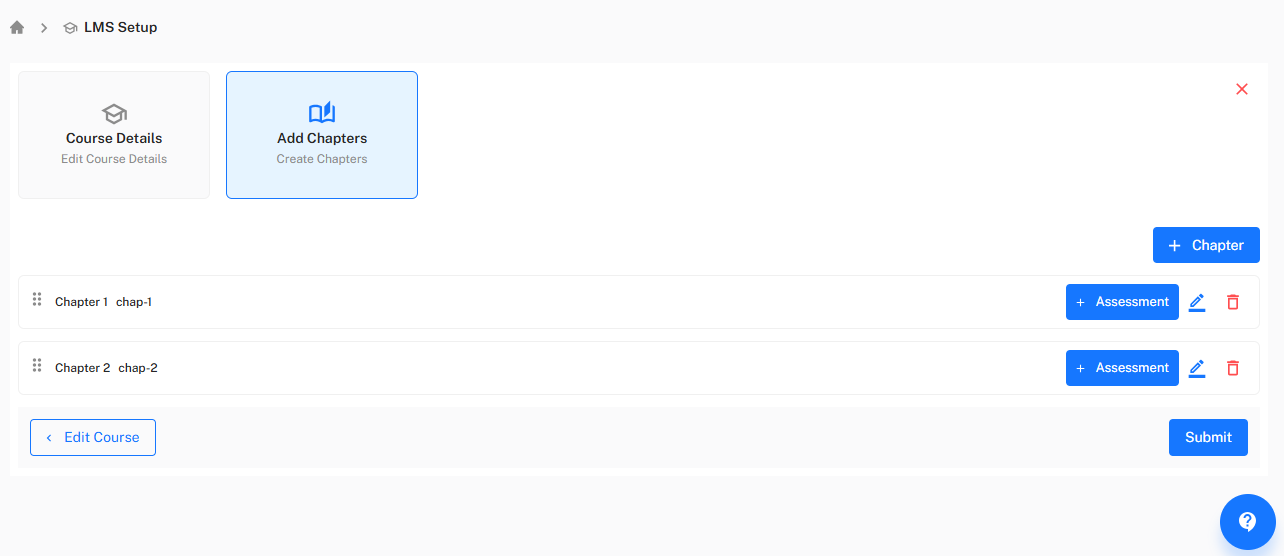
LMS Setup Interface
Course Architecture View and manage the complete course structure with editing capabilities and assessment integration.
Structure Components:
- Sequential chapter organization (Chapter 1, Chapter 2, etc.)
- Assessment creation and management
- Course detail editing access
- Chapter rearrangement capabilities
!LMS Setup Dashboard
Structure Management Organization Workflow:
- Review Course Layout: View chapter sequence in LMS Setup
- Edit Course Details: Modify basic information as needed
- Add Assessments: Integrate quizzes and tests at appropriate points
- Manage Chapter Order: Rearrange learning sequence for optimal flow
- Submit Final Structure: Publish organized course to learners
Analytics and Tracking
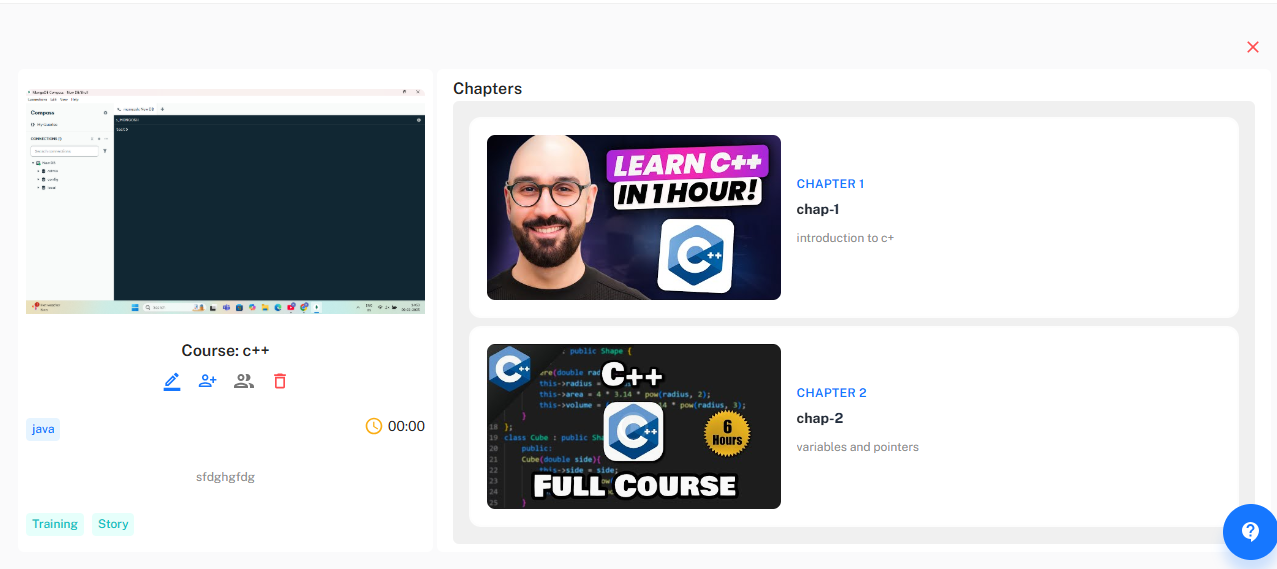
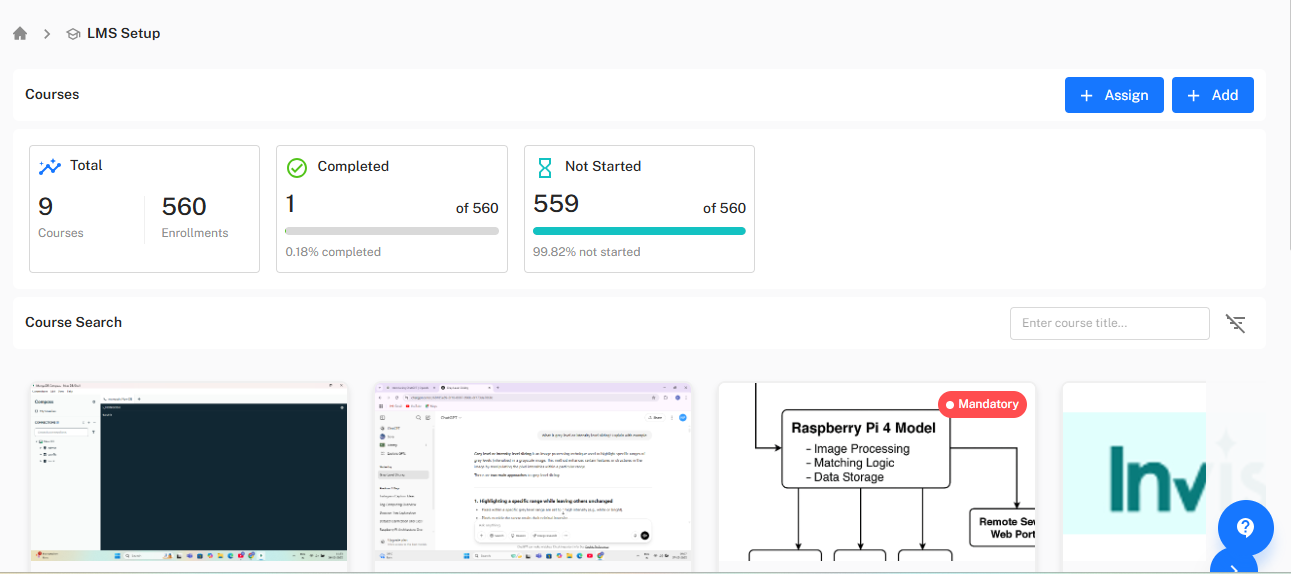
Course Performance Dashboard
Comprehensive Metrics Monitor course engagement and completion rates with detailed analytics.
Key Performance Indicators:
- Total courses and enrollment counts
- Completion rates and percentages
- Not started vs. in-progress tracking
- Individual course performance metrics
!Analytics Dashboard
Monitoring Workflow Performance Tracking Steps:
- Access Dashboard: View main LMS analytics interface
- Review Enrollment Metrics: Monitor total enrollments and completion rates
- Analyze Completion Data: Track progress percentages (e.g., 0.18% completed)
- Identify Engagement Patterns: Spot trends in course participation
- Generate Reports: Export data for further analysis
Recent Activity Monitoring
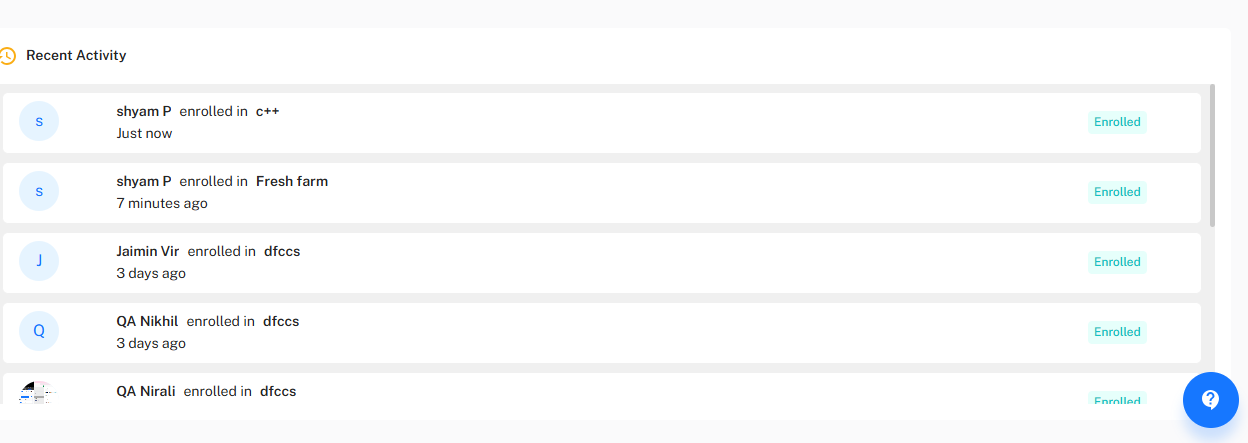 Real-time Engagement
Track participant activities and enrollment patterns as they happen.
Real-time Engagement
Track participant activities and enrollment patterns as they happen.
Activity Types Tracked:
- New enrollments with timestamps
- Participant progress updates
- Course access patterns
- Completion milestones
!Recent Activity Feed
Activity Review Process Engagement Monitoring Steps:
- Access Activity Feed: Navigate to recent activity section
- Monitor New Enrollments: Track participant registrations
- Review Timelines: Note activity recency (e.g., "Just now", "7 minutes ago")
- Identify Active Participants: Recognize engaged users
- Spot Usage Patterns: Detect trends in course access
Course Discovery and Search
Library Management
Content Discoverability Enable easy course discovery through robust search and categorization features.
Search Capabilities:
- Course title search functionality
- Category-based filtering
- Tag-based discovery
- Duration-based sorting
!Course Search Interface
Discovery Workflow Content Finding Process:
- Access Search Function: Use "Enter course title..." search field
- Apply Filters: Narrow results by category, tags, or duration
- Browse Catalog: Review available courses with detailed previews
- View Course Details: Access full descriptions and requirements
- Enroll or Manage: Take appropriate action based on user role
*Next: Explore Assessment Management for creating and tracking quizzes, tests, and learning evaluations within your courses.