Lookup Status
Last Updated: February 03, 2026
Document Version: 1.0
About Lookup Status
- Lookup Status is used to manage predefined values (master data) that appear as dropdown options across the system.
It helps Admin users control what options users can select while filling forms such as:
- Qualification (SSC, HSC, Bachelor Degree), Skill Set, Designation Employment Type, Loan Type, Leave Code, Company Type and many more.
This ensures data consistency and avoids manual or incorrect entries.
- Click on the Search bar (Ctrl + K), Type Lookup Status and Select Lookup Status
Lookup Status Page Overview
The Lookup Status page contains two main tabs:
- Lookup Type Master List
- Employment Type Master
Lookup Type Master List
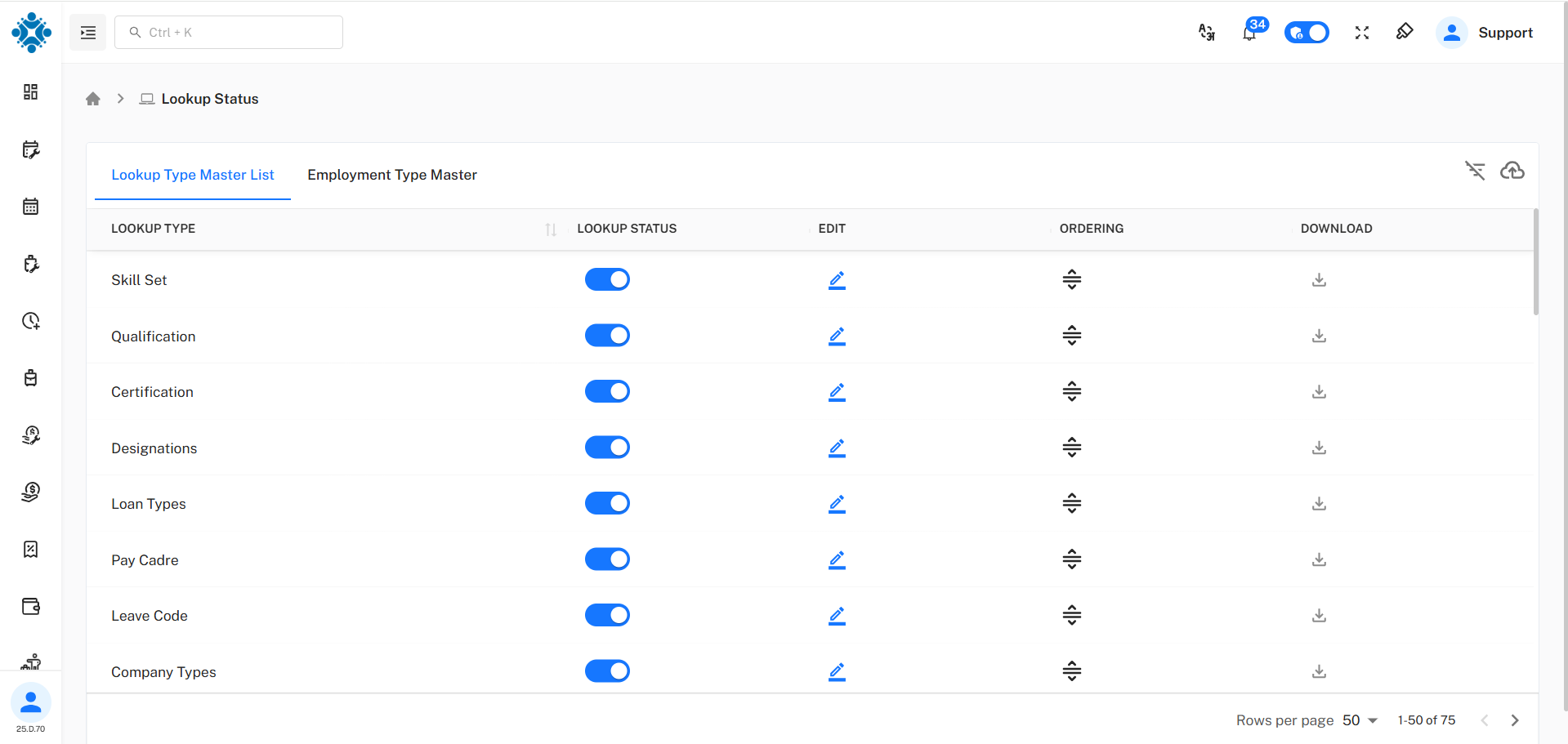
This tab shows all lookup categories used in the system.
Examples:
- Skill Set, Qualification, Certification, Designations, etc.
Each lookup type controls what values appear in dropdown fields across the application.
Available Actions
| Action | Description |
|---|---|
| Status Toggle | Enable or disable the lookup type |
| Edit | Modify lookup type settings |
| Ordering | Change display order |
| Download | Export lookup data |
Why Lookup Type Is Important
For example:
- In Qualification, instead of typing manually, users select:
- SSC, HSC, Bachelor Degree, Master Degree
This ensures:
- Clean data, No spelling mistakes, Standard values across reports
Manage Lookup Values
-
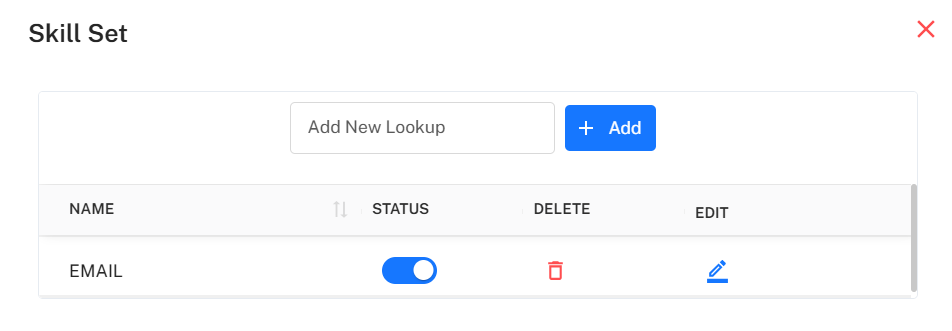
Example: Skill Set lookup type is used to manage different skills that employees can have. You can edit the skill set values as per needs.
-
Here you can:
- Add new values, Enable or disable values, Edit in existing values or Delete unused values
Available Options
| Option | Description |
|---|---|
| Add New Lookup | Add a new value |
| Status Toggle | Enable / Disable value |
| Edit | Update value name |
| Delete | Remove value |
Employment Type Master
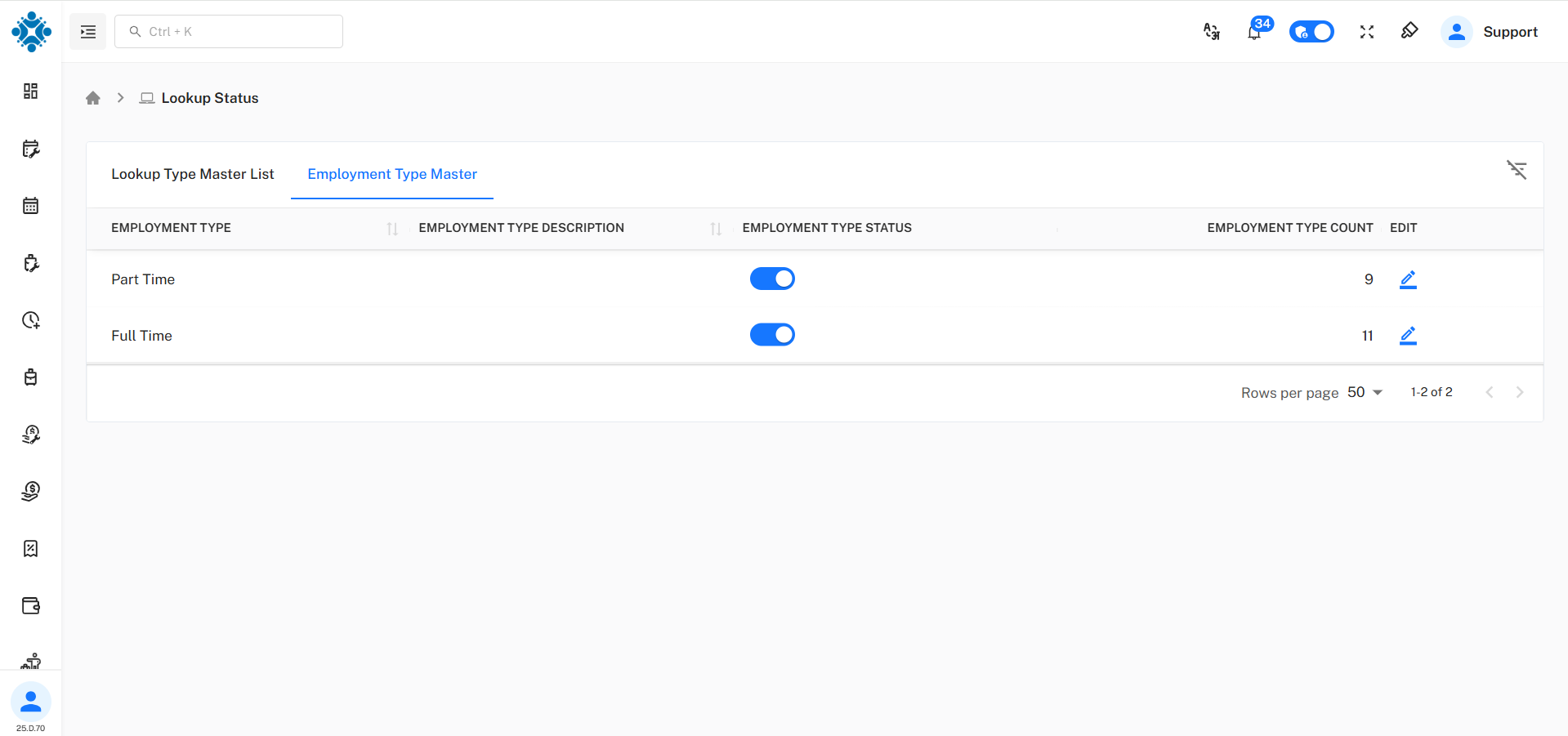
- This tab is used to manage types of employment.
- Full Time
- Part Time
Each employment type can be:
- Enabled or disabled
- Edited
- Counted (number of employees using it)
- Lookup Status helps Admin users to:
- Control dropdown values across the system
- Maintain clean and consistent data
- Avoid free-text entry mistakes
- Easily update master values without developer support
It is mainly used to define what options users can select, such as:
- Qualification (SSC, HSC, Degree), Skills, Designations, etc.