Master Report List
Overview
The Master Report List provides a centralized view of all available master reports within the system. Employees and administrators can easily understand report purposes, filter required data, and download reports in Excel format for analysis and record-keeping.
1. Master Report List Page
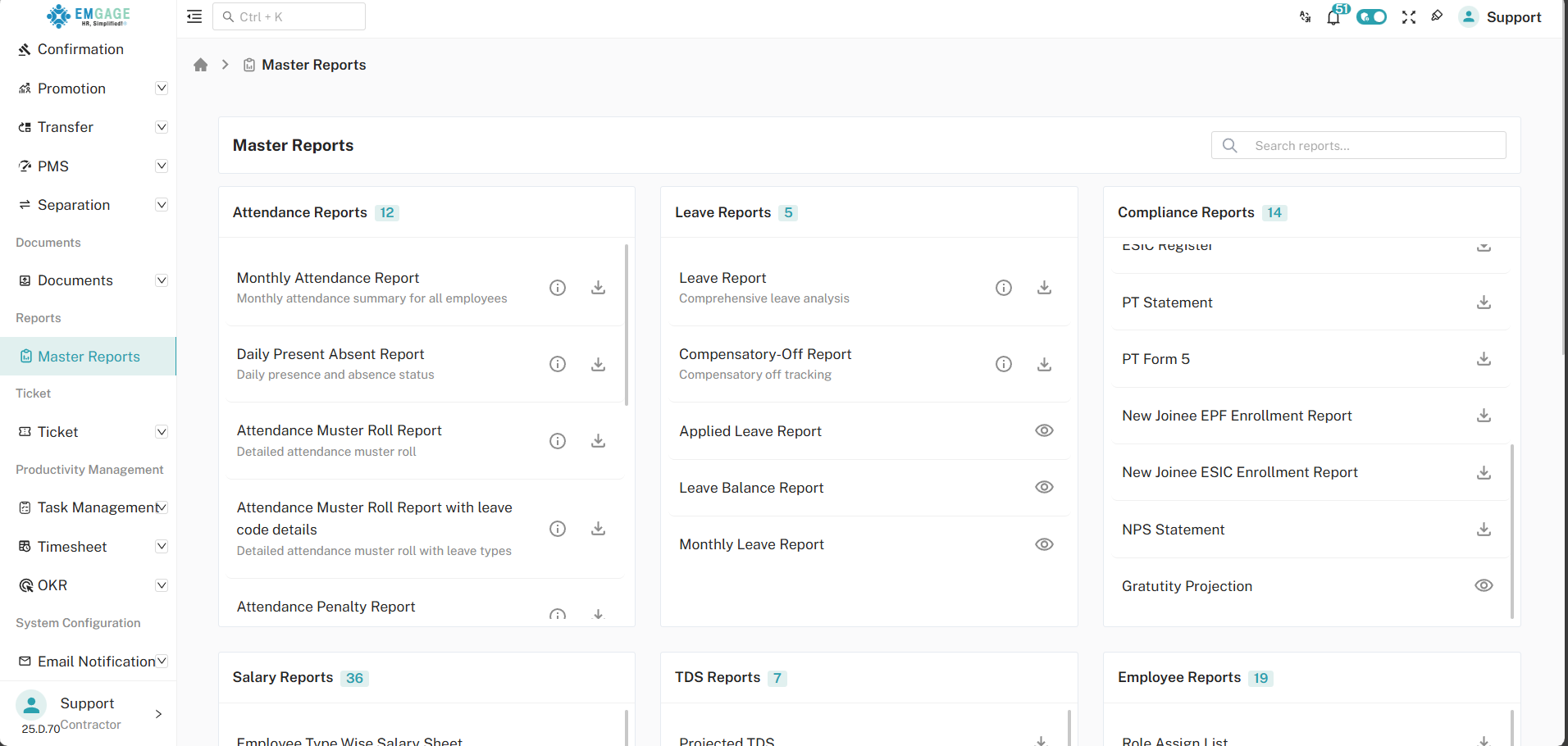
This page displays all available master reports in a structured list format.
Key Highlights
- Displays the complete list of master reports
- Each report represents a specific data set or module
- Easy access to report details and download options
The List of Master Reports section shows individual reports along with action buttons.
Information Displayed
- Report Name
- Description Icon (ℹ️)
- Download Button
Users can quickly identify and select the report they need from this list.
2. View Report Description (Info Button)
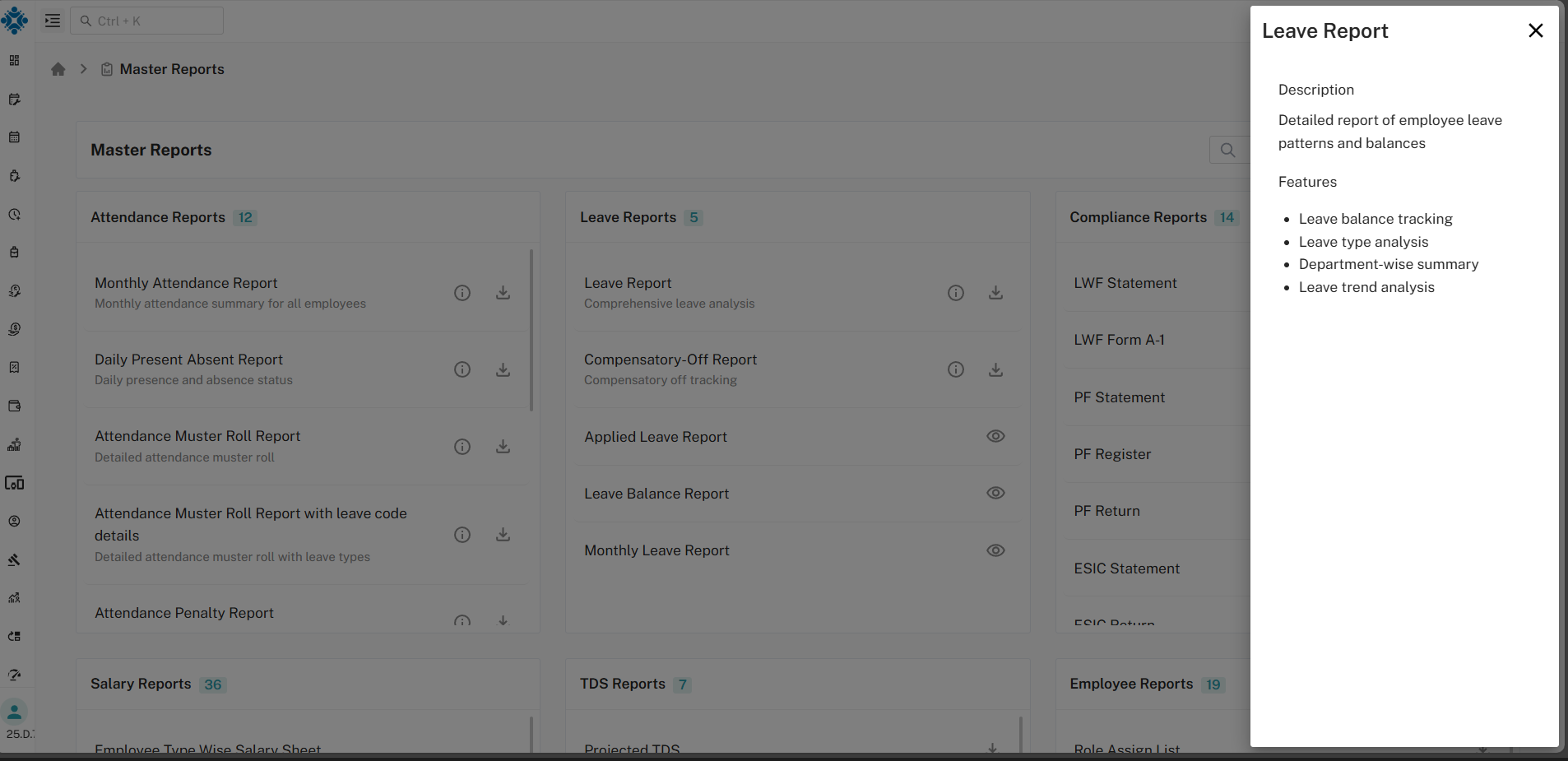
By clicking on the Info (ℹ️) button, employees can view the detailed description of the selected report.
Description Includes
- Purpose of the report
- Type of data covered
- Usage or reference details
This helps users clearly understand the report before downloading it.
4. Download Report (Filter & Export)
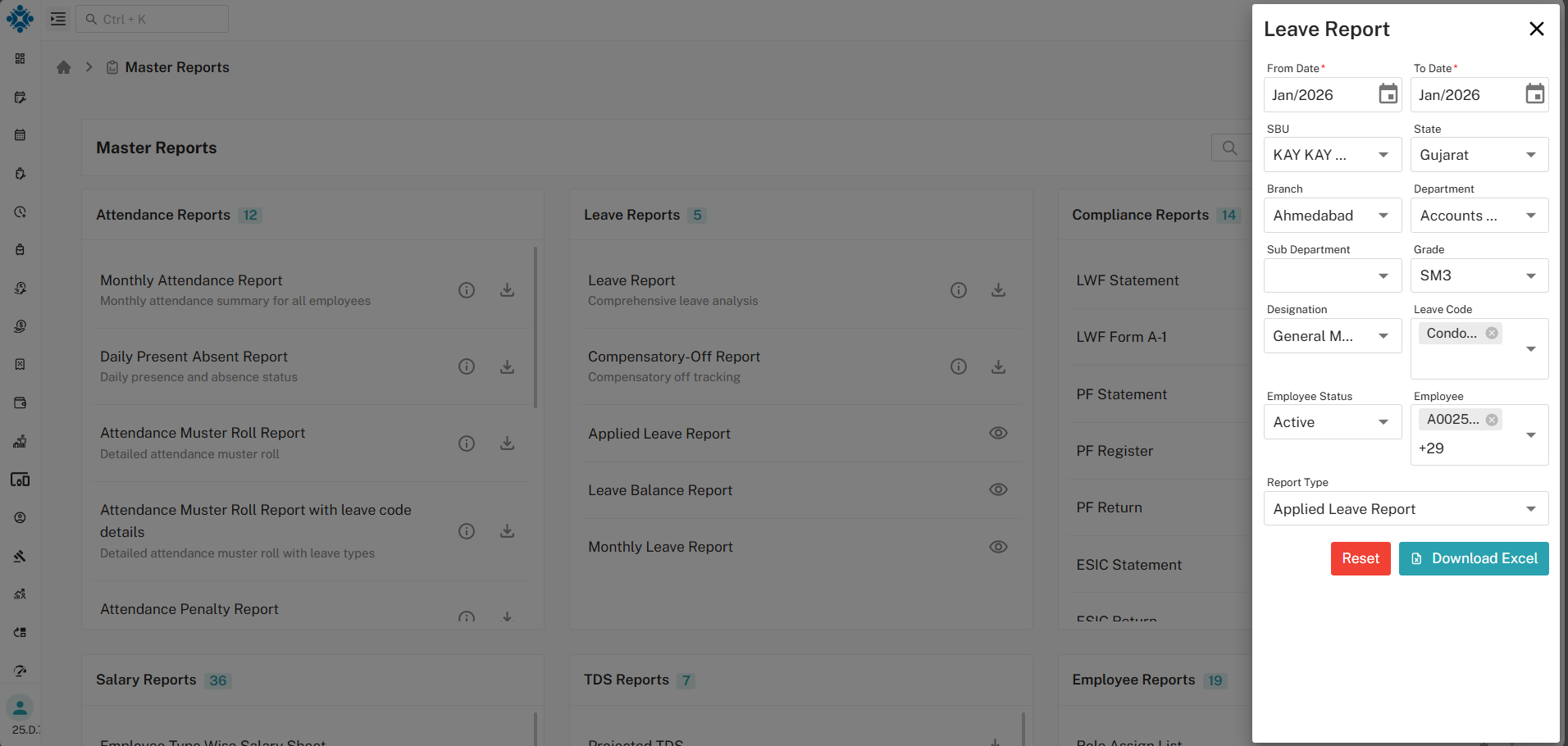
Clicking the Download button opens the filter section for the selected report.
Filter Options
- Date range
- Employee or category-based filters
- Other report-specific criteria
After applying the required filters, users can proceed to export the data.
5. Download Excel File
Once filters are applied:
- Click on Download Excel
- The system generates an Excel file based on the selected criteria
- Only filtered and relevant data is included in the file
This ensures accurate and customized report downloads.
Master Report Workflow
- View all available master reports
- Review report details using the Info (ℹ️) button
- Click Download for the required report
- Apply filters to refine the data
- Click Download Excel to export the report
Key Benefits
- Centralized access to all master reports
- Clear report descriptions for better understanding
- Advanced filtering before export
- Excel-based downloads for easy analysis
- Efficient and user-friendly reporting system