Department Master Administration
Department Master Administration
The Department Master module in Emgage HRMS enables organizations to establish and maintain their department hierarchy for workflow, reporting, and payroll assignment. Every department record is tracked with parent relationships, HOD assignment, and full activity history for HR and compliance needs.
Module Overview
Primary capabilities include:
Department Profiles: Specify department name, parent department, head of department (HOD), staff contact, and org chart visibility.
Parent-Child Relationships: Hierarchically organize departments for charting and workflow logic—assign parent departments in multi-layered org structures.
Activation Toggle: Instantly enable or disable departments for assignment or reporting. Disabled departments cannot be assigned employees.
Comprehensive Audit Trail: Every add/edit and activation/inactivation event is logged with who/when/what for compliance.
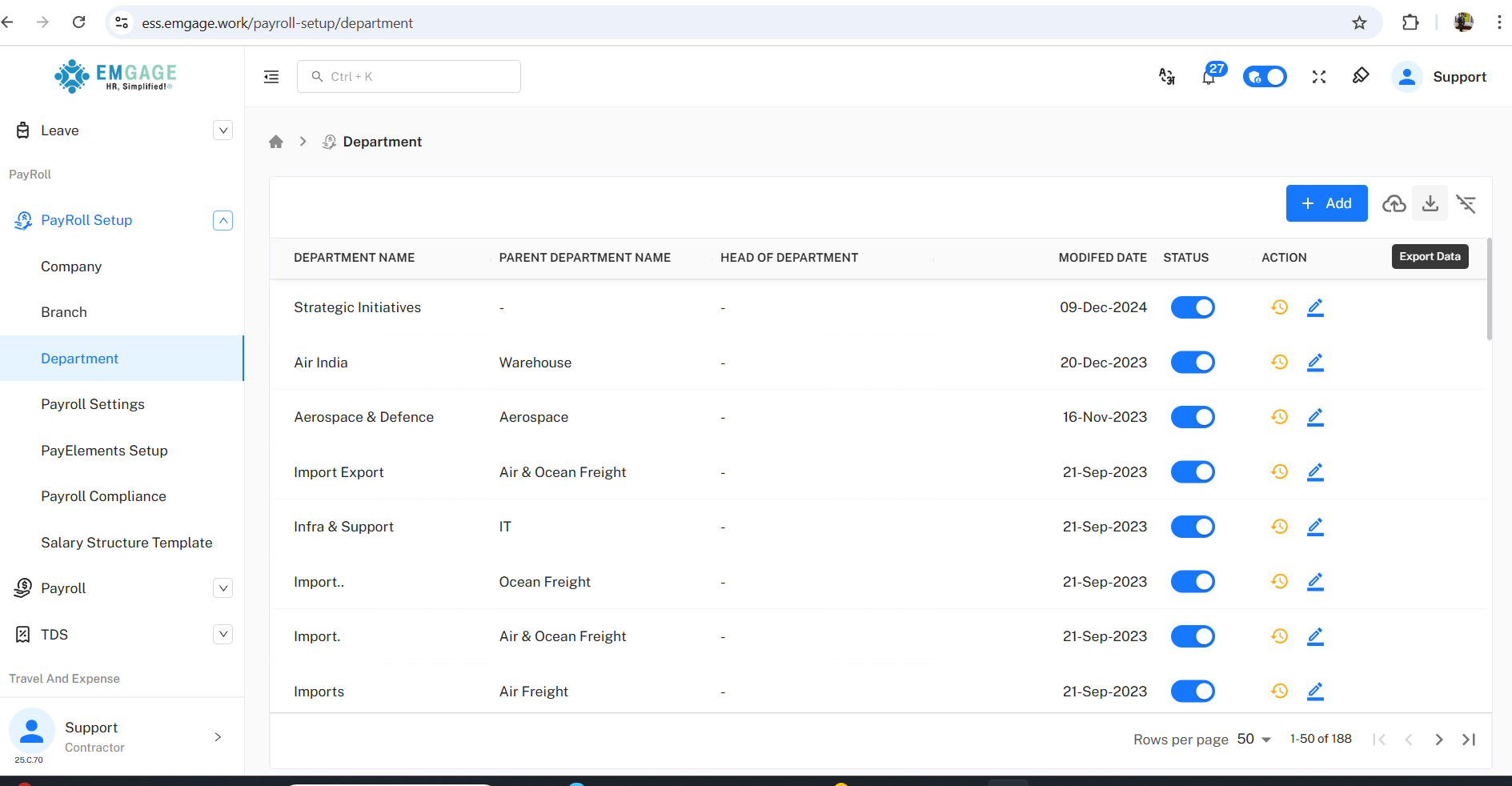
Bulk Import/Export: Import department lists; export current structure for documentation or analytics.
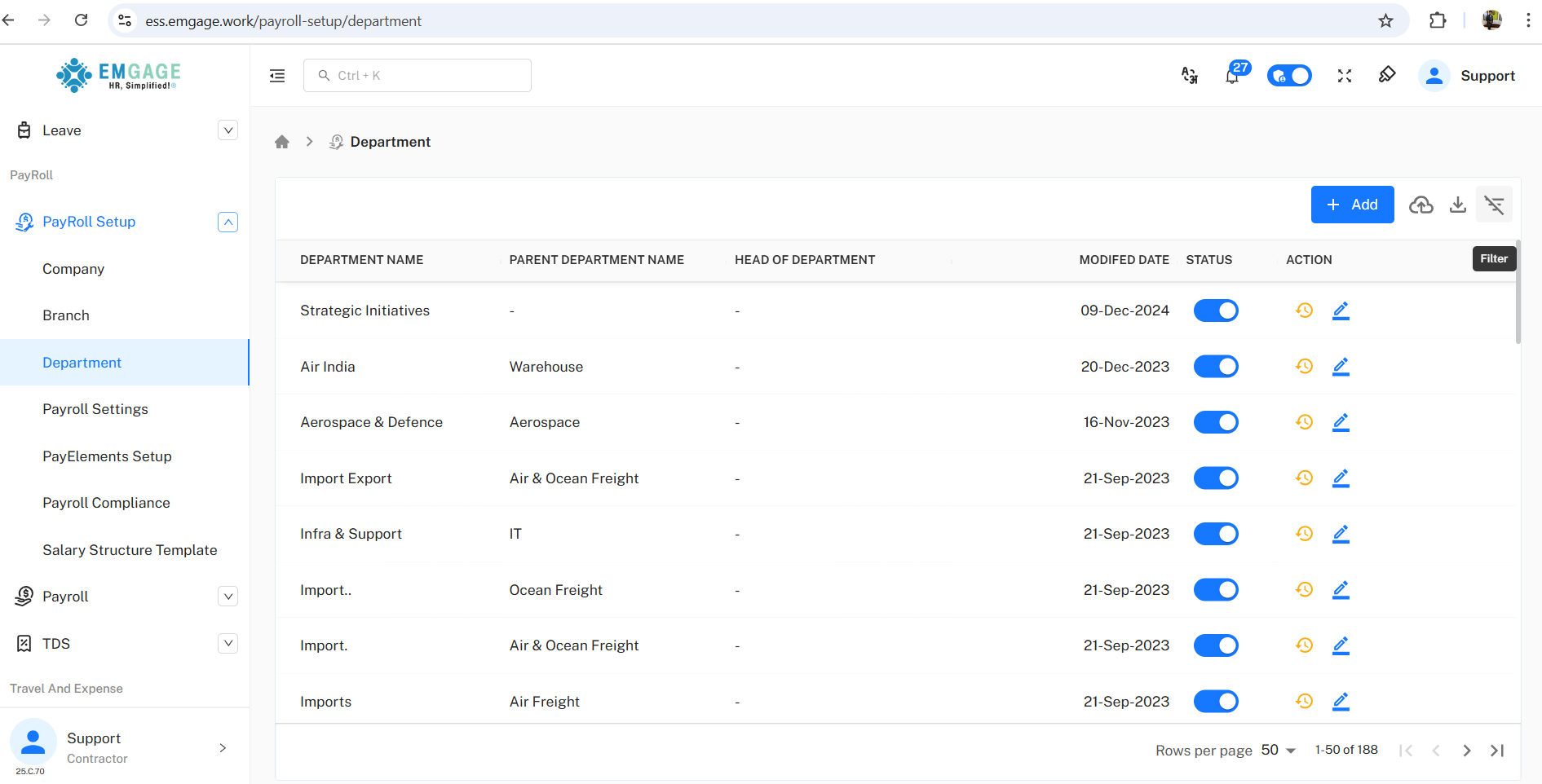
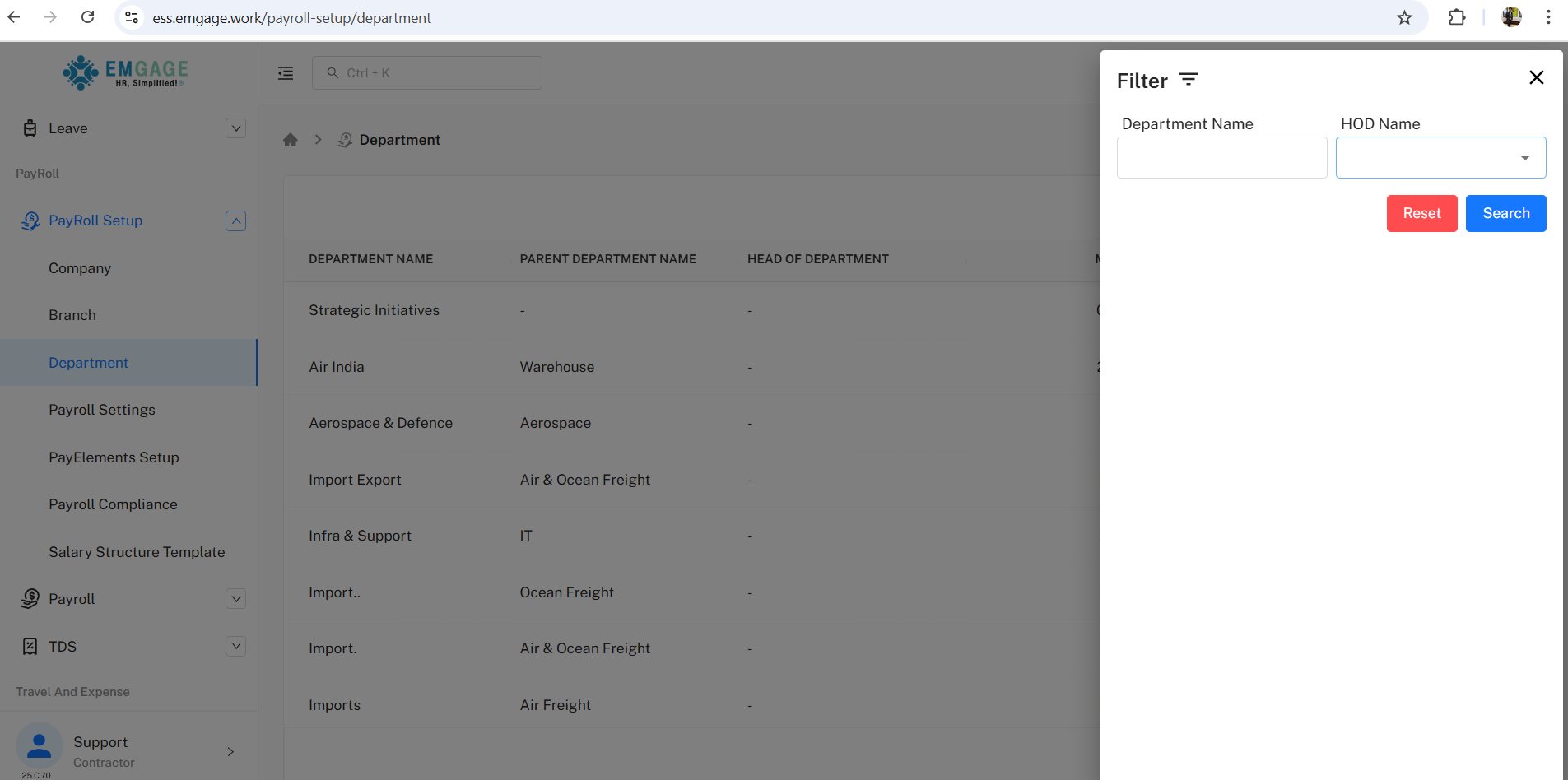
Advanced Filtering: Filter/search by department, HOD, status, or report structure for quick navigation and updates.
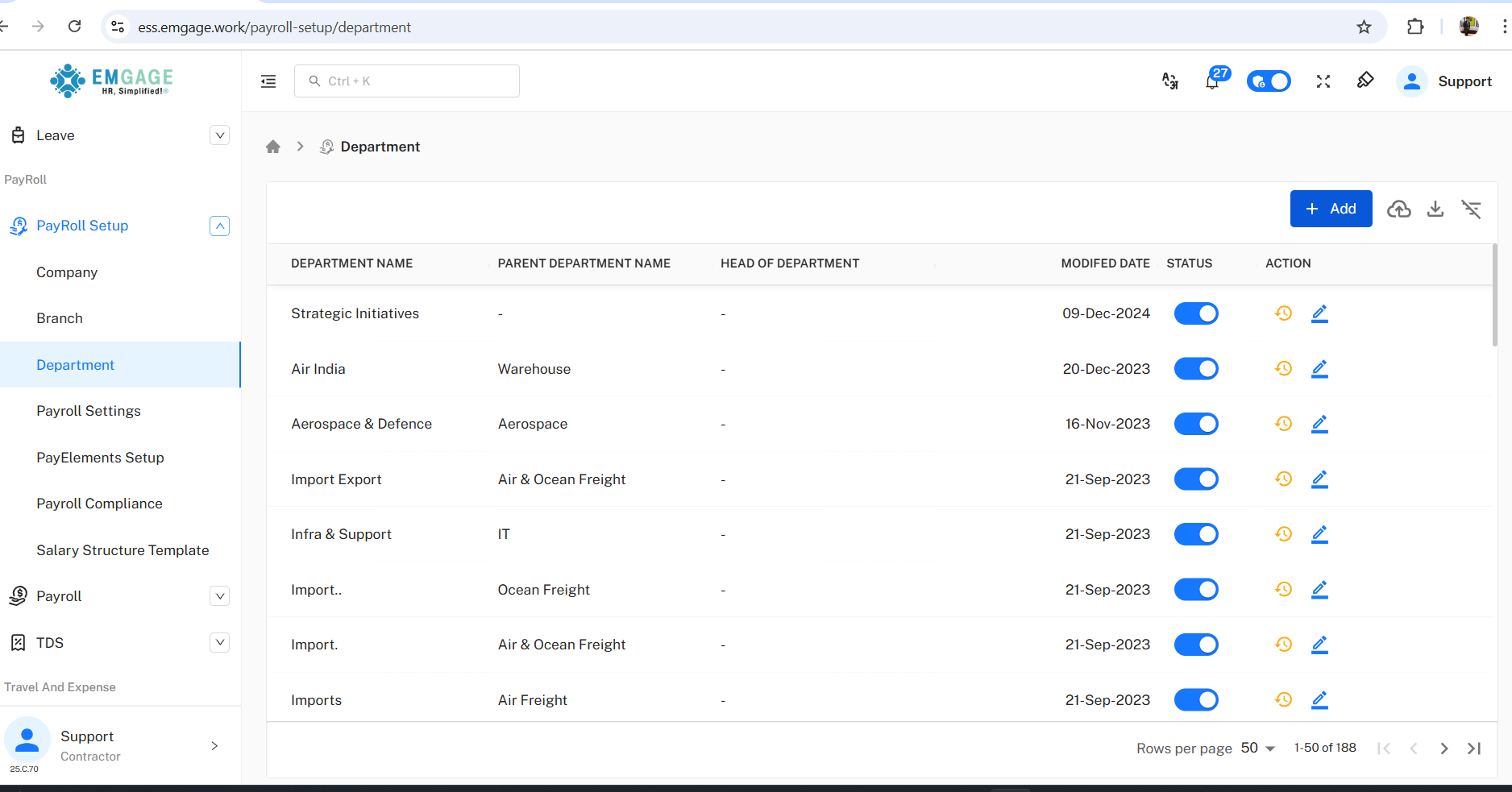
Department List View
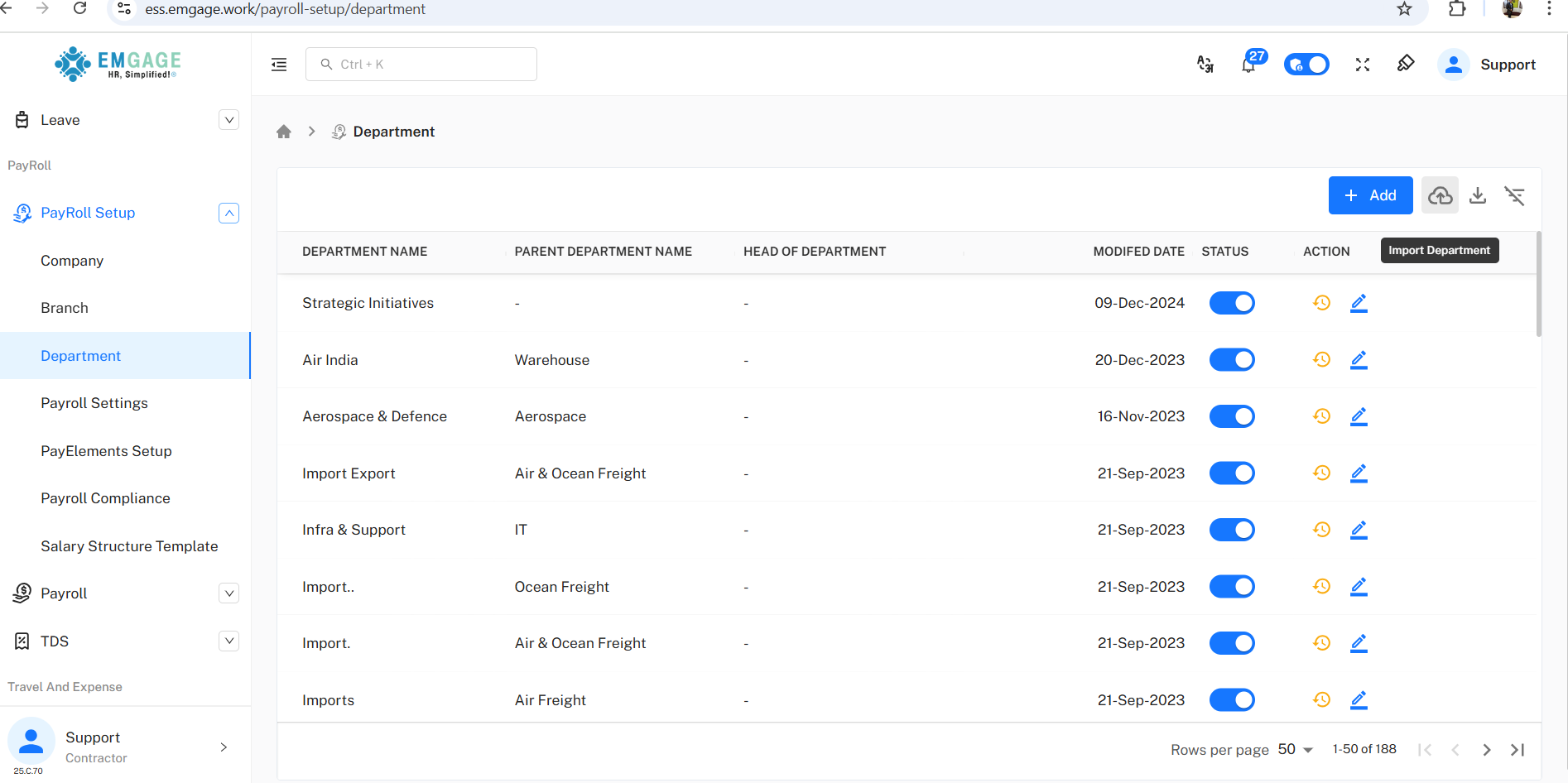
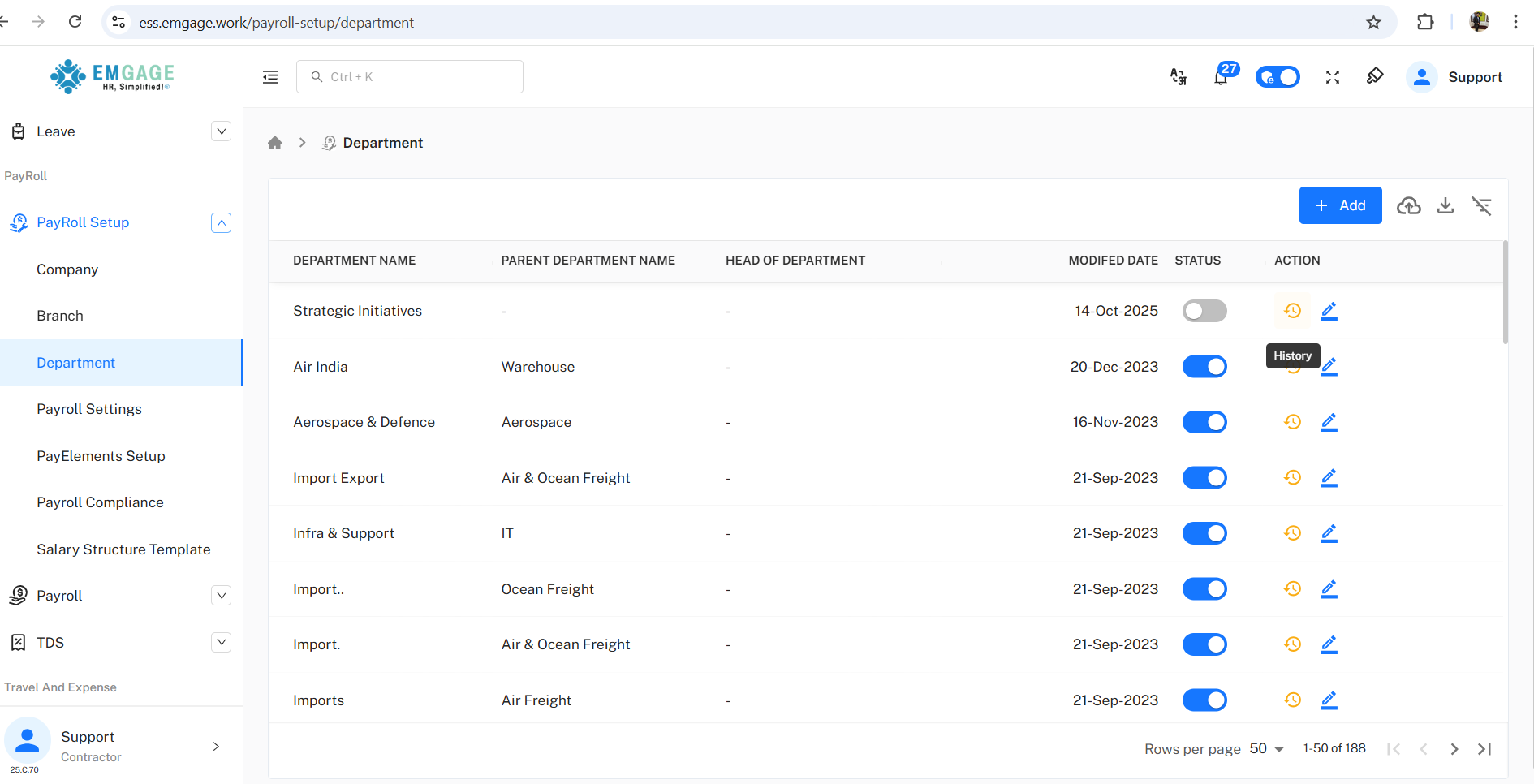
A dashboard shows key department information and controls for all configured units.
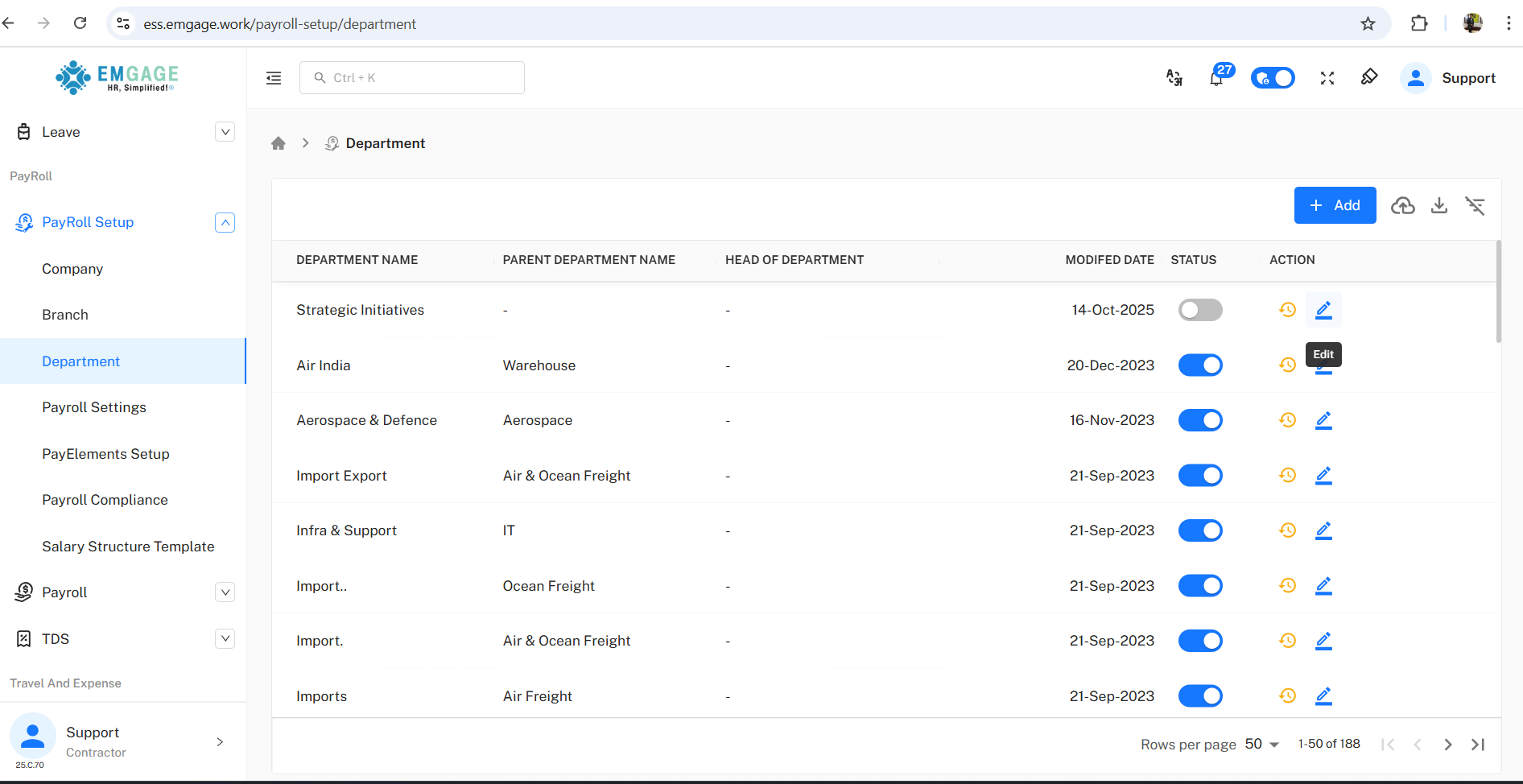
Actions: Edit department, view full history, add new unit, or bulk import/export.
Activation Toggle: For immediate enable/disable across HR and assignments.
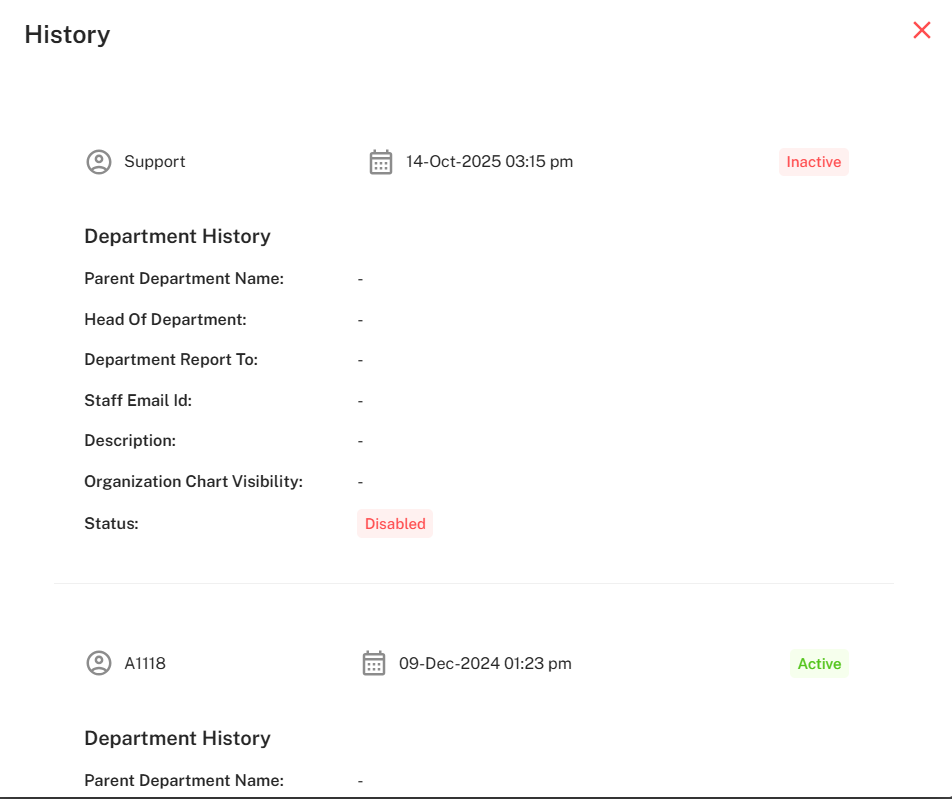
Audit Trail: Log includes who changed status, time, new vs. previous fields for traceability.
Adding & Editing Departments
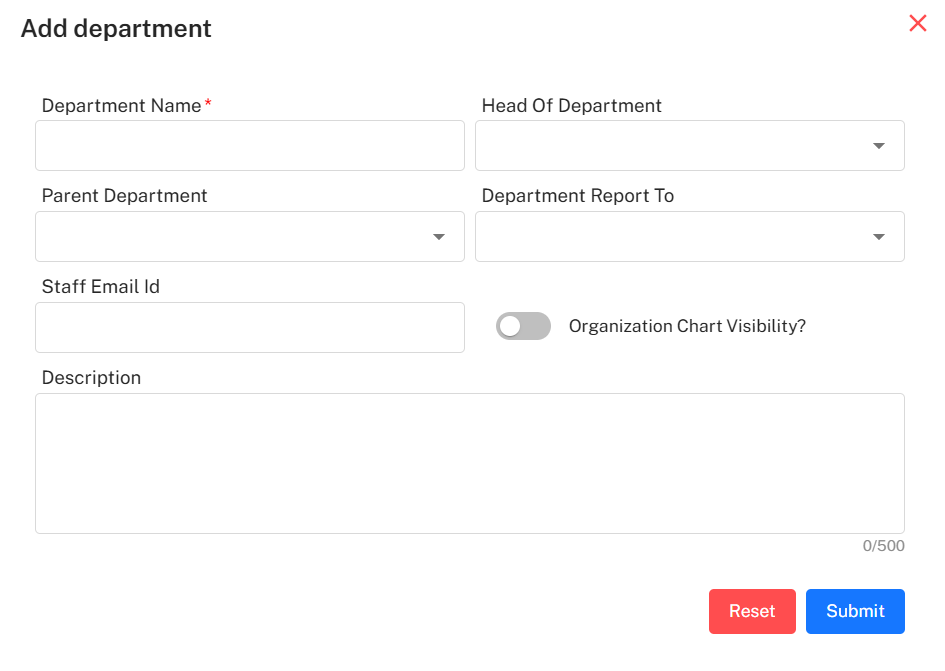
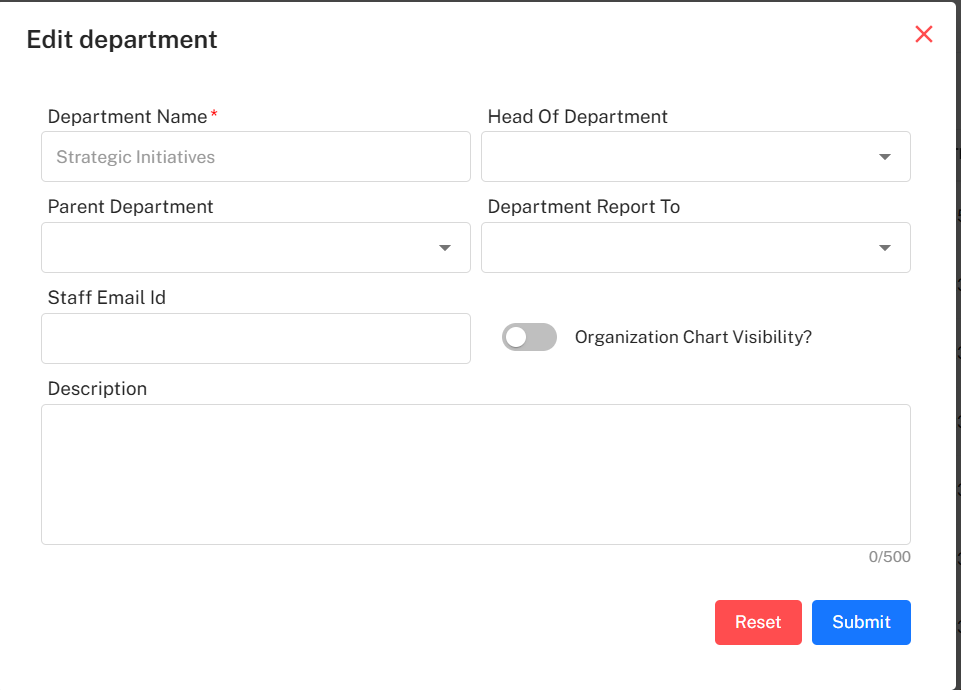
Department add/edit popups highlight key entry and logic fields:
Department Name (required)
Head Of Department
Parent Department (dropdown for selection)
Department Report To
Staff Email Id
Description (up to 500 chars, for HR and workflow context)
Organization Chart Visibility (toggle to include/exclude from org charts)
Mandatory Fields: Red asterisks indicate required fields for validation.
Bulk Actions & Filters
Bulk Import: Quickly onboard or reconfigure full department lists via import function.
Filter/Search: By name, HOD, status, parent, or reporting logic to isolate specific units.
Rows per Page: Display large lists (e.g., 188 departments per org) for big organizations.
History & Status Changes
All department add, edit, activation/inactivation are saved:
Dialog Confirmation: E.g., “Are you sure want to deactivate Strategic Initiatives?” with Confirm/Cancel action.
Change Logging: Who changed, when, details (parent, HOD, report, staff, description, chart visibility, status).
Example: Support disabled Strategic Initiatives on 14-Oct-2025, previously enabled by A1118 on 09-Dec-2024.
Detail Audit: Each department retains all previous field states, staff, chart inclusion, reporting, and status change history.
Best Practice Workflow
Add/Edit Department: Fill out all required fields, including parent and reporting structure when applicable.
Activate/Deactivate: Only use enabled departments for employee assignments.
Bulk Import/Export: Use import for initial setup; export for compliance or reorganization.
Track Change History: Always review before major changes to ensure compliance with HR logic.