Pay Elements Setup Administration
Pay Elements Setup Administration
The Pay Elements Setup module in Emgage HRMS allows defining recurring and ad-hoc earnings and deductions for payroll, controlling calculation/payment cycles, compliance triggers, and sequencing for payslip display.
Module Overview
Major capabilities include:
Flexible Configuration: Add/edit pay element name, display name, type (Earning/Deduction), and frequency (recurring/ad-hoc).
Cycle Alignment: Assign calculation/payment cycles (monthly or otherwise) and link to compliance triggers (PF, PT, ESIC, Tax).
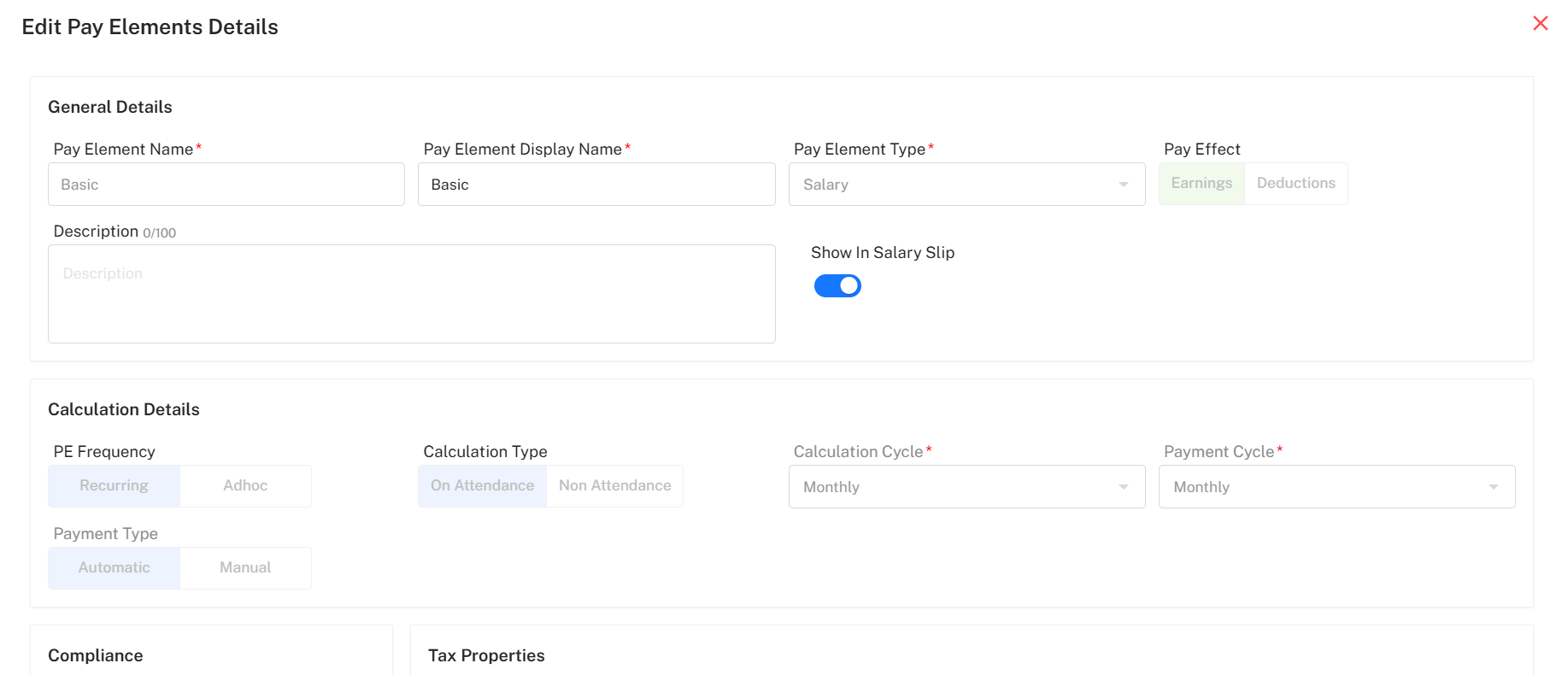
Edit/Add/Delete: Use pop-up forms to define calculation type, show/hide on salary slip, set compliance rules, and set effect (earning/deduction).
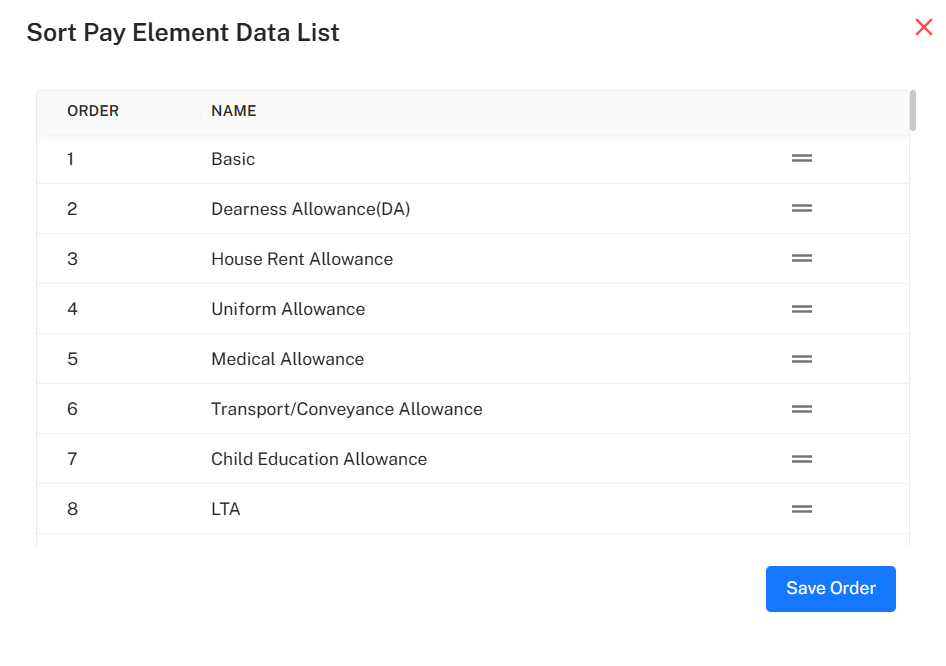
Order Sequencing: Drag-and-drop sorting ensures payslips display components in specified order.
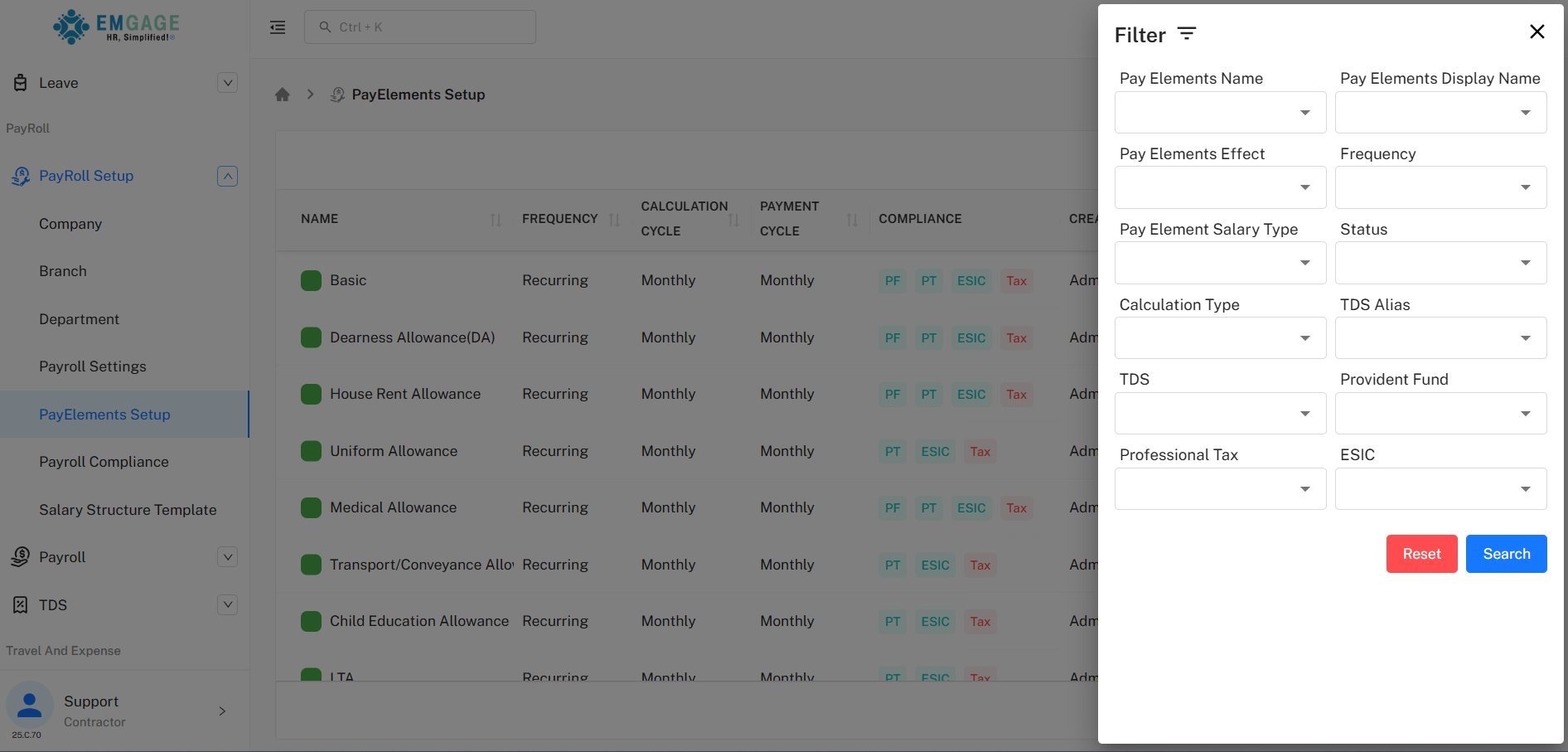
Bulk Export/Filter: Export pay elements grid or apply advanced multi-field filters.
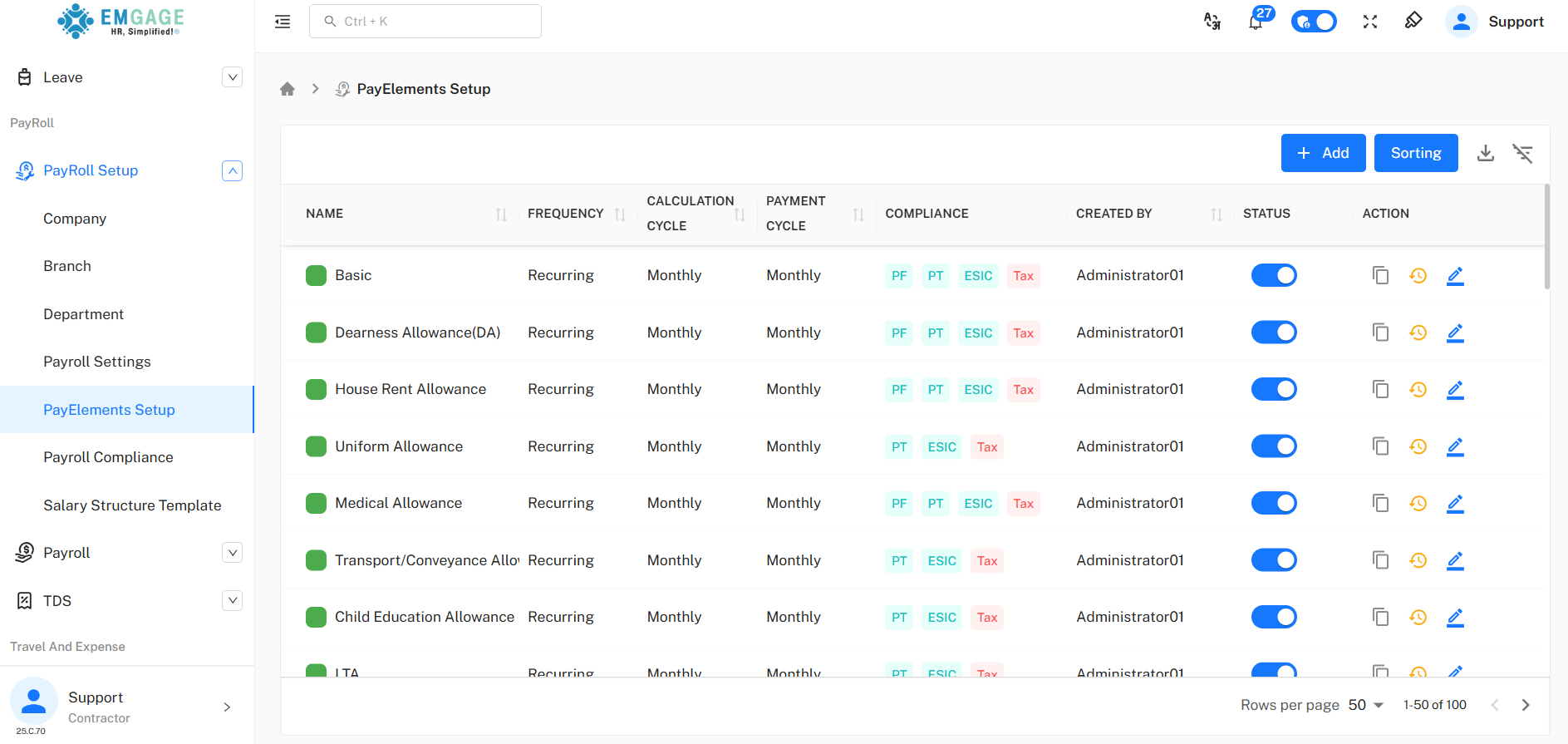
Pay Elements List
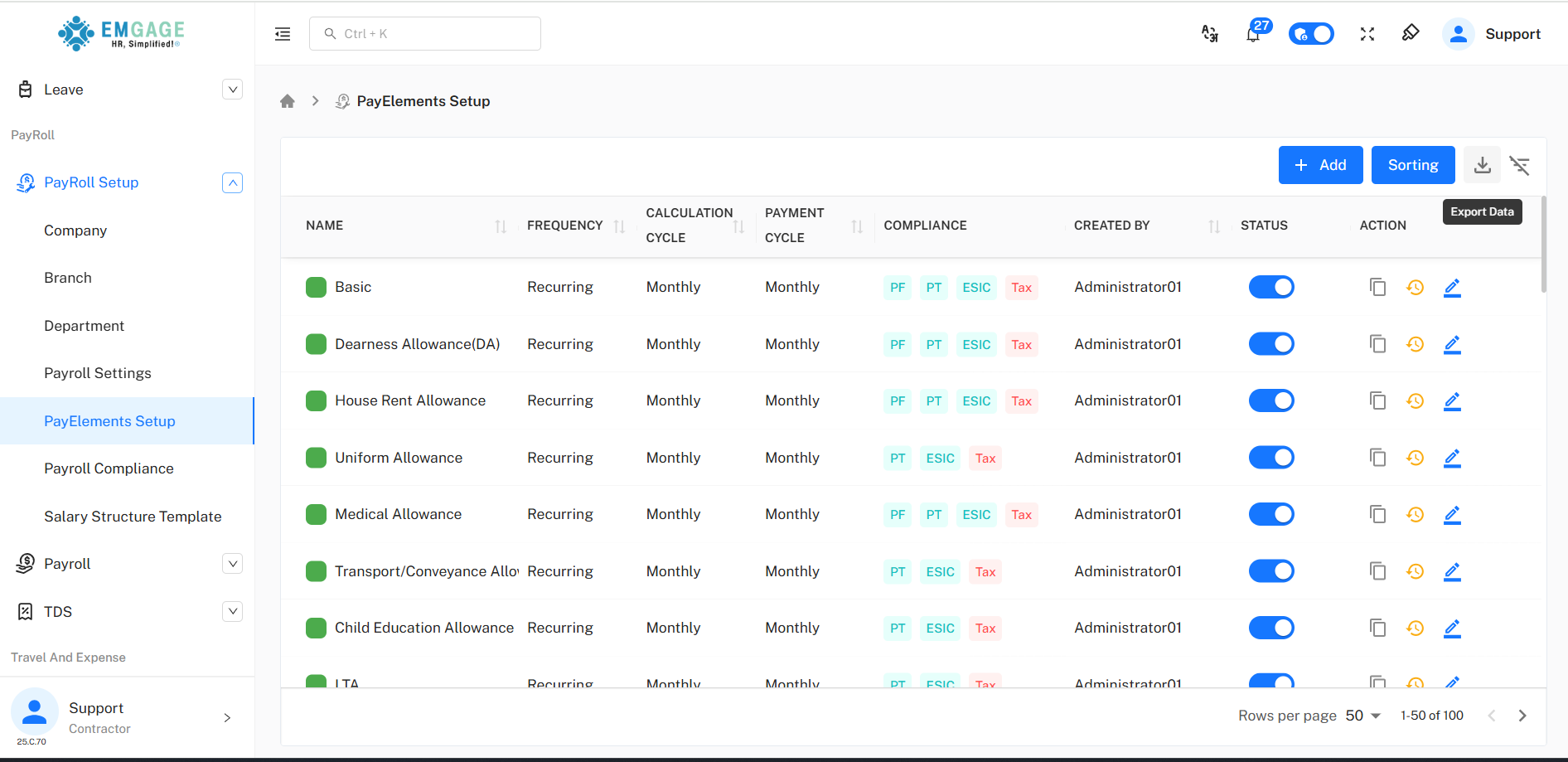
A dashboard lists all configured pay elements with status toggle and quick actions.
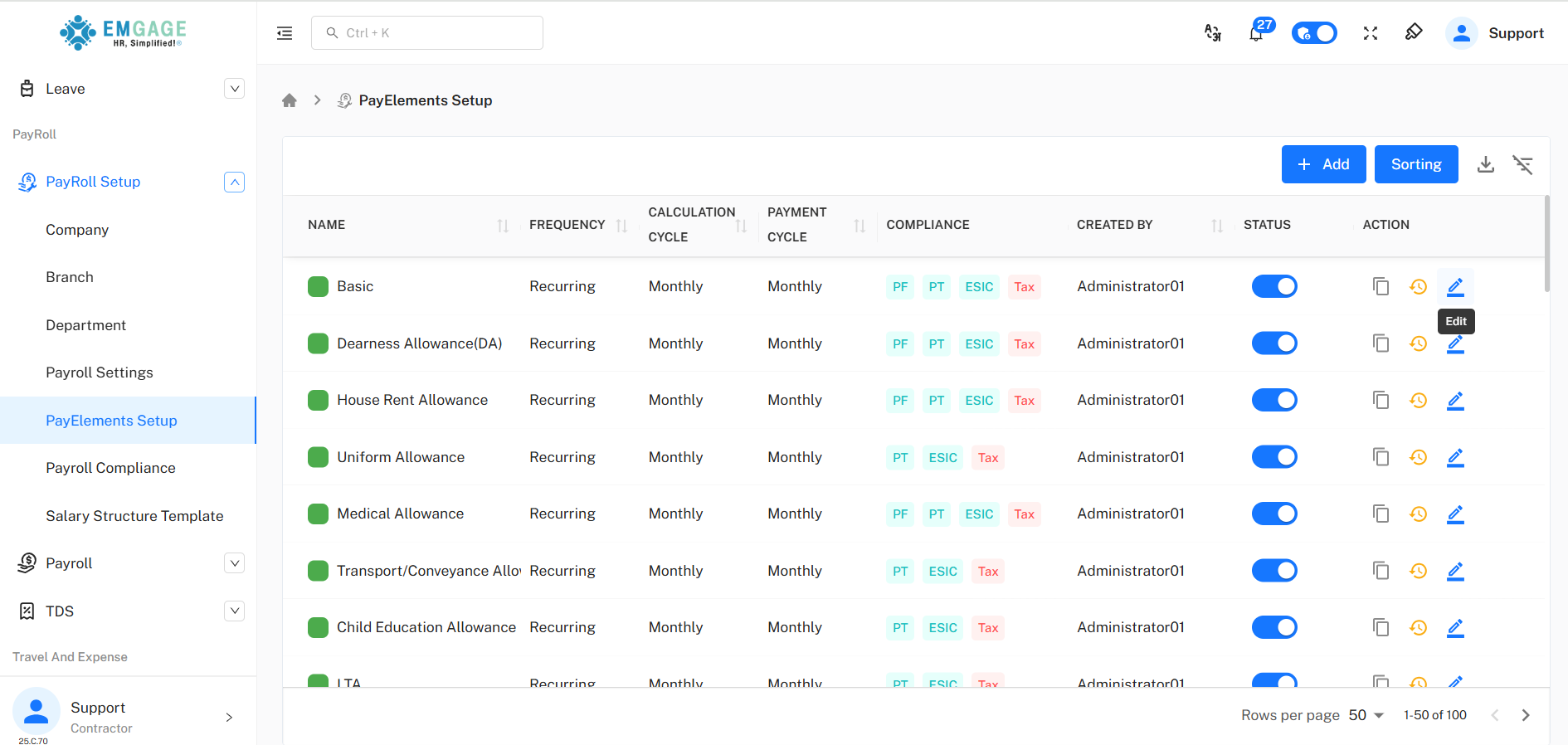
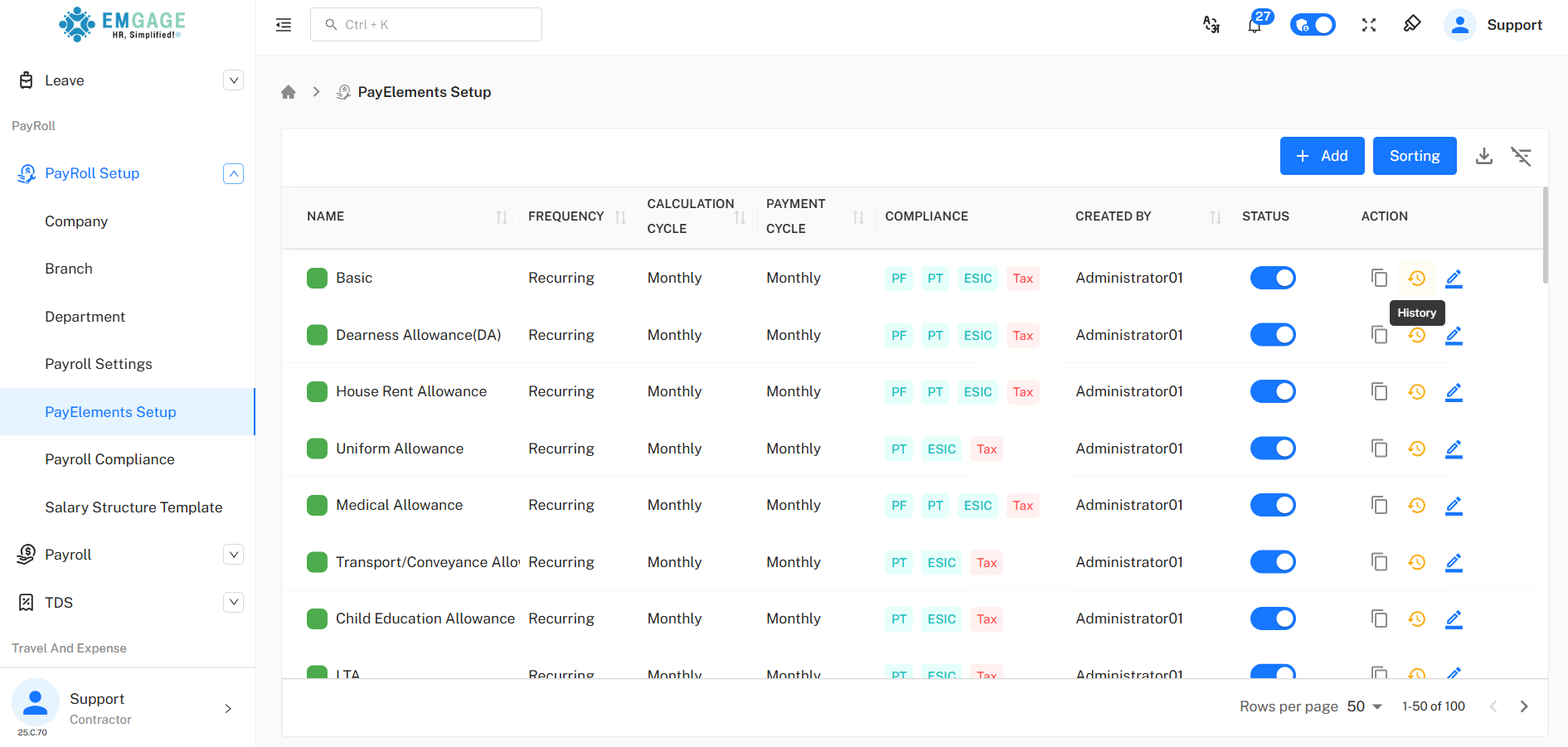
Actions: Copy, view history, edit details in popups for quick maintenance.
Status Toggle: Instantly enable/disable for payroll eligibility.
Sorting: Rearrange order of elements for payslip/policy requirements.
Adding & Editing Pay Elements
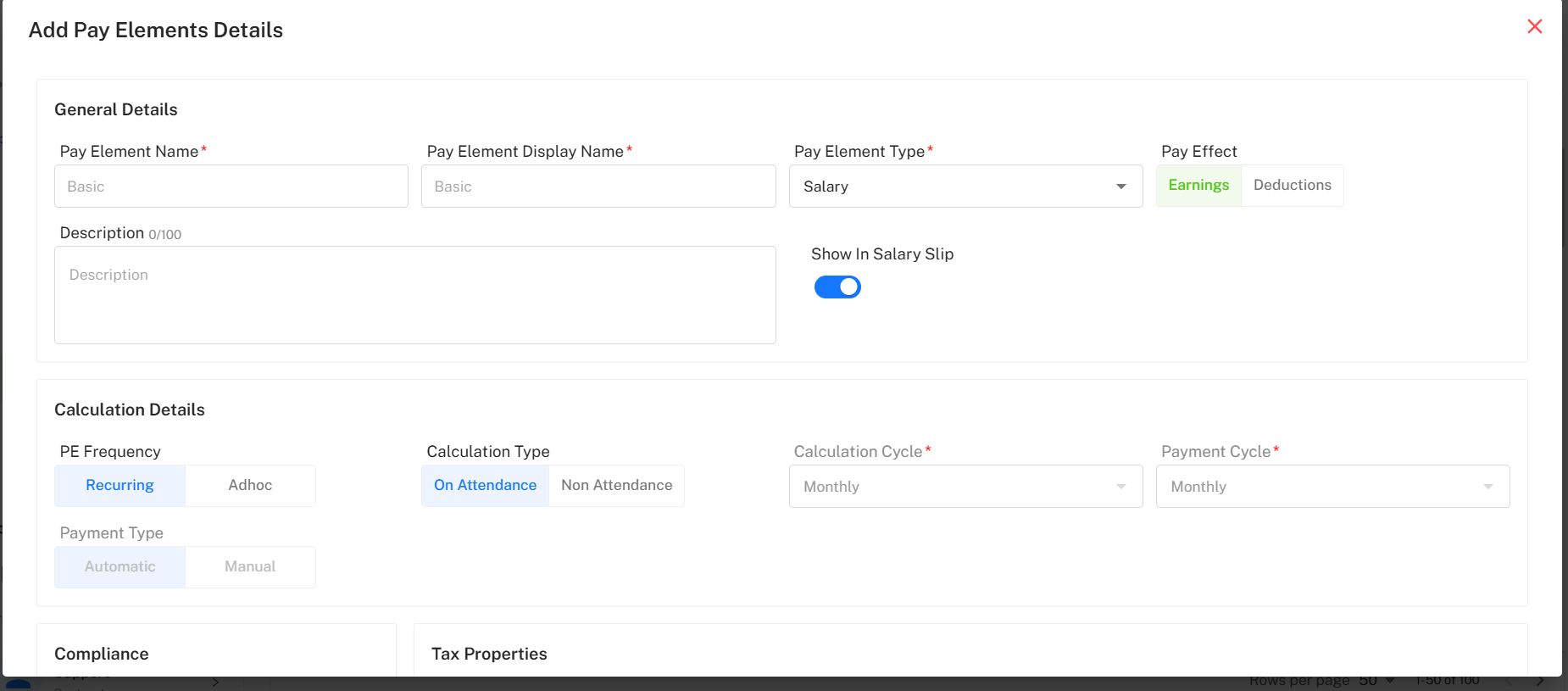
"Add" aligns with pop-up forms:
Required Fields: Pay element name, display name, type (Earning/Deduction), calculation and payment cycles.
Optional Fields: Description, show on salary slip, calculation type (attendance/non-attendance), compliance applicability (PF/PT/ESIC/Tax), and properties for TDS/PT.
Calculation Logic: Set frequency (recurring/ad-hoc), calculation and payment cycles to sync payroll run logic.
Compliance Triggers: Enable/disable compliance rules for statutory processes.
Filtering, Sorting & Export
Filter Panel: Filter by name, effect, frequency, status, calculation type, compliance, and more.
Sort Panel: Rearrange pay elements by drag-and-drop for payslip priority; save order system-wide.
Bulk Export: Download pay structure as XLS for documentation/compliance.
History & Change Trail
Each change to elements is logged:
History Modal: Logs creator/editor, timestamp, and changed field values for compliance.
Best Practice Workflow
Add/Configure Elements: Use popup for new items specifying required fields and logic.
Order & Compliance: Sort as per payslip display; enable required compliance properties (PF/PT/ESIC/Tax).
Status Management: Toggle as required for policy, audits, and changing structure.
History Audit: Always review change history before major updates.