Payroll Compliance Administration
Payroll Compliance Administration
The Payroll Compliance module manages all key Indian statutory payroll rules—Professional Tax (PT), Provident Fund (PF), ESIC, Labour Welfare Fund (LWF), and Gratuity. It organizes accounts, rule sets, compliance logic, and state-wise applicability for automated salary deductions and compliance with government rules.
Module Overview
Comprehensive capabilities:
Account & Rule Setup: Create statutory accounts (PT, PF, ESIC, LWF, Gratuity), control effective dates, states, SBUs, and auto-apply rules.
Multi-Tax Compliance: Define application rules for each act (PF, PT, ESIC, etc), handling multiple states, cutoffs, and deduction types.
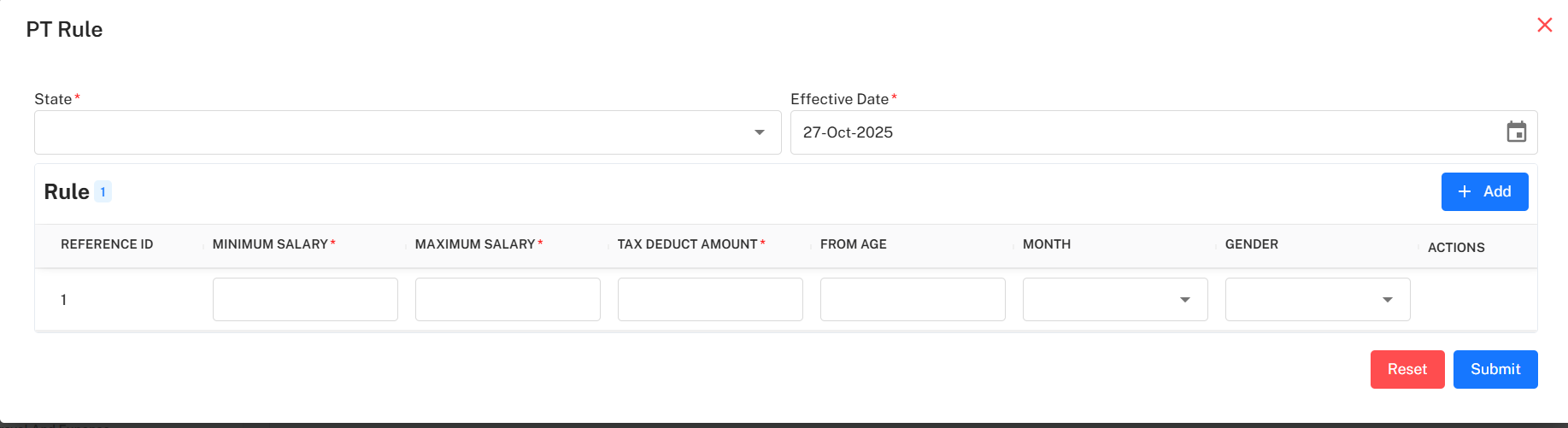
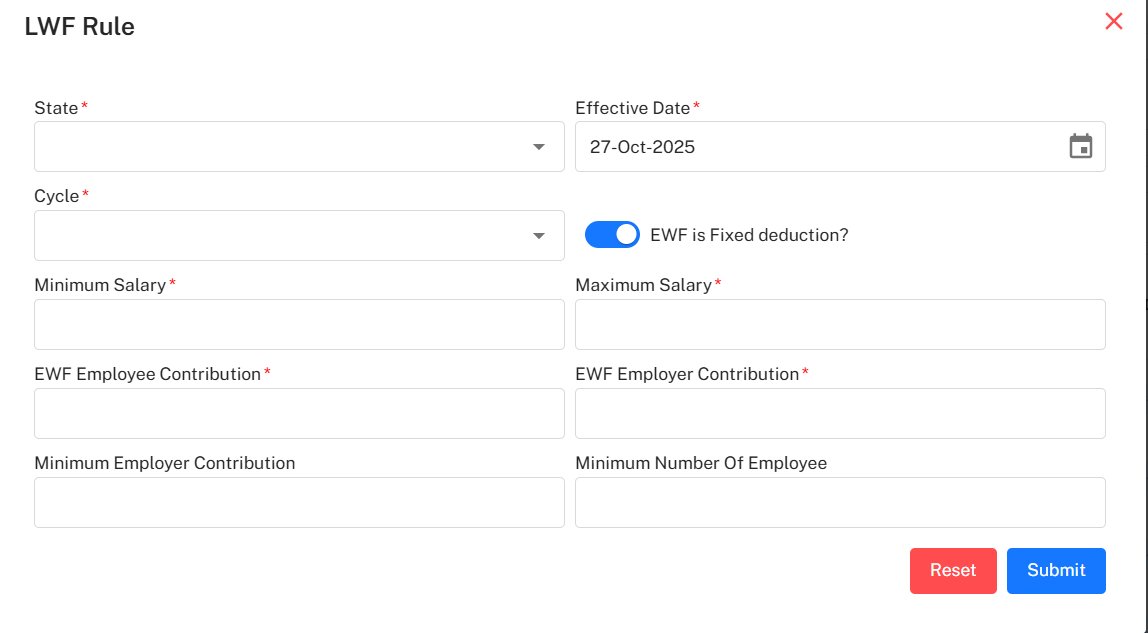
Edit/Add Rules: Pop-up forms for detailed configuration (min/max salary, deduction %, employee/employer shares, due months, age/gender logic).
Status & Change Logging: Instantly activate/deactivate compliance logic, with history for each compliance record (creator, time, actions).
Bulk/Filtered Views: Export/download compliance lists or filter by state, status, SBU, contribution percentage, and more.
Professional Tax (PT) Configuration
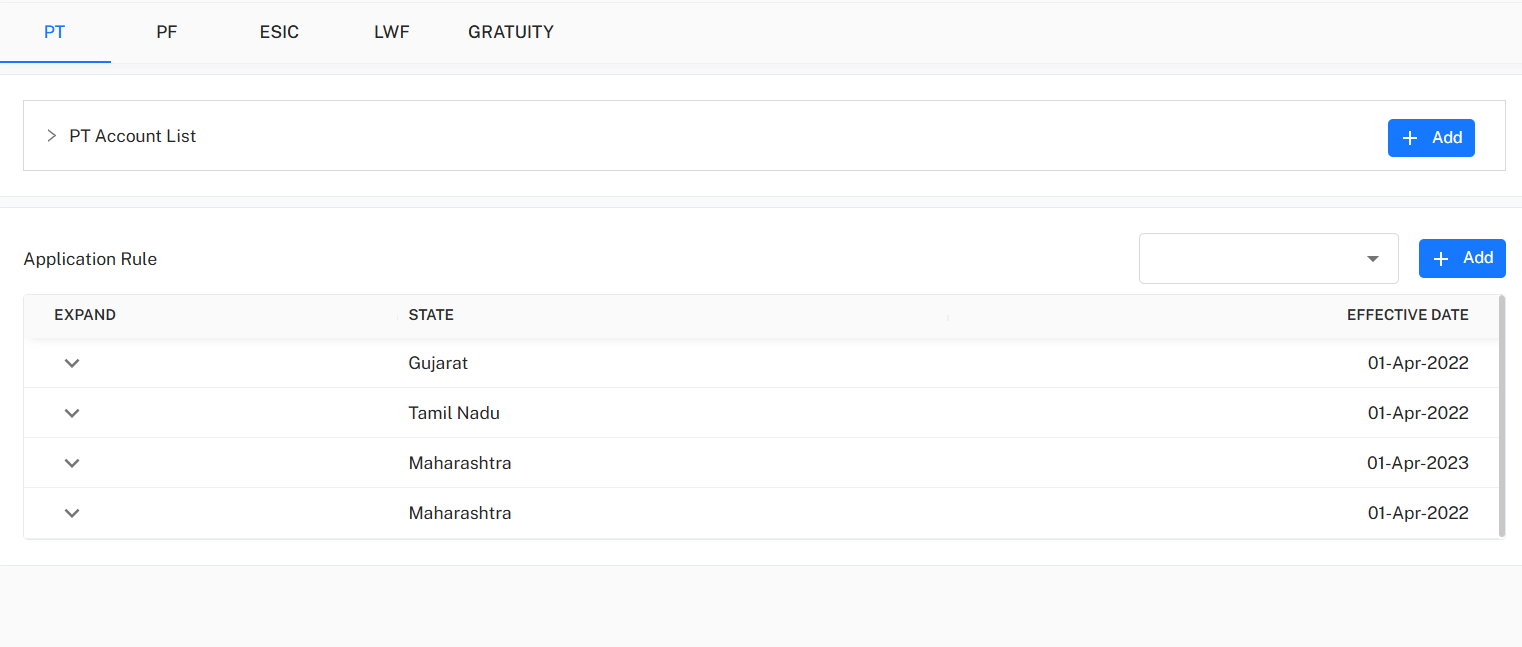
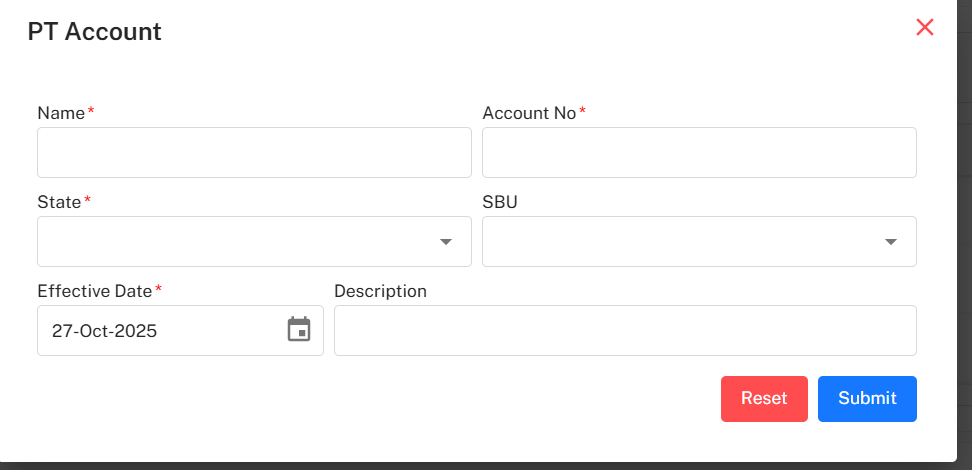
Configure PT accounts and application rules by state.
Rules: Set reference ID, min/max salary, tax deduct amount, triggered months, age, and gender for each state.
Provident Fund (PF) Rules
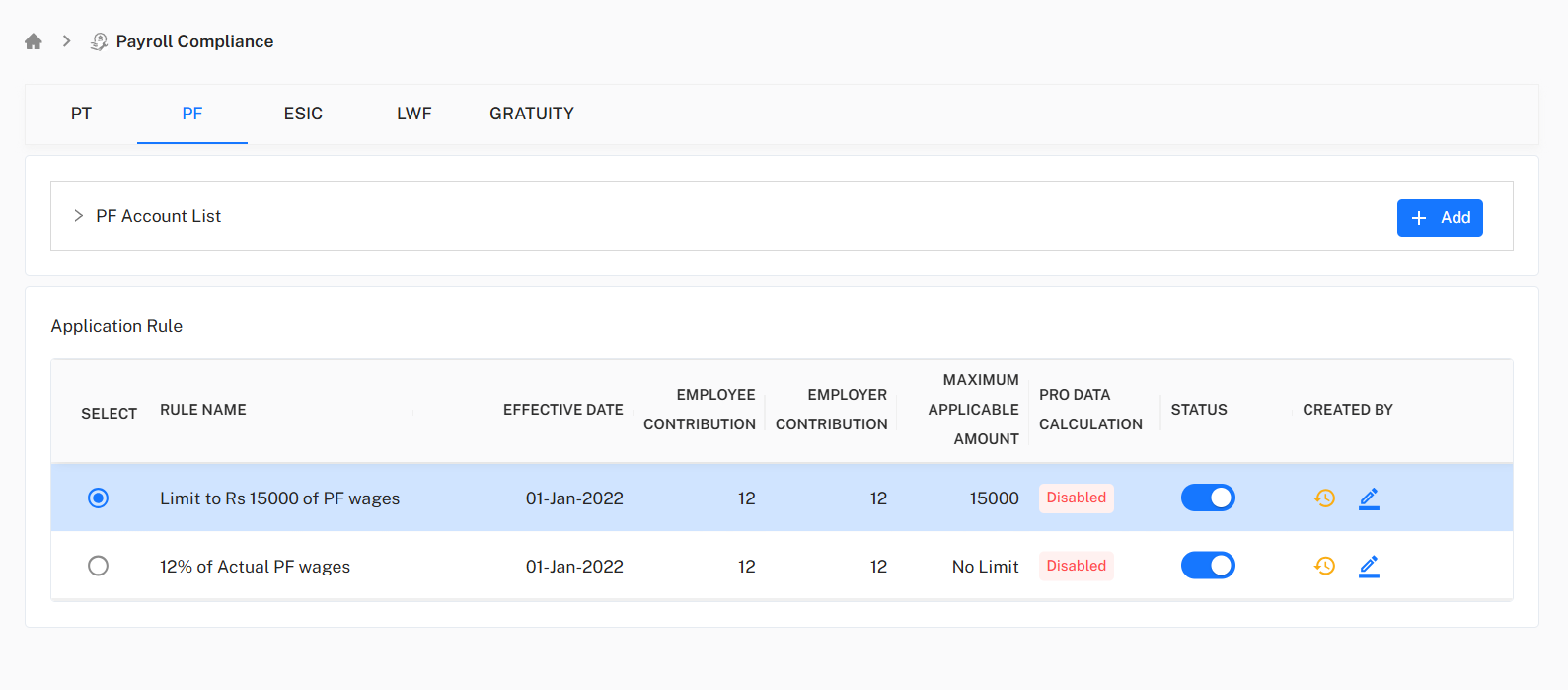
Configure PF limits, percentages, cutoffs, and contribution logic.
Options: Switch contribution max logic (limit or no limit), set enable/disable.
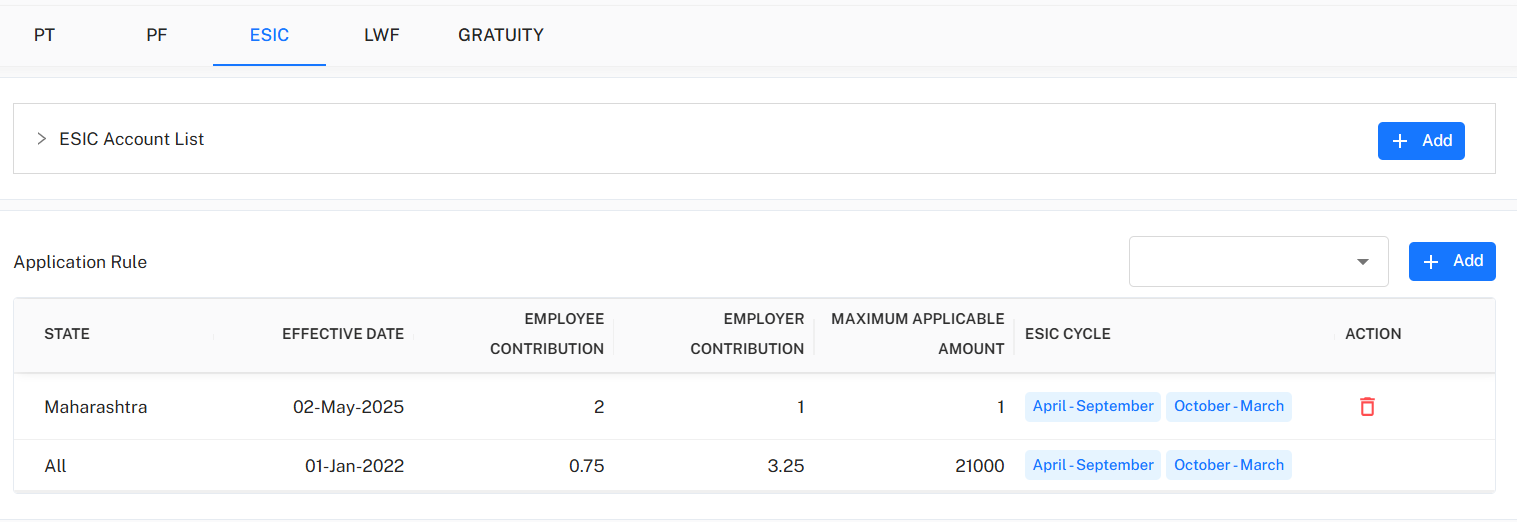
ESIC (Employee State Insurance)
Add accounts and manage employee/employer % and cycles.
LWF (Labour Welfare Fund)
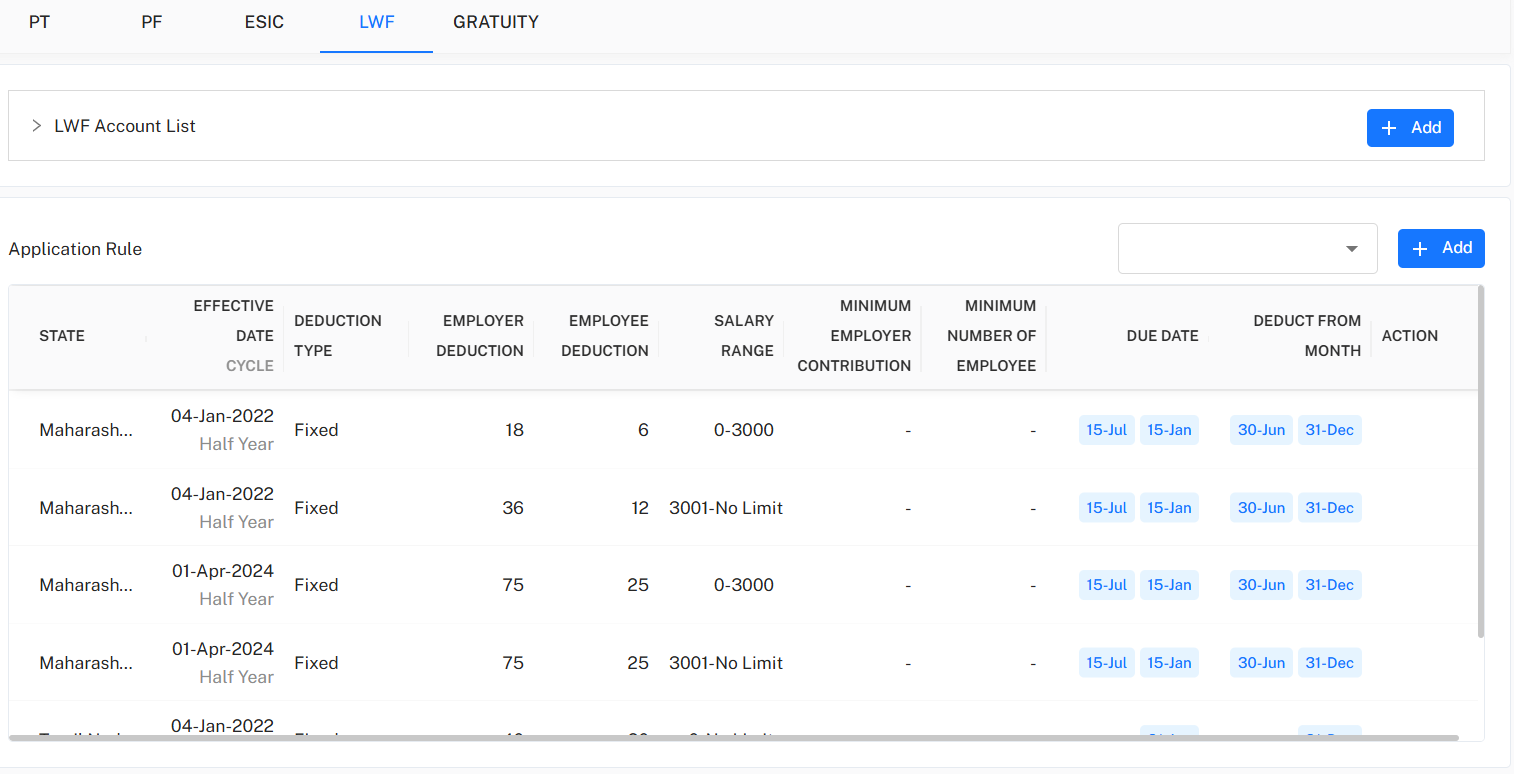
Set half-yearly deduction logic by state, salary ranges, due dates, and min number of employees.
Deduction Types: Fixed/adaptive; trigger by salary range with due month and employee count cutoffs.
Gratuity
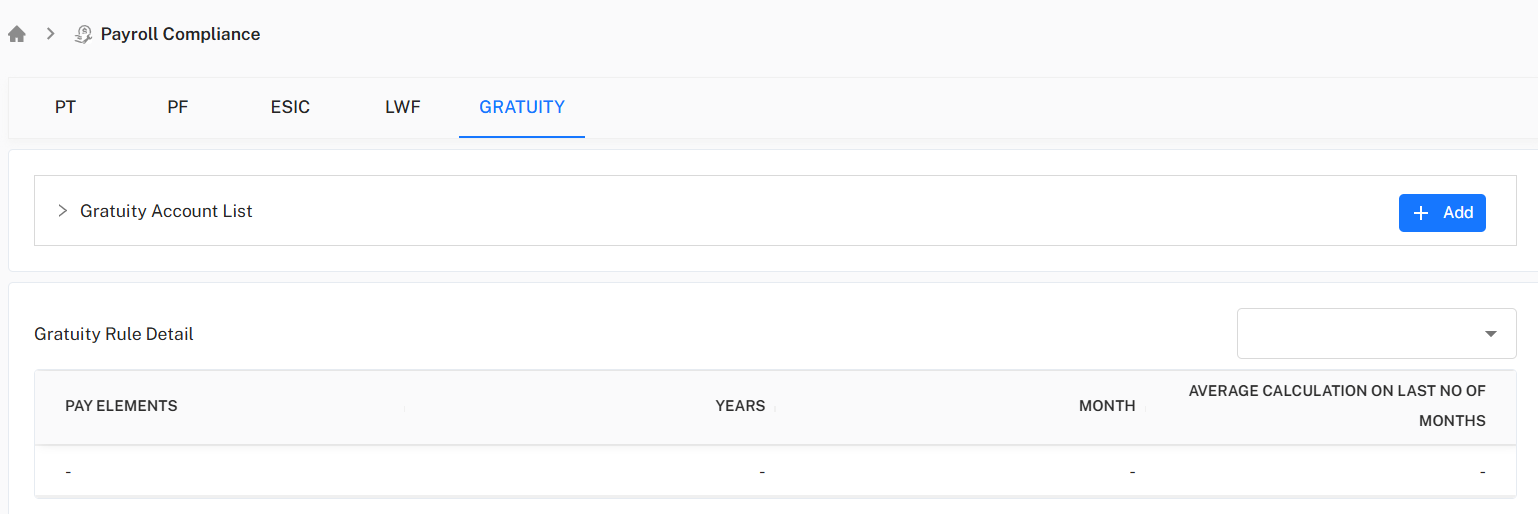
Set and display gratuity account, pay element, rule logic for years, months, and average calculation period.
Best Practice Workflow
Setup Accounts: Choose add/edit for each compliance area; provide statutory account info, effective date, and assign to state/SBU.
Rule Addition: Set parameters (salary ranges, rates, %), months, and deduction cycles per central/state law.
Audit & Enable: Review logic, double-check cutoffs or triggers; activate to enable payroll compliance.
History Review: Use change log for each compliance area to track updates, status toggles, or legal changes.