Payroll Settings Administration
Payroll Settings Administration
The Payroll Settings module in Emgage HRMS provides centralized configuration for company financial years and detailed payroll cycles, supporting company-wide or Strategic Business Unit (SBU)-wise structures. Includes powerful audit tracking for compliance and operational accuracy.
Module Overview
Essential functionalities:
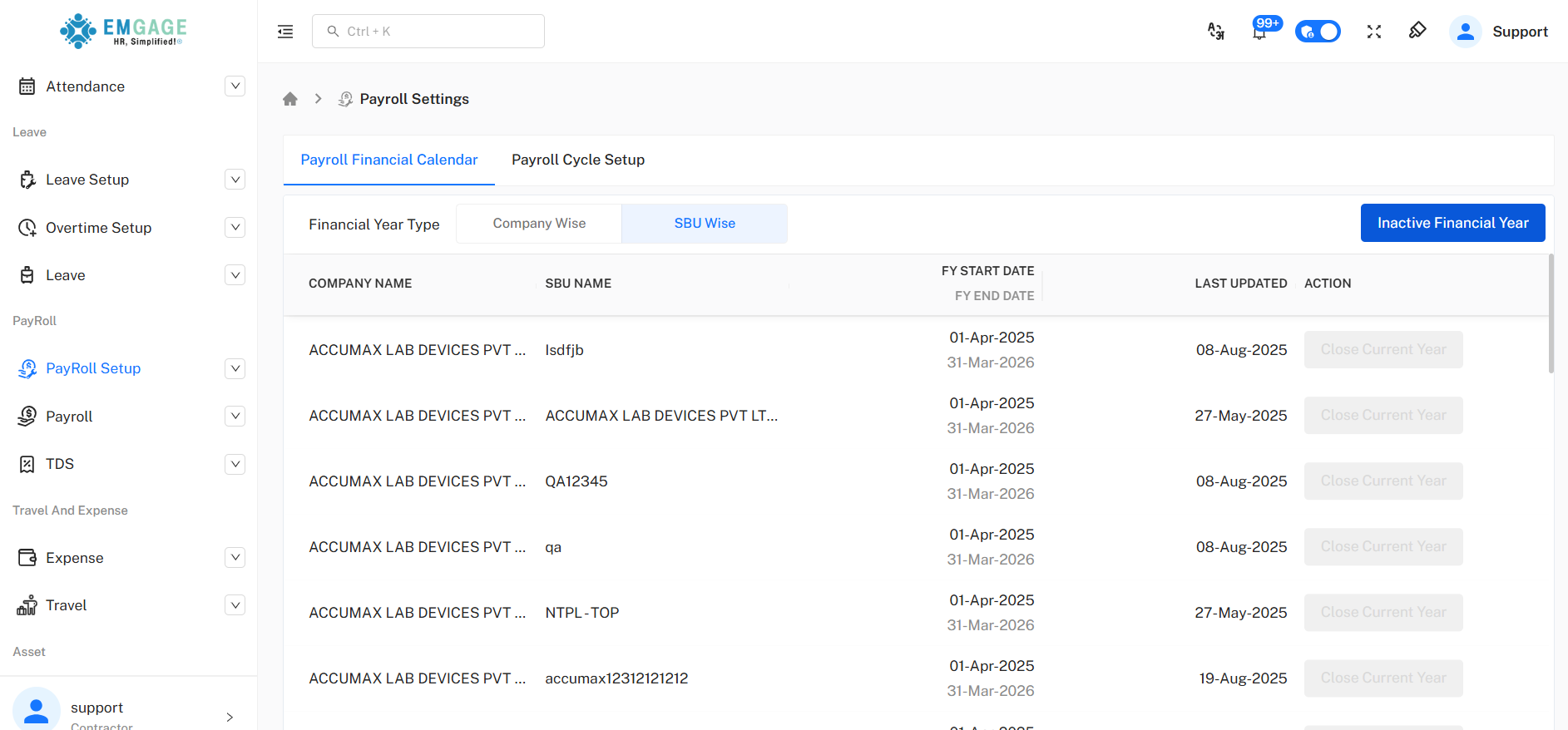
Financial Calendar Control: Define financial year boundaries for payroll events, supporting both company-wide and SBU-specific financial year types.
Payroll Cycle Setup: Configure cut-off rules (salary, attendance), schedule pay cycles, and set tentative dates for key monthly events.
Multi-Level Support: Set calendar/cycle at company or SBU level for flexibility in multinational, multi-divisional contexts.
Change & Audit Logging: Every cycle/calendar change and update is logged with user and timestamp for legal compliance.
Status & Transition Actions: Instantly inactivate or close a payroll year with multi-record bulk update, including confirmation dialogue.
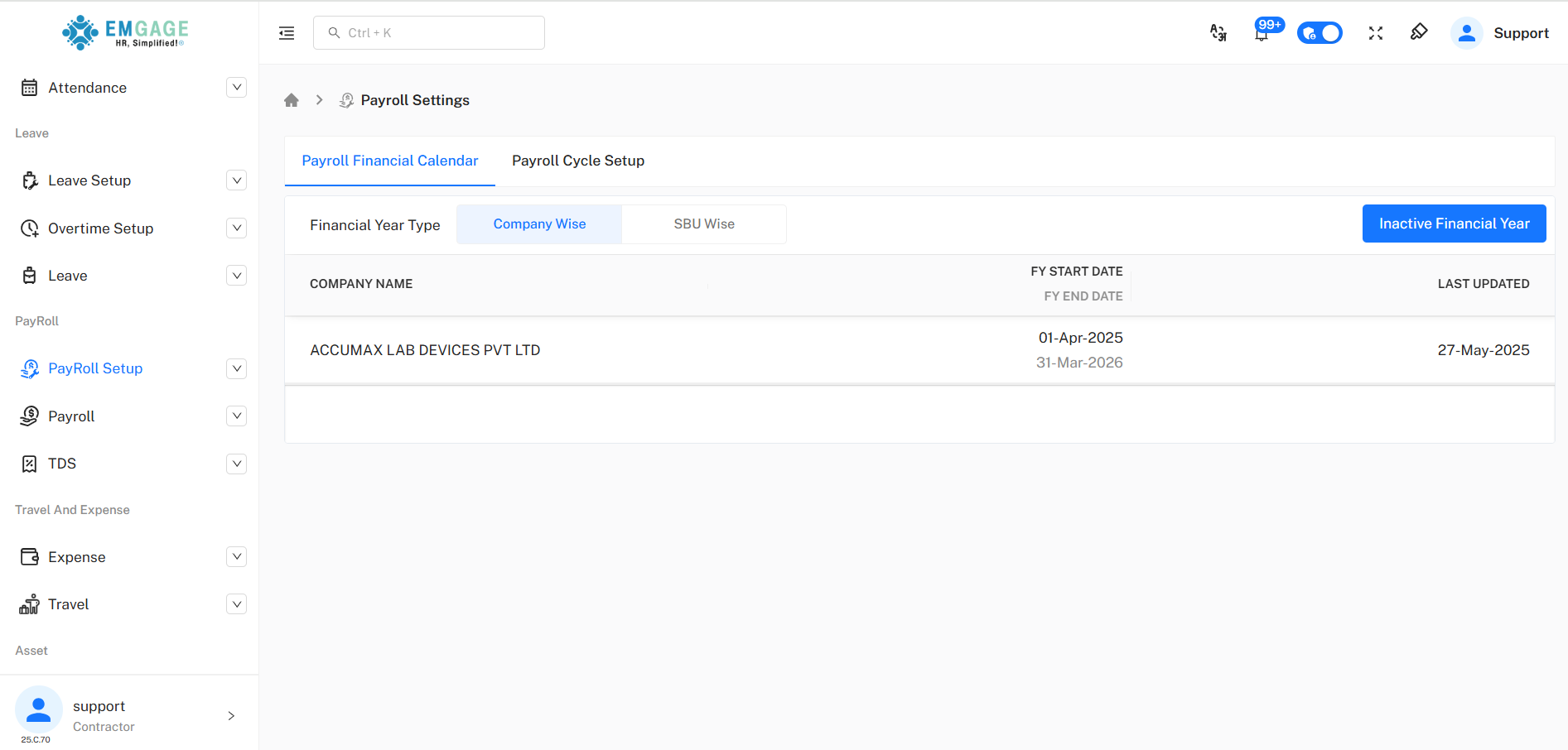
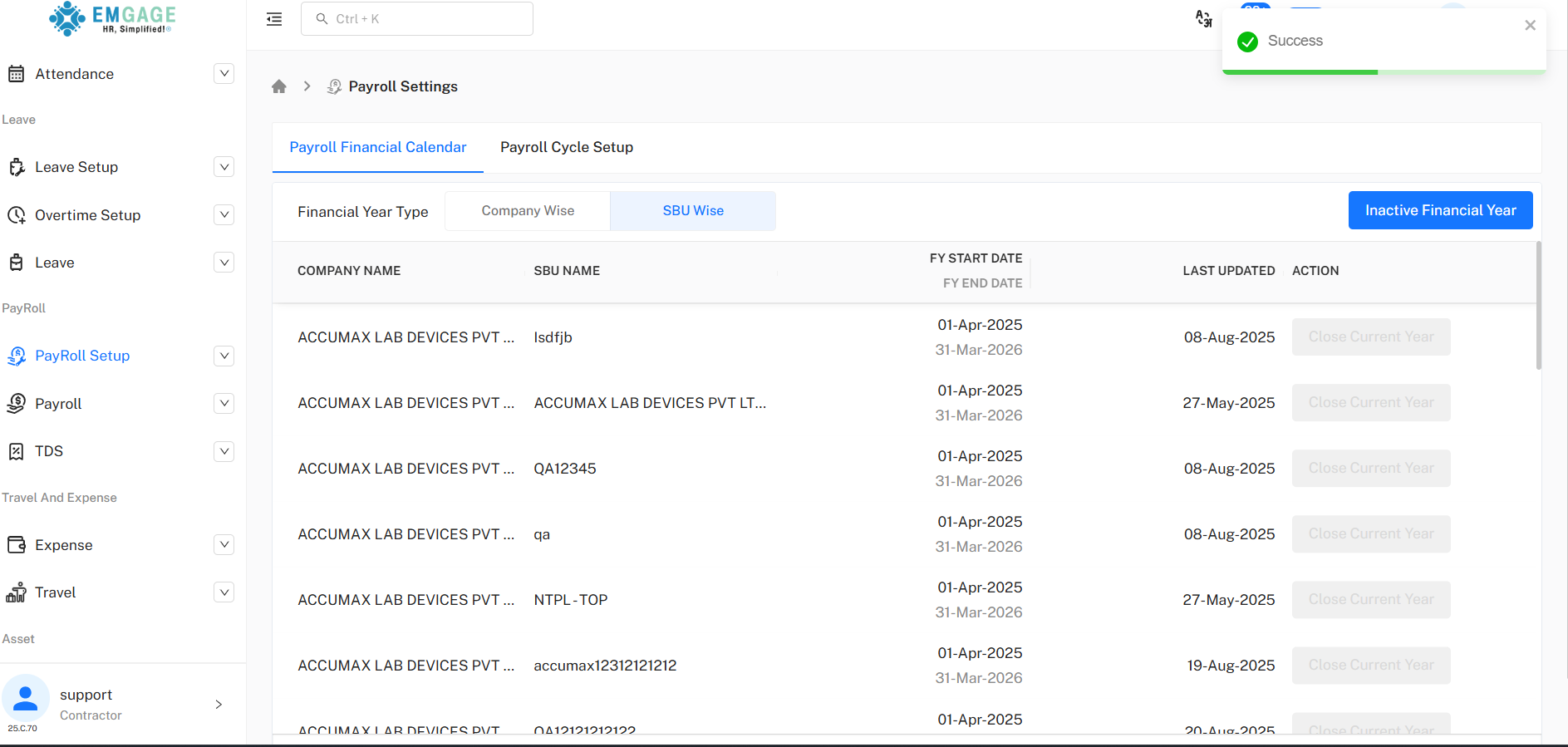
Payroll Financial Calendar
Configure and audit payroll financial years by company or SBU.
Change Dialog: "Are you sure you want to change payroll setup?"—change is not reversible and can impact all SBU and company payroll settings.
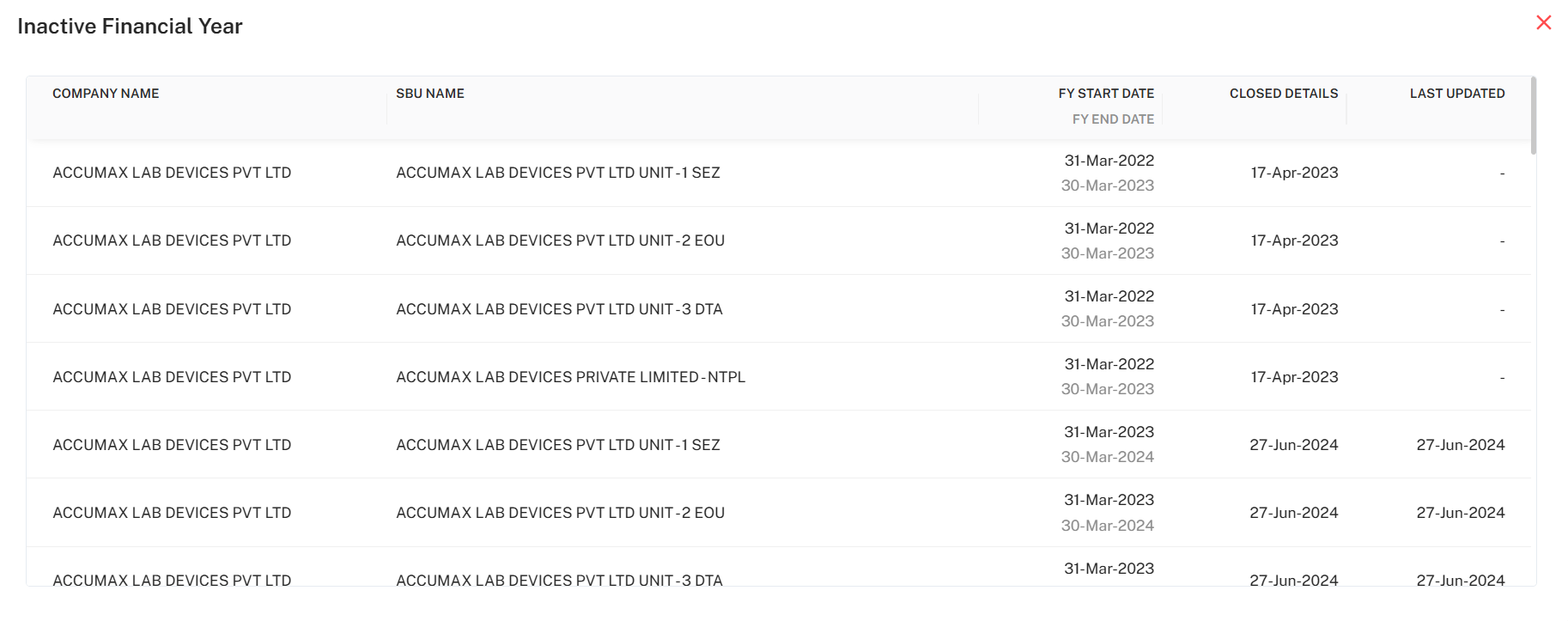
Inactive Financial Year List: Track closed years for all companies/SBU, with start/end dates and closed history.
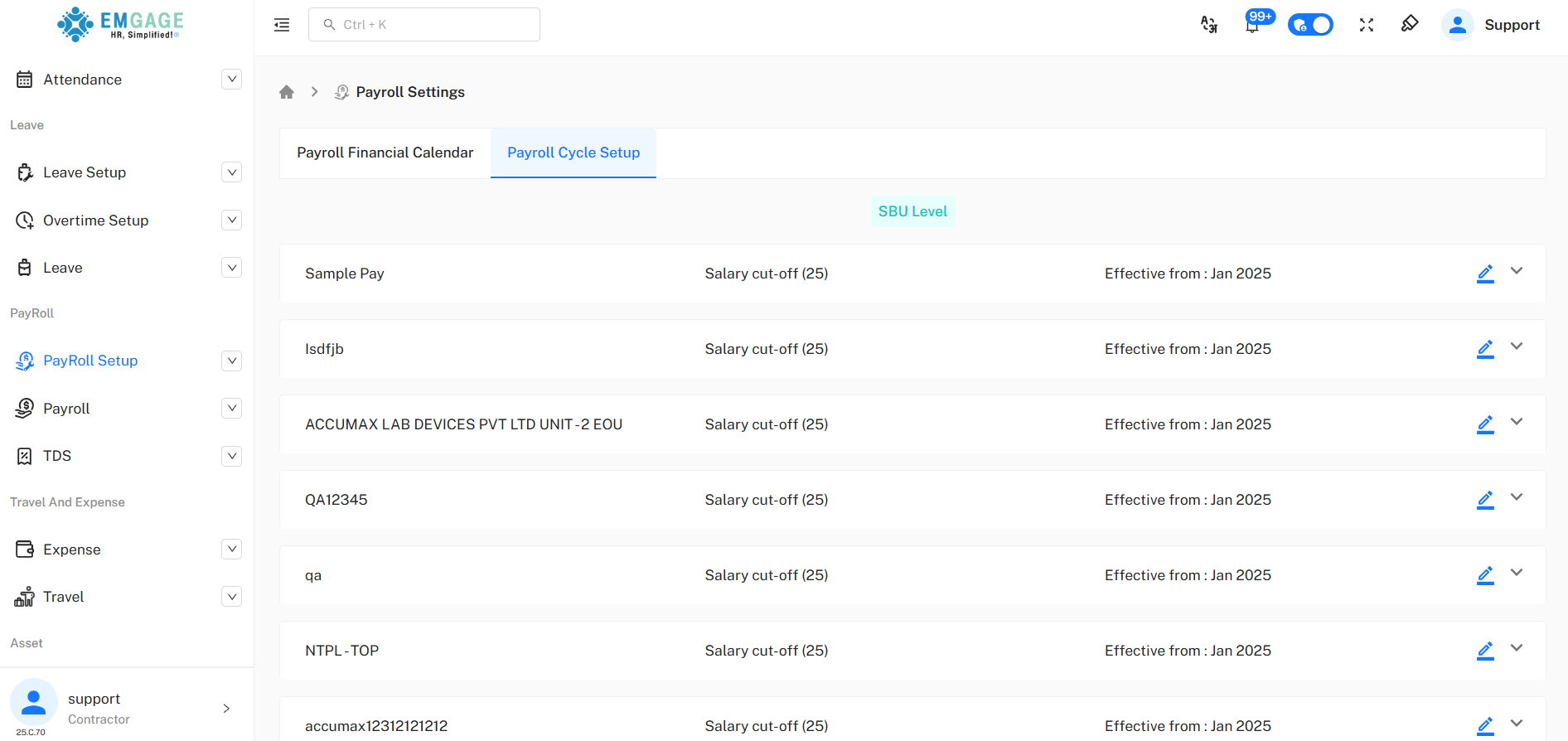
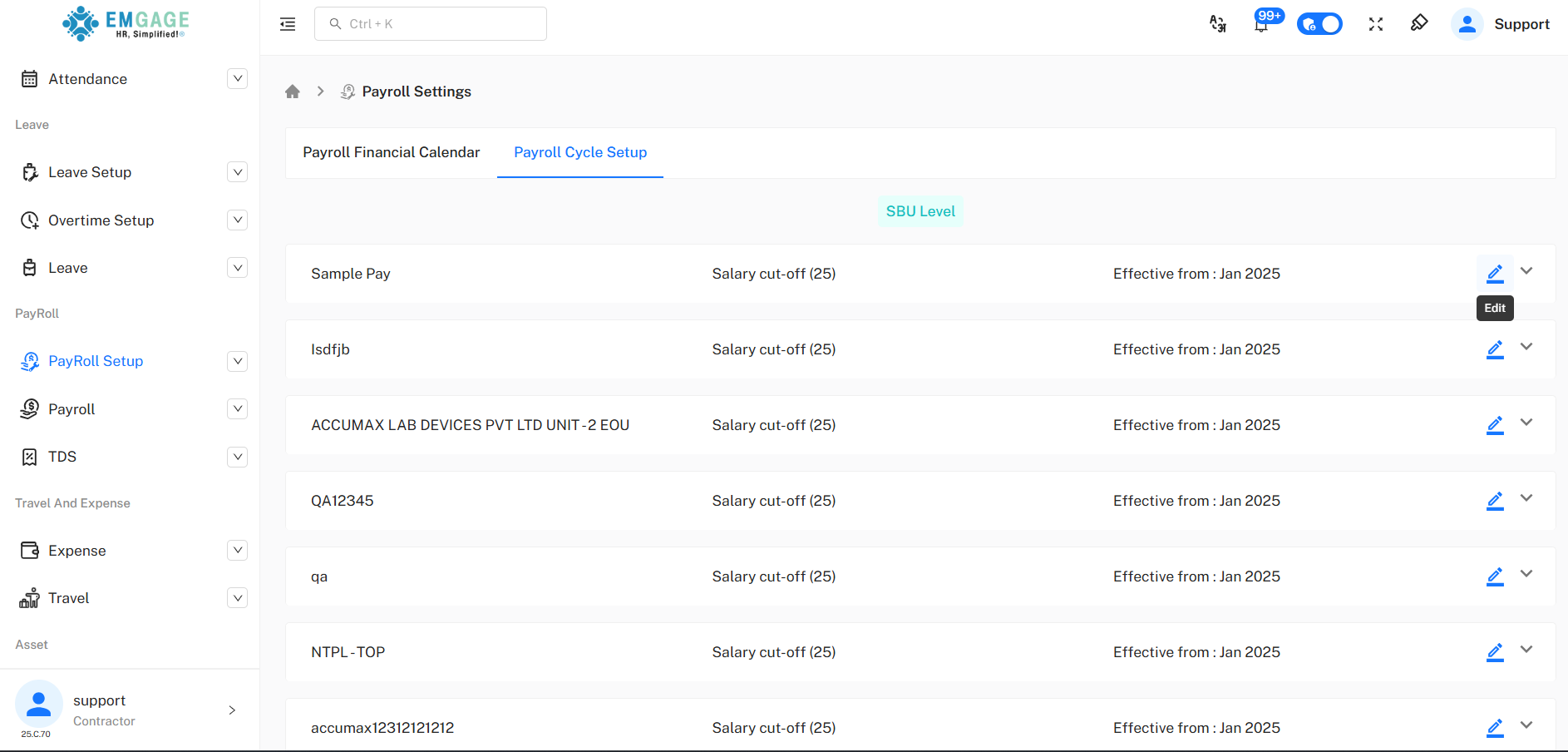
Payroll Cycle Setup
Set payroll cycles for each SBU or entire company.
Edit/Delete/Expand: Modify payroll cycle logic, including cut-off type (calendar month, attendance, salary), attendance/event dates, and enable fixed days.
Tentative Dates: Set expected process, freeze, and pay dates to sync HR/payroll workflow.
Bulk Action: Multi-edit for effective dates, cycle logic, and approve in one go.
Adding/Editing Payroll Cycles
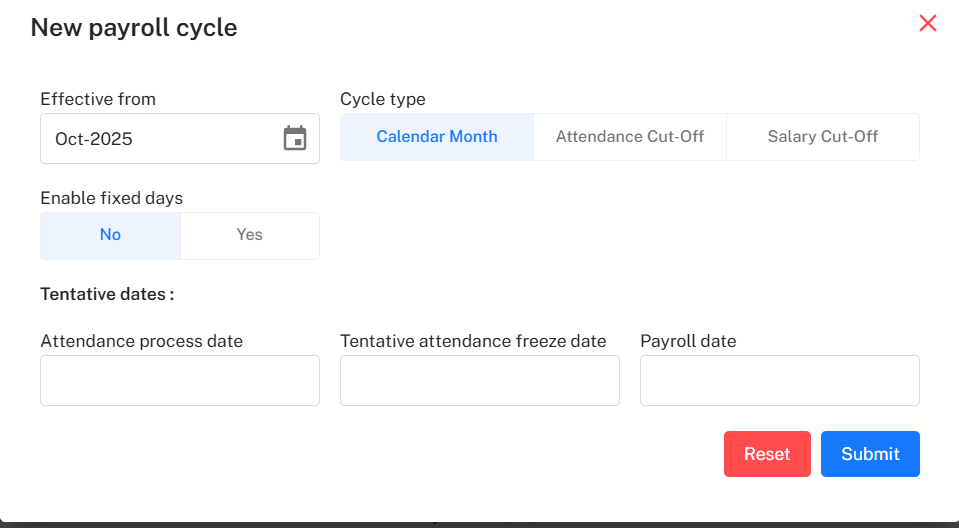
Pop-up forms support simple logic creation with effective date, cycle type, fixed days, and key event dates.
Mandatory Fields: Effective from (month/year), cycle type (e.g., calendar month, attendance cut-off, salary cut-off).
Options: Attendance process/freeze dates, payroll date for synchronization.
Submit/Reset: Intuitive buttons for updating or rolling back changes.
Inactive Year Management
A modal provides review of closed years, start/end dates, and last update status.
Full history for compliance and analytics.
Best Practice Workflow
Set Calendar/Years: Select financial year type, choose effective dates.
Set Cycles: Choose and configure payroll cycle by SBU or company; approve logic, add tentative key dates.
Audit, Manage Histories: Always review audit trail and closed year lists for legal compliance.
Confirm Changes: Use provided dialogues—changes are irreversible and affect all payroll processing.