Salary Structure Template Management
Salary Structure Template Management
The Salary Structure Template module in Emgage HRMS lets organizations define and maintain structures for CTC/gross calculation, map pay elements, allocate by eligibility rules, and maintain audit trails for all configuration and allocation edits.
Module Overview
Key functions provided:
Template Library: Maintain a library of CTC and Gross templates, each with defined boundaries (minimum/maximum CTC/gross) and pay element splits.
Pay Element Composition: Assign pay components (e.g., Basic, Allowances, Contributions) for each template, with section splits and calculation types.
Eligibility Criteria: Define rule-based allocation for employees/groups—by employee ID, department, location, etc., with inclusion/exclusion logic.
Statutory Tagging: Map elements to statutory compliance (PF, PT, ESIC, Tax) and set calculation logic (e.g., fixed value, percentage, attendance-based).
Bulk Actions & Audit: Enable/disable templates; copy, edit, view change history; bulk filter/export; see all employees linked to a template.
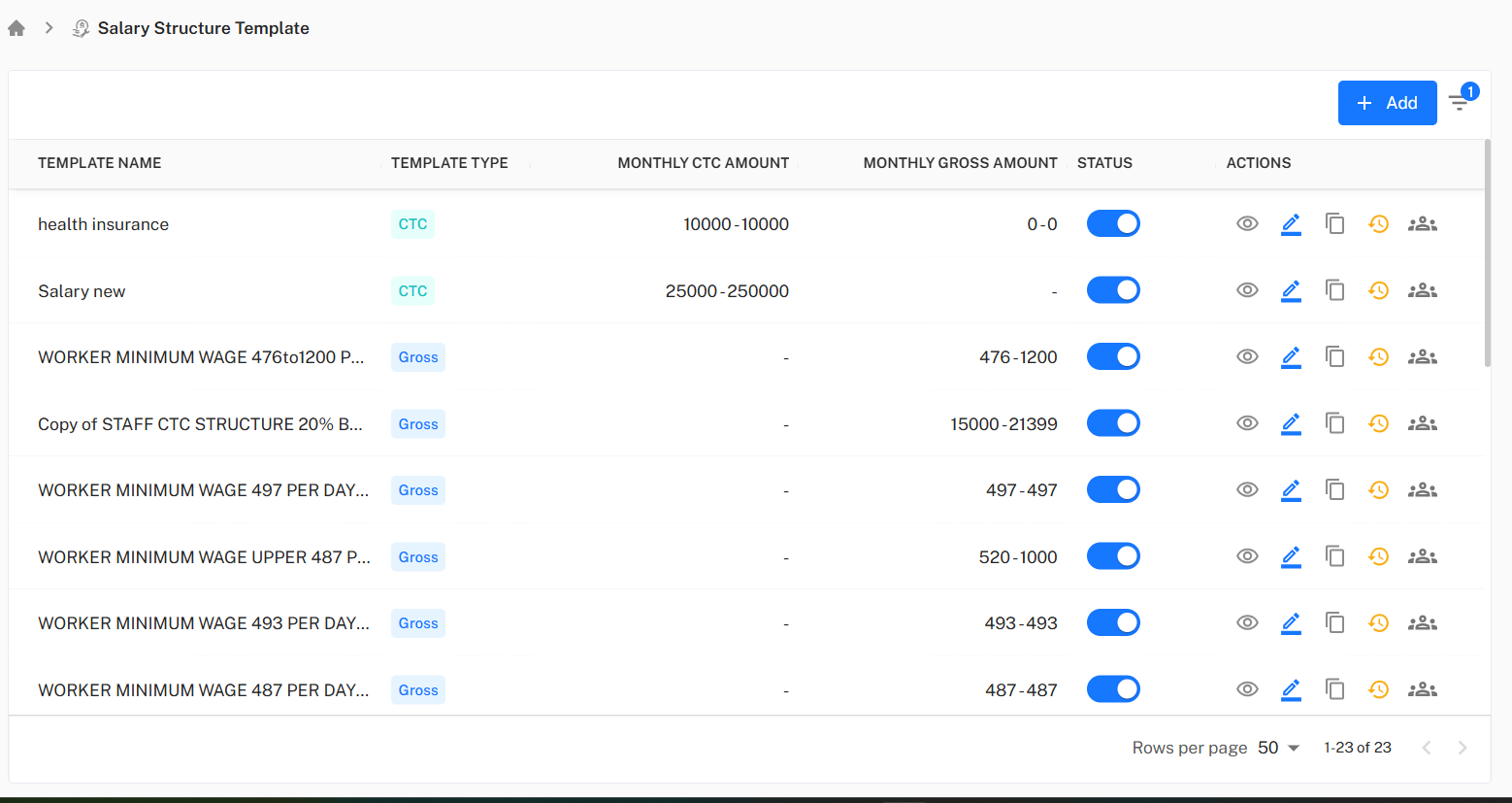
Salary Templates List
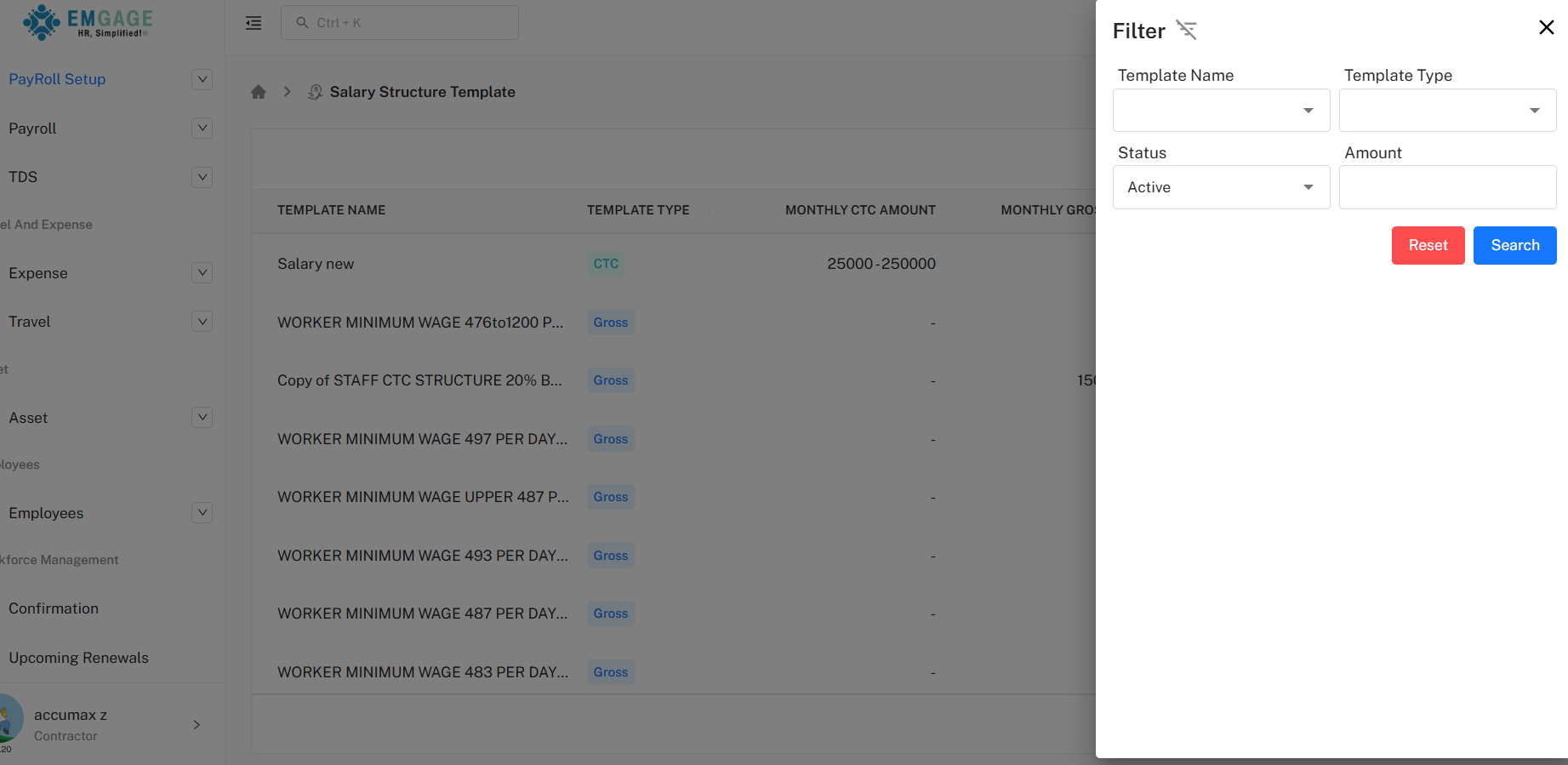
The dashboard presents all templates with active/inactive toggle, edit/view/copy/history/employee allocation actions, and at-a-glance CTC/gross bands.
Bulk Export & Filter: List supports export and complex filters (by name/type/status/amount).
Status Control: One-click activation/inactivation for workflow control.
Template Details & Allocation
Editing or adding a template involves:
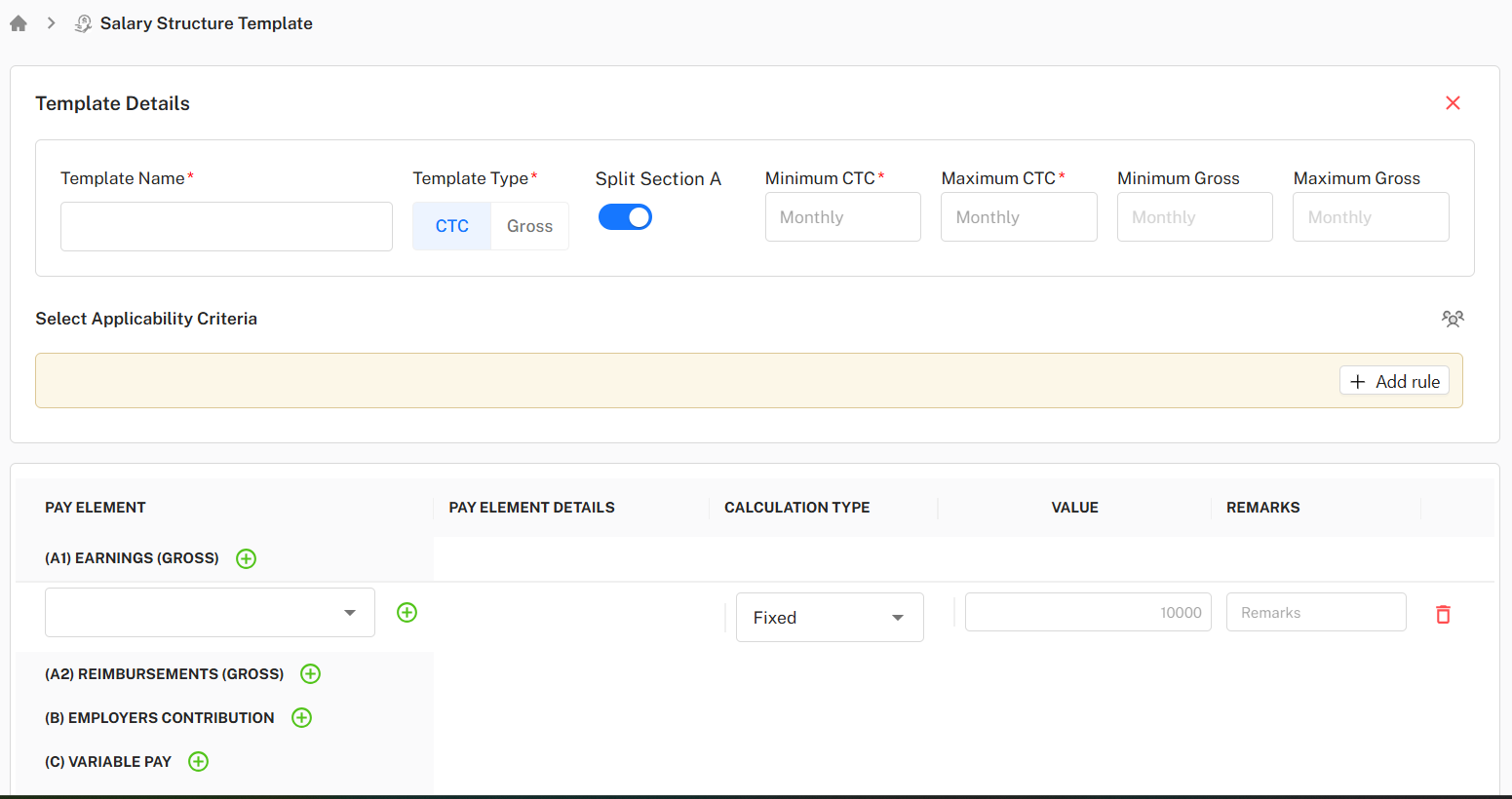
Template Info: Name, type (CTC or Gross), minimum/maximum CTC and/or gross, optional split configuration.
Eligibility Rules: Rule builder for employee assignment, inclusion/exclusion, and custom fields.
Pay Element Allocation: Add pay elements (earnings/reimbursements/contributions/variable/deduction), set value and remarks per element.
Calculation Type: Each pay element can be set to fixed, attendance-based, or custom logic.
Statutory Tags: Enable PF, PT, ESIC, or Tax mapping for individual pay components.
Remarks: Annotate pay element rationale when required.
Save, Reset: All changes require confirmation.
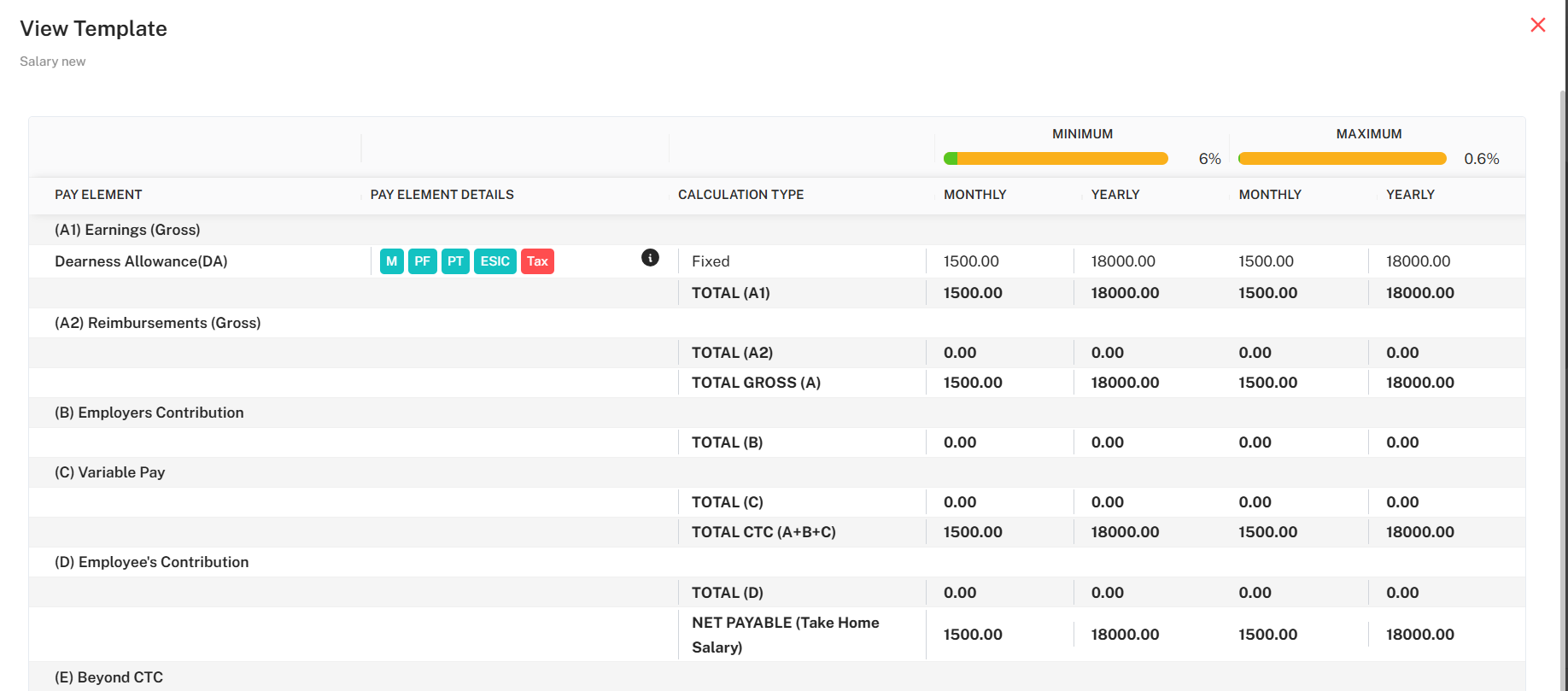
Viewing Template Details
Displays all pay element splits, calculation type, and mapped statutory compliance.
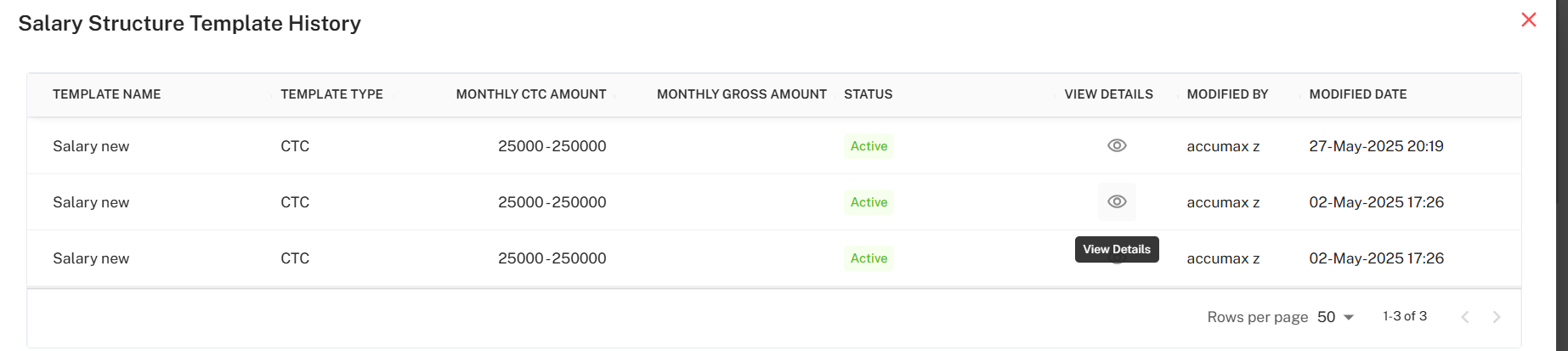
View Details & History: See full breakdown, prior changes, and effective user/date for audit.
Action Panel & Employee Allocation
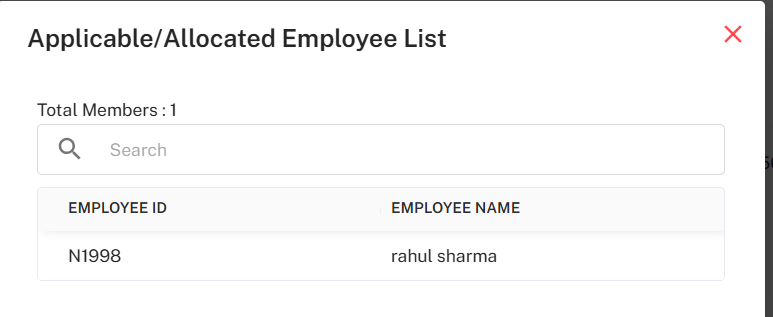
Copy/History/Emp: Rapidly duplicate, review change logs, or display allocated employee list for each template.
Employee Mapping: Modal displays employee IDs assigned, with search.
Audit Trail: All creation and edit actions logged by user/date.
Best Practice Workflow
Design or Edit Templates: Add template, configure min/max limits, split logic, and pay elements.
Define Applicability: Set up rule-based allocation for flexible assignment.
Manage Pay Elements: Assign relevant components and compliance logic to each section.
Review and Allocate: Activate templates, allocate to eligible employees, and use export/history for compliance.
Audit Regularly: Use history and employee panel to verify changes and assignments.