OKR (Objectives & Key Results) Module Documentation
Overview
The OKR (Objectives & Key Results) module helps organizations define, track, and evaluate goals at different levels—Company, Department, and Individual.
OKR Dashboard
The OKR Dashboard provides a centralized view of all objectives and their progress, allowing stakeholders to monitor performance at a glance.
Company Objectives
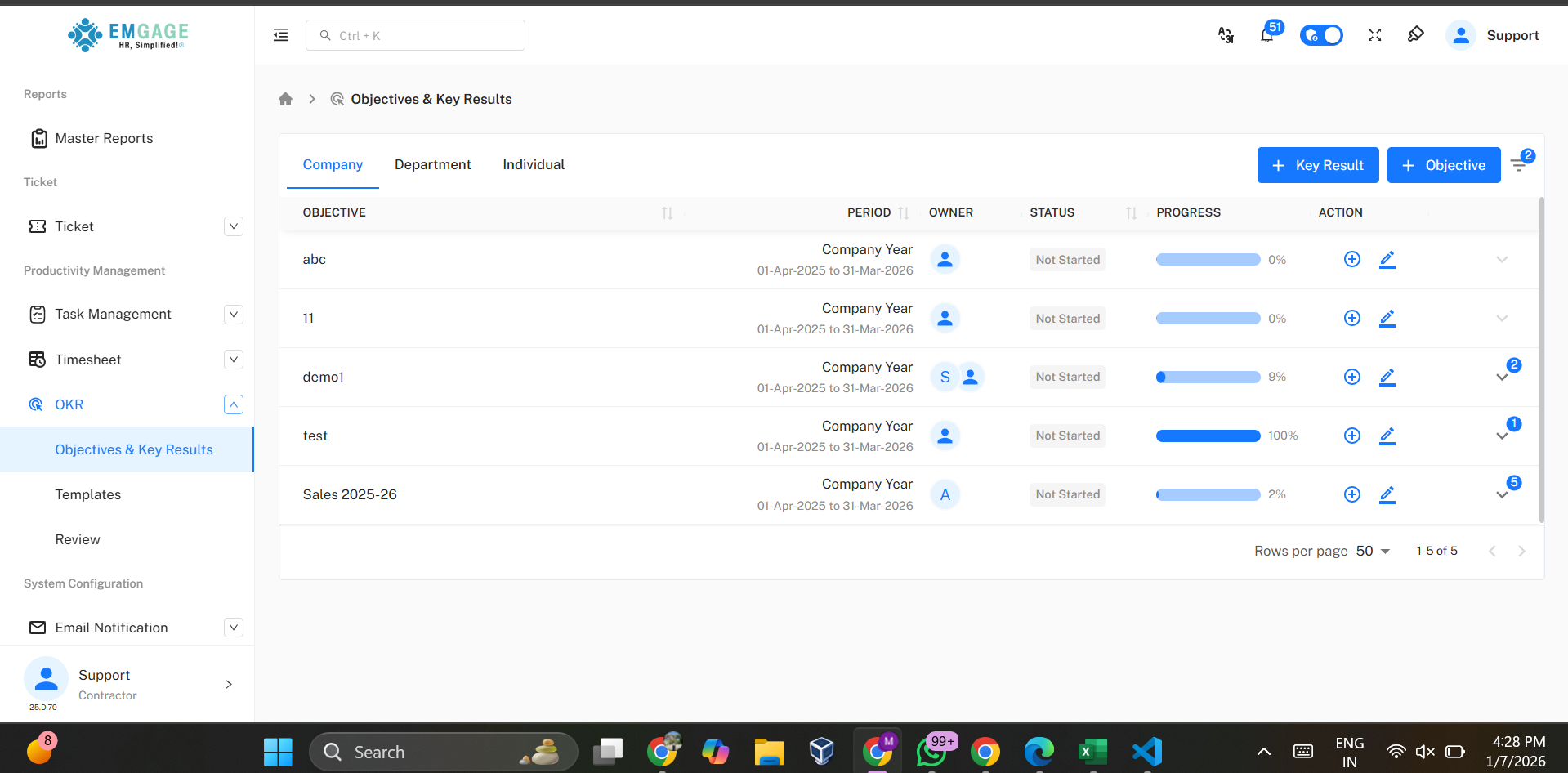 Company Objectives represent high-level strategic goals defined by leadership.
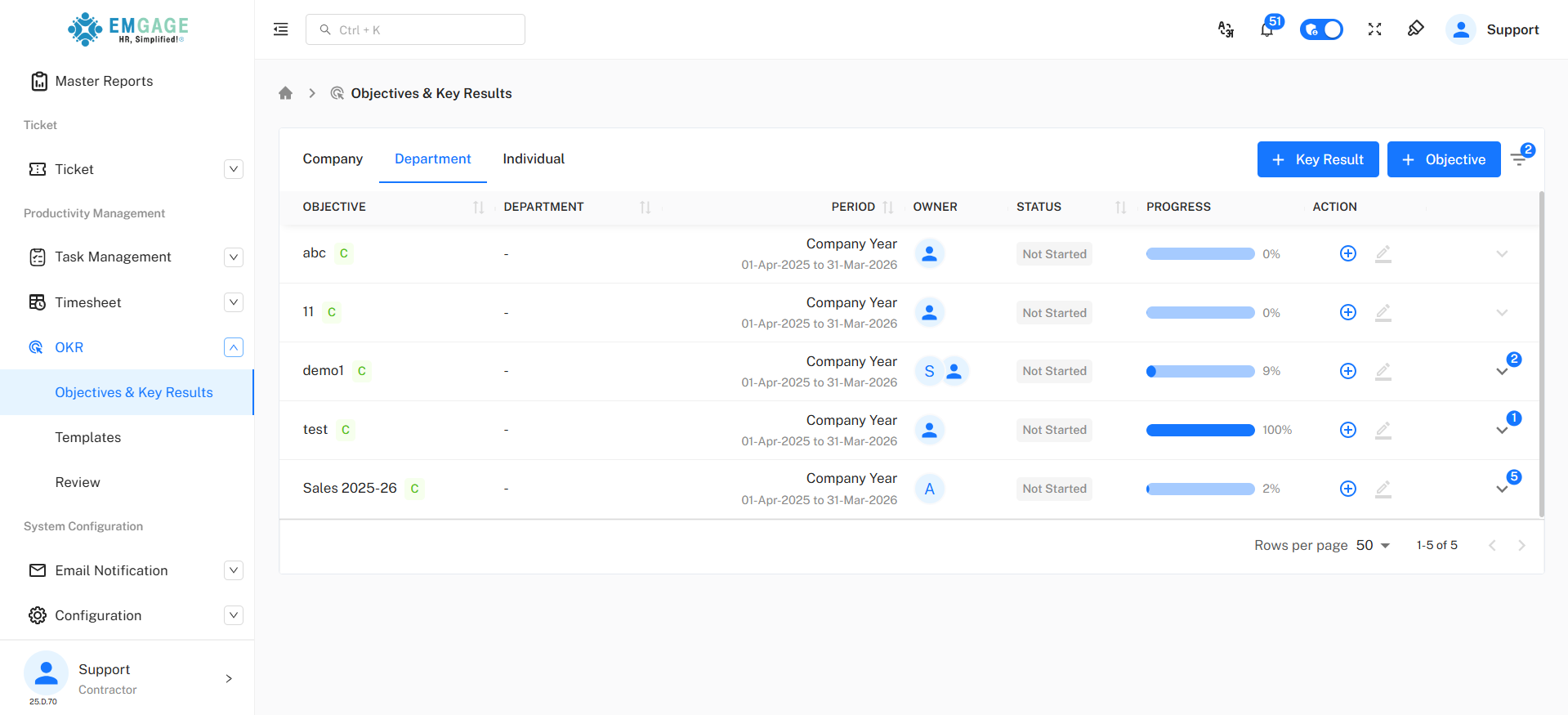
Department Objectives
Includes Department mapping and company-linked indicator.
Individual OKRs
Individual OKRs define employee-level goals aligned with department objectives.
An employee who is assigned as an owner of an objective can view only their own data on this page.
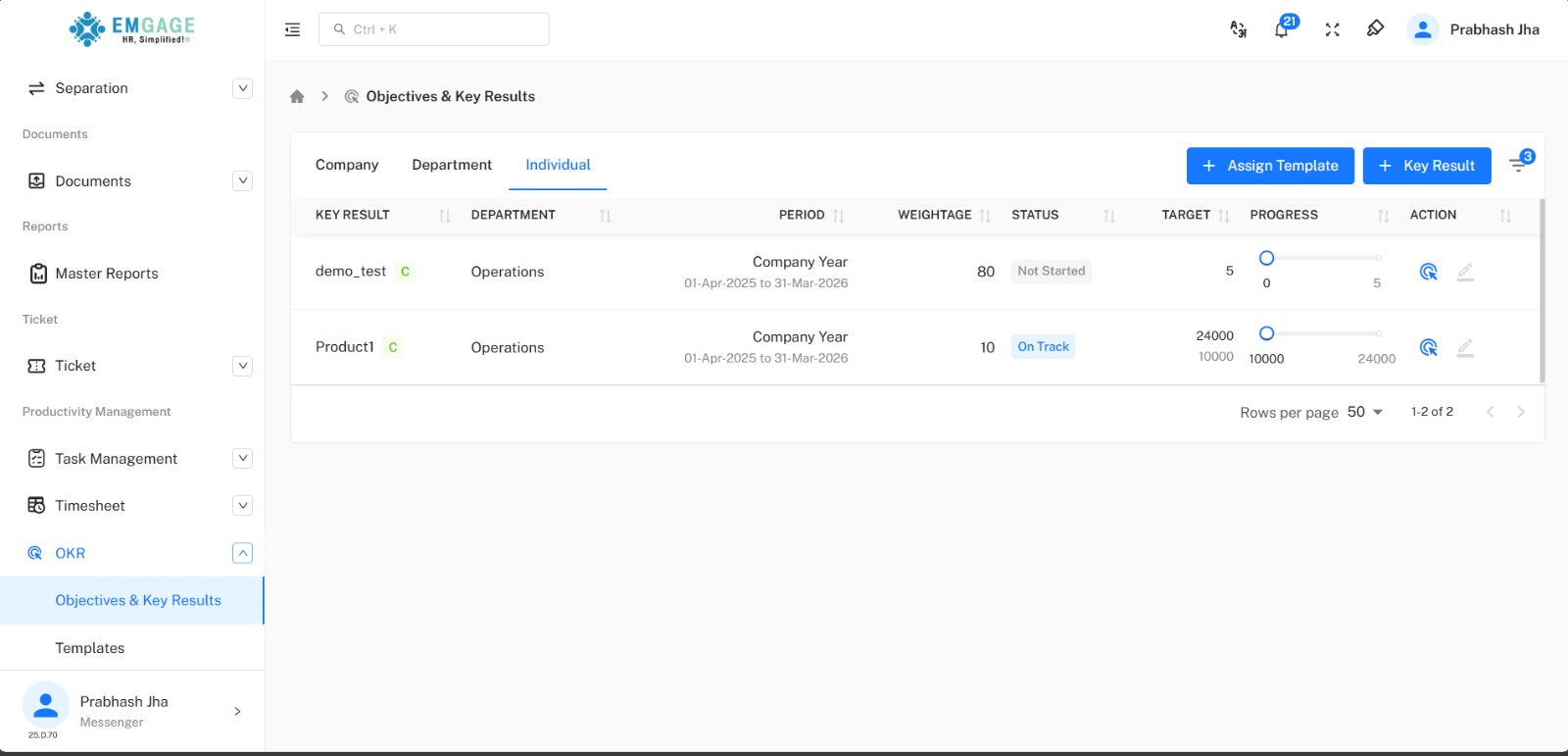
Fields:
- Key Result - Displays the specific key result assigned to the employee.
- Department - Shows the department to which the key result belongs, ensuring clarity of ownership.
- Period - Indicates the active cycle during which the key result must be achieved.
- Weightage - Shows how much the key result contributes to the overall objective score.
- Target - Displays the defined target value set for the key result.
- Progress - Shows the real-time progress based on updates entered by the owner.
Add Objective
Click on + Objective to create a new objective.
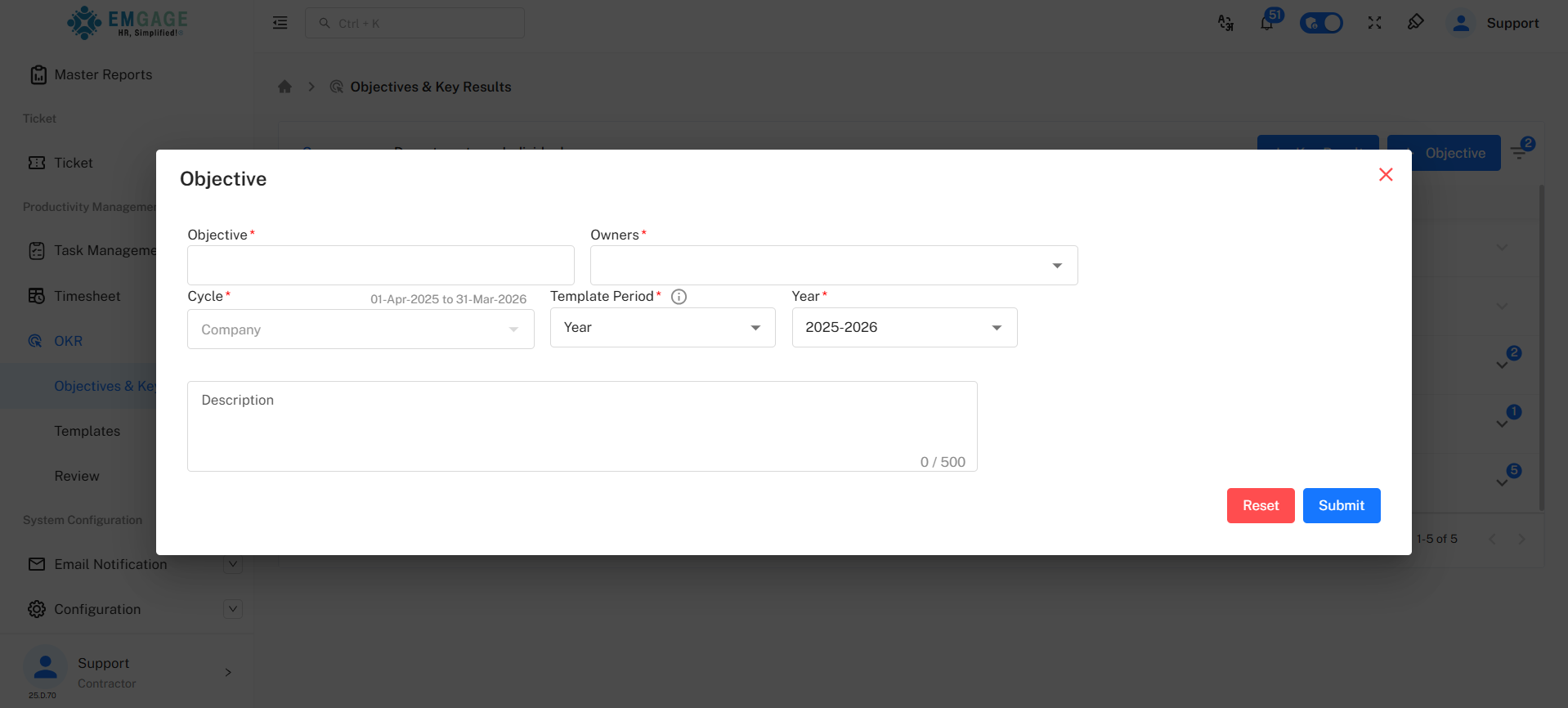
Fields:
- Objective Name
- Period (Company Year)
- Owners
- Description
An objective can have multiple owners and multiple key results.
Add Key Result
Click on + Key Result to create a new key result.
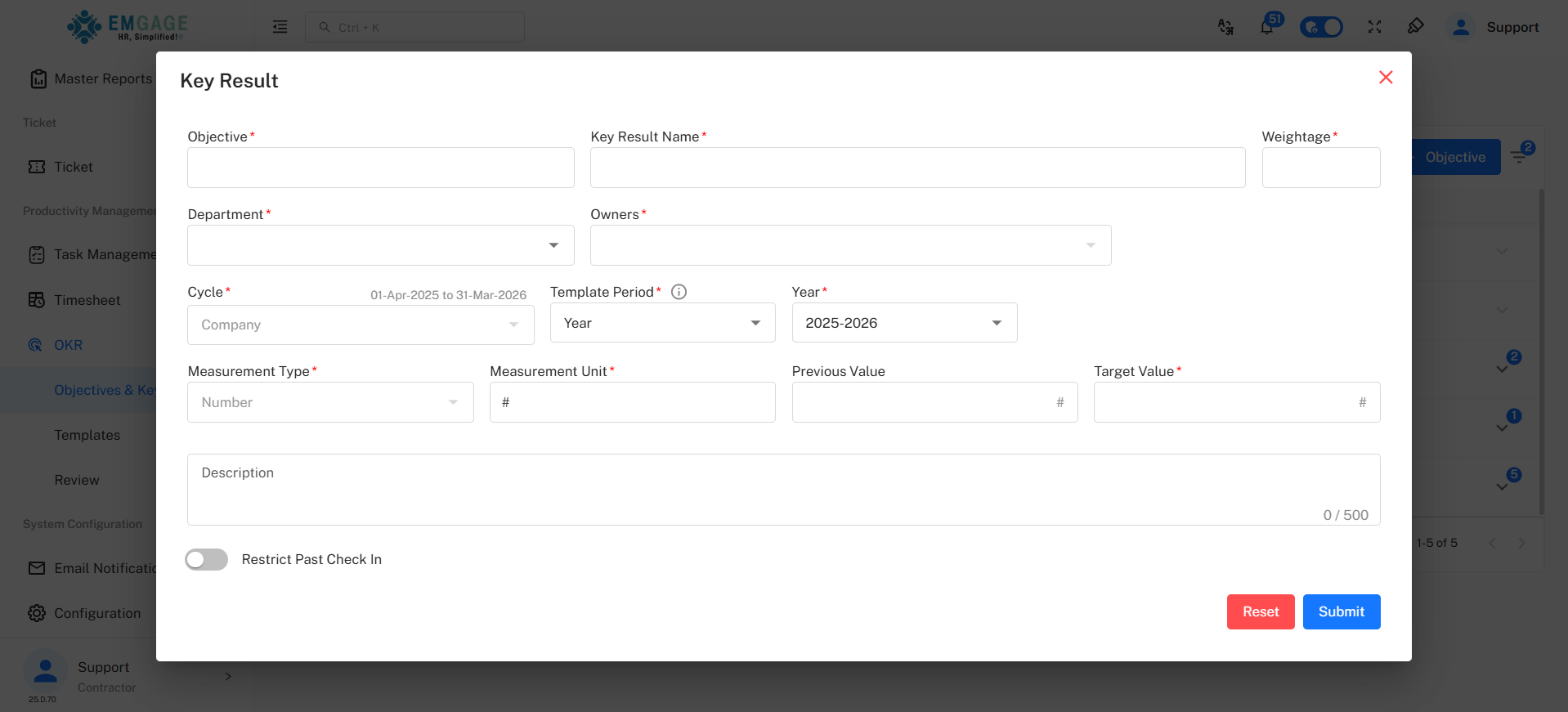
Required Fields:
- Objective
- Key Result Name
- Department
- Owners
- Weightage
- Measurement Type
- Target Value
Key Results are tracked periodically to measure objective achievement.
NOTE : There can be multiple Key Results in a single Objective, and the total weightage must equal 100%..
Templates
Templates help standardize objectives, reviews, and evaluations across the organization.
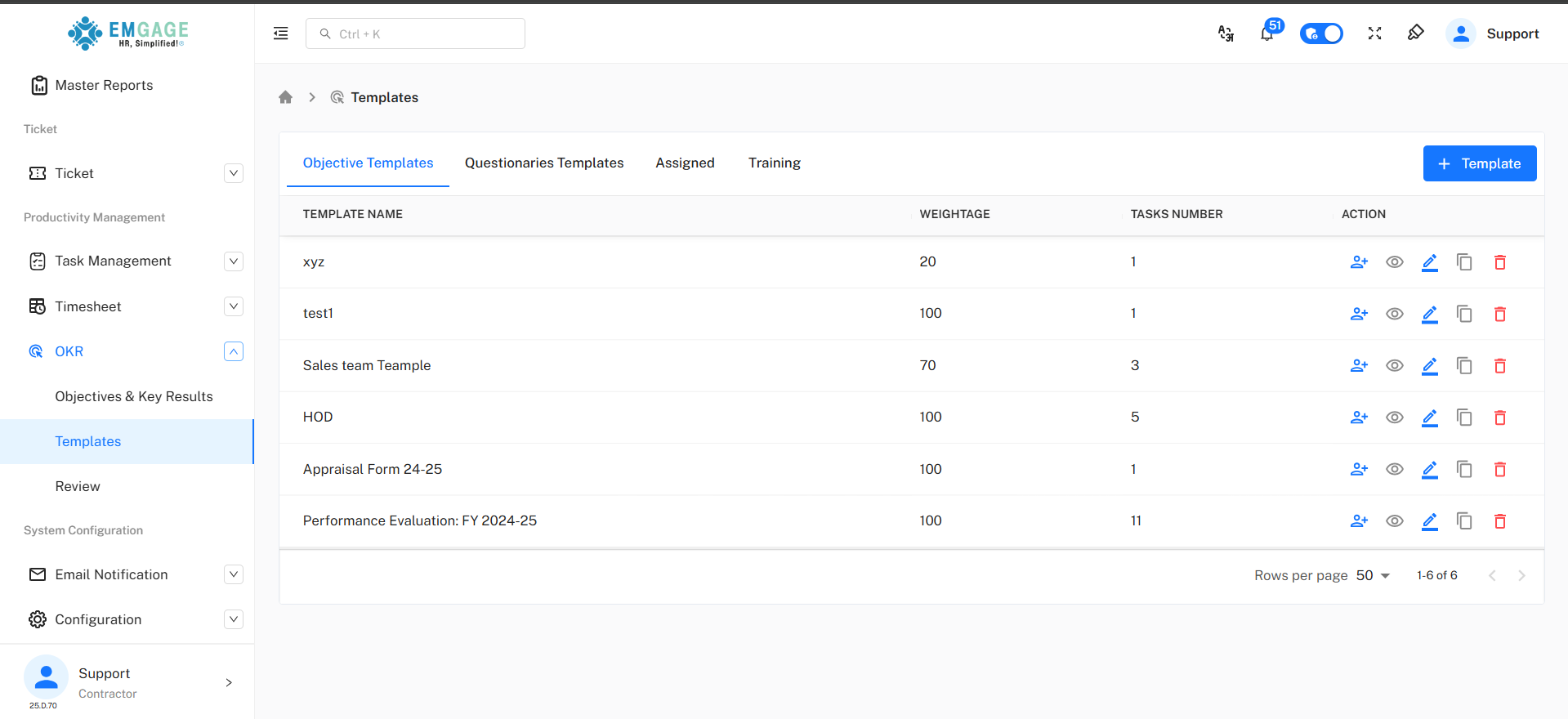
Objective Templates
Reusable objective structures with weightage.
Only objective templates will appear in this page.
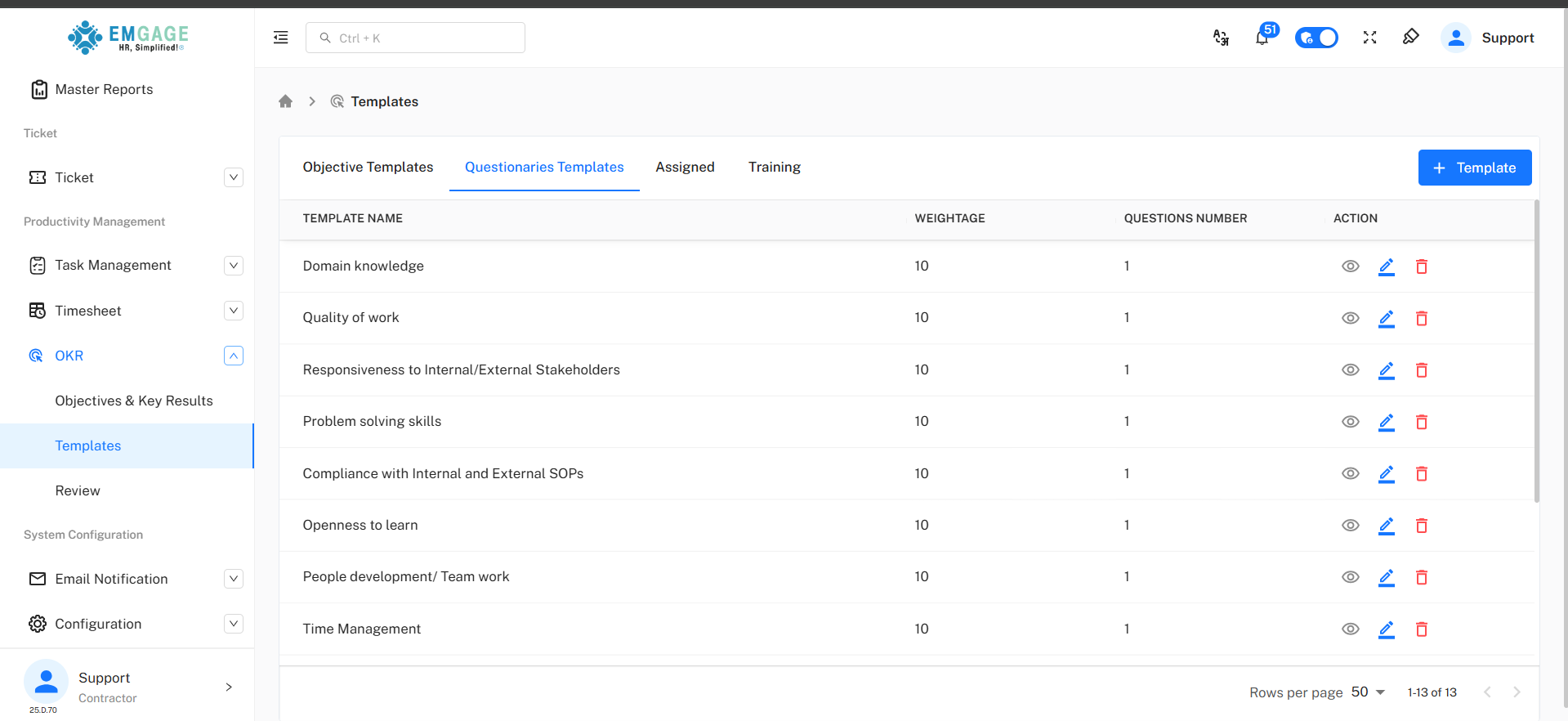
Questionnaires Templates
Templates used for performance evaluation and feedback collection.
Only questionnaire templates will appear in this page.
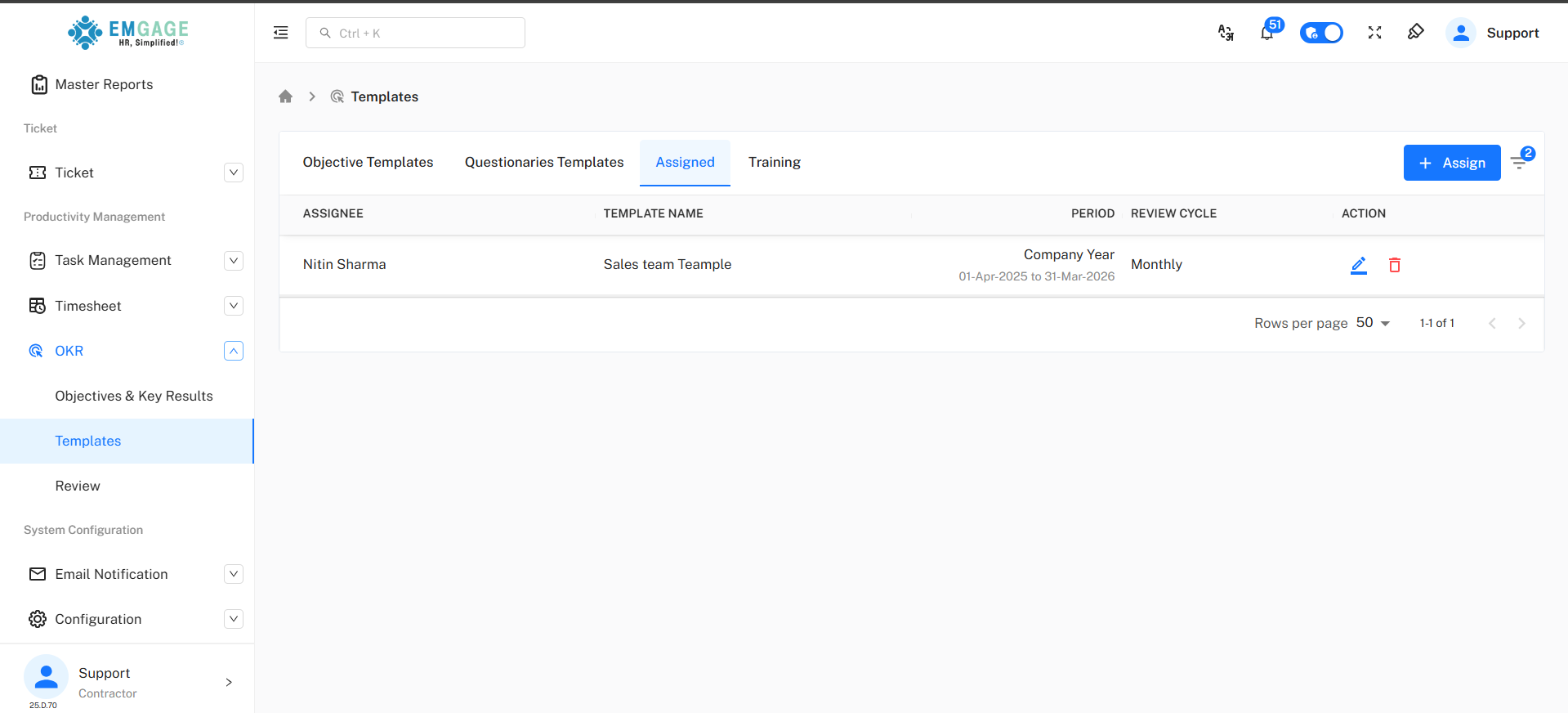
Assigned Templates
Templates assigned to employees for a defined review cycle.
Only assigned templates will appear in this page.
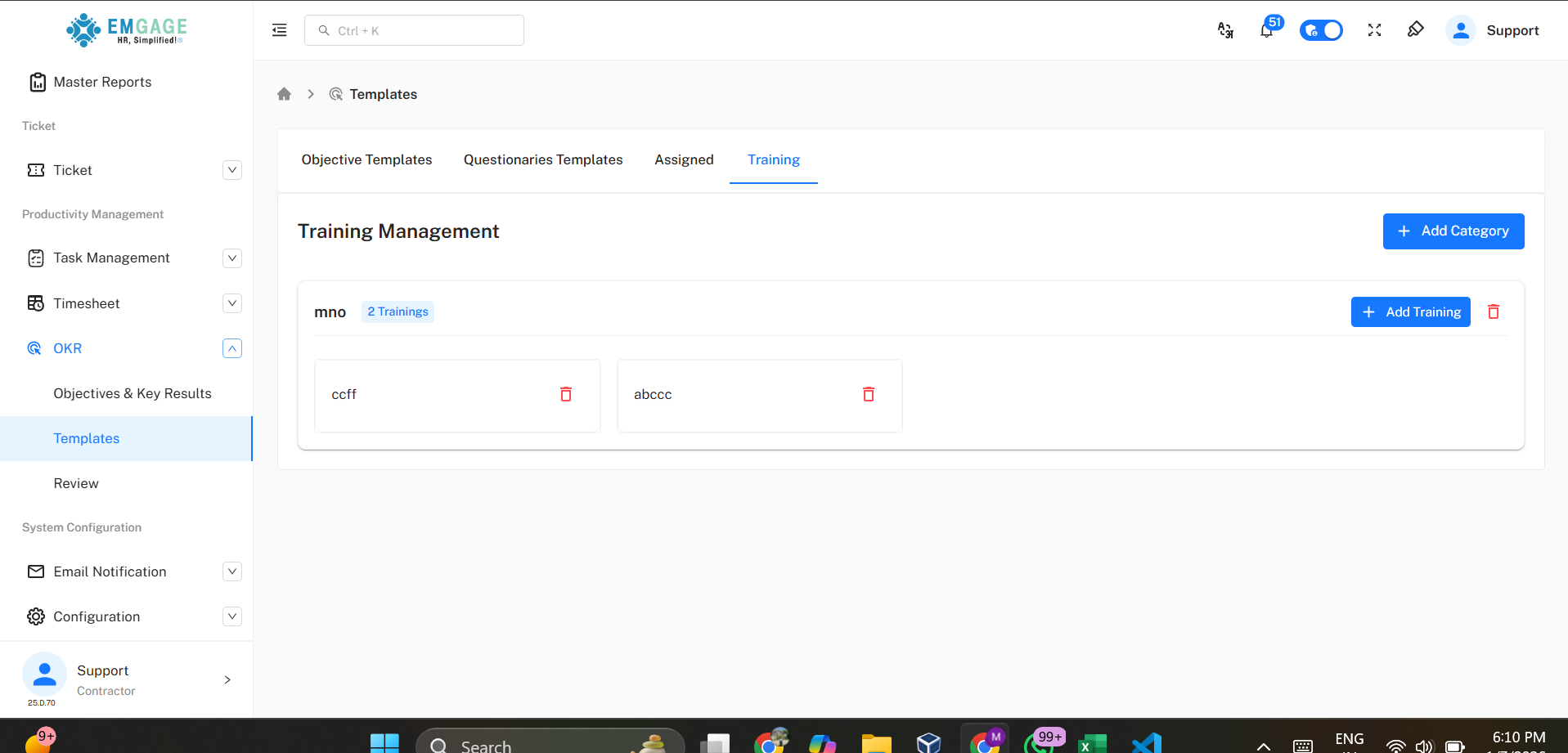
Training
Manage training categories and trainings programs linked to performance improvement.
Only training templates will appear in this page.
Make new template
Click on + Template to create a new template.
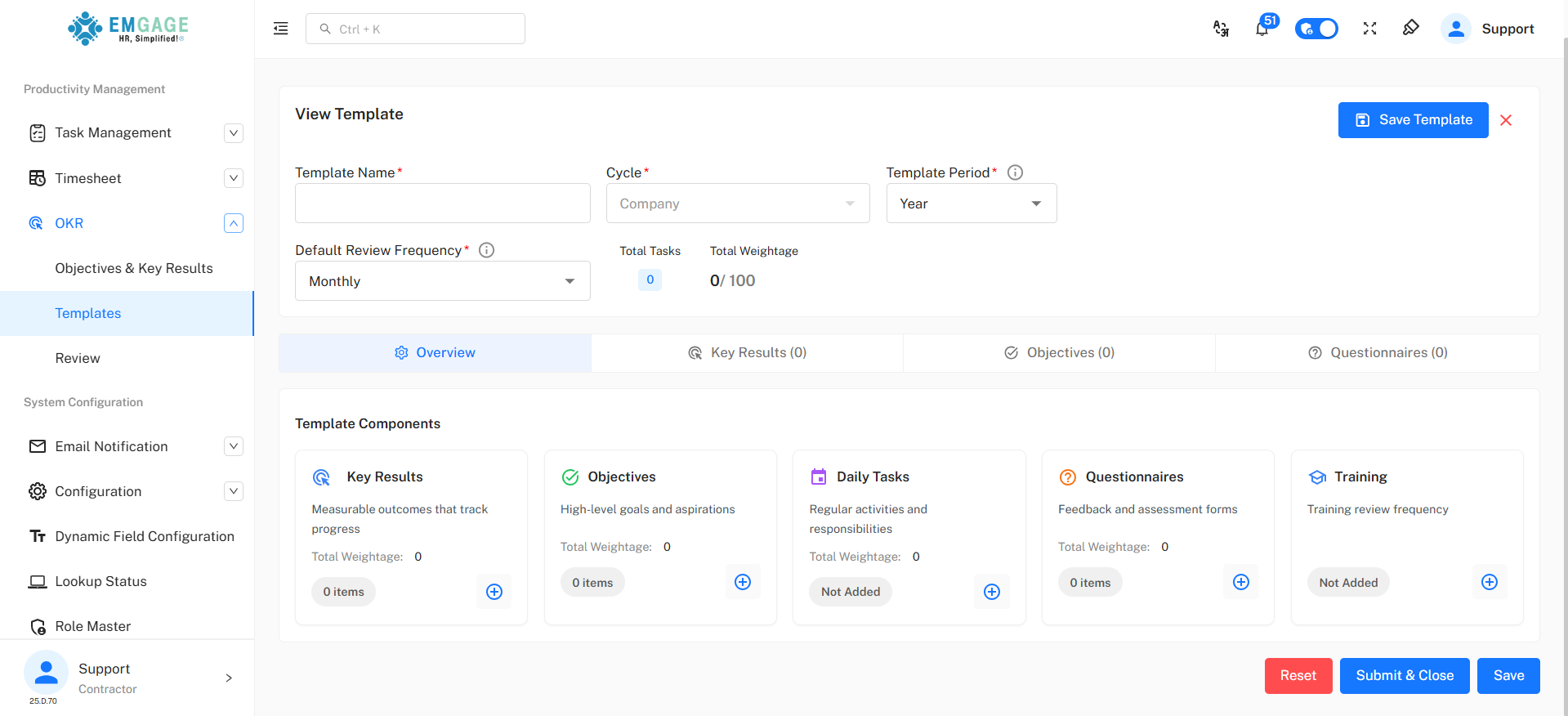
Templates can later be assigned to employees or used during reviews.
Review
The Review module is used to:
- Evaluate OKR performance
- Score key results
- Collect questionnaire responses
- Track review cycles Reviews are available only after templates are assigned.
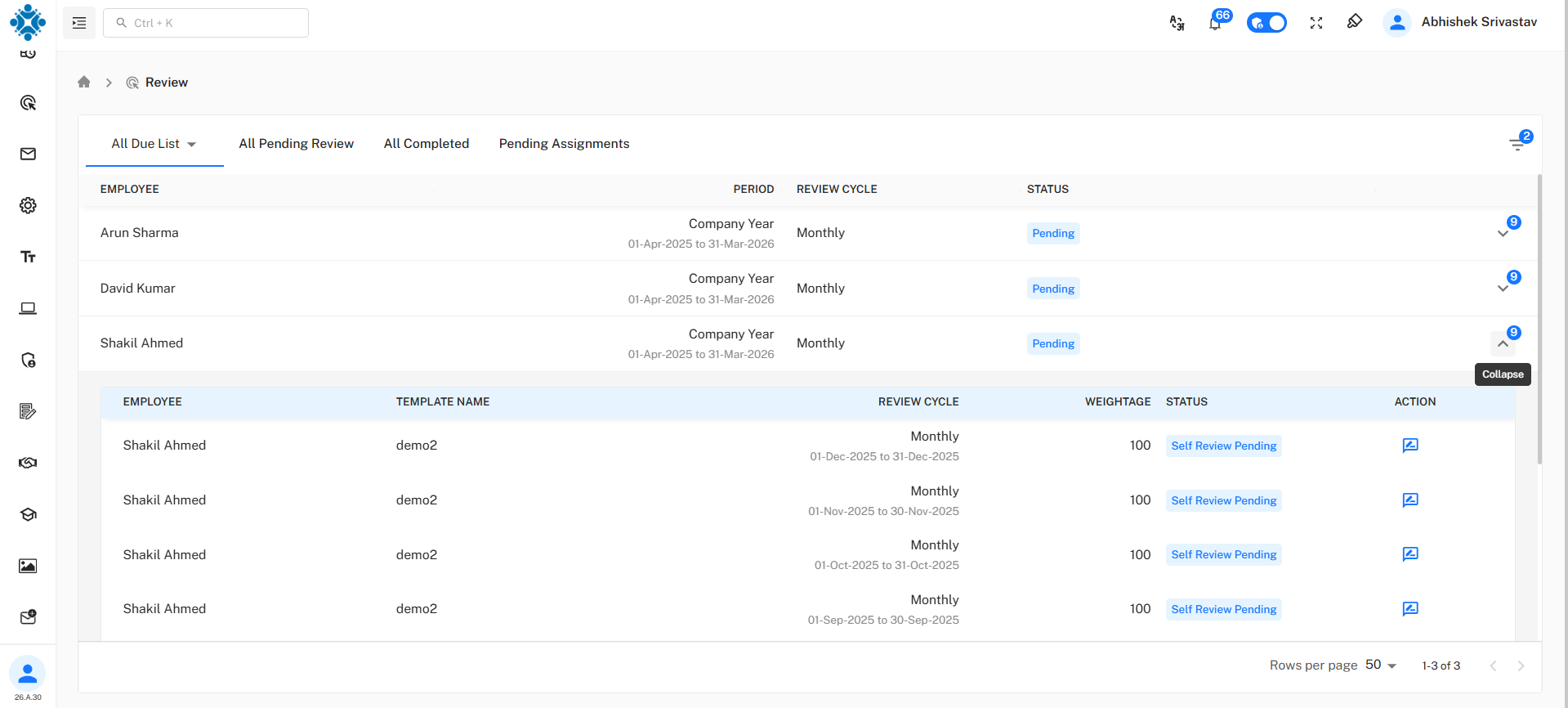
Review Status
Indicates whether the review is:
- Pending
- In Progress
- Completed
User Roles & Access
| Role | Permissions |
|---|---|
| Admin | Create company OKRs, templates, reviews |
| Manager | Create department OKRs, assign templates |
| Employee | View & update individual OKRs |
Conclusion
The OKR module ensures structured goal alignment and performance tracking across the organization.
Important Notes
- Total weightage of Key Results should equal 100%
- Progress is calculated based on target achievement
- Reviews can only be done after template assignment