Department Clearance & Handover Management
Last Updated: October 22, 2025 Document Version: 1.0 Prepared for: Emgage HRMS Implementation Team
This module provides end-to-end visibility and control over employee separation, including clearance by department, credential deactivation, comments tracking, and document uploads for compliance.
Module Overview
Major features for exit and clearance:
Itemized Clearance: Breaks down exit requirements (login credentials, data, passwords) by status and comments.
Status Tracking: Color-coded overview of each clearance item (Pending, Clear, Completed, Approve).
Upload Support: Attach handover files, checklists, or evidence for every step.
Granular Assignment: Assign clearance responsibility to managers, IT, admin, and other departments.
End-to-End Checklist: Ensures no step is missed before employment separation.
Clearance Status & Commenting
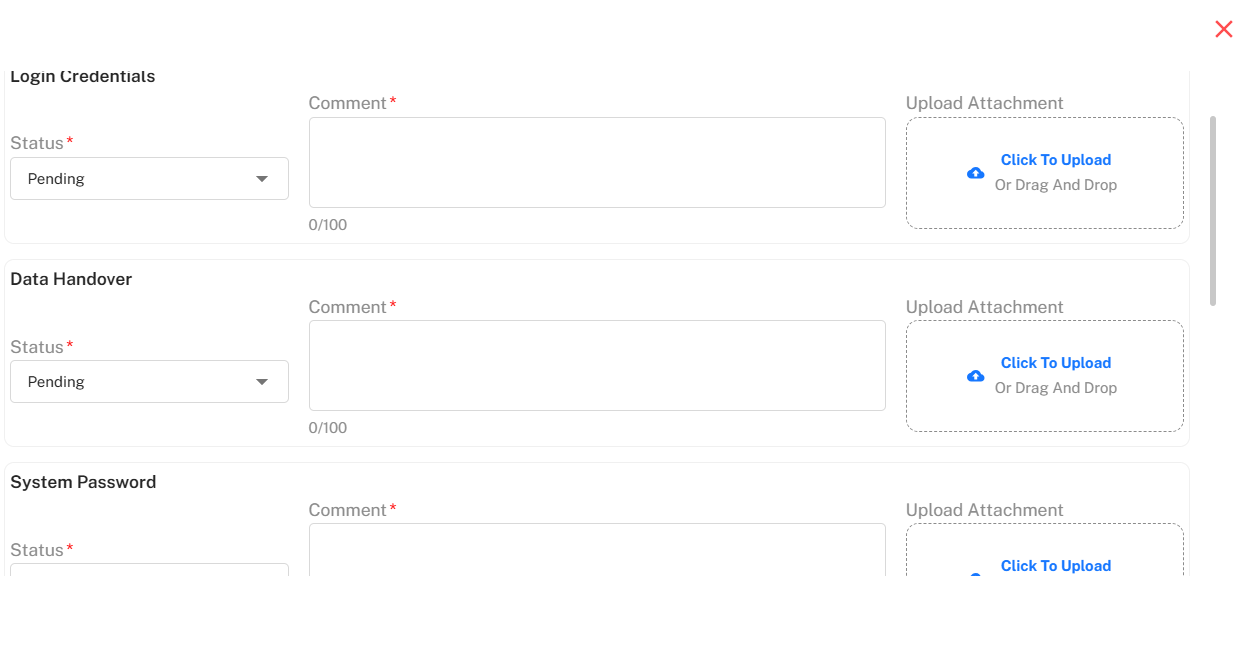
Each checklist entry records a status, comment, and attachments if necessary.
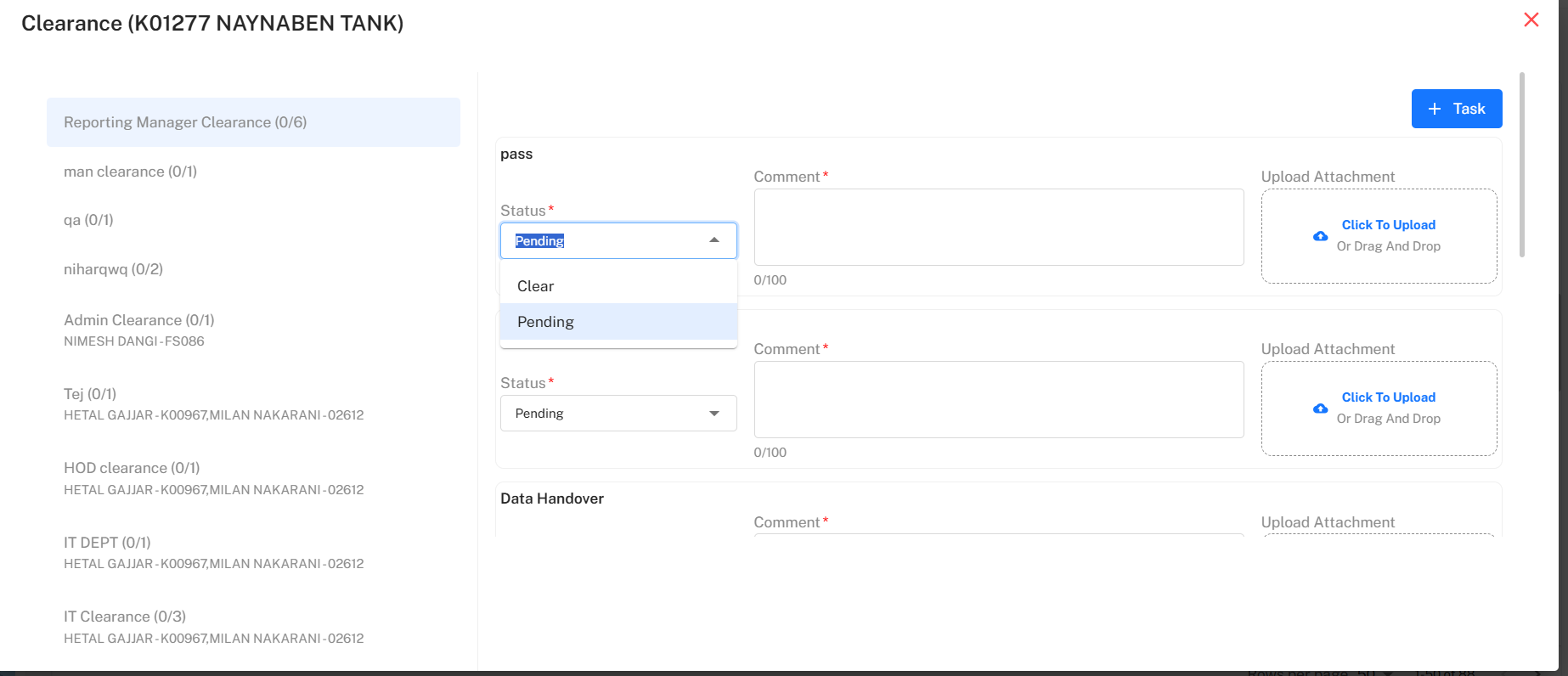
Dropdown Status: Select Pending or Clear for each task.
Comment Field: Mandatory notes for accountability.
Attachment Support: Click or drag-and-drop to upload relevant files at each clearance stage.
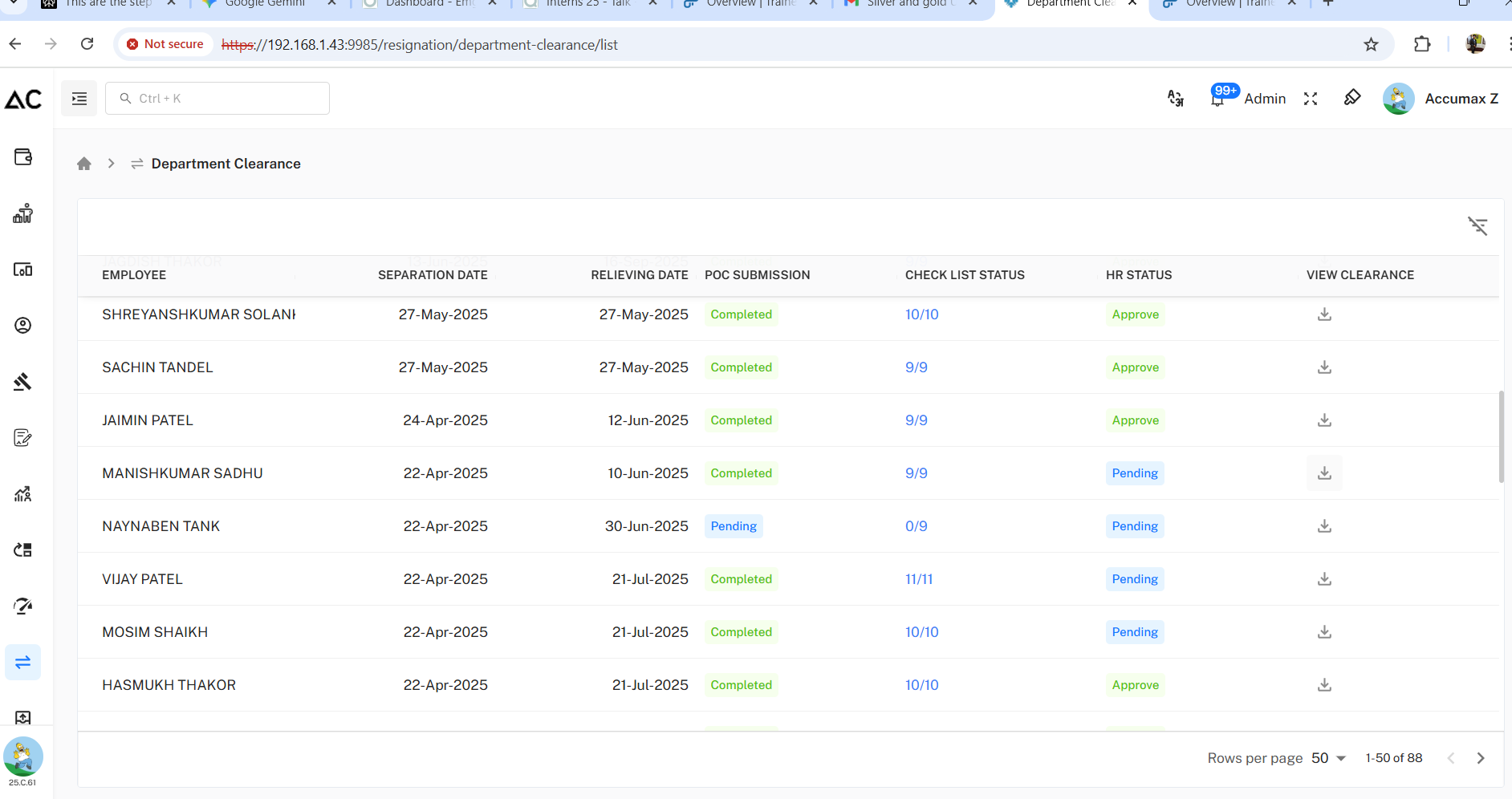
Department Clearance List
A dynamic table summarizes the overall clearance pipeline.
POC Submission: Shows if documents/data were submitted.
Checklist Completion: Shows progress (e.g., 9/9 steps).
HR Status: Indicates if final approval is pending or approved.
View/Download: Compliance records may be viewed/downloaded before separation is finalized.
Clearance Assignment & Multi-Step Workflow
Each employee’s clearance may be split across various roles (managers, IT, admin).
Assignment: Check each area/role's sub-checklist for progress.
Granularity: Each step (such as "Data Handover" or "System Password") can be tracked separately.
Status Options: Mark as Clear when finished; remain as Pending otherwise.
Attachments/Comments: Evidence and rationale must be linked to every clearance item for audit trail.
Step-by-Step Workflow:
Review List: Examine pending and completed items on main clearance dashboard.
Select Employee: Drill into employee details to assign or complete specific checklist items.
Update & Attach Files: Enter status, add mandatory comment, and upload supporting files at each phase.
Complete Checklist: Ensure all items are cleared before approval.
HR Approval: Final step that enables employee exit once all departmental clearances are marked done.