Lookup Entries Management
Last Updated: October 22, 2025 Document Version: 1.0 Prepared for: Emgage HRMS Implementation Team
This module is a central administrative tool for managing the values that appear in various dropdown menus throughout the application. It allows administrators to add, edit, and deactivate options for different "Lookup Types" like Ticket Priority and Ticket Rating.
Module Overview
Major features for lookup management:
- Centralized List: A single grid displays all lookup values for all lookup types.
- Add & Edit Forms: Easy-to-use modal forms for creating new lookup values or editing existing ones.
- Priority Sorting: Assign a
Prioritynumber to control the sort order of items in dropdown menus. - Status Control: Use the
Active/InActivetoggle to show or hide options from users without deleting them.
Lookup Entries List
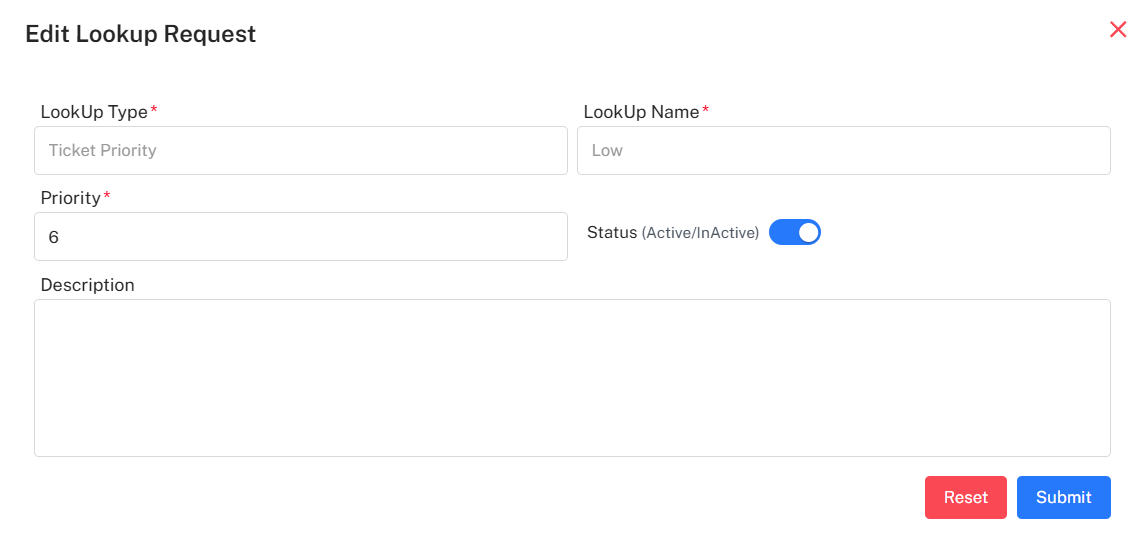
The main screen displays a list of all existing lookup entries with their key configuration details.
- Key Columns: The grid shows the
Lookup Type(the group the entry belongs to),Lookup Name(the actual value),Lookup Status(Active/Inactive), andPriority. - Actions:
+ Request: Opens a blank form to create a new lookup entry.Edit: (Pencil icon) Opens a pre-filled form to modify an existing entry.
Adding a New Lookup Entry ("Lookup Request")
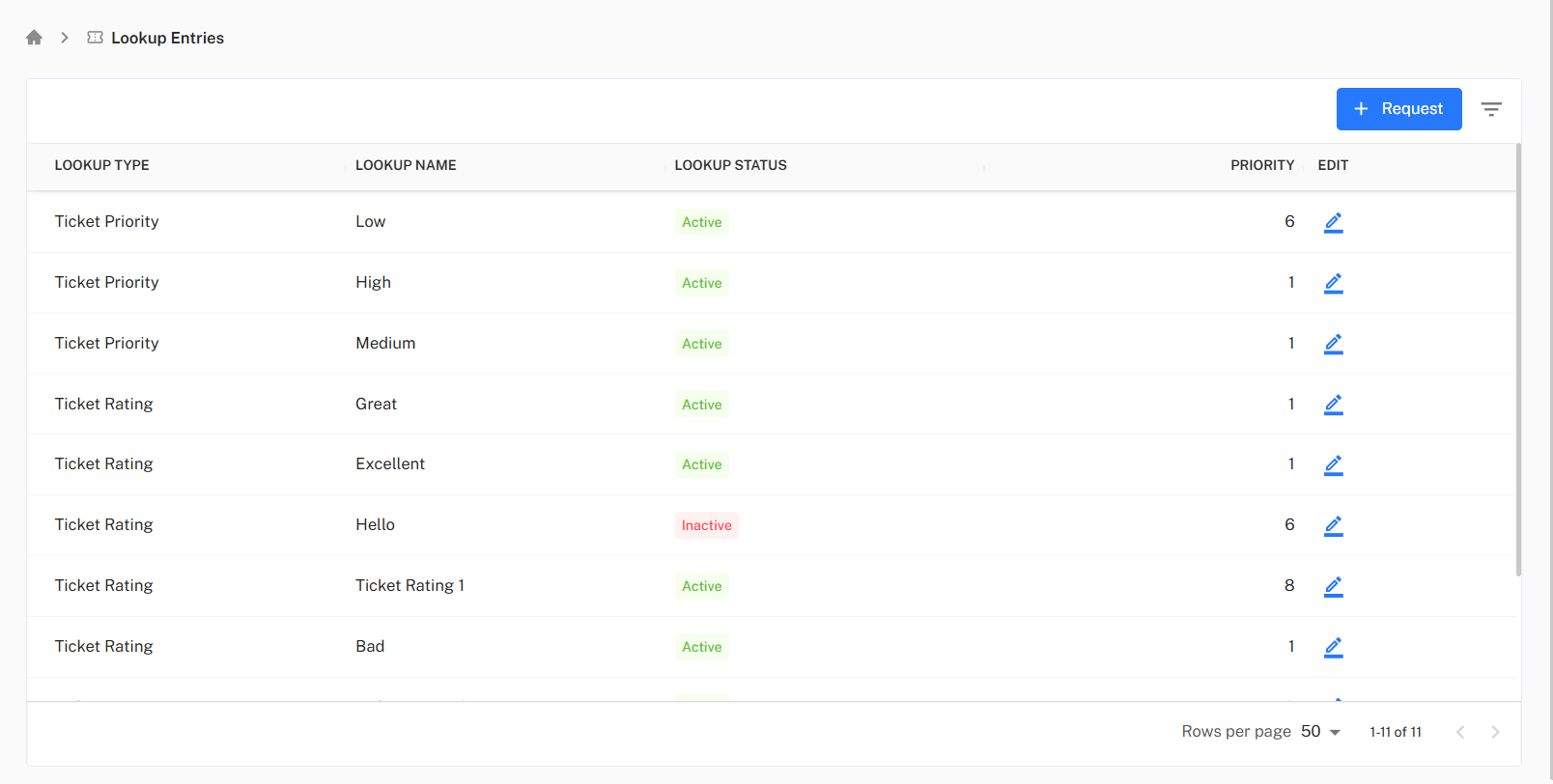
Clicking the + Request button opens the "Lookup Request" modal, allowing you to add a new option to a dropdown.
- Lookup Type: Select the type of lookup you want to add a value to (e.g., "Ticket Priority" or "Ticket Rating").
- LookUp Name: Enter the text that will be displayed to the user in the dropdown (e.g., "Critical" or "Average").
- Priority: Enter a number to define its sort order. Lower numbers typically appear first.
- Status (Active/InActive): (Toggle) Set whether this new value should be available for selection immediately.
- Description: (Optional) Add any internal notes about this lookup value.
Editing an Existing Lookup Entry
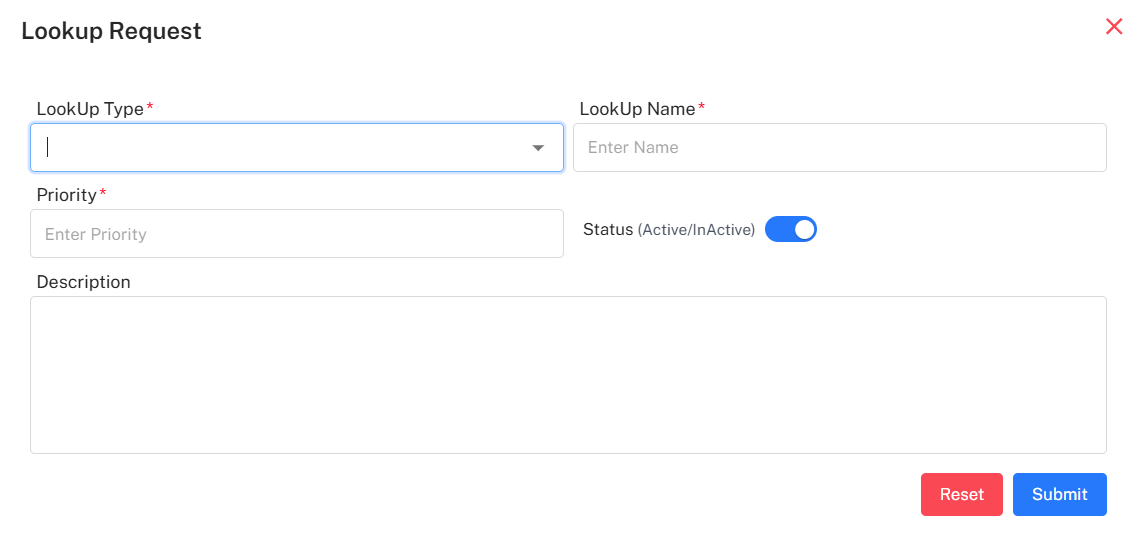
Clicking the Edit icon for any row opens the "Edit Lookup Request" modal, which is pre-filled with that entry's data.
- Lookup Type: This field is read-only and cannot be changed.
- LookUp Name: You can update the display name of the value.
- Priority: You can change the priority number to re-order the dropdown list.
- Status (Active/InActive): (Toggle) You can activate or deactivate the value.
- Description: (Optional) You can add or update the internal notes.