Team Transfer
Last Updated: October 3, 2025 Document Version: 1.0 Prepared for: Emgage HRMS Implementation Team
The Team Transfer module enables HR personnel and managers to modify reporting structures by changing primary and secondary manager assignments. This system supports individual employee transfers, team transfers, or full organizational restructuring.
System Overview
The team transfer process consists of four main components:
- Transfer Dashboard - Main interface for viewing and managing manager assignment requests
- Team Transfer Request - Form-based system for creating manager change requests
- Approval Workflow - Administrative approval process for manager assignments
- Bulk Operations - Multiple employee manager changes in single operations
Quick Start Guide
a. Access the transfer dashboard to view existing manager change requests b. Create new team transfer requests for manager assignments c. Submit requests for administrative approval d. Process bulk manager changes when needed
Transfer Dashboard
The dashboard displays all manager assignment requests and provides access to team transfer functions. Teams are shown with their current status and pending manager changes.
Core Functions:
- View all team transfer requests with current status
- Create new manager assignment requests
- Access detailed view for team member information
- Apply filters to search specific teams or employees
- Process approval actions for pending requests
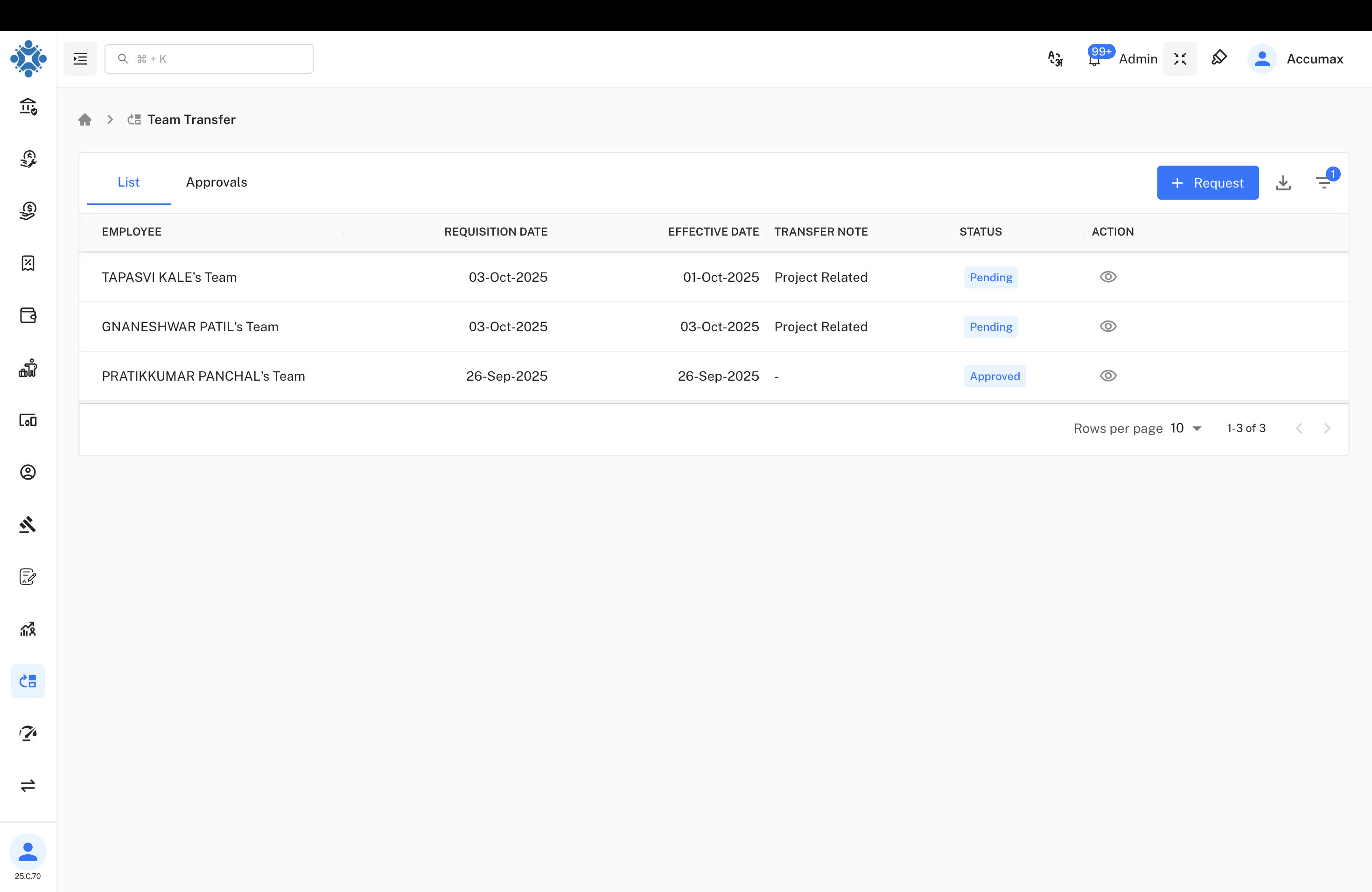
Team Information Display:
a. Team Listing - Shows team names with requisition dates and effective dates b. Status Tracking - Real-time status updates (Pending, Approved, etc.) c. Transfer Notes - Project-related or business justification notes d. Action Controls - View details and approval management options
Team Member Details
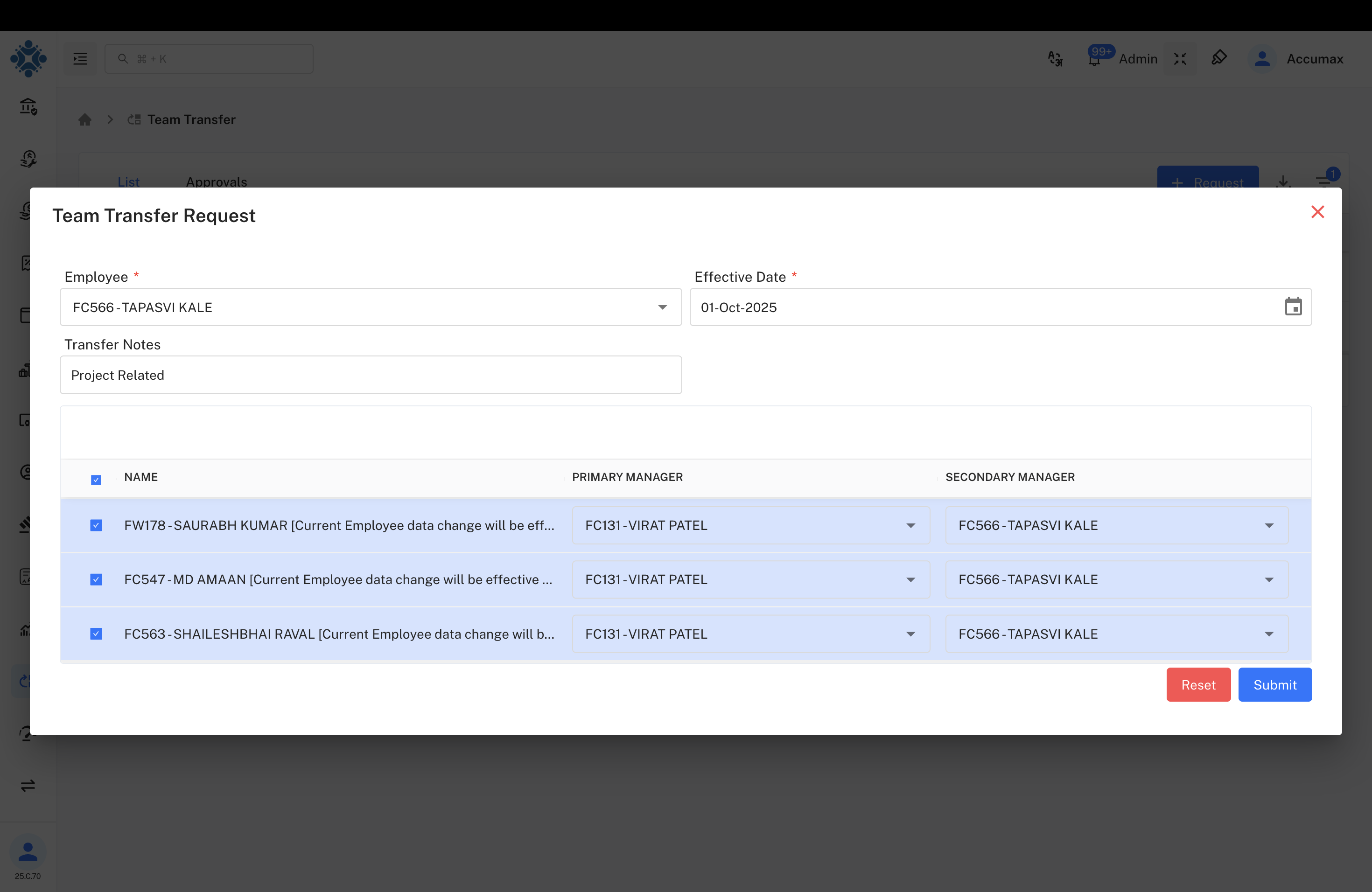
Click on any team to view detailed member information including current and proposed manager assignments.
Details View includes:
- Individual team member names and employee IDs
- Current primary and secondary manager assignments
- Proposed new primary and secondary manager assignments
- Transfer effective dates and approval status
Team Transfer Request
The team transfer request form allows creation of manager assignment changes for individuals, partial teams, or complete teams.
Transfer Request Process:
- Select employee or team leader for transfer
- Set effective date for manager changes
- Add transfer notes and business justification
- Add team members to the request
- Assign new primary and secondary managers for each member
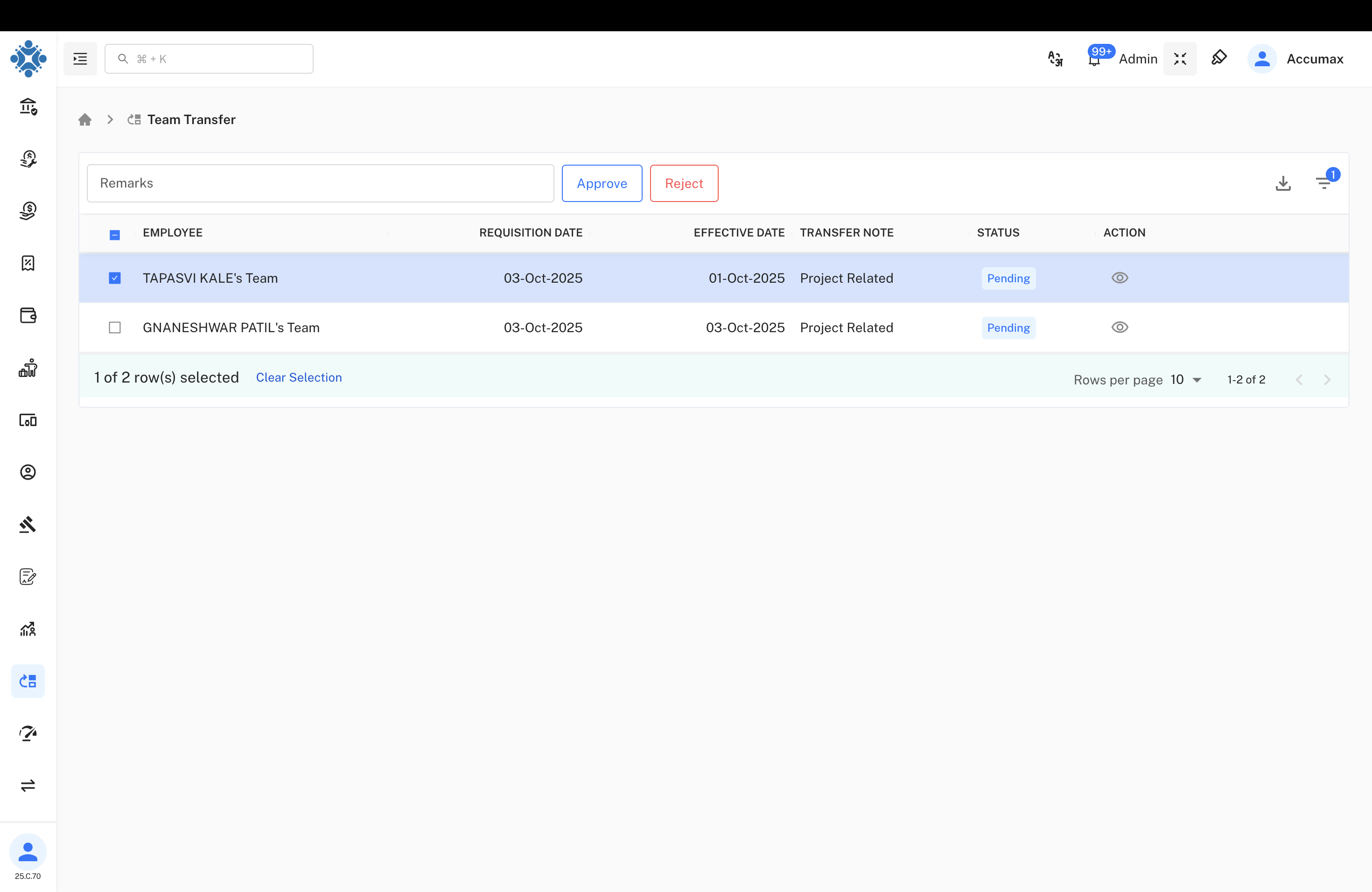
Form Components:
| Field | Description | Status |
|---|---|---|
| Employee | Team leader or individual employee | Required |
| Effective Date | Manager change effective date | Required |
| Transfer Notes | Business justification for changes | Required |
| Team Members | List of employees to transfer | Required |
| Primary Manager | New primary manager assignment | Required |
| Secondary Manager | New secondary manager assignment | Required |
Team Assignment Features:
- Multiple team members in single request
- Individual manager assignments per employee
- Primary and secondary manager selection
- Bulk manager assignment capabilities
- Form validation and reset functions
Approval Workflow
Administrative personnel review and approve manager assignment requests through the approval interface. This system manages the complexity of team reporting structure changes.
Approval Process:
- Team transfer requests appear in approval queue
- Review team member details and proposed manager changes
- Evaluate business justification and organizational impact
- Select team members for approval or rejection
- Submit approval decision with supporting comments
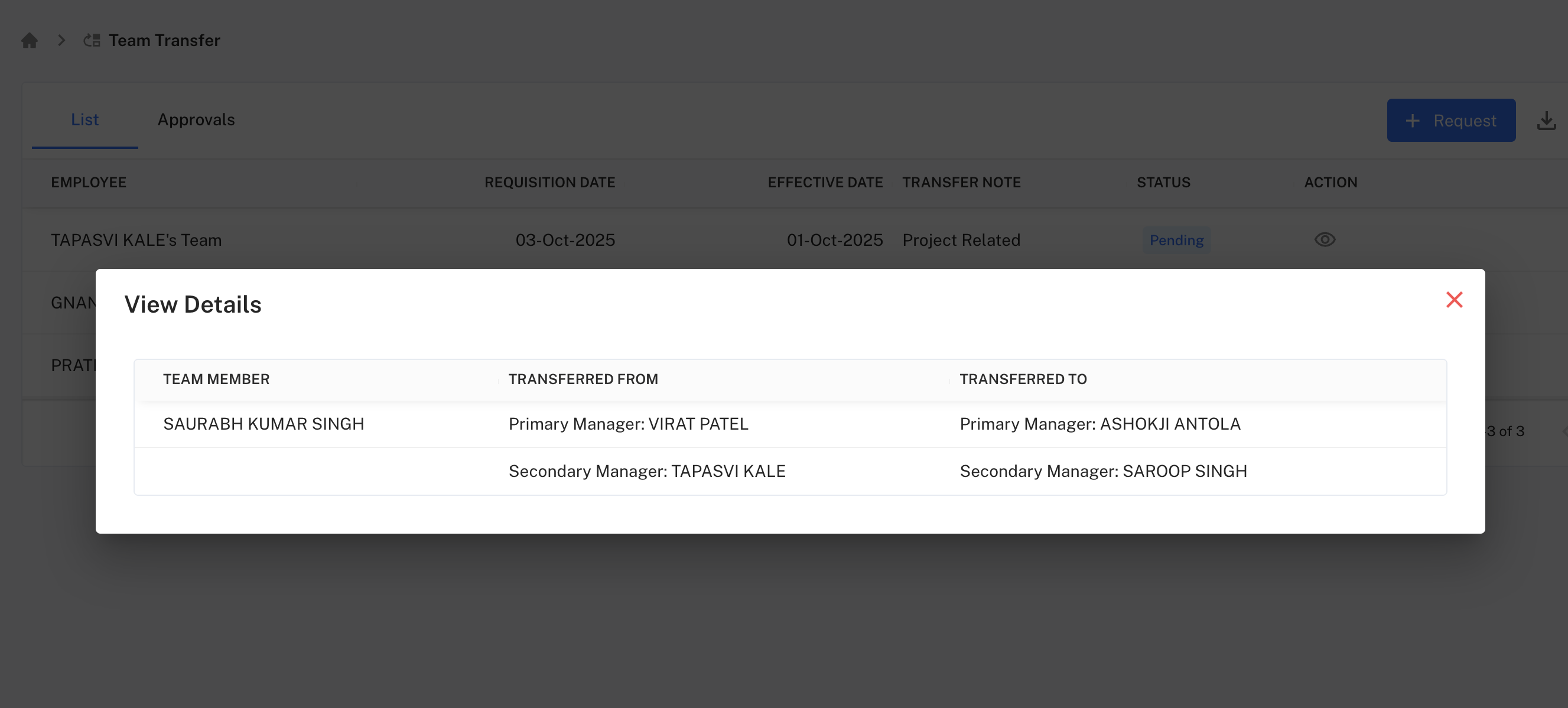
Approval Features:
a. Bulk Selection - Select multiple team members for batch approval b. Individual Review - Review each team member's manager assignments c. Approval Actions - Approve or reject individual or bulk requests d. Comment System - Add approval remarks and documentation
Approval Options:
- Approve - Grant authorization for manager changes
- Reject - Deny request with mandatory reasoning
Decision Criteria:
- Business necessity for reporting structure changes
- New manager capacity and qualifications
- Team member compatibility and performance
- Organizational impact and timing considerations
Operations Management
Team transfer operations support efficient processing of manager assignments with validation and tracking capabilities.
Process Management:
- Validate manager availability and capacity
- Check for reporting structure conflicts
- Ensure proper approval authorization
- Process manager assignment changes
- Update organizational charts and reporting
Validation Requirements:
- Valid employee and manager IDs in system
- Active manager status and availability
- No circular reporting relationships
- Adequate manager capacity for team size
- Complete required approval documentation
Implementation Guidelines
For HR Personnel:
- Verify manager availability and capacity before assignment requests
- Process team transfer requests within established timeframes
- Maintain documentation for all manager assignment changes
- Communicate organizational changes to affected stakeholders
- Update reporting structures promptly after approval
For Administrative Approvers:
- Review team transfer requests promptly to avoid delays
- Evaluate manager capacity and team compatibility
- Provide clear approval decisions with supporting rationale
- Consider organizational impact before authorization
- Document approval reasoning for audit purposes
For Team Transfer Operations:
- Validate all manager and employee data before submission
- Check for reporting conflicts and circular relationships
- Ensure proper approval workflow completion
- Process manageable team sizes per request
- Maintain backup documentation for organizational changes
Common Issues and Solutions
Team Transfer Request Problems:
- Issue: Manager assignment conflicts or circular reporting
- Solution: Validate reporting structure and manager availability before submission
Approval Workflow Issues:
- Issue: Bulk approval processing failures
- Solution: Review individual team member assignments and approval permissions
System Access Problems:
- Issue: Team member details not displaying correctly
- Solution: Verify employee status and system access permissions
Data Validation Errors:
- Issue: Manager not found in assignment dropdown
- Solution: Confirm manager status is active and has proper authorization levels