Finacial Year Closer
Leave Balance and Payroll Year Closing
1. Leave Balance Update
There are 3 payroll types:
- Attendance Cut-Off
- Calendar Month
- Salary Cut
Leave Balance Behavior
For all three payroll types:
- If Leave Cycle is set to Auto, the leave balance will be carried forward, encashed, lapsed, and the new balance will be updated on 1 April as per the leave policy.
- If Leave Cycle is set to Manual, the leave balance will be carried forward, encashed, lapsed, and the new balance will be updated at the time of attendance freeze , as per the leave policy.
Recommended Settings
| Payroll Type | Leave Cycle Setting |
|---|---|
| Attendance Cut | Auto |
| Calendar Month | Manual |
| Salary Cut | Auto |
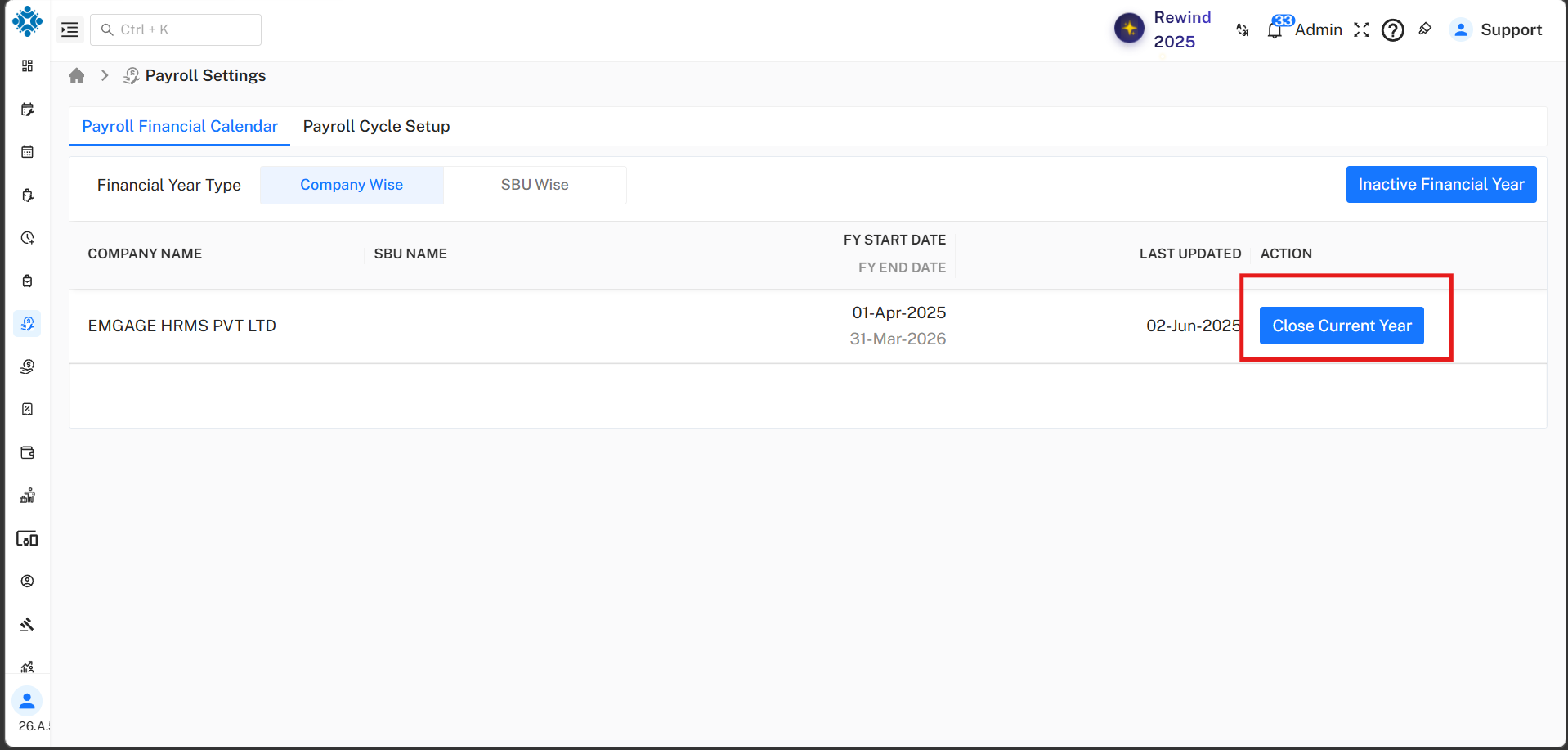
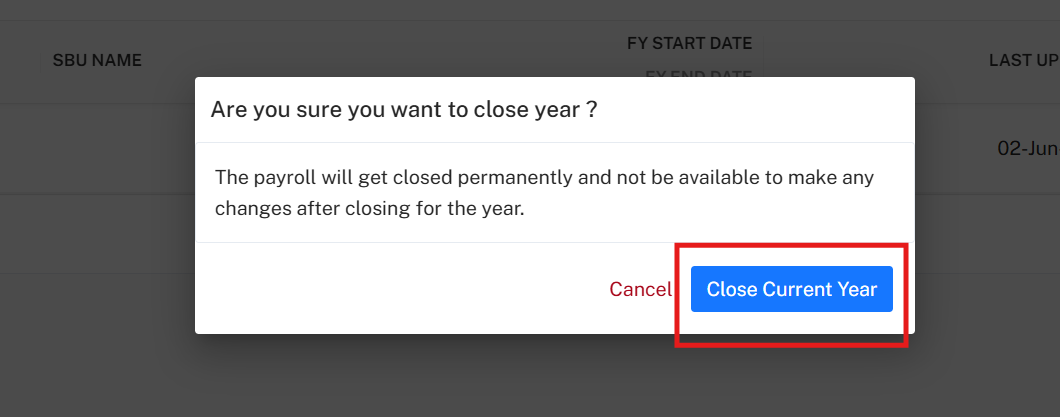
2. Closing the Payroll Year
Before running payroll for the new financial year, you must close the old financial year in the system.
Path:
Payroll Setup → Payroll Setting → Payroll Financial Calendar
Important Points
- First close the current financial year.
- Only after closing the year you can run payroll for the new financial year.
- After closing the year, TDS declaration cannot be changed.
- Old payroll and TDS data cannot be modified.
- After closing the current year, you can run April 2026 payroll.
- If the year is not closed, the system will show an error. -->