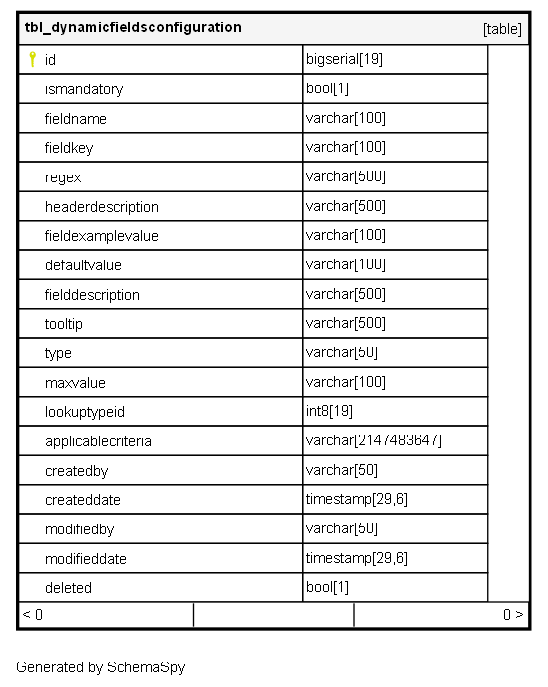
Columns
| Column | Type | Size | Nulls | Auto | Default | Children | Parents | Comments |
|---|---|---|---|---|---|---|---|---|
| id | bigserial | 19 | √ | nextval('tbl_dynamicfieldsconfiguration_id_seq'::regclass) |
|
|
Primary key |
|
| ismandatory | bool | 1 | false |
|
|
Flag indicating if this dynamic field is required for the user to submit the form. |
||
| fieldname | varchar | 100 | null |
|
|
The user-facing label or name displayed for the field on the form. |
||
| fieldkey | varchar | 100 | null |
|
|
The unique technical key (e.g., variable name) used by the system to reference the field’s data. |
||
| regex | varchar | 500 | √ | null |
|
|
The Regular Expression string used for complex input validation (e.g., specific format for a license number). |
|
| headerdescription | varchar | 500 | √ | null |
|
|
A short title or header text displayed above a group of related dynamic fields. |
|
| fieldexamplevalue | varchar | 100 | √ | null |
|
|
An example or placeholder text shown in the input box to guide the user on the expected format. |
|
| defaultvalue | varchar | 100 | √ | null |
|
|
The value that is automatically populated into the field when a new form is created. |
|
| fielddescription | varchar | 500 | √ | null |
|
|
A longer description providing detailed context or rules for the field. |
|
| tooltip | varchar | 500 | √ | null |
|
|
The help text displayed when the user hovers over the field label. |
|
| type | varchar | 50 | null |
|
|
The UI type of the input field (e.g., text, number, date, dropdown, textarea, checkbox). |
||
| maxvalue | varchar | 100 | √ | null |
|
|
The maximum allowed value (for number fields) or maximum length (for text fields). |
|
| lookuptypeid | int8 | 19 | √ | null |
|
|
FK: Reference to a lookup master table |
|
| applicablecriteria | varchar | 2147483647 | √ | null |
|
|
JSON or Text rule defining where and for whom this field should be displayed (e.g., “Only for HR users,” “Only for employees in the India branch”). |
|
| createdby | varchar | 50 | null |
|
|
FK: public.tbl_userlogin.id or public.tbl_employee.employeeid |
||
| createddate | timestamp | 29,6 | √ | null |
|
|
Timestamp of when the configuration record was created. |
|
| modifiedby | varchar | 50 | √ | null |
|
|
FK: public.tbl_userlogin.id or public.tbl_employee.employeeid |
|
| modifieddate | timestamp | 29,6 | √ | null |
|
|
Timestamp of the last modification to the configuration record. |
|
| deleted | bool | 1 | null |
|
|
Flag indicating if the field configuration has been logically deleted (soft delete). |
Indexes
| Constraint Name | Type | Sort | Column(s) |
|---|---|---|---|
| pk_tbl_dynamicfieldsconfiguration_id | Primary key | Asc | id |
Relationships
Close relationships within degrees of separation